
Corsair RS120-R ARGB Reverse Fans Triple Pack Black
4.6Editor score
Reverse rotor for flawless lighting
High static pressure for radiators
Daisy-chain PWM connections
Explore our expert guide to the best Corsair case fans available in October 2026. We compare top models featuring RGB lighting, high airflow, and advanced
Corsair case fans are essential for maintaining optimal temperatures in modern PC builds. Whether you need high static pressure for radiators or vibrant RGB lighting for aesthetics, Corsair offers a wide range of options to suit every enthusiast.
We have compared the latest Corsair fan models based on airflow, noise levels, RGB features, and connectivity options. This list covers both standard PWM fans and innovative iCUE Link systems designed to simplify cable management and control.
Each pick highlights specific strengths like reverse rotors for clean aesthetics or thick blades for maximum cooling. Please note that prices and availability may change frequently, so always check the current listing before purchasing.
4.6Editor score

4.6Editor score

4.7Editor score
This side-by-side comparison highlights the key specifications and features of the top ten Corsair case fans available today. Reviewing these models helps you decide between standard PWM fans, iCUE Link ecosystems, and specialized reverse rotor designs.

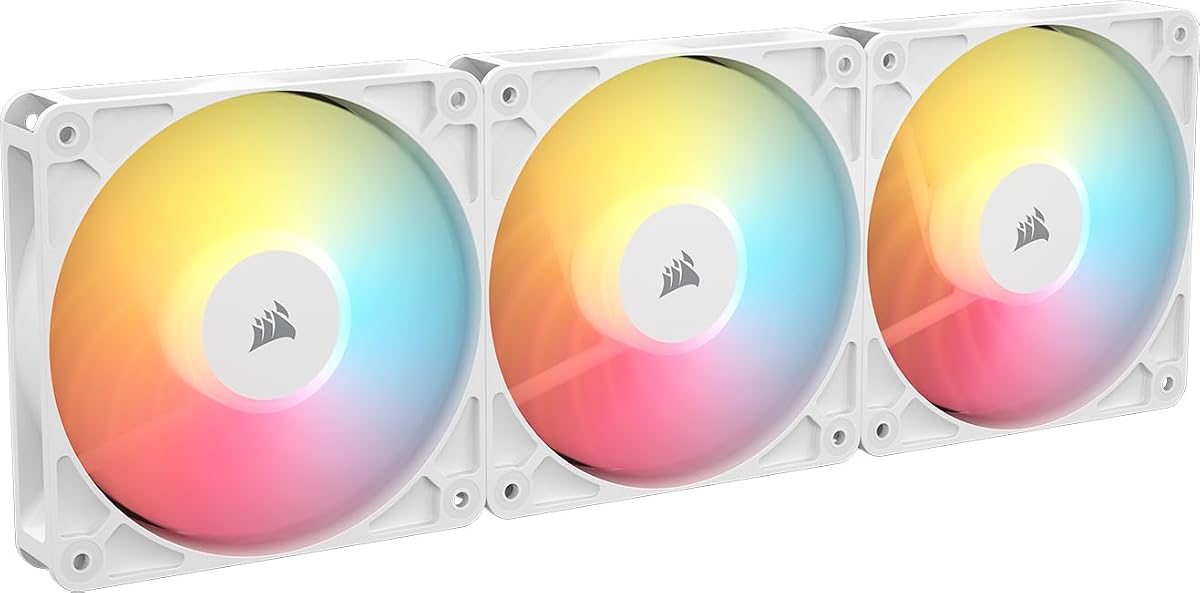
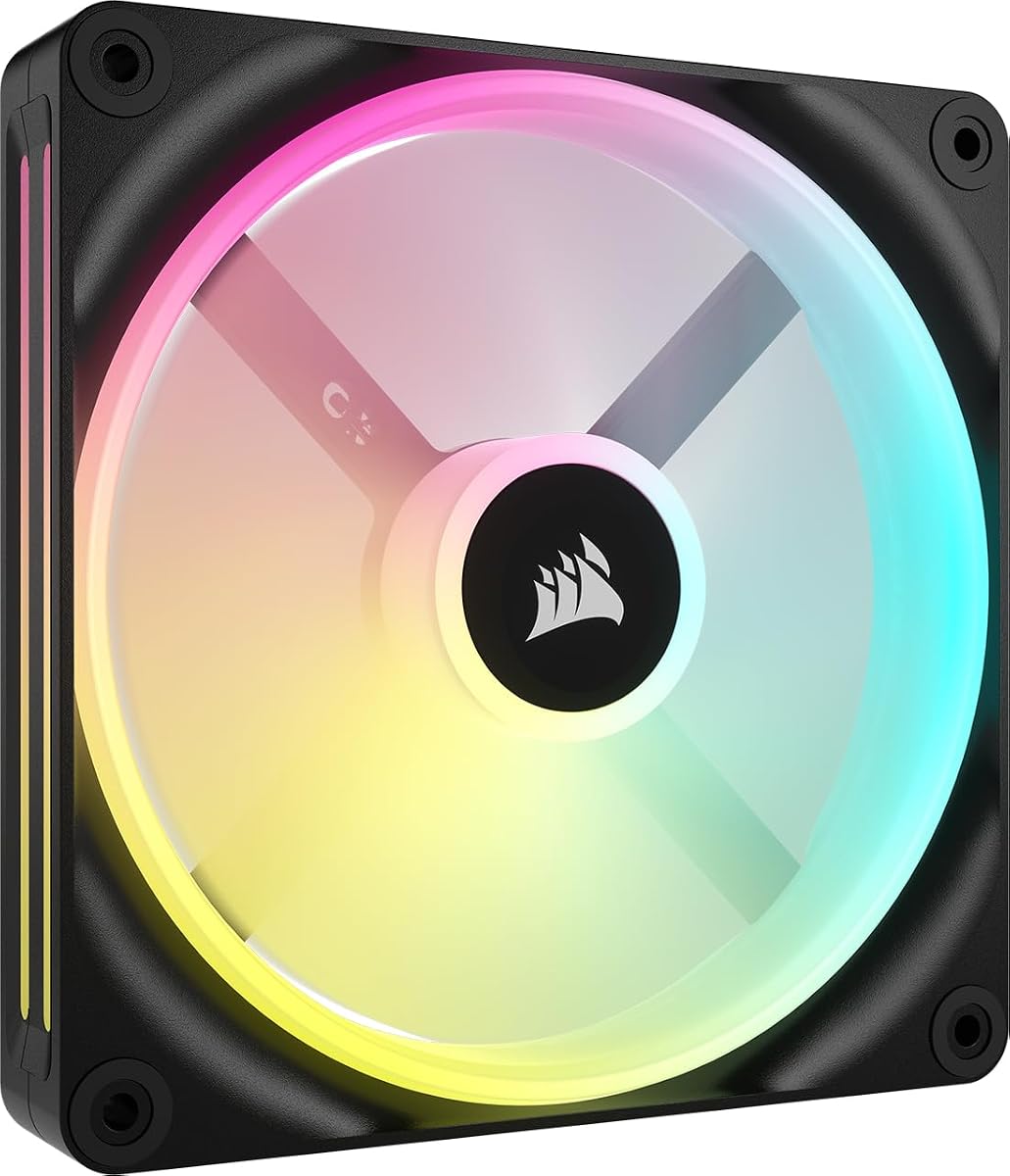


The CORSAIR RS120 ARGB triple pack stands out as a top choice for enthusiasts seeking reliable cooling and style. It features a high rating and delivers impressive airflow numbers that keep systems cool under load.
We may earn a commission when you buy through this link, at no additional cost to you.
These fans utilize AirGuide technology to direct airflow precisely where needed. The daisy-chain connection simplifies installation by reducing cable clutter. You can control all three fans through just one PWM connector.
While the RGB lighting is vibrant, it requires a compatible motherboard for full customization. The magnetic dome bearing ensures quiet operation even at high speeds. Overall, the trade-off for simpler wiring is worth it.
If you need a balance of price performance and aesthetics, these fans are an excellent pick. They work well as case intake or exhaust fans. The black finish fits seamlessly into dark PC builds.
Daisy-chain technology allows you to connect multiple fans with fewer cables, keeping your PC interior tidy and improving airflow paths.
Anti-vortex vanes help focus airflow onto hot components, improving cooling efficiency without needing higher fan speeds.
We may earn a commission when you buy through this link, at no additional cost to you.
This triple pack offers a premium experience with its inclusion of the iCUE Link System Hub. It simplifies your entire fan setup with bridge connectors that link fans directly to the hub.
We may earn a commission when you buy through this link, at no additional cost to you.
The dual light loops create a vibrant visual effect across the fan blades. With high RPMs and static pressure, it handles radiator mounting effectively. The hub manages all connections with a single cable.
The higher cost is justified by the convenience and aesthetics. You avoid complex wiring setups common in traditional builds. The RGB synchronization with other iCUE devices enhances the overall look.
Ideal for users wanting a clutter-free build with top-tier performance. These fans deliver strong cooling power while looking spectacular. The black color suits most modern high-end cases.
The included hub centralizes fan and RGB control, requiring only one cable connection to your motherboard for full functionality.
Eighteen LEDs per fan are split across inner and outer loops for a unique and detailed lighting pattern.
We may earn a commission when you buy through this link, at no additional cost to you.
The RS120-R ARGB reverse fans offer a clean aesthetic for white builds. Their rotor design ensures the RGB ring is visible even when mounted as intake. This prevents the motor hub from blocking the light.
We may earn a commission when you buy through this link, at no additional cost to you.
They perform well with solid airflow and static pressure numbers. The daisy-chain feature keeps cable management simple. They are quiet and efficient for everyday use cases.
These fans balance performance with affordability. The reverse design is rare at this price point. While not as feature-rich as the iCUE Link models, they deliver great value.
Choose these if you prioritize looks and value. They suit white-themed builds perfectly. The white finish provides a crisp and elegant finish to your system.
Unlike standard fans, the blades are on the front to hide the motor hub and showcase full lighting when installed as intake.
Fans can stop spinning entirely at low loads to eliminate noise, then ramp up when system temperatures rise.
We may earn a commission when you buy through this link, at no additional cost to you.
The black version of the reverse rotor fans brings the same benefits as the white variant. It hides the motor hub effectively while keeping the RGB lighting clear and bright. The black color blends well in dark cases.
We may earn a commission when you buy through this link, at no additional cost to you.
These fans maintain solid performance with good CFM and pressure stats. You get the same AirGuide vanes and PWM control as other RS models. The daisy-chain setup makes connecting multiple units easy.
Performance is balanced with a focus on design. They do not offer advanced link hubs like the LX series. However, they are reliable and fit many build styles well.
Best for users wanting reverse blades without extra cost. They provide a neat look without expensive ecosystems. The black finish is subtle and professional.
The blades face forward to remove visual clutter from the motor hub. This makes the fan look uniform from the front.
Curved vanes direct air toward components like radiators to reduce turbulence and improve cooling efficiency.
We may earn a commission when you buy through this link, at no additional cost to you.
This 140mm fan offers great airflow due to its larger blade size. It fits cases that support larger fans for reduced noise and better cooling. The RGB zoning allows for unique lighting patterns.
We may earn a commission when you buy through this link, at no additional cost to you.
With bridge connectors you can link it to other QX fans easily. It supports Zero RPM mode for silent low load operation. It works well with the iCUE Link ecosystem for control.
The Time Warp lighting effect is exclusive to the Link system. Without the hub you still get standard RGB control. The 140mm size helps move more air at lower speeds.
Choose this if you have a 140mm mounting spot. It complements other Link fans for a unified setup. The black finish is versatile for most builds.
Larger fans can move more air at lower speeds, reducing noise while maintaining high cooling performance.
The Time Warp mode creates a strobing visual effect when powered by the iCUE Link System Hub.
We may earn a commission when you buy through this link, at no additional cost to you.
This kit combines reverse rotors with the iCUE Link system. It brings clean visuals and seamless cabling to your setup. The dual light loops add visual depth to the RGB design.
We may earn a commission when you buy through this link, at no additional cost to you.
Installation is simplified with included screws and connectors. You get strong cooling for radiators with high pressure stats. The hub lets you manage all three fans with one cable.
The reverse design helps maintain visibility of lights. This is ideal for front intake setups where looks matter. The system ensures consistent lighting across all fans.
Great for users wanting both reverse aesthetics and smart control. It offers a premium solution for modern cases. The triple pack provides enough fans for a full front mount.
Combining the reverse rotor with Link technology ensures your build looks neat and synchronized.
Fans stop spinning at low temperatures to keep the PC silent during light tasks.
We may earn a commission when you buy through this link, at no additional cost to you.
The RX140 MAX fan is designed with a 5mm thicker blade for better cooling. This allows it to move more air at lower speeds. It helps reduce noise while maintaining strong thermal performance.
We may earn a commission when you buy through this link, at no additional cost to you.
Its high CFM makes it suitable for challenging cooling setups. The thick profile pushes air effectively through dense radiators. It uses standard PWM control but works best with Link hubs.
You get vibrant RGB with a window in the frame. This gives you a clear view of the lighting from the side. The white finish matches white builds elegantly.
Ideal for high-performance setups needing extra airflow. Check your case clearance before buying due to thickness. The performance gains are worth it for overclockers.
Larger blade volume moves more air per rotation allowing fans to spin slower and quieter for the same cooling effect.
The static pressure rating helps push air through tightly packed radiator fins effectively.
We may earn a commission when you buy through this link, at no additional cost to you.
This fan adds 5mm of thickness for better cooling performance. It is ideal for radiators where air resistance is high. The rigid frame reduces vibration for quieter operation.
We may earn a commission when you buy through this link, at no additional cost to you.
It features AirGuide technology to focus airflow efficiently. The static pressure helps overcome resistance from radiators. It is built with durable liquid crystal polymer material.
While it lacks RGB, its performance is strong. It is perfect for builds prioritizing cooling over lighting. The black finish suits most cases and setups.
Choose this for heavy cooling tasks without lighting. It is a reliable workhorse for high-performance systems. Check compatibility with your case clearance.
Liquid crystal polymer offers high rigidity to minimize blade vibration and ensure long-lasting durability.
These vanes improve airflow direction to reduce noise and increase cooling efficiency.
We may earn a commission when you buy through this link, at no additional cost to you.
The RX140 delivers great airflow with a 140mm design. It fits well in cases supporting larger fans for quiet operation. The RGB window allows a clear view of lighting effects from the side.
We may earn a commission when you buy through this link, at no additional cost to you.
It works with iCUE Link hubs for easy cable management. You can chain multiple units for a uniform look. The magnetic bearing ensures low noise even at higher speeds.
High pressure ratings help it push through obstacles. It is well suited for radiators or intake. The white finish adds elegance to any build.
Ideal for users needing a single large RGB fan. It offers strong performance and smart connectivity. Consider the hub requirement for full integration.
A built-in window in the frame allows viewing of RGB effects from the side for unique visual appeal.
Connect multiple fans with bridge connectors for seamless wiring and single-cable control.
We may earn a commission when you buy through this link, at no additional cost to you.
This starter kit provides two fans plus a hub for easy setup. It is great for users wanting to enter the Link ecosystem at a lower cost. The white color is consistent with the QX series.
We may earn a commission when you buy through this link, at no additional cost to you.
You get bridge connectors and the necessary hub included. This removes the need to buy components separately. Performance matches standard QX fans with good airflow.
Renewed products offer value with some trade-offs. Warranty terms may differ from new items. Always check seller ratings before purchasing.
Best for budget-conscious users wanting Link features. The combo simplifies your build setup. It is a cost-effective way to upgrade your cooling.
Buying fans and hub together saves cost and ensures compatibility out of the box.
Renewed items undergo inspection and cleaning to meet quality standards at a lower price point.
We may earn a commission when you buy through this link, at no additional cost to you.
Selecting the right fans involves balancing airflow, static pressure, lighting, and connectivity. This guide explains the key factors to consider when purchasing Corsair fans.
Corsair offers fans in 120mm and 140mm sizes. Check your case specifications to ensure compatibility. 120mm fans are standard for most cases while 140mm fans provide more airflow at lower speeds.
Always verify your case supports your chosen fan size before buying. Using the wrong size can lead to fit issues or reduced cooling.
High CFM fans move more air and are great for case ventilation. High static pressure fans push through resistance and suit radiators. Choose based on whether you need intake or radiator cooling.
AirGuide technology helps direct airflow efficiently. Match fan types to their intended location for best results.
Corsair fans offer ARGB lighting with varying LED counts. Some models have dual loops or windows for better visibility. Ensure your motherboard or hub supports ARGB control for full customization.
Lighting requires compatible software or controllers. Plan your lighting setup to avoid compatibility issues.
Standard fans use PWM connectors which can clutter your case. iCUE Link fans use bridge connectors for single cable management. Decide if you want simplicity or standard PWM control.
Link hubs simplify wiring but add cost. Standard fans are cheaper but require more cables.
Magnetic Dome bearings reduce friction and noise for longevity. They help fans run quieter at lower speeds. Avoid fans without reliable bearings to prevent early failure.
Quiet operation improves overall comfort. Magnetic bearings are a reliable choice for long term use.
Thick fans like the MAX series provide better cooling but need extra space. Check case and radiator depth before buying thicker models. Standard thickness is safer for tight spaces.
Extra thickness improves blade efficiency. Ensure clearance to avoid installation problems.
Reverse rotor fans hide motor hubs for cleaner looks. Choose between black and white to match your build theme. Consistent design enhances the overall appearance.
Consider front visibility when mounting fans. Reverse rotors are best for intake spots where fans are visible.
Triple packs often offer better value per fan. Single fans cost more per unit but suit small builds. Compare pricing and features to find your sweet spot.
Renewed options can save money with trade-offs. Evaluate warranty and condition before purchasing renewed items.
Install fans with correct airflow direction to push air where needed. Typically intake fans face forward while exhaust fans face backward. Ensure brackets and screws secure fans firmly.
Use iCUE software to set fan curves and lighting effects. Adjust speed thresholds to balance noise and cooling. Regularly update software for best performance.
Clean dust regularly to maintain performance. Use compressed air to remove buildup from blades and frames. Dust reduces airflow and increases noise over time.
Yes, iCUE Link fans can work without a hub but you need to connect them individually to your motherboard. The hub simplifies wiring by allowing daisy chaining with bridge connectors. Without the hub, you lose single cable management benefits.
Reverse rotor fans place the blades on the front side so the motor hub does not block the lights. This allows the RGB ring to remain fully visible when installed as intake. It is ideal for builds where front aesthetics matter.
Choose 140mm fans for quieter cooling and higher airflow. They fit cases with 140mm mounts. Use 120mm fans for standard cases or tight spaces. Check your case dimensions to decide which fits.
Yes you can mix models but mixing iCUE Link with standard fans complicates wiring. Link fans connect via bridges while standard fans need separate cables. For uniformity use the same series when possible.
AirGuide uses anti-vortex vanes to direct airflow precisely onto components. It improves cooling efficiency and reduces noise. This feature is found in many RS and RX series fans.
Corsair fans are designed with Magnetic Dome bearings for quiet operation. Noise levels vary by speed and model. Higher RPMs increase noise but lower speeds are typically very silent.
Our top picks include the RS120 ARGB for value, the LX120 for premium Link features, and the RS120-R for reverse aesthetics. Each model brings unique strengths to fit various cooling needs.
Focus on what matters most for your build like cable management or RGB lighting. High airflow is essential for radiators while reverse rotors help with front views. Select based on your priorities.
Always check current pricing and availability before purchasing. Prices fluctuate frequently so verify listings for the best deal. Your build is worth investing in quality cooling fans.