
ROOFULL External CD/DVD Drive for Laptop Computer
4.3Editor score
Dual connectors included
Strong error correction
Travel-friendly compact size
Discover the top DVD drives for ripping media to digital files in our expert guide comparing ten reliable external optical drives for laptops and desktops.
Finding a reliable DVD drive for ripping is essential for preserving your physical media collection in a digital format. These external units connect easily to modern computers, allowing you to convert discs to files for playback on various devices without hassle.
We compared ten top-rated external drives based on compatibility, speed, build quality, and ease of use for ripping tasks. Each model was evaluated for its ability to read discs consistently and support standard formats required for converting content successfully.
Each pick shows key features and real-world performance notes to help you choose the right tool for your needs. Keep in mind that product availability and pricing can change, so verify details before making your final purchase decision today.
4.3Editor score

4.2Editor score

4.2Editor score
This side-by-side comparison highlights the key specifications and capabilities of each external optical drive selected for their ripping performance and reliability across different computing environments.
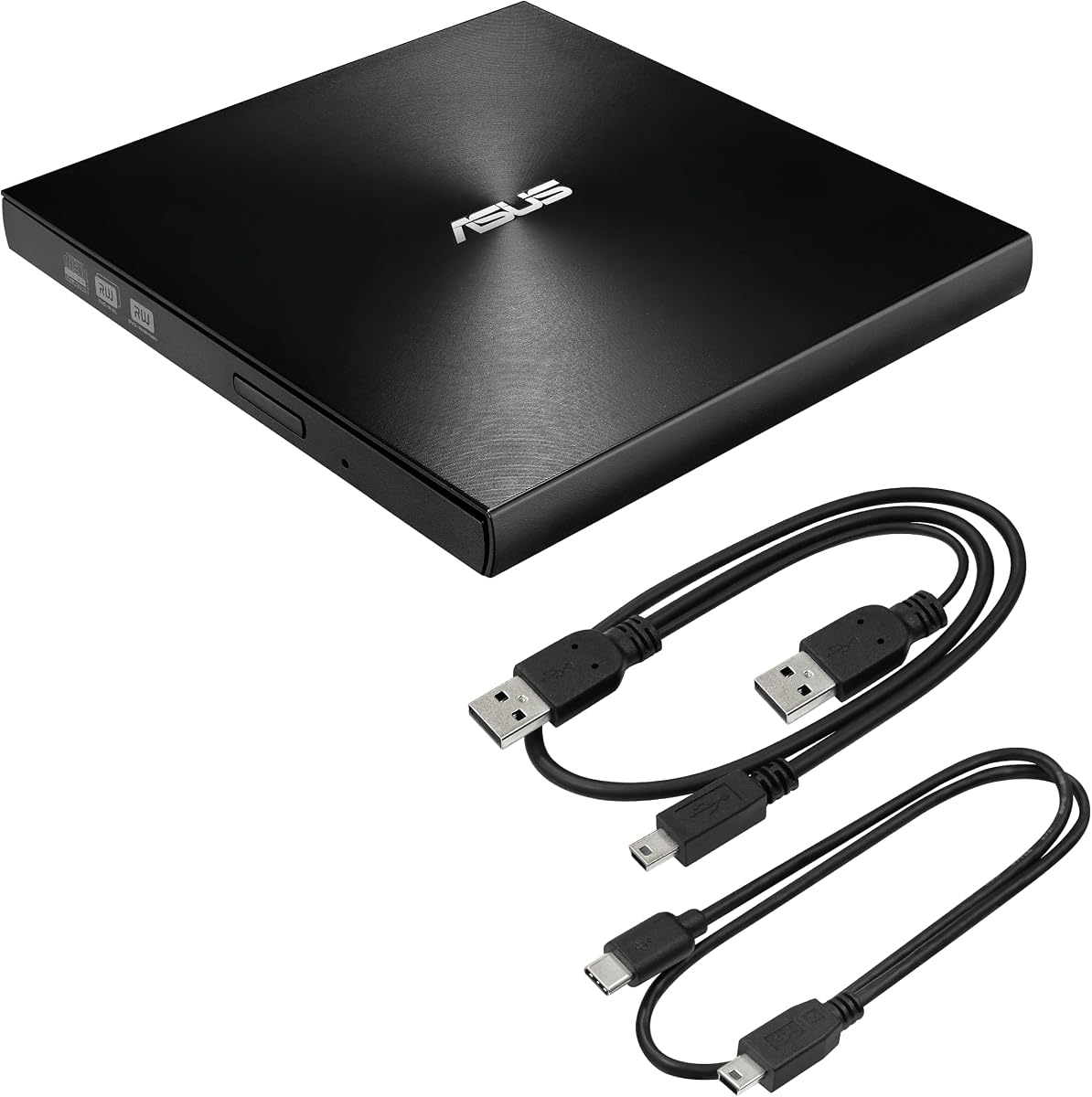


The Amicool External DVD Drive stands out as a versatile tool for converting physical media to digital files. With a strong 4.2 rating and support for both USB 3.0 and Type-C interfaces, it ensures fast and stable data transfer during ripping tasks.
We may earn a commission when you buy through this link, at no additional cost to you.
Its plug-and-play design means you can start ripping DVDs without installing extra drivers. The intelligent error correction helps handle minor disc scratches, ensuring smoother reads. The slim profile makes it easy to store in a laptop bag for travel.
While it does not support Blu-ray discs, it covers all standard DVD formats needed for most users. Connection stability depends on using a direct USB port rather than hubs, which can affect power delivery during intensive ripping sessions.
This drive is ideal for anyone needing a reliable budget option for media conversion. It balances performance and portability well, making it a top choice for ripping DVDs on both Windows and Mac systems without extra setup hassle.
The inclusion of both USB 3.0 and Type-C cables ensures you can connect to newer laptops or older desktops without needing extra adapters.
Intelligent error correction minimizes read failures caused by worn or scratched discs, improving success rates during batch ripping projects.
We may earn a commission when you buy through this link, at no additional cost to you.
The ASUS ZenDrive offers a slim profile and M-Disc support for long-term archiving. Its compatibility with both Mac and Windows makes it a flexible choice for users with mixed environments. The included Nero software adds value for burning and backup tasks.
We may earn a commission when you buy through this link, at no additional cost to you.
Ripping performance is steady for standard DVDs. The slim design helps it fit into tight spaces or bags easily. While USB 2.0 is slower than USB 3.0, it remains reliable for occasional use rather than large batch transfers.
The Type-C cable support is a plus for modern laptops. However, power delivery might require a stable port on older systems. It is best suited for users who value portability and archiving capabilities over raw speed.
This drive serves well for those needing a compact solution with reliable burning features. It bridges the gap between basic media access and advanced archiving needs without adding significant bulk to your workspace.
Support for M-Disc means you can burn data onto discs designed to last up to 1000 years, perfect for long-term storage of ripped files.
Nero BackItUp software simplifies backup and ripping tasks, giving users extra tools to manage their digital media efficiently.
We may earn a commission when you buy through this link, at no additional cost to you.
LG Electronics DVDRW External Gold Drive handles a wide range of disc formats including DVD-RAM which is rare in budget drives. With a 4.4 rating, it is known for durability and consistent read speeds. The Cyberlink software adds value for media management.
We may earn a commission when you buy through this link, at no additional cost to you.
Ripping is smooth thanks to stable internal components. The slim design keeps it unobtrusive on your desk. While USB 2.0 limits transfer speeds, it ensures compatibility across older systems and Macs without requiring extra drivers for detection.
The gold finish gives it a unique look but can show smudges easily. It works best for users who need specific format support and reliable performance over high-speed USB 3.0 transfers. Overall, it is a trusted choice for archival work.
This drive is recommended for those who need to read older DVD-RAM media or prefer a proven brand. It balances reliability and features effectively, making it suitable for professional or home media conversion projects.
Unlike many standard drives, this unit supports DVD-RAM discs, allowing you to read and write to formats often used for data storage.
Pre-installed Cyberlink software streamlines media playback and burning workflows, enhancing usability for non-technical users.
We may earn a commission when you buy through this link, at no additional cost to you.
ROOFULL External CD/DVD Drive offers excellent value with fast USB 3.0 speeds and strong error correction. It is designed to be reliable over years of use, making it a solid choice for regular ripping tasks. The integrated connectors save space.
We may earn a commission when you buy through this link, at no additional cost to you.
Performance is consistent across Windows and Mac systems. The cable design reduces clutter and loss risks during travel. While Mac users must eject discs via software, the rest of the experience remains plug-and-play without driver installations or setup issues.
This drive handles standard DVD formats well for converting movies or data. It lacks Blu-ray capabilities but covers essential needs at a budget-friendly cost. The brand reputation for durability further adds to its appeal for long-term use.
Ideal for users seeking a balance between price and performance, this drive simplifies the ripping process. It is easy to set up and carries well, making it a practical addition to any laptop kit or home office.
The dual connectors are built into the unit, preventing lost cables and keeping your workspace neat during daily use.
Advanced error correction ensures reliable reads even from discs that might cause other drives to skip or freeze.
We may earn a commission when you buy through this link, at no additional cost to you.
Rioddas External CD/DVD Drive features a physical eject button that helps in cases where software recognition fails. Copper mesh technology ensures stable data transmission. This makes it reliable for users dealing with older or damaged discs frequently.
We may earn a commission when you buy through this link, at no additional cost to you.
Ripping performance is steady and fast with USB 3.0. The embedded cable design keeps everything organized in your bag. The physical eject button provides a safety net if your computer does not recognize the drive, reducing frustration during critical transfers.
It supports all common DVD formats and works across major OS types. The brushed shell looks modern but attracts dust easily. Overall, it is a practical tool for anyone needing a reliable backup option for media conversion on the go.
This drive is recommended for users who prioritize reliability and ease of use. Its thoughtful design touches, like the physical eject button, add value for those who frequently travel or work in varied computing environments.
The physical button allows you to eject discs manually, which is useful if the system does not recognize the drive properly.
Enhanced copper mesh technology improves signal stability, reducing data errors during ripping and burning processes.
We may earn a commission when you buy through this link, at no additional cost to you.
ROOFULL External CD DVD Drive comes with a protective carrying case, adding significant value for travelers. Its 4.4 rating reflects consistent performance across devices. The USB 3.0 and Type-C support ensures compatibility with most modern laptops without extra adapters.
We may earn a commission when you buy through this link, at no additional cost to you.
Ripping speeds are efficient, and the anti-shock technology protects the drive during transit. The integrated cable reduces clutter, while the case keeps everything safe from scratches. It is a practical choice for those moving between home and office regularly.
The case adds bulk slightly but protects well against dust and minor drops. Mac users should note disc ejects via software, not the tray button. This drive balances durability and convenience better than many similar models in its price range.
Ideal for users who need protection and portability, this bundle is a smart choice. It offers peace of mind during travel and reliable performance at home, making it suitable for long-term media archiving and daily ripping needs.
The durable carrying case safeguards the drive from scratches and dust, extending its lifespan during travel or storage.
Storing the cable inside the unit prevents loss and keeps your setup clean, reducing the hassle of packing extra wires.
We may earn a commission when you buy through this link, at no additional cost to you.
BPAKDU External CD/DVD Drive doubles as a USB hub with multiple ports and an SD card reader. This adds significant utility beyond simple ripping. It is great for transferring data from cameras while managing disc media in one device.
We may earn a commission when you buy through this link, at no additional cost to you.
Ripping performance is good with USB 3.0. The extra power cable ensures stable operation on desktops or underpowered USB ports. The slim design still fits in bags though it is slightly larger due to the hub ports on the side.
The SD card reader works well with most memory cards. While power needs are higher, the included cable resolves most issues. This unit is a great option for those needing both media reading and device connectivity in a single unit.
Recommended for users needing expanded connectivity, this drive simplifies your setup. It reduces the need for multiple dongles while maintaining reliable DVD reading performance for converting and backing up your important media files.
Additional USB ports allow you to connect peripherals like a mouse or keyboard while using the drive simultaneously.
Built-in SD card slot enables quick file transfers from cameras or phones without extra hardware adapters.
We may earn a commission when you buy through this link, at no additional cost to you.
This 8-in-1 External Blu-ray Drive stands out by supporting BD and DVD formats, expanding your ripping options. With high capacity support up to 50GB, it handles large files efficiently. The included carrying case protects it during travel.
We may earn a commission when you buy through this link, at no additional cost to you.
Ripping Blu-ray requires third-party software but offers superior quality. The USB-C hub ports enhance connectivity for modern laptops. While pricier, the added versatility justifies the cost for users needing advanced media handling and backup solutions.
It weighs only 300 grams and fits in most bags easily. Power needs may require an adapter for stability. This drive is ideal for professionals needing to read high-definition discs while maintaining a compact form factor for mobility.
Ideal for users needing high-capacity storage and advanced formats, this drive is a premium tool. It combines ripping power with hub functions, making it a versatile asset for creative or archival tasks involving large video files.
Support for BD discs allows you to rip high-definition content that standard DVD drives cannot read.
Multiple ports let you connect multiple devices at once, increasing productivity when working with large data sets.
We may earn a commission when you buy through this link, at no additional cost to you.
The 8 in 1 External CD DVD Drive features anti-shock technology to protect data integrity during movement. It supports USB 3.0 and Type-C for fast transfers. The hidden cable keeps it organized, making it convenient for daily transport.
We may earn a commission when you buy through this link, at no additional cost to you.
Ripping performance is steady for standard discs. The plug-and-play design works across major operating systems. While the rating is slightly lower, many users find it reliable for general media needs. The power cable helps maintain stability.
It is a practical choice for users who move frequently and need robust protection for the drive. It covers essential formats well and keeps things simple with minimal setup. Good for home or office use with a focus on durability.
Recommended for mobile users who value protection, this drive is a solid option. It balances portability and reliability, ensuring your media access remains consistent even when moving between different computing environments.
Built-in protection reduces errors caused by bumps or drops, keeping your data safe during travel or transport.
The cable stores neatly within the unit, preventing loss and keeping your bag organized while you are on the go.
We may earn a commission when you buy through this link, at no additional cost to you.
LG Electronics GE24NU Super Multi drive offers Buffer Under Run protection to prevent errors during burning and ripping. It supports DVD-RAM for flexible data management. Its 4.4 rating highlights consistent reliability and trusted LG build quality.
We may earn a commission when you buy through this link, at no additional cost to you.
Ripping is effective for standard and dual-layer DVDs. USB 2.0 limits speed but ensures broad compatibility. Region playback control adds flexibility for accessing international media content. It is a robust choice for users prioritizing stability over speed.
The black finish is professional and durable. While USB 2.0 is slower than newer standards, it remains effective for smaller tasks. This drive is ideal for archiving data on DVDs where compatibility and data integrity matter more than transfer rates.
Recommended for users needing reliable format support, this drive handles complex disc types well. It is a solid investment for anyone requiring consistent performance in professional or archival settings where data safety is a top priority.
This feature prevents data loss if the buffer runs low, ensuring smoother writes and reads during media conversion.
Supports region settings allowing you to play discs from different areas, adding flexibility for international media.
We may earn a commission when you buy through this link, at no additional cost to you.
Selecting the right external optical drive depends on several technical factors that affect ripping speed and compatibility.
USB 3.0 offers significantly faster data transfer than USB 2.0 which helps reduce ripping times for large DVD content. When choosing a drive verify it supports USB 3.0 or Type-C for efficient performance especially if you plan to transfer full disc images regularly.
Always check your laptop ports to ensure matching compatibility. If your system only has USB-C you may need a drive with native Type-C support to avoid bottlenecks during high bandwidth media conversion tasks.
Most drives support standard DVD+R and DVD-R formats but some may lack DVD-RAM or Blu-ray capabilities. For ripping purposes standard DVD support is usually enough but verifying format compatibility prevents issues when accessing your specific media collection types.
If you have older archives include DVD-RAM or dual-layer discs confirm the drive lists these explicitly in its specs. This ensures you can read all your physical media without needing multiple hardware solutions for different disc types.
Ensure the drive works with your OS version whether it is Windows or macOS. Many modern units support both but some drivers may not install correctly on older versions or newer Apple Silicon systems without specific configuration steps during setup.
Check manufacturer documentation for Mac-specific notes since some require using VLC or other software for playback. Cross-platform support guarantees you can use the drive on both desktop and laptop systems without buying separate devices.
A durable drive with anti-shock technology helps maintain performance during travel. Look for models with sturdy casing and integrated cables to prevent damage or loss of parts when storing the unit inside a bag or case for transport.
Quality materials also reduce heat buildup during long ripping sessions. This protects internal components and ensures consistent speeds over time without needing external cooling solutions or frequent device restarts due to overheating.
Most drives draw power from the USB port but some may need extra power via an adapter for stable operation especially on desktop systems. Verify if the drive includes a power cable and how it connects to your computer.
For laptops using USB hubs may cause power issues. Always connect directly to the computer port when possible to ensure sufficient power for reading and ripping discs without interruptions during your media conversion process.
Some drives come with bundled software like Nero or Cyberlink which can simplify burning and ripping tasks. Others rely on third-party tools so consider if you need included apps or prefer installing custom software for more control over your conversions.
Built-in utilities often provide easier workflows for beginners while custom tools offer advanced settings for professionals. Evaluate your technical comfort level to choose the right balance of included features versus flexibility.
To use your drive plug it directly into a USB 3.0 or Type-C port on your computer. Insert a disc to eject tray and wait for the system to recognize it before launching your ripping software.
Keep the lens clean by avoiding dusty environments and storing the drive in a protective case when not in use. If errors occur try restarting your computer or using a different USB port to resolve connection issues quickly.
Regularly update your computer drivers to ensure compatibility with new operating systems. This helps maintain peak performance and reduces errors during long ripping sessions or when working with unusual disc formats.
Most modern drives are plug-and-play and do not need manual driver installation. However some Mac systems or older Windows versions may require a basic driver update from the manufacturer site for full compatibility.
Standard DVD drives cannot read Blu-ray discs. You need a dedicated external Blu-ray drive to rip high-definition media as DVD hardware is not physically designed to read the smaller pits on Blu-ray discs.
Check if the drive is plugged into a USB 3.0 port directly. Using USB hubs or extension cables can cause power issues. Try restarting your computer or testing with a different USB port to resolve detection problems.
Yes most external drives support both Windows and macOS but you may need different software for ripping on each system. Ensure the device lists compatibility with both operating systems before purchasing for cross-platform use.
Ripping times depend on USB speed and drive specs. A typical DVD may take 20 to 60 minutes on USB 3.0. Higher quality output files with more data will take longer to process and save to your hard drive.
Some models include basic burning software like Nero or Cyberlink but most rely on third-party tools. Check product details carefully to confirm if specific apps are included or if you need to download them separately.
We have compared ten reliable external drives for ripping media from physical discs to digital files. Each option offers unique strengths from budget-friendly USB 3.0 models to premium Blu-ray supported units.
Prioritize connection speed and format support to match your specific media needs. USB 3.0 drives provide faster transfer rates essential for larger libraries while cross-platform compatibility ensures seamless use across your devices.
Always verify current pricing and availability before buying as market conditions change. Choosing a drive with good build quality will protect your investment and ensure smooth performance for years of media conversion.