
Alienware 34 Curved Gaming Monitor – AW3425DWM
4.6Editor score
180Hz refresh rate
1ms response time
WQHD resolution
Finding the right display can transform your gaming experience significantly. A curved screen wraps around your field of view for deeper immersion. Alienware offers several models designed to deliver sharp visuals and smooth performance for serious players.
We evaluated ten top models based on panel technology, refresh rates, and color accuracy. Our analysis considers real-world performance metrics and user feedback to ensure reliability. Each entry highlights specific strengths and potential limitations for your setup.
Every pick includes detailed specifications and key advantages for different playstyles. Prices and availability change frequently so verify current listings before purchasing. This guide helps you navigate the options to find the ideal curved monitor today.
4.6Editor score

4.3Editor score
4.5Editor score
As an Amazon Associate we earn from qualifying purchases.
The following table provides a side by side overview of key specifications across all ten models. This comparison helps you quickly identify differences in resolution, refresh rate, and panel technology.




This monitor delivers impressive performance for gamers seeking immersion without breaking the bank. It features a 34-inch ultrawide panel with WQHD resolution and a smooth 180Hz refresh rate. The 1500R curve enhances focus by wrapping visuals around your field of view comfortably.
We may earn a commission when you buy through this link, at no additional cost to you.
Fluid performance is achieved through the 1ms gray to gray response time and AMD FreeSync Premium support. This minimizes screen tearing and stuttering during fast-paced action. Colors are vibrant with 95% DCI-P3 coverage and DisplayHDR 400 certification for better contrast in supported content.
While HDR is present it may not match premium OLED brightness levels. The low blue light hardware solution helps during marathon sessions but some users might prefer software settings. Overall the balance of speed and visuals makes it a strong contender for most setups.
Ideal for competitive players and casual gamers alike who want a reliable ultrawide experience. The dedicated console mode and ergonomic design ensure comfort over long hours. We recommend this model for those prioritizing smooth gameplay and sharp details.
The 34-inch WQHD panel with 1500R curve creates a natural viewing field that draws you into games.
With 180Hz refresh rate and 1ms response time you get fluid motion and minimal input lag for competitive edge.
We may earn a commission when you buy through this link, at no additional cost to you.
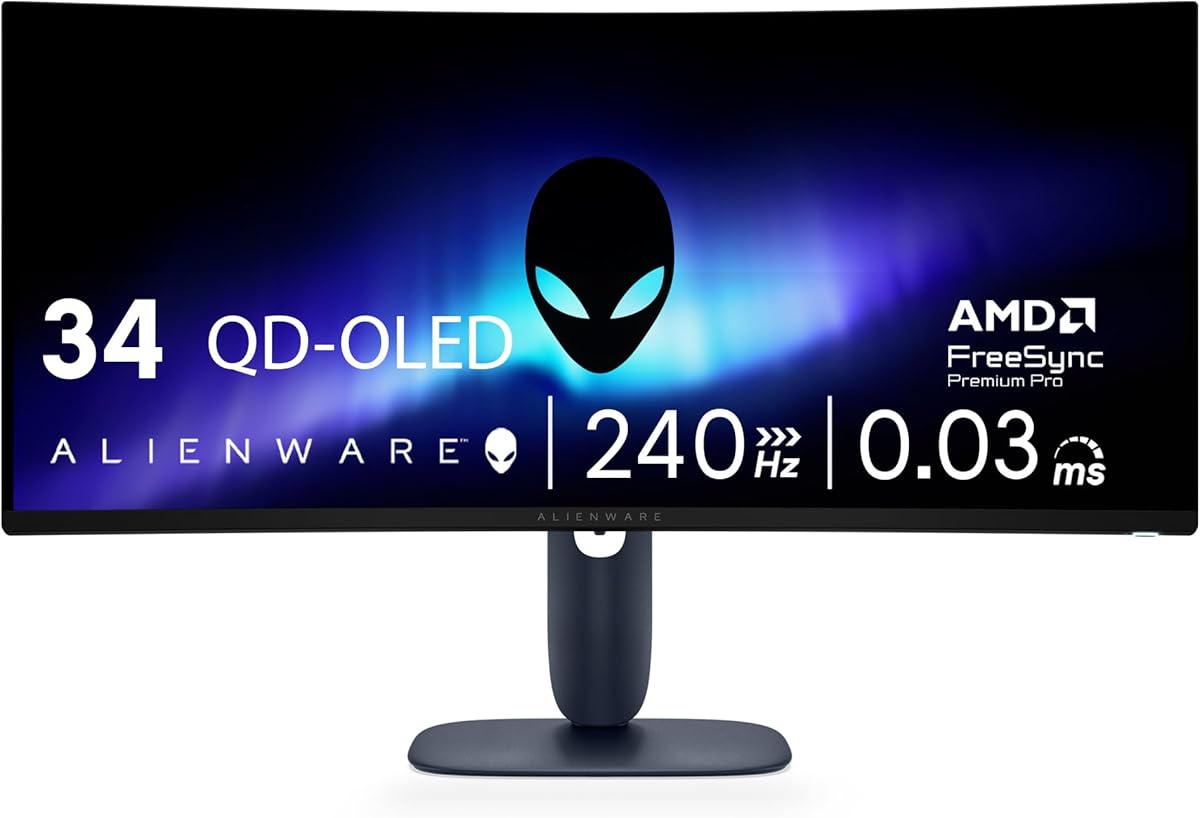
This model represents the pinnacle of curved gaming displays with its QD-OLED technology. It offers seamless speed and motion clarity thanks to a 240Hz refresh rate and near instantaneous 0.03ms response time. The 1800R curve provides deep immersion for single player adventures.
We may earn a commission when you buy through this link, at no additional cost to you.
Color performance stands out with 99.3% DCI-P3 coverage and Delta E less than 2 accuracy. TrueBlack 400 HDR certification ensures deep blacks and bright highlights for cinematic experiences. Adaptive sync technologies like G-SYNC and FreeSync Premium Pro keep gameplay smooth across different hardware.
Premium features come at a higher cost and OLED panels require care to prevent burn-in. Users should avoid static elements and enable screen savers during idle times. The investment is worthwhile for those seeking the best visual fidelity and responsiveness available.
Perfect for enthusiasts who demand top tier performance and rich colors. The combination of speed and clarity makes every frame pop on screen. Choose this if you want elite level immersion and are ready to manage OLED maintenance.
QD-OLED technology delivers a full spectrum of colors with 99.3% DCI-P3 coverage for lifelike visuals.
240Hz refresh rate and 0.03ms response time eliminate motion blur for competitive advantage.
We may earn a commission when you buy through this link, at no additional cost to you.
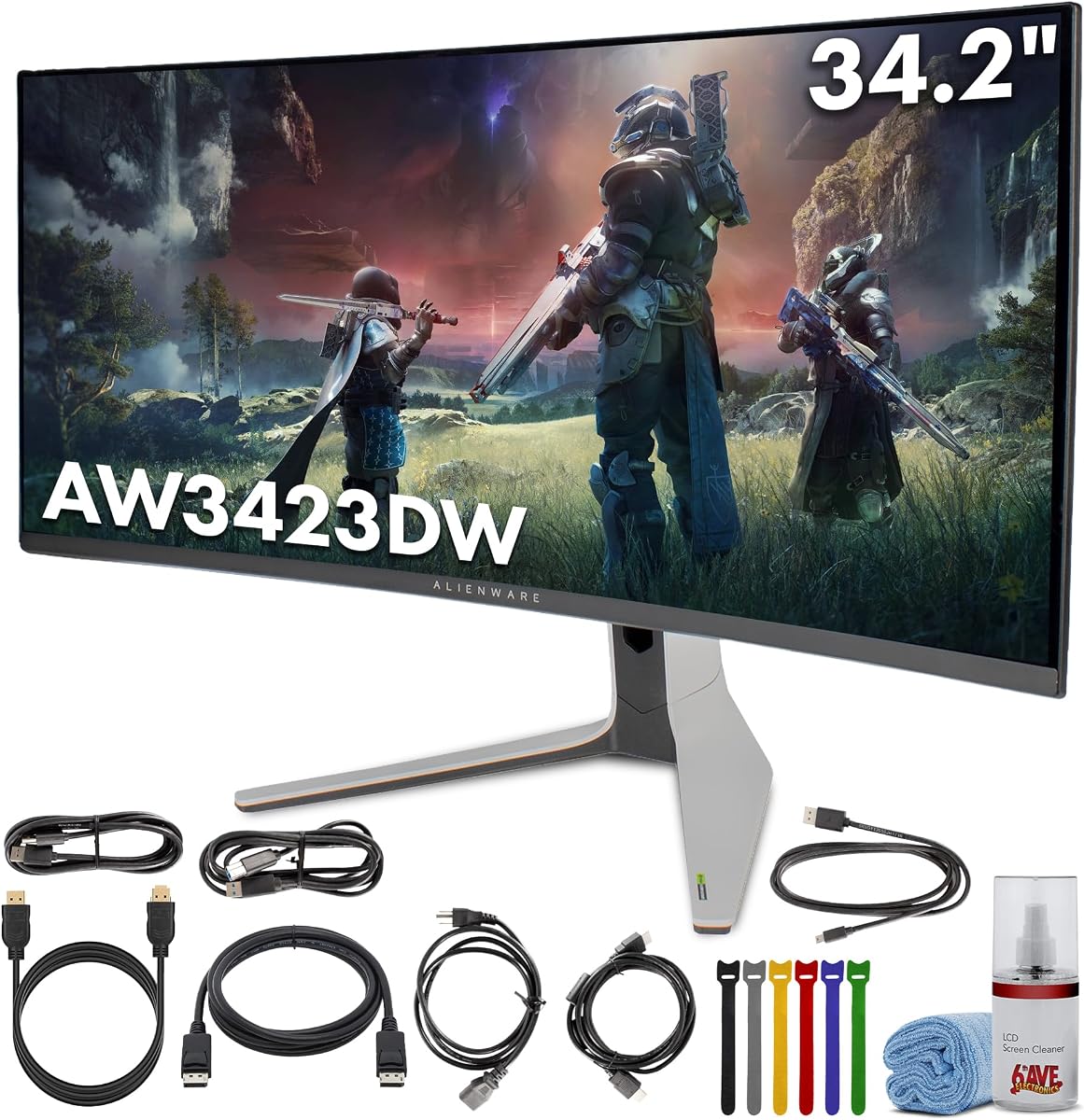
The AW3423DW brings Quantum Dot OLED tech to gamers seeking immersive visuals and smooth motion. It features a 175Hz refresh rate and 0.1ms response time for stutter-free gameplay. The 1800R curve wraps the screen around your view for enhanced engagement.
We may earn a commission when you buy through this link, at no additional cost to you.
Infinite contrast and 1.07 billion colors make scenes pop with deep blacks and vibrant hues. NVIDIA G-SYNC ULTIMATE certification ensures tear-free experiences even in demanding titles. Creator Mode allows precise color adjustments for work and play flexibility.
As an OLED panel it requires attention to avoid static image retention. Users should vary content and enable pixel shift features regularly. Despite this the visual quality remains unmatched for gaming and creative tasks alike.
Recommended for users who value color accuracy and smooth motion. The ergonomic stand and ventilation keep it cool and comfortable. This model is a top choice for those balancing performance and creative needs.
Sleek QD-OLED panel with stadium loop lighting and ergonomic adjustments fits any setup.
Creator Mode offers precise color spaces for content creation alongside gaming.
We may earn a commission when you buy through this link, at no additional cost to you.
This monitor offers a reliable experience with WQHD resolution and NVIDIA G-SYNC support. The 120Hz refresh rate ensures smooth visuals for most game types. A 1900R curve provides immersion without extreme distortion for general use.
We may earn a commission when you buy through this link, at no additional cost to you.
IPS Nano color technology delivers 98% DCI-P3 coverage for rich and accurate colors. Anti-glare coating reduces reflections in bright rooms. AlienFX lighting adds style with customizable zones for atmosphere.
While refresh and response are lower than newer models it still performs well for casual gaming. The 2ms response time is acceptable for non-competitive play. Users prioritizing color and stability will appreciate this setup.
Best for relaxed gamers or content consumers seeking ultrawide immersion. The design and lighting make it a centerpiece in any room. Consider this if extreme speed is not your primary need.
IPS Nano color provides 98% DCI-P3 coverage for professional and gaming needs.
NVIDIA G-SYNC syncs GPU and monitor to minimize tearing during gameplay.
We may earn a commission when you buy through this link, at no additional cost to you.
This bundle includes the AW3423DW monitor plus essential cables and a cleaning kit. It offers QD-OLED immersion with a 175Hz refresh rate for fluid gameplay. The package ensures you have everything needed for immediate setup.
We may earn a commission when you buy through this link, at no additional cost to you.
Quantum Dot OLED technology provides deep blacks and precise highlights for open world games. G-Sync Ultimate keeps visuals smooth and tear-free. ComfortView Plus reduces blue light to protect your eyes during long sessions.
Buying a bundle can save hassle but verify contents match your needs. Some cables may not be required if you already own them. Still the convenience is valuable for first-time buyers.
Ideal for those wanting a ready-to-use display with accessories. The included kit supports longevity and easy connectivity. Choose this for a complete experience without extra shopping.
Includes DisplayPort and HDMI cables plus cleaning kit to streamline installation.
Height adjustable stand and 360 ventilation keep the display cool and comfortable.
We may earn a commission when you buy through this link, at no additional cost to you.
This bundle provides the AW3423DW monitor along with DisplayPort HDMI cables and an extender. The QD-OLED display delivers cinematic HDR and lifelike color accuracy. It is designed for users seeking convenience and performance in one package.
We may earn a commission when you buy through this link, at no additional cost to you.
175Hz refresh rate and 0.1ms response ensure smooth visuals without stuttering. G-SYNC Ultimate minimizes tearing for competitive play. The stand offers tilt and swivel adjustments for personalized viewing.
User ratings vary so checking recent reviews is advisable before purchase. Some may find the bundle cost high relative to standalone options. However included accessories can offset separate purchase costs.
Good for gamers wanting a complete setup with extras. The bundle simplifies the buying process significantly. Consider this if you value convenience and comprehensive accessories.
34-inch QD-OLED curved display with 1800R curvature wraps your field of vision.
Includes DisplayPort and HDMI cables with headphone extender for immediate use.
We may earn a commission when you buy through this link, at no additional cost to you.
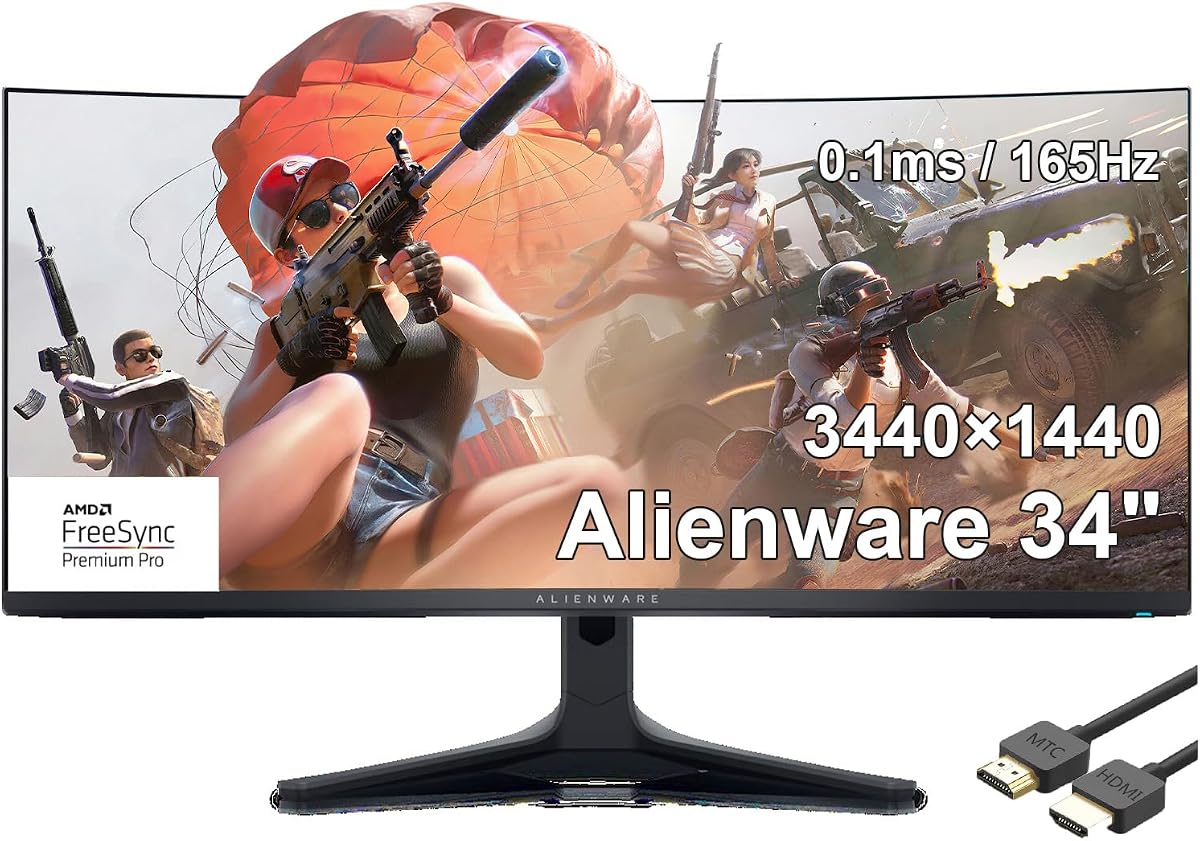
The AW3423DWF offers 165Hz performance with QD-OLED color richness and fast response. It is built for fluid gaming with minimal lag and excellent motion clarity. The included HDMI cable simplifies initial setup for console users.
We may earn a commission when you buy through this link, at no additional cost to you.
FreeSync Premium Pro ensures smooth visuals when paired with compatible GPUs. The 0.1ms gray-to-gray response keeps fast action crisp and clear. Colors are vibrant with over a billion shades for realistic imagery.
While lacking G-Sync Ultimate it still delivers strong performance for AMD users. The HDR brightness is good but not top tier compared to brighter panels. Overall it is a balanced option for speed and color.
Recommended for players prioritizing motion and color without premium G-Sync features. It fits well in both gaming and creative setups. Consider this for a versatile curved display.
165Hz refresh rate and 0.1ms response time reduce blur for fast action.
QD-OLED technology produces 1.07 billion colors for lifelike visuals.
We may earn a commission when you buy through this link, at no additional cost to you.
This model focuses on 4K resolution and OLED clarity in a smaller 32-inch footprint. It uses QD-OLED for vibrant color and deep blacks. While not a wide curved panel it delivers stunning sharpness for detailed visuals.
We may earn a commission when you buy through this link, at no additional cost to you.
The design features black and white accents suitable for modern desks. It suits users who prefer 4K over ultrawide immersion for specific tasks. Contrast remains strong for media consumption and design work.
It may lack the immersive width of larger curved models. Users seeking ultrawide should consider other options. However for pixel density and color this is compelling.
Best for creatives and users prioritizing 4K over immersion. The compact form fits smaller desks well. Consider this if sharpness and color are top priorities.
3840×2160 resolution provides sharp detail for media and content creation.
QD-OLED panel delivers vivid and accurate color for realistic imagery.
We may earn a commission when you buy through this link, at no additional cost to you.
This monitor targets competitive players with a 280Hz refresh rate and 1ms response. It offers a 27-inch IPS panel for crisp 1440p visuals. The bundle includes essential cables to streamline setup.
We may earn a commission when you buy through this link, at no additional cost to you.
AlienVision overlays enhance visibility in dark scenes and improve contrast. The USB hub provides convenient charging ports for peripherals. Adjustable stand ensures ergonomic comfort during long gaming sessions.
While not curved it delivers excellent speed and connectivity. Users wanting ultrawide immersion may find the size limiting. However for FPS titles the speed is unmatched.
Ideal for competitive gamers prioritizing performance over screen width. The accessories and overlays add value. Choose this for speed and convenience.
280Hz refresh rate and 1ms response time minimize lag for fast reactions.
AlienVision overlays boost contrast for clearer visuals in dark scenes.
We may earn a commission when you buy through this link, at no additional cost to you.
This model delivers immense immersion with a 40-inch WUHD curved panel. It features a 180Hz refresh rate and 1ms response time for smooth visuals. The 1000R curve wraps deeply around your field of view.
We may earn a commission when you buy through this link, at no additional cost to you.
DisplayHDR 600 provides strong contrast and bright highlights for clarity in dark scenes. It is designed for players who want extreme scale. The large footprint demands significant desk space.
While powerful the size may not fit all setups. Ensure your desk and vision can handle the scale. Overall the realism is unmatched for epic gameplay.
Best for enthusiasts with ample desk space seeking maximum immersion. The brightness and size deliver next level visuals. Consider this if you want to maximize your field of view.
40-inch curved display wraps around vision for next level immersion.
DisplayHDR 600 delivers deep blacks and bright whites for detailed visuals.
We may earn a commission when you buy through this link, at no additional cost to you.
Choosing the right curved gaming monitor requires understanding panel types, refresh rates, and ergonomics. This guide outlines the key factors to consider before making your decision.
Panel technology defines color accuracy and contrast. OLED and QD-OLED panels offer deeper blacks and vibrant colors compared to traditional IPS. However OLED may have burn-in risks requiring care during long sessions.
Look for QD-OLED or IPS depending on your priorities. OLED provides better contrast while IPS offers stable performance without burn-in concerns.
Refresh rate determines how many frames per second the display shows. Higher rates like 180Hz or 240Hz reduce motion blur for competitive gaming. Choose a rate your graphics card can sustain for optimal performance.
Aim for at least 144Hz for smooth gameplay. Higher rates benefit fast-paced titles but ensure your system supports them.
Response time measures how quickly pixels change color. Faster times like 1ms minimize ghosting during motion. Look for gray-to-gray specs to ensure accurate motion handling.
Select models with 1ms or lower for competitive clarity. Slower times may cause visible blur in fast scenes.
Curvature affects immersion and viewing comfort. Lower radius values like 1000R provide more wrap-around feel while 1800R offers subtler curves. Choose based on desk space and personal preference.
Opt for deeper curves if you prioritize immersion. Milder curves may suit multi-monitor setups.
Sync technologies like G-Sync and FreeSync prevent screen tearing. Premium variants offer broader compatibility across different graphics cards. Verify your GPU supports the chosen sync standard.
Choose G-Sync or FreeSync based on your GPU. Premium options ensure smoother visuals across titles.
HDR support improves contrast and color depth. Higher HDR certifications ensure brighter highlights and deeper blacks. Verify brightness levels match your content requirements.
Select displays with true HDR support for better visuals. Lower HDR may not deliver noticeable improvements.
Ergonomics affect comfort during long sessions. Look for adjustable height tilt and swivel options. Ensure the stand fits your desk layout.
Choose models with full adjustments for health and comfort. Fixed stands may strain your posture.
Connectivity ensures your devices link properly. Check for DisplayPort and HDMI versions compatible with your GPU. USB hubs add convenience for peripherals.
Verify ports match your graphics card. Bundles including cables save setup time.
Begin by placing the monitor on a stable surface with adequate ventilation. Connect cables securely and adjust the stand height for eye level alignment. This setup promotes comfort and reduces neck strain during gaming.
Customize the display settings to match your content type. Use the onboard menu to adjust color and refresh rate. Calibrate brightness to reduce eye strain in different lighting environments.
Maintain the screen with gentle cleaning using the included kit. Avoid static content and enable screen savers to prevent burn-in on OLED models. Regular care ensures longevity and consistent image quality.
A curved monitor wraps around your field of view for immersive engagement. It reduces distortion at edges and makes distant game elements feel closer. This design enhances focus and comfort during extended sessions.
OLED offers deeper blacks and faster response times than IPS. However IPS avoids burn-in risks and provides stable performance for mixed use. Choose based on whether contrast or longevity is your priority.
NVIDIA G-Sync works best with NVIDIA graphics cards. AMD GPUs can still use FreeSync which is widely compatible. Check your GPU model to select the right sync option for your display.
Avoid static elements like game HUDs or desktop icons for long periods. Enable screen savers or pixel shifting features when idle. Vary content regularly to maintain consistent display health.
WQHD provides sharp details without excessive GPU strain. 4K offers greater clarity but requires powerful hardware to maintain high frame rates. Select based on your performance needs and budget.
Yes these monitors support content creation with accurate color spaces. Creator modes help adjust gamuts for precise editing work. The ultrawide format increases productivity by supporting multiple windows.
The selected models offer diverse options from budget-friendly to premium OLED displays. Each provides unique strengths in refresh rate, color, and immersion. Choose based on your priorities for speed, visuals, or budget.
Consider refresh rate and sync technology to ensure smooth gameplay. Panel type and ergonomics impact comfort and image quality. Balance these factors to find a display that fits your setup.
Prices and availability vary so verify current listings before buying. Regular updates ensure you get the best deal and latest specs. Use this guide to make an informed decision today.