
Vogzone MCX4121A-ACAT
4.7Editor score
Mellanox ConnectX-4 Lx
RDMA Over RoCE
Wide OS Support
This guide compares the top 25GbE network cards for servers and workstations, evaluating performance, compatibility, and features to help you choose the right
High-speed networking is essential for modern data centers and storage servers. A quality 25GbE network card ensures fast data transfer and low latency for critical applications.
We evaluated ten leading adapters based on controller type, port configuration, and supported protocols. Our analysis focuses on real-world performance and compatibility with common operating systems.
Each pick highlights key strengths and ideal use cases for different environments. Please note that availability and pricing may change frequently so verify details before purchasing.
4.7Editor score

4.5Editor score

5.0Editor score
The following table provides a side-by-side overview of each adapter we reviewed. It highlights critical specifications and compatibility details to simplify your selection process for high-speed networking needs.


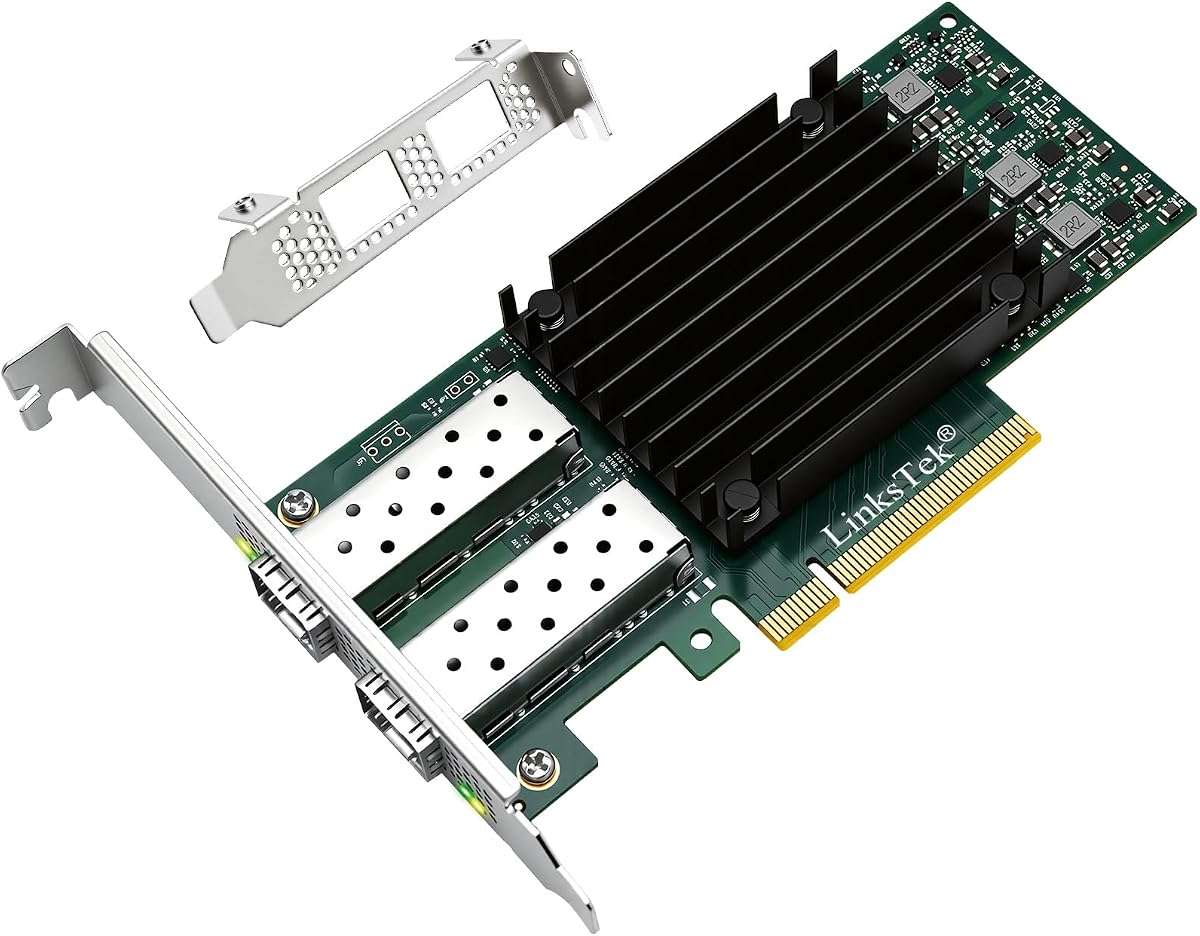


This adapter stands out for its robust Intel E810 controller and forward error correction capabilities. It delivers stable performance for enterprise networks requiring high reliability and consistent throughput rates.
We may earn a commission when you buy through this link, at no additional cost to you.
The dual ports allow for port trunking which aggregates bandwidth up to fifty gigabits per second. This feature accelerates file sharing and intensive data transfer tasks efficiently across multiple high speed networking devices.
While it works well with major operating systems the low profile bracket is pre-installed and specialized brackets for selected QNAP NAS are included. Ensure your system supports PCIe Gen 3 x8 or compatible slots before purchase.
Ideal for QNAP users and enterprise storage setups this card balances performance with reliability. It is a strong choice for those needing certified hardware compatibility and consistent data transfer speeds.
Forward Error Correction ensures data integrity across enterprise-level networks by correcting errors during transmission without retransmission delays.
Port Trunking combines both ports to achieve up to 50 Gbps transfer speeds for accelerating file sharing and intensive data transfer.
We may earn a commission when you buy through this link, at no additional cost to you.
This adapter is purpose-built for Synology systems offering seamless integration with DSM software. It enables higher simultaneous throughput and reliable port failover for critical storage applications requiring consistent uptime.
We may earn a commission when you buy through this link, at no additional cost to you.
Users benefit from load balancing features which distribute network traffic efficiently across both ports. The five year warranty provides long-term assurance and reflects the manufacturer confidence in product durability and performance.
Note that hardware compatibility information is listed separately and DSM 7.1.1 update is required for full functionality. Always verify your system model against the compatibility list before ordering to ensure proper support.
Best for Synology NAS owners needing high-speed connectivity this card delivers reliable performance and support. It simplifies upgrading existing storage setups to 25GbE speeds with minimal configuration overhead.
Purpose-built for use with Synology systems to ensure seamless integration with DSM software and optimized network performance.
Enables higher simultaneous throughput, port failover, and load balancing to maintain consistent performance across network connections.
We may earn a commission when you buy through this link, at no additional cost to you.
This adapter offers original Mellanox ConnectX-4 Lx controller performance at a budget-friendly price point. It provides true hardware-based I/O isolation with unmatched scalability and efficiency for cloud and storage platforms.
We may earn a commission when you buy through this link, at no additional cost to you.
The card supports a wide range of operating systems including Windows Server Linux and various VMware hypervisors. Technical support includes RDMA RoCE V2 and SR-IOV for efficient virtual machine resource management and high bandwidth aggregation.
While it is a third-party alternative it maintains compatibility with standard SFP28 modules and cables. Ensure your system supports PCIe v3.0 x8 lanes for full performance and verify driver availability for your specific OS version.
Ideal for data centers and cost-sensitive projects this card delivers excellent performance per dollar. It is a top pick for users needing flexible virtualization support without premium pricing.
SR-IOV technology enables efficient management of I/O resources of virtual machines by sharing physical resources dynamically.
Achieves the most cost-effective and flexible solution for Web 2.0, cloud, data analytics, database, and storage platforms.
We may earn a commission when you buy through this link, at no additional cost to you.
This network card leverages the Intel E810 controller with PCIe 4.0 x8 interface for high-speed data transfer. It supports both Windows and Linux environments with comprehensive features like RDMA and PXE for network booting.
We may earn a commission when you buy through this link, at no additional cost to you.
The card enables iWARP and RoCEv2 for low-latency remote direct memory access which is vital for virtualization and storage workloads. It also supports DPDK and jumbo frames up to 9.5KB for optimized packet processing and network performance.
While it does not support macOS it offers excellent compatibility with enterprise servers and hypervisors. Users should verify specific OS versions against the compatibility list to ensure driver availability before purchase.
Best for high-performance servers needing PCIe 4.0 bandwidth this adapter delivers robust features. It is ideal for virtualization hosts requiring reliable RDMA capabilities and efficient network throughput.
PCIe 4.0 x8 lanes provide 16 GT/s speed ensuring maximum bandwidth for dual 25GbE ports simultaneously.
Support iWARP/RDMA and RoCEv2/RDMA for low latency direct memory access across networked storage and virtual environments.
We may earn a commission when you buy through this link, at no additional cost to you.
This adapter is designed for virtualization and storage servers requiring high bandwidth and low latency. It features the Mellanox ConnectX-4 Lx controller which supports RDMA over RoCE for efficient memory access without CPU overhead.
We may earn a commission when you buy through this link, at no additional cost to you.
The card supports overlay networks including NVGRE VXLAN and GENEVE which are essential for modern cloud and SDN environments. It also handles jumbo frames up to 9.6KB and offers IEEE standards compliance for reliable interoperability across devices.
Although it is a drop-in alternative to original Mellanox cards users should verify driver support for their specific OS. Compatibility includes Windows Server various Linux distributions and VMware ESXi for broad virtualization support.
Ideal for data centers and virtualized storage systems this card delivers intelligent RDMA capabilities. It balances performance with affordability making it a strong option for cloud analytics and database platforms.
Provides advanced NVGRE VXLAN and GENEVE support for flexible network virtualization and cloud deployments.
Supports RDMA over RoCE enabling direct memory access across the network for high-speed storage and virtualization.
We may earn a commission when you buy through this link, at no additional cost to you.
This adapter is an official Intel product known for excellent small packet performance and network virtualization offloads. It includes features like Flow Director and DDP to increase packet processing efficiency for NFV and cloud deployments.
We may earn a commission when you buy through this link, at no additional cost to you.
The card supports VXLAN GENEVE NVGRE and MPLS offloads which reduce CPU utilization on servers with Intel Xeon processors. Adaptive link establishment ensures increased interoperability with various 25GbE capable switches and host controllers.
While it is often priced higher than third-party options it offers proven reliability and deep OS integration. Ensure your system supports PCIe v3.0 x8 and verify compatibility with your switch firmware for optimal performance.
Best for enterprise environments relying on Intel infrastructure this adapter delivers certified performance. It is ideal for network functions virtualization and cloud workloads requiring advanced traffic steering and offloads.
Dynamic Device Personalization enables increased packet processing efficiency for NFV and Cloud deployments.
Intel Ethernet Flow Director provides hardware based application traffic steering for optimized network performance.
We may earn a commission when you buy through this link, at no additional cost to you.
This server network card uses the OCP 3.0 mezzanine form factor with Intel E810-XXVAM2 controller. It delivers stable 25GbE throughput with on-chip QoS and traffic management for cloud and NFV workloads.
We may earn a commission when you buy through this link, at no additional cost to you.
Features include Flexible Port Partitioning and SR-IOV for virtualization efficiency. It also supports IEEE 1588 PTP and storage over Ethernet protocols for precise time synchronization and storage performance.
Note that it requires OCP slots and is not a standard PCIe card. Verify your server chassis supports the SFF 4C+ mezzanine interface before purchase to ensure physical compatibility and power requirements.
Ideal for modern cloud servers needing OCP form factors this adapter delivers enterprise features. It balances performance with modular design for efficient deployment in high-density rack environments.
PCIe SIG SR-IOV enables efficient I/O resource management for cloud and virtualization workloads with shared physical resources.
On-chip QoS and traffic management ensure stable throughput and efficient resource allocation across network ports.
We may earn a commission when you buy through this link, at no additional cost to you.
This adapter brings dual 25GbE networking to Thunderbolt 5 computers and Macs. It includes two 25GBASE-SR SFP28 optical transceivers for immediate deployment on compatible fiber infrastructure without additional purchases.
We may earn a commission when you buy through this link, at no additional cost to you.
It delivers full 25GbE performance over Thunderbolt 5 while supporting backward compatibility with 10GbE switches. The design includes a second Thunderbolt port for peripherals or an 8K display making it versatile for media production.
Although it is expensive it offers a plug-and-play solution for Mac users needing high-speed networking. Ensure your computer has Thunderbolt 5 or USB4 ports for full bandwidth and verify OS compatibility for drivers.
Best for Mac studios and mobile workstations this adapter offers professional connectivity. It is ideal for media production AI workflows and shared storage requiring high-speed network access without internal cards.
Includes two 25GBASE-SR SFP28 optical transceivers enabling immediate deployment on compatible fiber network infrastructure.
Ideal for shared storage media production and post-production workflows requiring high-performance network connections.
We may earn a commission when you buy through this link, at no additional cost to you.
This card adds dual optical 25GbE connections to computers with PCIe slots including Macs and Windows systems. It includes two 25GBASE-SFP28 transceivers making it ready for fiber infrastructure out of the box.
We may earn a commission when you buy through this link, at no additional cost to you.
The adapter is backward compatible with 10GbE allowing integration with existing infrastructure while preparing for 25GbE upgrades. It also works with Sonnet Thunderbolt expansion systems for computers lacking internal card slots.
Check macOS compatibility carefully as updates may affect driver support on newer versions. Verify the specific macOS version requirements before purchase to ensure stable functionality and network performance.
Best for Mac Pro and workstation users this card provides reliable high-speed networking. It simplifies fiber connectivity for creative professionals and IT admins needing integrated optical network solutions.
High-performance adapter includes two 25GBASE SFP28 transceivers for immediate use with fiber infrastructure.
Backward compatible with 10GbE infrastructure enabling seamless integration with existing switches and storage systems.
We may earn a commission when you buy through this link, at no additional cost to you.
This intelligent RDMA-enabled adapter provides advanced application offloads for cloud and storage platforms. It uses the ConnectX-5 EN controller which supports dual 25GbE ports for high bandwidth networking needs.
We may earn a commission when you buy through this link, at no additional cost to you.
The card features tall bracket form factor and PCIe 3.0 x8 interface ensuring compatibility with standard server slots. It is suitable for Web 2.0 and Telco platforms requiring reliable dual-port connectivity.
While newer controllers exist this card remains effective for stable environments needing proven hardware. Ensure your server chassis supports tall brackets and verify OS drivers before installation.
Best for Telco and cloud deployments this adapter offers proven performance. It is a solid choice for users needing dual-port 25GbE connectivity without advanced newer features.
Advanced application offload capabilities for Web 2.0 Cloud Storage and Telco platforms reducing CPU load.
Dual-port 25GbE connectivity providing scalable bandwidth for demanding network environments and storage needs.
We may earn a commission when you buy through this link, at no additional cost to you.
Selecting the right adapter requires evaluating hardware specifications and software compatibility for your environment.
The network controller determines processing capabilities and offload features. Intel E810 and Mellanox ConnectX-4/5 controllers offer strong performance and RDMA support.
Verify the specific model ensures you need modern virtualization and low-latency features for cloud workloads.
Dual port adapters provide redundancy and higher aggregate bandwidth through trunking. Ensure the ports support your required cable types like SFP28 DAC or optic modules.
Check if your infrastructure allows for port aggregation or if you need independent links for failover.
Match the card to your motherboard slot version and lane count. PCIe 4.0 offers higher throughput but PCIe 3.0 x8 is standard for many servers.
Confirm physical fit such as low profile or full height brackets to avoid installation issues.
Not all adapters support macOS or all Linux kernel versions. Review vendor compatibility lists carefully before purchase to ensure stable drivers.
Consider long term support cycles and official OS certification for your environment.
RDMA allows direct memory access for lower latency and CPU load. RoCE v2 is widely supported for Ethernet based RDMA.
Enable this feature if using distributed storage or high performance computing.
Support for jumbo frames up to 9KB improves throughput for large data transfers. Ensure your switches and NICs all support the same frame size.
Misconfiguration can cause packet drops so verify settings across the network path.
Some adapters are optimized for specific NAS brands like Synology or QNAP. Others support generic MSA compliant modules for flexibility.
Choose generic adapters if you plan to mix cable types or brands.
Enterprise cards often include longer warranties and dedicated support. Third party options may offer lower prices but less official support.
Check return policies and driver update frequency for your operating system.
Begin by verifying your motherboard supports the PCIe slot width and speed required by the adapter. Install the card firmly into the slot and secure it with the case bracket screws.
Next install the appropriate drivers from the manufacturer website for your operating system. Configure IP settings and verify link speed in your system diagnostics before enabling VLAN or trunking features.
Maintain optimal performance by ensuring adequate airflow around the card and keeping the connector clean from dust. Update firmware periodically to benefit from new features and security patches.
Yes most 25GbE adapters support auto-negotiation down to 10GbE on SFP28 ports. This allows compatibility with existing infrastructure while enabling upgrades to 25GbE when ready.
You can use SFP28 DAC cables for short distances or SFP28 transceivers with fiber optic cables. Verify the optics support 25GbE rates as some older 10G optics may not be compatible.
No RDMA support depends on the controller and firmware. Mellanox ConnectX-4 Lx and newer Intel E810 controllers support RoCE and iWARP but check specific model capabilities before purchase.
Limited options exist for macOS requiring specific hardware or vendor support. Sonnet offers adapters compatible with Macs but verify driver availability for your macOS version before buying.
Standard PCIe cards draw power from the slot so no external power is needed. Some specialized OCP form factors may use specific server power configurations though most use standard interfaces.
Yes many models support QNAP and Synology NAS systems. Check vendor compatibility lists and OS versions to ensure full functionality and driver support for your specific NAS model.
Our top picks cover a range of needs from enterprise stability to budget-friendly virtualization. The QXG-25G2SF-E810 leads with reliability while Vogzone offers exceptional value for flexible deployments.
Prioritize controller features like RDMA and OS support based on your specific workload. Ensure your motherboard and switches align with the card specs to avoid compatibility issues during setup.
Always check current availability and confirm compatibility details before finalizing your purchase. High-speed networking investments should match your infrastructure readiness for the best performance.