Logitech M185
4.4Editor score
Compact ambidextrous design
Plug and play simplicity
One year battery life
This guide compares the best Logitech wireless mouse models for comfort, performance, and battery life to help you choose the right device for your needs.
Finding the right wireless mouse can transform your daily computing experience. Logitech offers a wide range of options designed for various needs from basic browsing to professional workflows. Understanding the key features helps you select a device that supports your productivity.
We evaluated ten top models based on ergonomics, connectivity, battery life, and sensor performance. Each product was reviewed for its unique strengths and suitability for different user environments. This list covers a spectrum from budget-friendly picks to premium productivity tools.
Every recommendation includes detailed specs and real-world usage insights to guide your decision. Note that availability and pricing can vary over time. Check current listings for the most up-to-date information before purchasing your next mouse.
4.4Editor score

4.6Editor score

4.2Editor score
This side-by-side comparison highlights the distinct features and capabilities of each model. Use this table to quickly identify which mouse aligns with your specific workflow and device requirements.





The MX Master 3S stands out as a top choice for professionals seeking precision. It earns high marks for its advanced 8K DPI sensor and quieter click experience. This model refines the legendary design with modern connectivity improvements.
We may earn a commission when you buy through this link, at no additional cost to you.
Its MagSpeed scroll wheel allows for rapid navigation through documents without sacrificing pixel-perfect stopping power. The ergonomic silhouette supports natural wrist posture during extended work sessions. Customizable buttons enhance efficiency when paired with the Logi Options+ software.
Trade-offs include a higher cost compared to standard office mice and the lack of a USB receiver in the box. These limitations are acceptable given the superior performance and focus on Bluetooth versatility for modern setups.
This mouse is ideal for power users who value comfort and control. If you need a reliable daily driver for creative or data-heavy tasks, the 3S delivers consistent excellence.
Quiet Clicks reduce noise by 90 percent while maintaining a satisfying tactile response for focused environments.
FLOW technology lets you move files and text between computers effortlessly using a simple button press.
We may earn a commission when you buy through this link, at no additional cost to you.
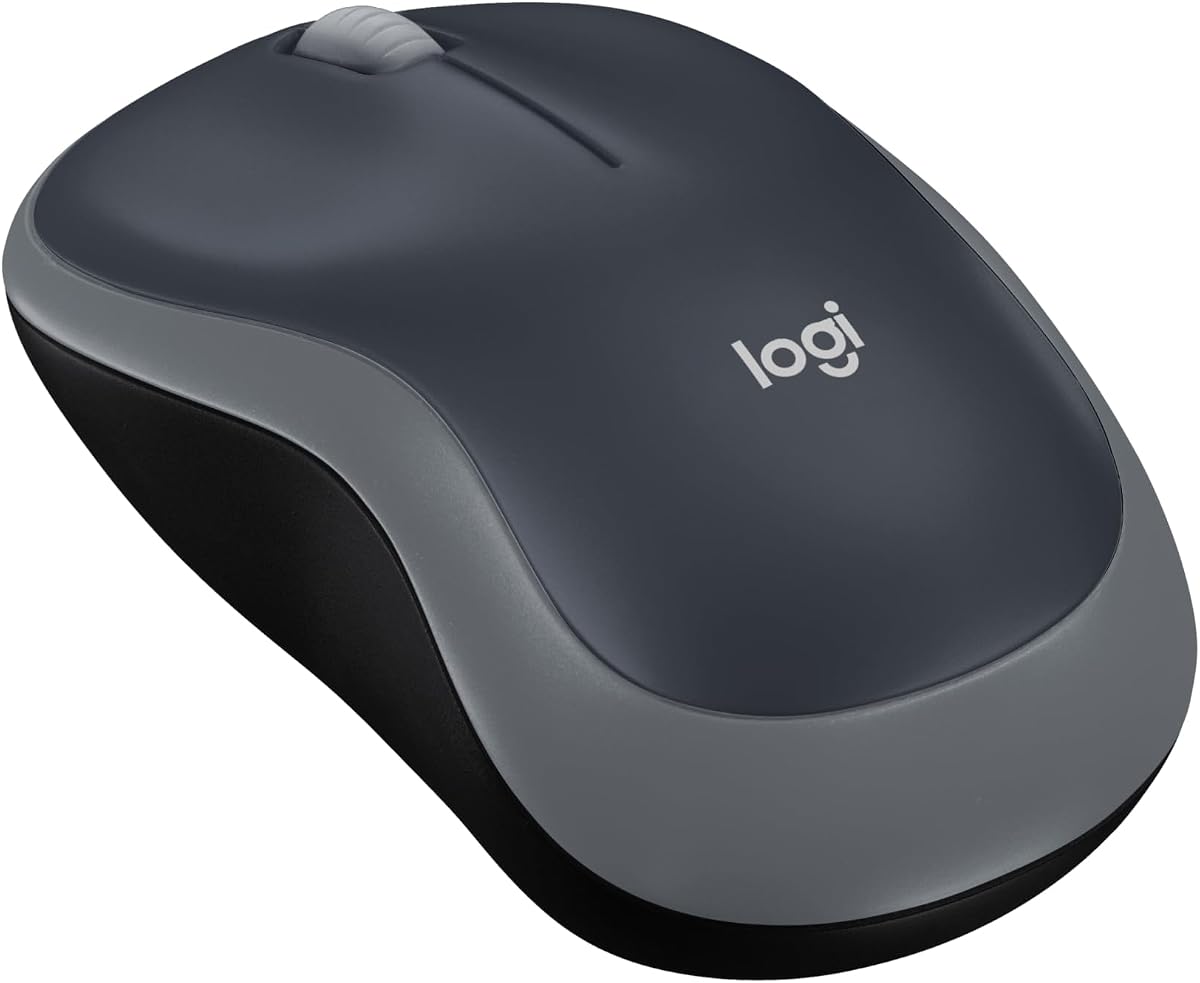
The M185 offers essential wireless functionality at an accessible price. It is highly rated for its portability and ease of setup for everyday computing. This model proves that efficiency does not require a high investment.
We may earn a commission when you buy through this link, at no additional cost to you.
Its ambidextrous shape makes it suitable for users with smaller hands or shared workspaces. The nano receiver stays hidden in your laptop port for a clutter-free experience. Battery life extends up to a year with smart sleep features.
While it lacks advanced customization or scrolling options, it covers fundamental needs effectively. The build is functional rather than premium but remains durable for daily use in home or office settings.
Buy this if you need a reliable replacement mouse without extra features. It is a practical choice for students travelers or anyone prioritizing simplicity over complexity.
Its small footprint fits easily in laptop bags making it perfect for commuting or remote work.
Works seamlessly with Windows Mac and Chrome OS systems without requiring additional drivers or software.
We may earn a commission when you buy through this link, at no additional cost to you.
The MX Master 4 introduces innovative haptic feedback to refine user interaction. It aims to be the ultimate productivity tool for professionals who demand tactile cues. This premium model builds on the success of its predecessors with fresh interfaces.
We may earn a commission when you buy through this link, at no additional cost to you.
The Actions Ring adapts to open applications providing context-sensitive controls at your fingertips. Its ergonomic profile reduces strain during long editing or coding sessions. Connectivity is robust with support for USB-C dongles and Bluetooth.
Cost is significant and the new features require learning to maximize utility. These trade-offs suit users who spend most of their day at a workstation and value workflow optimization.
Choose this if you want cutting-edge features for high-end productivity. It is best for creatives and developers who benefit from customizable shortcuts and feedback systems.
Haptic signals confirm actions like zooming or saving without needing visual confirmation from the screen.
Plastic components include high percentages of recycled materials to support sustainability goals.
We may earn a commission when you buy through this link, at no additional cost to you.
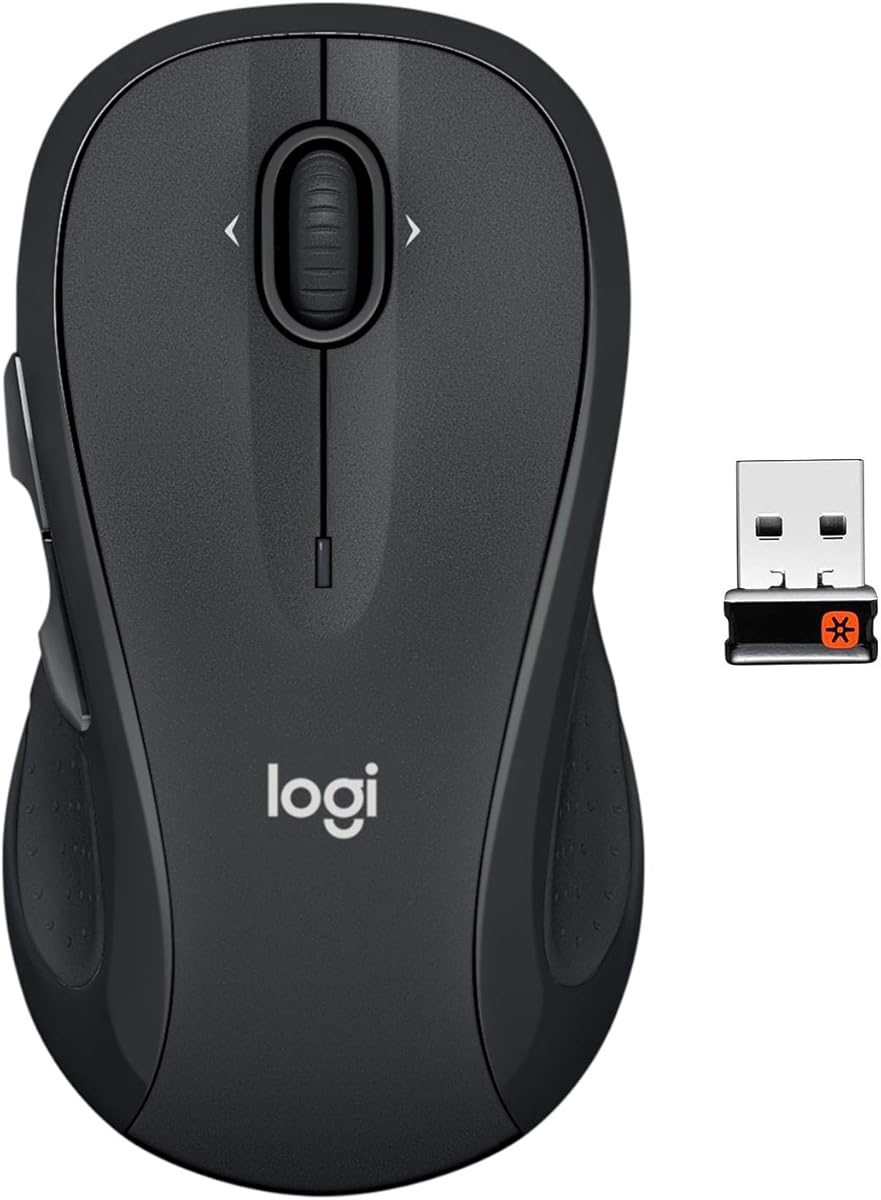
The M510 focuses on comfort with its contoured shape and soft grips. It is well reviewed for supporting natural hand positions during extended work periods. This mouse balances comfort and functionality for general office tasks.
We may earn a commission when you buy through this link, at no additional cost to you.
Side to side scrolling adds versatility for navigating wide spreadsheets or maps. The Unifying receiver allows multiple devices to share one USB port easily. Battery life spans two years to minimize maintenance interruptions.
It uses standard batteries instead of rechargeables which might bother some users. The size may be too large for compact desks or smaller hands though it fits most average users well.
Buy this if comfort is your primary concern for daily typing and browsing. It offers reliable performance without the complexity of advanced smart features.
Horizontal scrolling makes reviewing wide data tables much faster than traditional methods.
Unifying technology ensures a stable link even in crowded wireless environments.
We may earn a commission when you buy through this link, at no additional cost to you.
The M705 Marathon is renowned for its exceptional battery endurance. It earns top ratings for users who want to set and forget their peripherals. This model delivers proven reliability for standard computer tasks.
We may earn a commission when you buy through this link, at no additional cost to you.
Hyper-fast scrolling lets you fly through long documents with minimal effort. Laser grade tracking ensures precision on various surfaces including glossy wood or polished tables. Thumb buttons offer quick navigation between web pages.
Its design predates newer ergonomic trends so it may feel bulky compared to modern slim options. Still, the core functionality remains solid for those prioritizing uptime over aesthetics.
Choose this if you rarely want to change batteries or charge devices. It is a pragmatic choice for remote workers who need dependable hardware.
The nearly frictionless metal wheel reduces hand strain when reviewing extensive text files.
Laser sensors perform well on surfaces that often frustrate standard optical sensors.
We may earn a commission when you buy through this link, at no additional cost to you.
The M720 Triathlon excels at managing multiple computers from one device. It is highly recommended for users with mixed OS environments like Windows and Mac. This mouse bridges the gap between work and personal setups efficiently.
We may earn a commission when you buy through this link, at no additional cost to you.
Switch between up to three computers with a button press while sharing a single receiver. Hyper-fast scrolling supports quick document navigation and the rubber grip ensures comfort. Battery life reaches two years to reduce maintenance.
It is slightly heavier than minimalist mice which may affect portability for some. However, the versatility offered makes it a strong candidate for hybrid work scenarios.
Buy this if you frequently switch between laptops or tablets during the day. It simplifies your workspace by consolidating input devices.
Copy text on one device and paste it on another instantly with FLOW technology.
Choose Bluetooth for modern ports or Unifying for older systems without adapters.
We may earn a commission when you buy through this link, at no additional cost to you.
The G305 brings wireless freedom to gaming with minimal lag. It is praised for its lightweight design and competitive performance levels. This mouse proves that wireless tech can match wired precision for games.
We may earn a commission when you buy through this link, at no additional cost to you.
Lightspeed technology ensures a reliable connection for fast-paced action. The HERO sensor offers high precision with excellent battery efficiency for long sessions. Nano receiver storage keeps the mouse self-contained for travel.
Its gaming-centric layout might be less intuitive for general office productivity. While robust, it lacks the ergonomic comfort of dedicated productivity mice for long typing sessions.
Select this if you need a portable mouse for gaming on the go. It is ideal for competitive players who value responsiveness above all.
Optimized to reduce input delay making it suitable for e-sports and fast reactions.
Software allows you to extend battery life significantly by adjusting sensor settings.
We may earn a commission when you buy through this link, at no additional cost to you.
The G733 is a high-quality headset designed for immersive gaming audio. It is noted for comfort and wireless reliability in competitive play. This device enhances your auditory experience without restricting movement.
We may earn a commission when you buy through this link, at no additional cost to you.
Suspension headbands reduce pressure points during extended sessions. LIGHTSPEED audio ensures low latency for synchronized sound. RGB lighting allows personalization through software tools for a unique look.
This product is a headset rather than a mouse so it serves a different function. It complements gaming setups but does not replace the need for a quality input device.
Choose this if you seek comfort and performance for voice chat and sound. It pairs well with the G series mice for a full gaming ecosystem.
PRO-G drivers deliver consistent sound with minimal distortion for precise directional audio.
Soft dual-layer memory foam ensures long wearability without discomfort.
We may earn a commission when you buy through this link, at no additional cost to you.
The M650 L provides tailored comfort for users with larger hands. It is highly rated for reducing strain during long workdays. This model combines practical features with a focus on ergonomics.
We may earn a commission when you buy through this link, at no additional cost to you.
SmartWheel allows instant switching between precision and rapid scrolling. SilentTouch technology keeps click noise low for shared office environments. Customizable side buttons help streamline frequent actions.
Its size may be bulky for smaller desks or travelers. Still, the comfort benefits are significant for those who need extra palm support daily.
Buy this if you need a spacious mouse that supports your hand shape. It is excellent for office workers seeking quiet and reliable performance.
SilentTouch ensures your clicks do not disturb colleagues during important meetings.
A simple flick switches modes so you adapt to any document type instantly.
We may earn a commission when you buy through this link, at no additional cost to you.
The G502 Lightspeed offers pro-grade features for serious gamers. It is celebrated for its sensor precision and extensive customization options. This mouse supports complex gaming setups with ease.
We may earn a commission when you buy through this link, at no additional cost to you.
Eleven buttons allow macros and shortcuts for various game roles. The scroll wheel enables rapid menu browsing without lag. Compatibility with PowerPlay charging keeps it always ready without cables.
Weight may feel heavy for fast flick shooters but offers stability for strategy games. The design is complex and might overwhelm casual users seeking simplicity.
Select this if you need maximum control for competitive gaming. It is ideal for enthusiasts who want every feature available in one device.
G HUB software lets you program complex actions for specific game titles.
Zero smoothing and acceleration ensure raw cursor movement matches hand motion exactly.
We may earn a commission when you buy through this link, at no additional cost to you.
Selecting the right model requires balancing your specific needs with features like ergonomics and connectivity.
Comfort is critical for daily use. Consider hand size and grip style to ensure the shape supports your wrist naturally without strain. Larger hands may prefer full-size models while smaller hands benefit from compact versions.
Always choose a mouse that fits your palm comfortably to reduce fatigue over time.
Decide between Bluetooth for portability and USB receivers for stability. Some models support both allowing you to switch based on your device. Multi-device mice help if you work across multiple computers.
Match connectivity to your system ports and workflow frequency for best performance.
Long battery life minimizes interruptions. Rechargeable options offer convenience while AA batteries provide longer runtime. Look for smart sleep modes that extend usage significantly.
Prioritize models with multi-year battery life if you prefer low maintenance devices.
High precision scroll wheels are essential for document work. MagSpeed wheels allow rapid scrolling with instant stopping capability. Some models offer dual-axis scrolling for horizontal navigation.
Select a wheel type that matches your document navigation habits for efficiency.
High DPI sensors improve tracking accuracy on various surfaces. Optical sensors work on most desks while some track on glass. Ensure the sensor supports your typical usage patterns.
Opt for higher DPI if you need fine cursor control for design work.
Logitech software allows button mapping and profile switching. Customizable buttons boost productivity for specific tasks. Check if required software runs on your operating system.
Evaluate software features to ensure they align with your workflow needs.
Quiet clicks prevent distractions in shared spaces. SilentTouch technology reduces noise by up to ninety percent without losing feel. This is vital for office environments.
Choose models with quiet features if noise sensitivity is a priority.
Recycled plastics in build materials reflect eco-friendly manufacturing. Some models use high percentages of post-consumer plastic. This reduces environmental impact without sacrificing durability.
Look for sustainability certifications if eco-friendly practices matter to you.
Install the necessary drivers from Logitech's official site before using advanced features. This ensures all buttons and scrolling functions work as intended on your system.
Clean the sensor and scroll wheel regularly with a soft dry cloth to maintain tracking accuracy. Dust and debris can interfere with optical performance over time.
Store batteries separately if the device will not be used for weeks. Use the on/off switch to preserve power and prevent corrosion during storage.
Yes most Logitech wireless mice are fully compatible with macOS. Models like the MX Master series offer specific macOS software support for enhanced customization. Bluetooth versions connect directly without needing a receiver.
Certain models with Darkfield or advanced sensor technology work on glass. The MX Master 3S supports glass tracking down to 4mm thickness. Standard optical mice may require a mouse pad on reflective surfaces.
Multi-device models let you pair with multiple computers. Use the device switch button to toggle between them instantly. This feature saves switching USB dongles when moving between systems.
The Unifying receiver allows multiple Logitech devices to share one USB port. It simplifies desk setup by reducing the number of dongles needed. You can easily add compatible devices via Logitech software.
Battery life varies by model and usage. Some Marathon series offer up to three years while others provide two years. Rechargeable models typically last weeks on a single charge depending on activity.
Yes most models support software customization. Logitech Options+ allows mapping buttons to specific commands for different apps. This increases workflow efficiency for power users.
The MX Master 3S remains a top pick for overall performance and comfort. Budget users will find the M185 offers reliable basics without extra cost. Gamers may prefer the G305 for speed and portability.
Prioritize ergonomics and battery life when making your final decision. These factors often have the biggest impact on daily satisfaction and usability. Consider your specific workflow to choose the best fit.
Check current availability to ensure you get the model you need. Prices and stock can fluctuate based on market conditions. Always verify the seller and warranty details before purchasing.