
HP OmniBook 5 16 inch
4.5Editor score
Snapdragon X Plus Processor
2K OLED Touchscreen
Up to 34 Hours Battery
Finding the right laptop with an OLED display means balancing vivid colors, deep blacks, and fast refresh rates against battery life and portability needs for daily work or creative tasks.
We compared ten leading models based on processor power, screen specs, connectivity options, and real-world usability to ensure you find a machine that matches your specific workflow demands today.
Each pick below highlights key strengths and trade-offs so you can decide quickly. Please note that stock levels and prices change often so check current availability before making your final purchase decision.
4.5Editor score

4.0Editor score
4.5Editor score
As an Amazon Associate we earn from qualifying purchases.
This table presents a side-by-side view of all ten selected laptops so you can quickly compare screen sizes, processors, memory amounts, and key connectivity ports at a single glance.



This laptop stands out with a stunning 2.8K OLED panel and powerful Ryzen AI processing making it an ideal pick for professionals who need color accuracy and speed.
We may earn a commission when you buy through this link, at no additional cost to you.
The NVIDIA GeForce RTX 5050 ensures smooth performance for video editing and 3D rendering while the 120Hz refresh rate keeps everything fluid for daily tasks.
While it costs more than average models the build quality and display excellence justify the investment for users who prioritize visual fidelity and processing power.
If you need a reliable machine for creative work that travels well this model offers a balanced mix of screen quality and robust connectivity options.
The 16-inch OLED panel delivers deep blacks and vivid colors that meet professional standards for design and media consumption tasks.
Built-in AI features accelerate workflows and improve efficiency across multitasking scenarios without needing external tools or cloud services.
We may earn a commission when you buy through this link, at no additional cost to you.
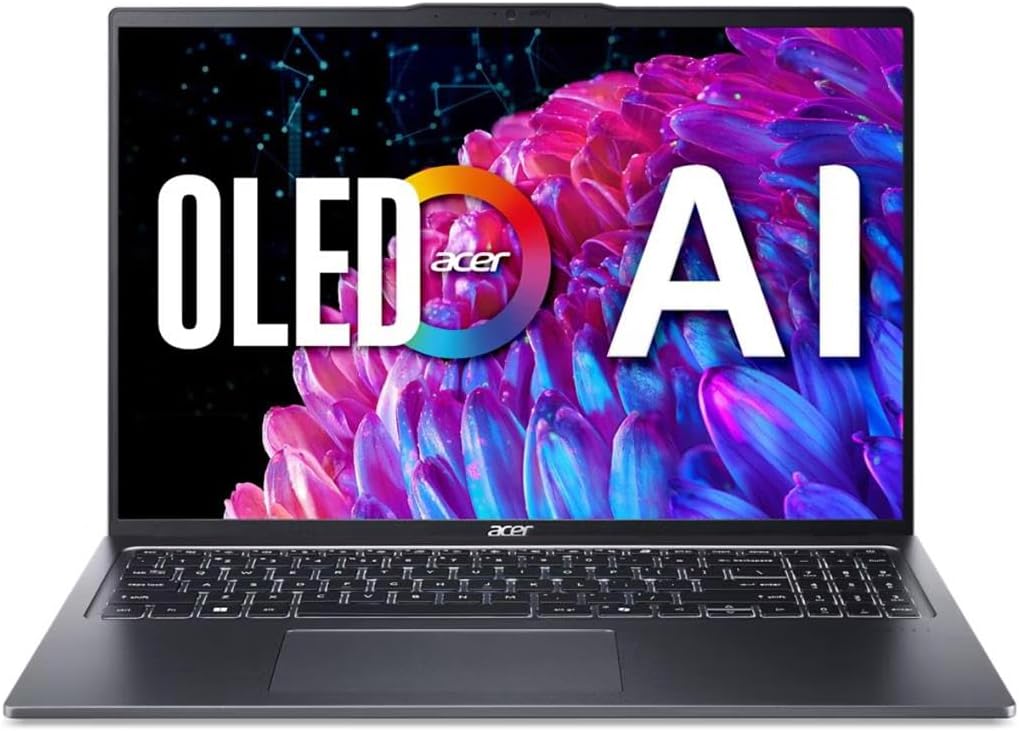
Acer delivers a sleek machine with a high resolution OLED screen and efficient Intel Core Ultra processor suitable for students and light professional work.
We may earn a commission when you buy through this link, at no additional cost to you.
The 3.2K display offers sharp visuals while Eye Comfort certifications help reduce strain during long sessions which is great for daily study or office use.
Users should note the 8GB RAM limit may restrict heavy multitasking but the fast SSD and Wi-Fi 6E keep basic workflows smooth and responsive.
Choose this if you want a premium look and sharp screen without paying top dollar though consider your memory needs before buying to avoid bottlenecks.
TUV Rheinland Eyesafe Certification ensures harmful blue light is reduced while keeping colors accurate for comfortable viewing over hours.
Dual Thunderbolt 4 ports allow fast data transfer and multi-monitor setups without needing additional hubs or adapters.
We may earn a commission when you buy through this link, at no additional cost to you.
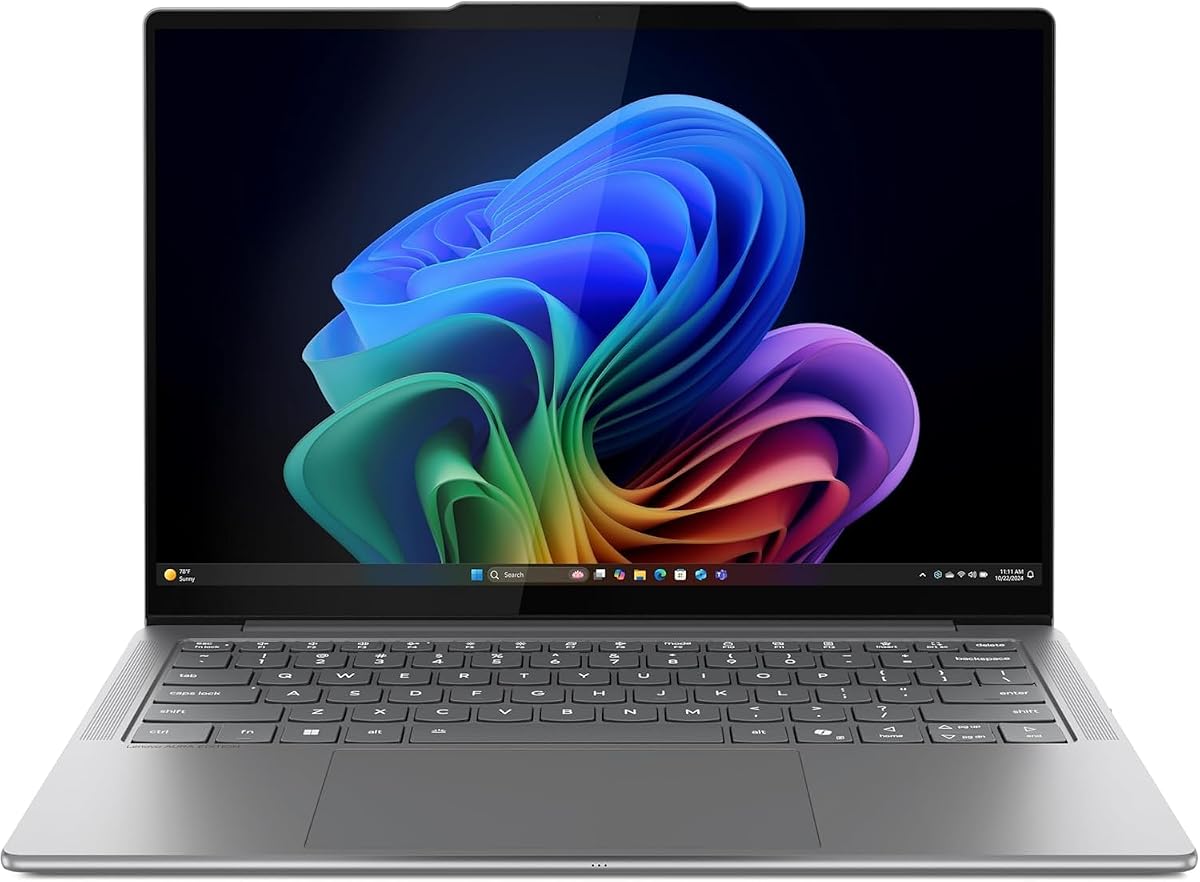
This model brings Copilot+ PC capabilities with strong AI performance and a generous 32GB RAM configuration that handles multitasking with ease.
We may earn a commission when you buy through this link, at no additional cost to you.
The OLED display and fast battery life make it perfect for users who need mobility and screen quality for long work sessions away from a desk.
While it lacks dedicated graphics the integrated solution is efficient for most non-gaming tasks and the build quality remains robust for everyday use.
Buyers should consider this if they need future-proof AI features and high RAM without worrying about graphics performance for heavy gaming or rendering.
With up to 50 TOPS NPU performance the laptop supports advanced on-device AI tools for productivity and creative assistance.
A 70Wh battery supports up to 21 hours of video playback so you can work unplugged for most of your day.
We may earn a commission when you buy through this link, at no additional cost to you.
HP offers a compact solution with an OLED screen and Snapdragon processor that delivers remarkable battery life for travelers who need all-day usage.
We may earn a commission when you buy through this link, at no additional cost to you.
The 2K display provides vibrant visuals while the Otter.ai integration helps organize meetings and notes automatically for busy professionals on the move.
Storage is limited to 256GB so external drives may be needed for large files and gaming is not supported due to the integrated GPU.
This is a smart pick for frequent commuters who value endurance and screen clarity over raw power or high capacity storage options.
Up to 41 hours of battery life ensures you can work or watch media for extended periods without hunting for outlets.
Built-in AI tools like Otter.ai help transcribe meetings and capture slides to boost personal productivity instantly.
We may earn a commission when you buy through this link, at no additional cost to you.
This Intel-powered version of the Vivobook S16 provides top-tier performance with a Core Ultra 9 processor and massive 32GB RAM for power users.
We may earn a commission when you buy through this link, at no additional cost to you.
The OLED display and fast charging keep productivity high while the durable chassis and quiet acoustic design ensure comfort during long sessions.
While it comes at a premium price the combination of high-end specs and portability makes it a solid investment for professional workflows.
Consider this if you need the best processing power in a slim chassis and can accept the higher cost for improved performance and longevity.
The Core Ultra 9 processor supports up to 50 TOPS NPU performance for advanced on-device AI and multitasking tasks.
Fast charge capabilities deliver 60% battery in 49 minutes so you get back to work quickly without long waits.
We may earn a commission when you buy through this link, at no additional cost to you.
A highly rated budget option with a 2K OLED touchscreen and Snapdragon processor that offers excellent battery life for everyday users.
We may earn a commission when you buy through this link, at no additional cost to you.
The touchscreen interface adds flexibility for note-taking and navigation while the 512GB SSD and 16GB RAM provide ample space and speed.
Security features like IR camera and privacy shutter keep data safe and the Otter.ai assistant helps streamline meetings efficiently.
Buy this if you need a reliable touchscreen laptop with great battery life and modern AI features without paying high-end prices.
The OLED touchscreen allows intuitive interaction for drawing or quick navigation tasks that benefit from direct touch input.
An IR camera and physical shutter protect your privacy during video calls and sensitive login scenarios effectively.
We may earn a commission when you buy through this link, at no additional cost to you.
Lenovo delivers a premium portable laptop with a high brightness OLED touchscreen and 32GB RAM that suits creators who need color accuracy.
We may earn a commission when you buy through this link, at no additional cost to you.
The aluminum chassis and thermal design keep performance steady and cool even during intensive tasks while the battery lasts through most work days.
While the screen is smaller than 16 inch models the high brightness and true black tech make it great for HDR content viewing.
Choose this if you want a lightweight portable machine with a premium feel and high color fidelity for creative or business use.
600 nits peak brightness ensures the OLED screen stays clear and visible even in brightly lit environments or near windows.
Quad speakers and noise-canceling mics deliver high quality sound for calls and media without needing external audio gear.
We may earn a commission when you buy through this link, at no additional cost to you.
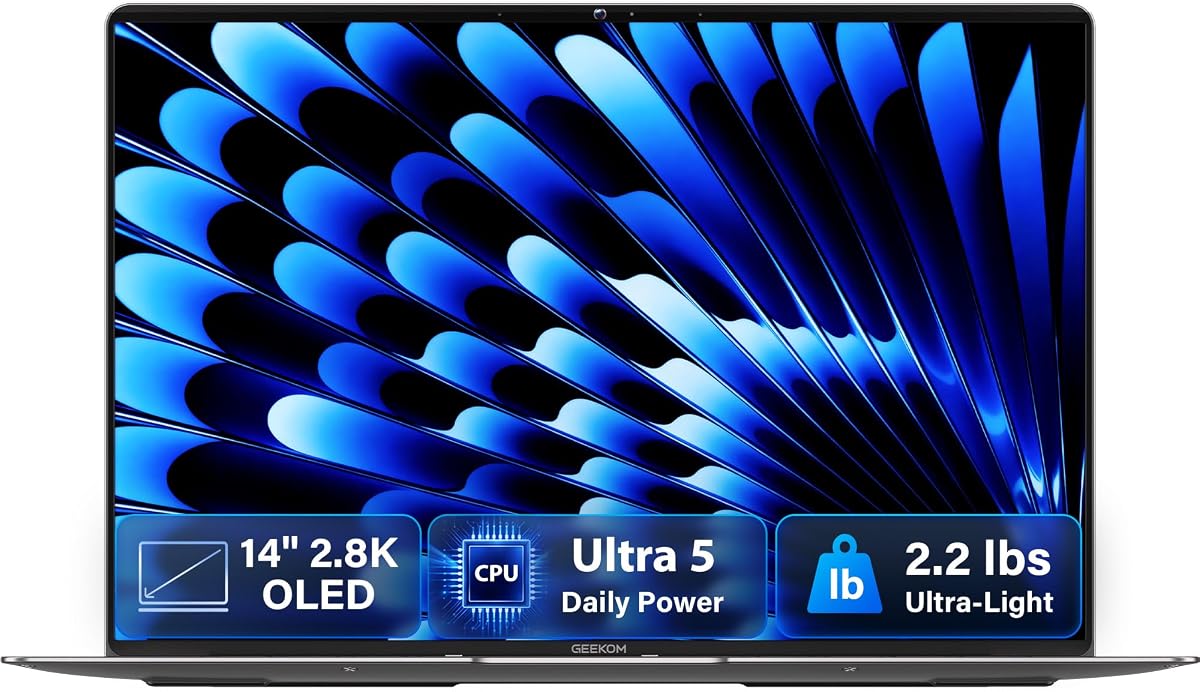
This laptop is one of the lightest with a 2.8K OLED screen and magnesium alloy body that stands out for travelers and students.
We may earn a commission when you buy through this link, at no additional cost to you.
The 120Hz refresh rate ensures smooth animations and the compact charger keeps your bag light without sacrificing charging speed.
While the brand is smaller than giants the build quality and warranty support offer a solid experience for those seeking minimal weight.
Buy this if you need a featherlight laptop with high resolution visuals and a sleek metal design that fits easily in any bag.
Titanium gray magnesium alloy and precision CNC milling make the chassis both durable and warm to the touch.
A 65W GaN charger is 30% smaller than typical adapters and charges the battery to 80% in about an hour.
We may earn a commission when you buy through this link, at no additional cost to you.
This gaming laptop combines an OLED screen with a fast 165Hz refresh rate and RTX graphics for smooth immersive gaming experiences.
We may earn a commission when you buy through this link, at no additional cost to you.
The Ryzen 7 processor and 32GB RAM handle streaming and multitasking well while the RGB keyboard adds style for gamers.
It is heavier than other options due to the cooling and graphics but the performance justifies the size for desktop replacement gaming.
Choose this if you want an OLED screen with gaming power and don't mind a heavier chassis for high frame rates and vivid colors.
The 165Hz OLED display delivers fluid motion for gaming that looks sharper and smoother than standard 60Hz panels.
Wi-Fi 7 and USB4 ports ensure fast data transfer and low latency networking for modern gaming and file tasks.
We may earn a commission when you buy through this link, at no additional cost to you.
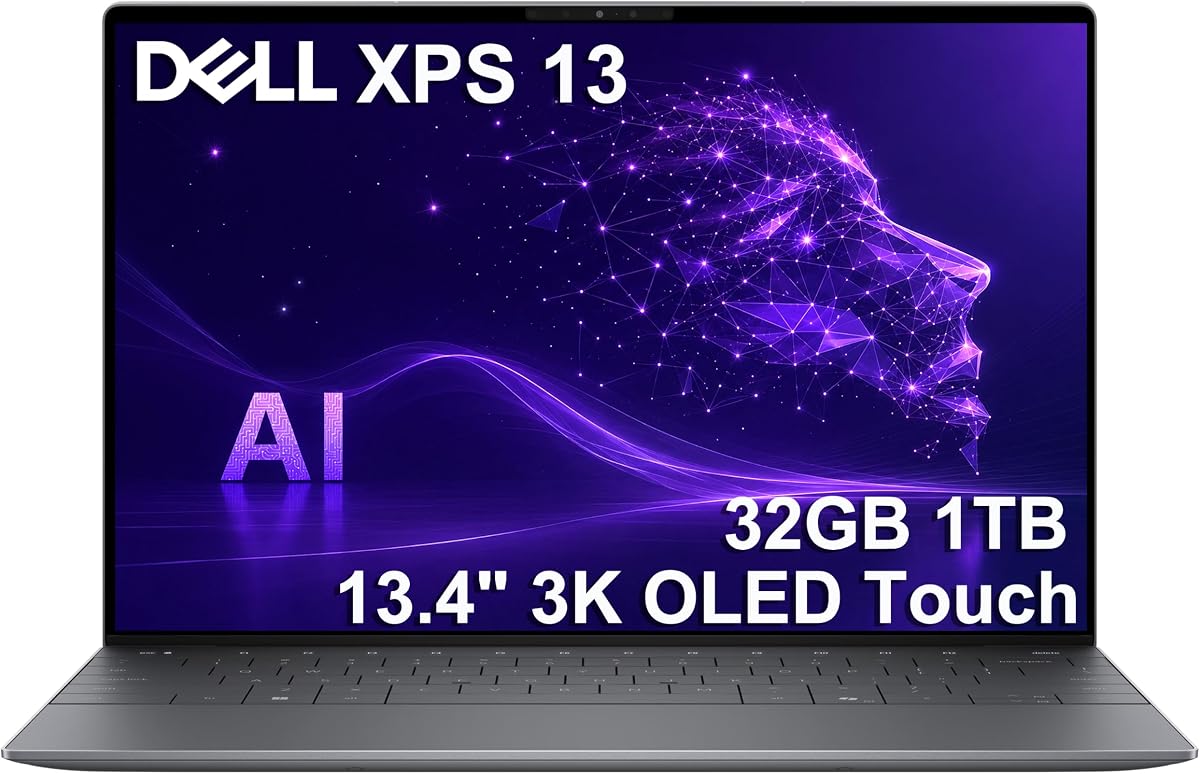
Dell brings its premium XPS build to a compact 13 inch form with a vibrant 3K OLED touchscreen and powerful Snapdragon Elite processor.
We may earn a commission when you buy through this link, at no additional cost to you.
The 32GB RAM and 27 hour battery life make it a strong choice for business travelers who need desktop-class performance in a small device.
While it has fewer ports than larger models the USB4 support ensures you can still connect multiple high speed displays and devices easily.
Buy this if you want the best balance of portability, display quality, and premium design for professional work on the go today.
With Snapdragon X Elite and 32GB RAM this compact laptop handles heavy multitasking without needing a charger for most of the day.
The OLED screen is treated to reduce glare so colors stay vivid even in bright offices or outdoor environments.
We may earn a commission when you buy through this link, at no additional cost to you.
Choosing the right OLED laptop involves balancing screen size, resolution, and refresh rate against processor power and battery life to match your daily workflow needs effectively.
OLED panels come in resolutions like 2.8K or 3K which offer sharp text and vibrant visuals. Look for 16:10 ratios to gain more vertical space for productivity.
Aim for at least 2.8K resolution to ensure crisp text and deep blacks without sacrificing battery life unnecessarily.
Refresh rates between 60Hz and 165Hz determine how fluid motion appears. Higher rates benefit gaming or scrolling while 60Hz saves power.
Select 90Hz or higher if you prefer smooth animations in daily use or plan to play games on the device.
Modern chips like Snapdragon X Elite and Ryzen AI provide efficient performance with built-in NPUs for on-device AI tools.
Choose models with at least a mid-range Core Ultra or Ryzen AI chip to support future software features effectively.
Minimum 16GB RAM ensures smooth multitasking while 32GB is better for heavy workloads. Storage should be at least 512GB for modern OS needs.
Prioritize 32GB RAM and 1TB storage if you use large files or many apps simultaneously to avoid slowdowns.
OLED screens consume more power so look for large battery capacities like 70Wh to compensate. Efficiency chips help extend runtime.
Check tested battery life ratings and aim for 15+ hours to ensure you can work unplugged for a full day.
USB-C with Thunderbolt 4 or USB4 ensures fast data transfer and supports external displays. HDMI ports help connect to monitors easily.
Select a laptop with at least two USB-C and one HDMI port to avoid carrying multiple dongles daily.
Aluminum or magnesium alloy chassis offer better protection against bumps and drops. Look for MIL-STD certification for tough environments.
Aim for a durable build if you travel often or work in varied conditions to ensure long-term device longevity.
OLED panels support HDR and wide color gamuts which are vital for creative work. Look for DisplayHDR True Black certification.
Choose models with 100% DCI-P3 coverage to ensure colors are accurate for design or editing tasks.
Use dark mode or dark themes on your OLED screen to reduce power consumption and minimize the risk of image retention over time.
Keep the laptop on a flat surface to ensure airflow remains unblocked and heat is dissipated effectively during heavy tasks.
Clean the display with a microfiber cloth and avoid harsh chemicals to protect the coating and ensure the screen remains clear.
OLED screens are less prone to burn-in with modern pixel shifting and dimming tech but static images can still cause wear over many years. Using dark themes helps reduce this risk significantly.
Most OLED panels last over 30,000 hours of use before brightness drops noticeably. With proper care and power management you can expect several years of daily use without issues.
OLED offers deeper blacks and faster refresh rates than LCD but consumes more power. For color accuracy and contrast OLED is superior while LCD may save battery life in some cases.
Yes especially if it has high refresh rates and dedicated graphics. Many models support G-Sync and HDR which improve gameplay visuals significantly compared to standard screens.
Yes most models include HDMI or USB-C ports that support external displays. Check specs for supported resolutions like 4K to ensure compatibility with your setup.
At least 16GB of RAM is recommended to handle the OS and apps smoothly. For creative work or heavy multitasking 32GB provides a better experience.
OLED laptops can be pricey but prices have dropped recently. Budget models exist though premium ones offer better build quality and battery life.
A 13 or 14 inch laptop balances portability and screen space best for travel. Larger 16 inch models are better for desk use but harder to carry.
The top picks include the Lenovo IdeaPad Pro 5 for creatives the HP OmniBook 5 for budget buyers and the Dell XPS 13 for premium users seeking portability.
Prioritize screen resolution and battery life when choosing since these factors most impact your daily experience. Ensure the RAM matches your workflow to avoid slowdowns.
Always check current pricing and availability as models change frequently. Compare specs carefully to find the right balance for your personal needs.