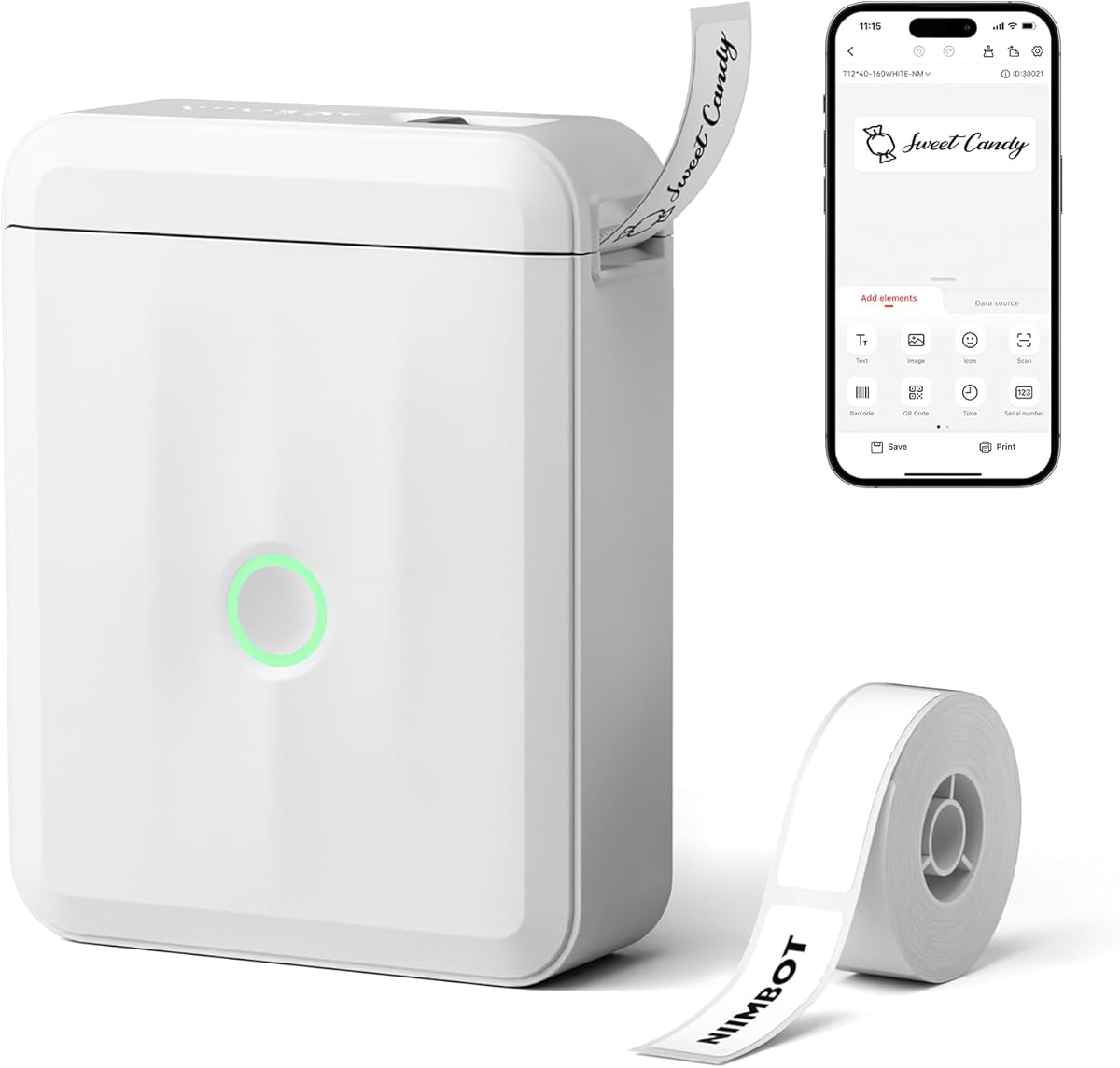
NIIMBOT D110 Mini Label Maker
4.5Editor score
Ultra lightweight design
Automatic label recognition
12 to 15mm width
Discover the top 10 label printers for jars compared on print quality, app features, and portability to organize your kitchen and pantry efficiently today.
Finding the right label printer for jars can transform your kitchen organization from chaotic to calm. These devices use thermal technology to create durable, ink-free labels that stick well to glass surfaces. Choosing one that fits your specific needs ensures your pantry stays tidy and your ingredients are easy to identify at a glance.
We compared ten top-rated models based on print resolution, app functionality, battery life, and ease of use. Each product was evaluated for its ability to handle round and square jar labels effectively. Our analysis focuses on real-world performance for home cooks, bakers, and small business owners managing inventory.
Each pick in this guide highlights key strengths like connectivity options and custom design capabilities. Prices and availability can change quickly online so check the current listings before purchasing. Use this resource to find the perfect tool to keep your jars labeled and your space organized.
4.5Editor score
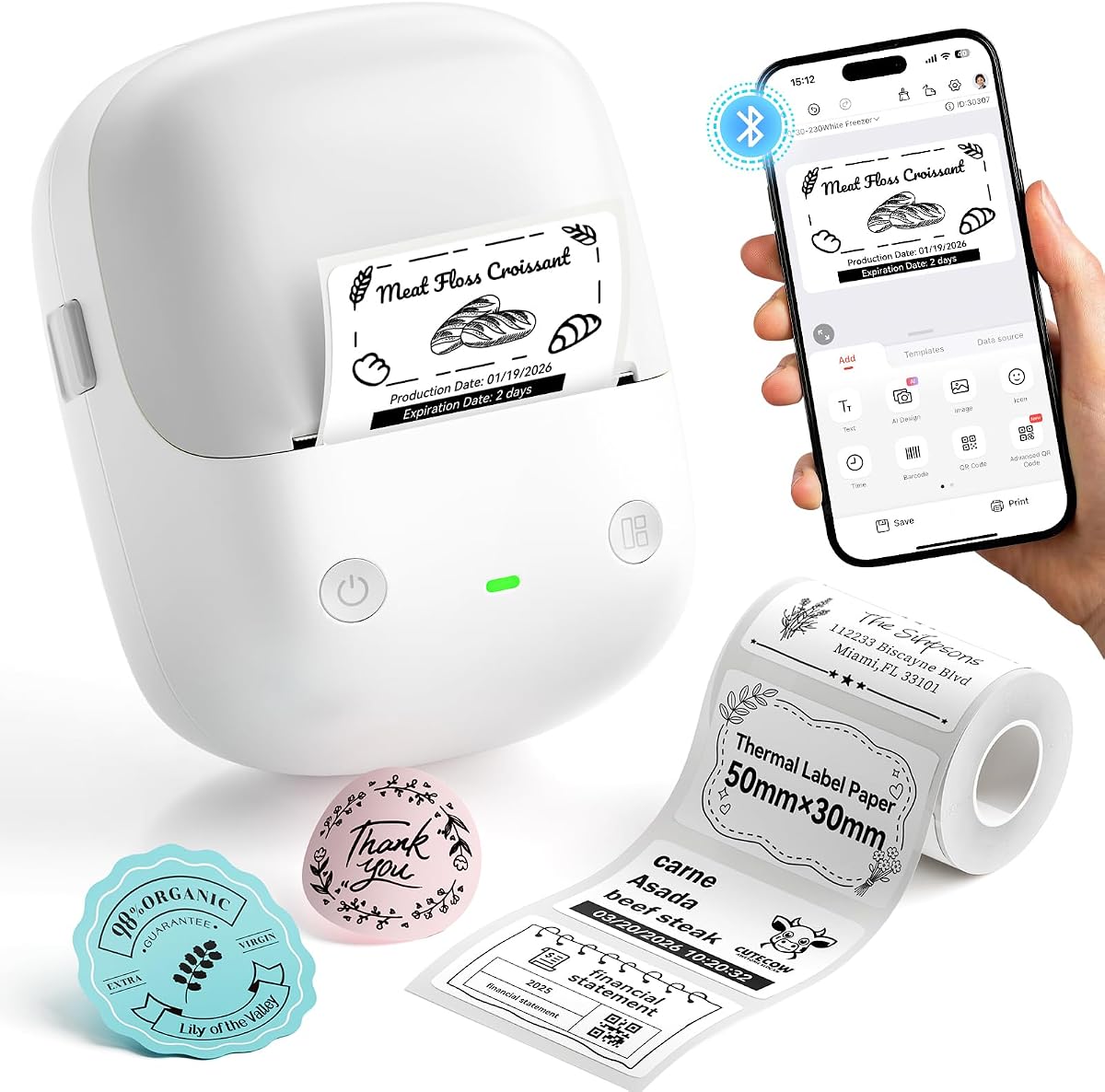
4.6Editor score

4.5Editor score
This side-by-side comparison highlights the key specifications of each label printer to help you decide which model fits your jar labeling needs best.

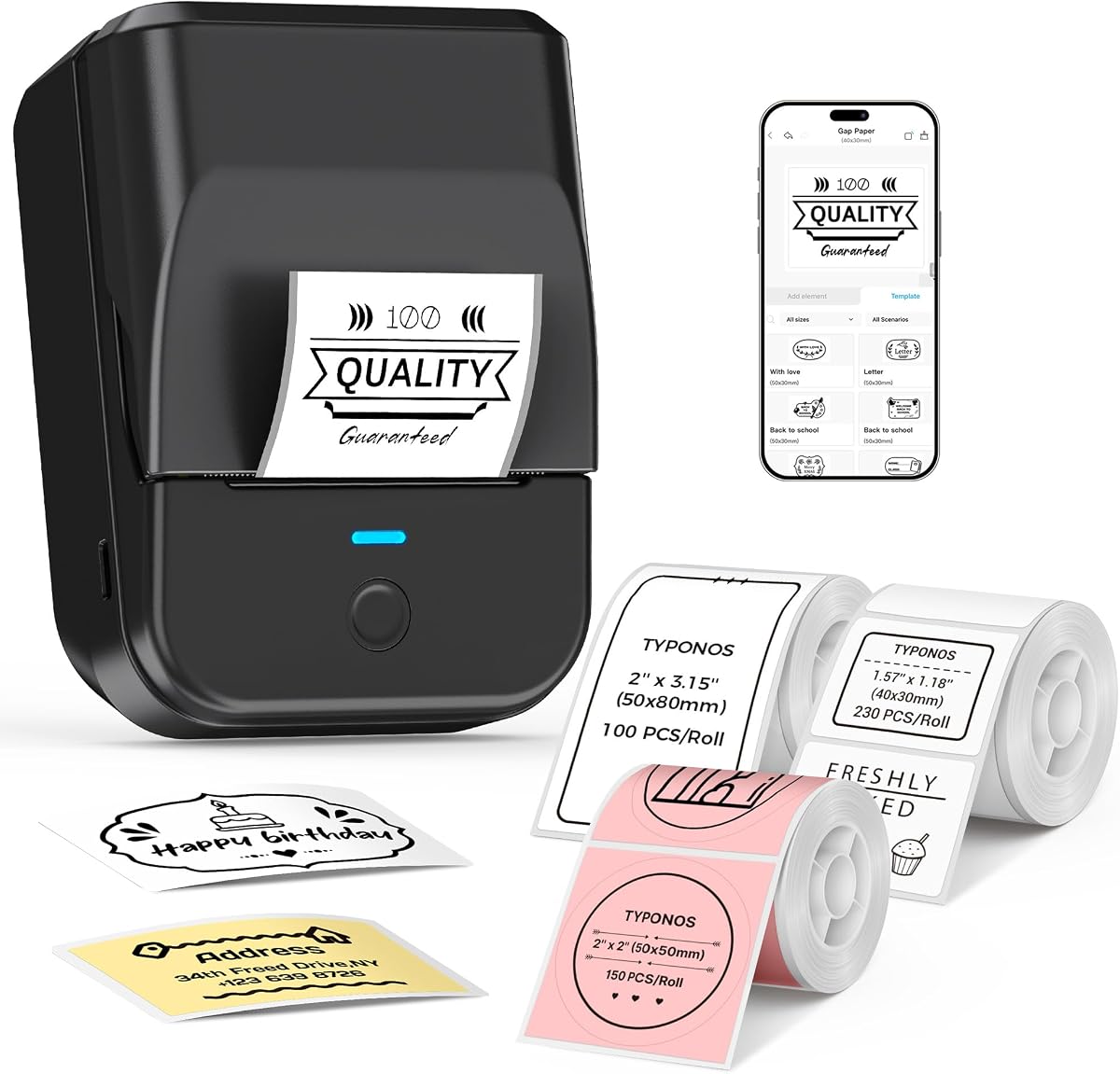



The NIIMBOT B2 stands out as a versatile tool for organizing kitchen jars and pantry items. With a solid 4.6 rating, it offers offline printing capabilities that many competitors lack. Its ability to handle widths from 20 to 50mm makes it suitable for both small spice jars and larger storage containers.
We may earn a commission when you buy through this link, at no additional cost to you.
Its intelligent identification technology automatically recognizes label types, saving time during setup. The app supports over 1600 icons and batch printing, which is essential for labeling multiple jars at once. Connectivity options include Bluetooth for mobile devices and USB for computers, offering flexibility in how you create labels.
While it does not work with iPads, the desktop compatibility is a strong plus for office or home office users. The offline printing feature allows you to print dates quickly without needing to open an app every time. This convenience is particularly useful for expiration dates on food items.
This model is ideal for anyone who needs reliable, frequent labeling without constant app dependency. The balance of portability and feature depth makes it a top choice for serious home organizers. Consider this if you want a single device that handles both quick tasks and complex designs.
For those managing large inventories or kitchen pantries, the batch printing and wide width support provide significant value.
Press the button on the device to print real-time dates or templates instantly without connecting to an app.
Supports various paper types including white, colored, round, and transparent labels to fit any jar shape.
We may earn a commission when you buy through this link, at no additional cost to you.
The NIIMBOT D110 is an excellent choice for those seeking a compact and affordable solution for jar labeling. Weighing just 149 grams, it slips easily into a pocket or bag, making it ideal for labeling on the go. Despite its small size, it delivers crisp 203 DPI prints suitable for small jars.
We may earn a commission when you buy through this link, at no additional cost to you.
Its upgraded auto rewind function prevents wasting paper by calibrating the first label automatically. This smart feature saves time and money over repeated use. The rechargeable battery supports up to 4 hours of continuous printing, which is ample for most home projects.
The main limitation is the narrower print width of up to 15mm, which may not fit larger jars well. However, for spice jars and cosmetic bottles, this width is often sufficient. The app provides multiple templates and icons to help create custom labels quickly.
This model is best for students or families needing an easy entry point into thermal labeling. It combines simplicity with reliable performance at a very competitive price point. If portability is your priority, this mini maker fits the bill perfectly.
The compact form factor allows you to carry it anywhere for instant labeling in the kitchen or pantry.
Automatic positioning avoids printing offsets and reduces paper waste during every labeling session.
We may earn a commission when you buy through this link, at no additional cost to you.
The SUPVAN T50M Pro offers a premium experience with high-resolution image processing and broad label compatibility. Its ability to print from 3/4 inch to 2 inches wide makes it ideal for diverse jar sizes. The included tapes cover multiple formats, ensuring you have options for different projects.
We may earn a commission when you buy through this link, at no additional cost to you.
The free app allows you to add images from your phone or PC, customizing labels with over 30 fonts. This feature enhances aesthetic appeal and adds a professional touch to your labels. The auto size recognition ensures your labels fit perfectly without manual adjustments.
While it requires an app connection, the registration-free setup makes starting fast and easy. The enhanced output quality means labels look sharp and clear even with detailed graphics. This is a strong choice for branding or personalizing your kitchen containers.
Ideal for small businesses or home cooks who value design flexibility, this printer balances quality and ease of use. The wide range of supported labels means you can adapt it for various organizational tasks.
Precise image processing capabilities result in clear and rich labels with better aesthetic appeal.
Prints widths from 3/4 inch to 2 inches to accommodate everything from spice jars to large bins.
We may earn a commission when you buy through this link, at no additional cost to you.
The Ponek M100 provides a robust set of features including a wide icon library and smart battery management. Its 2-inch width capability ensures labels fit most jar sizes comfortably. The print speed is fast enough for efficient batch labeling sessions.
We may earn a commission when you buy through this link, at no additional cost to you.
With over 6000 icons and 3000+ templates, creativity is not limited by available designs. However, users should note that some templates require a premium membership. The NTC temperature sensor helps extend battery life and ensures safer charging during use.
While occasional Bluetooth issues may arise, technical support is available to resolve connectivity problems quickly. The direct thermal technology ensures no ink is needed, keeping maintenance low. For general home use, it delivers good value and performance.
This printer is suitable for those who need a versatile tool with strong design options. Just be aware of the app limitations and ensure your system is up to date for best results.
Access thousands of icons and templates to create unique labels for any purpose or style.
NTC temperature sensor technology protects battery life and ensures safe charging cycles.
We may earn a commission when you buy through this link, at no additional cost to you.
The PM240 stands out with its AI text-to-image capability and comprehensive label set. It offers 1 to 2 inch widths, which suits most kitchen jars effectively. The included tapes are waterproof and oil-resistant, ensuring labels survive kitchen conditions.
We may earn a commission when you buy through this link, at no additional cost to you.
The app provides over 2500 icons and Excel import support for efficient batch processing. However, you cannot connect Bluetooth and USB simultaneously, which limits flexibility during some tasks. The battery standby time of 100 days is impressive for infrequent users.
Users should keep the green liner sticker intact to avoid printing errors, as noted in the manual. The AI features streamline design creation, making it easier to produce professional-looking labels. This model is great for small businesses needing quick inventory tags.
It balances advanced features with practical durability. If you need labels that withstand moisture and oil, the included tapes are a significant advantage.
Use AI text-to-image and OCR recognition to speed up label creation for any project.
Included waterproof and oil-resistant tapes ensure labels stick and last in kitchen environments.
We may earn a commission when you buy through this link, at no additional cost to you.
The JADENS printer is built for shipping but can handle wide jar labels with ease. Its width range goes up to 4.1 inches, which is ideal for large bulk storage jars. It works with both fanfold and roll labels, giving you flexibility in media choice.
We may earn a commission when you buy through this link, at no additional cost to you.
Integration with shipping platforms like Shopify and eBay makes it a great dual-purpose tool for sellers. The Japanese thermal print head ensures consistent quality. While it is larger than mini labelers, it delivers professional results for business needs.
Note that iOS and Android mobile printing requires an app rather than direct Bluetooth printing. For PC users, a stable USB or Bluetooth connection provides reliable performance. This is best for commercial or heavy home use.
If you have wide jars and need a durable printer that doubles for shipping, this is a strong option.
Works with both fanfold and roll labels to handle diverse labeling projects.
Connects with major shipping platforms to streamline business labeling workflows.
We may earn a commission when you buy through this link, at no additional cost to you.
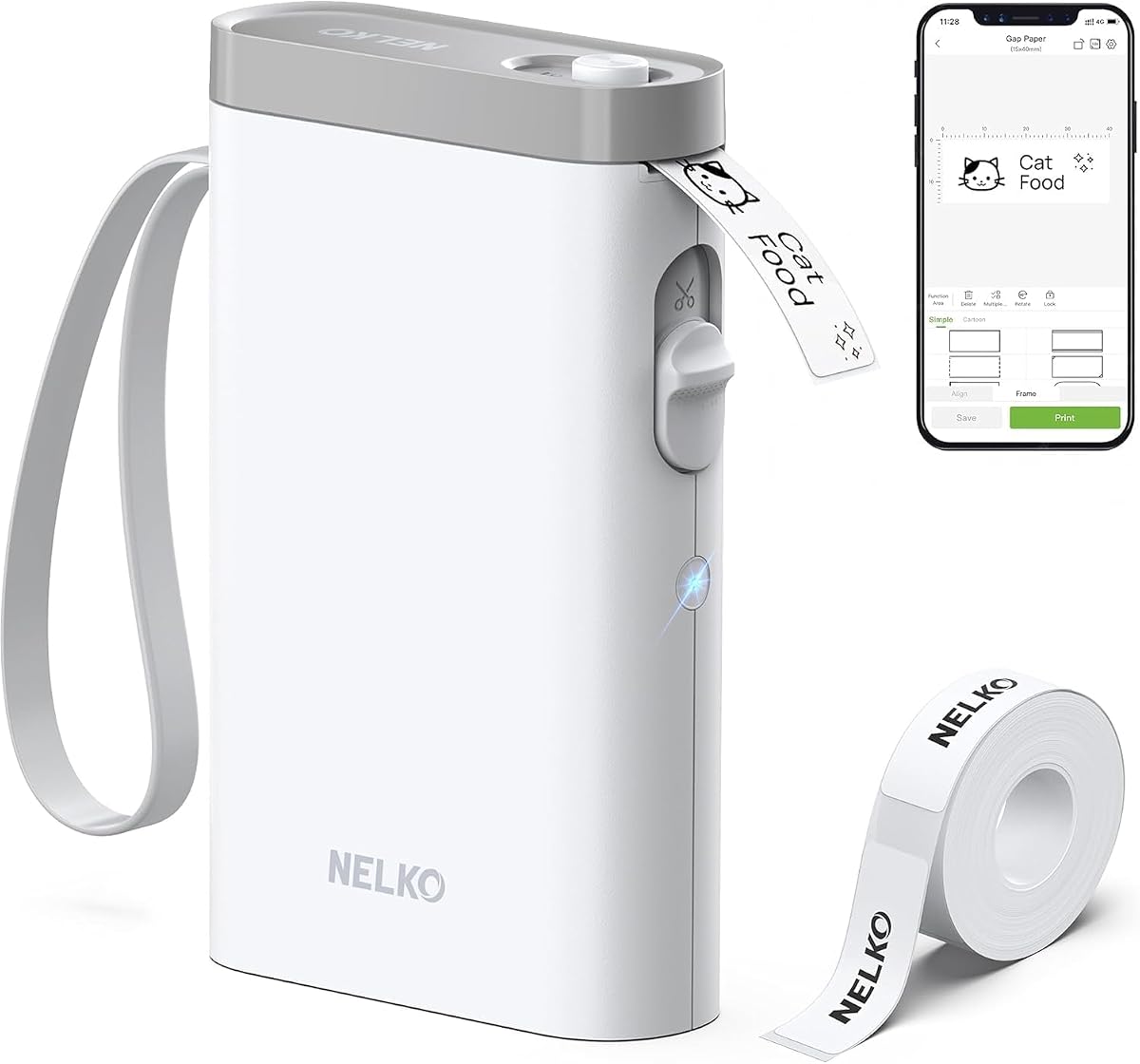
The Nelko P21 is designed for portability with half the weight of traditional labelers. Its app includes over 5500 materials and 750+ templates, giving extensive creative options. The device is BPA-free and uses direct thermal technology for ink-free printing.
We may earn a commission when you buy through this link, at no additional cost to you.
While it lacks computer connectivity, mobile use is seamless for most users. The fixed label lengths may limit customization for certain jar sizes. Charging adapter is not included, so ensure you have a compatible cable at hand.
Its small size makes it ideal for labeling while shopping or moving jars around the kitchen. The high material count ensures you can find a design that fits any style. Consider this if you need a pocket-friendly solution.
This model is excellent for on-the-go labeling tasks where a full-sized machine is too bulky.
Half the size and weight of traditional makers for easy carrying and instant labeling.
Over 5500 materials and thousands of templates to create unique labels for any need.
We may earn a commission when you buy through this link, at no additional cost to you.
The NIIMBOT B1 offers a balanced package with three different tape types included. Its 20 to 50mm width handles most household jars with ease. The waterproof and oilproof tapes ensure labels remain readable in humid kitchen environments.
We may earn a commission when you buy through this link, at no additional cost to you.
Battery standby time extends up to 100 days on a single charge, reducing frequent recharging. The app provides over 1500 symbols and pre-made templates to simplify design. Note that it does not support iPads, limiting tablet users.
This model is great for home use where convenience and included supplies are valued. The variety of tapes allows for different label shapes and uses without extra purchases. A reliable choice for general labeling needs.
Includes white, clear, and colorful tapes to match different jar styles and needs.
100 days standby time ensures the device is ready when you need to label.
We may earn a commission when you buy through this link, at no additional cost to you.
The green version of the B1 offers the same robust features as its siblings with a unique color. It supports batch printing to streamline repetitive labeling tasks. The included package often makes it a thoughtful gift option.
We may earn a commission when you buy through this link, at no additional cost to you.
Templates and intelligent recognition help save time and consumables. Connectivity is straightforward via Bluetooth or cable. Just ensure drivers are installed for PC users to avoid setup delays.
This model suits those who want reliable performance with added aesthetic appeal. It is a practical choice for schools, homes, or offices needing consistent labels.
Supports batch printing to quickly produce multiple same or different labels.
One-click connection and stable Bluetooth make getting started simple.
We may earn a commission when you buy through this link, at no additional cost to you.
The N12 provides an affordable entry point into thermal labeling. It supports 12 to 14mm widths suitable for small jars. The app offers over 1000 symbols and 100+ fonts for basic designs.
We may earn a commission when you buy through this link, at no additional cost to you.
Built-in rechargeable battery eliminates replacement costs. While label lengths are fixed, this simplifies the printing process. This model is ideal for basic kitchen organization tasks.
For simple needs without extra cost, this printer delivers value and ease of use. Keep in mind the width limitations for larger containers.
Operates without ink and toner, keeping overall costs much lower than others.
Fixed label lengths make printing straightforward and predictable.
We may earn a commission when you buy through this link, at no additional cost to you.
Selecting the right label printer for jars depends on several key factors that affect usability and results. This guide explains what to consider to find a model that fits your specific needs.
Print width determines the size of labels you can create. For standard jars, look for printers supporting at least 1 inch to 2 inches width. Narrower widths work for small spice jars but may not cover larger containers.
Ensure the printer supports waterproof and oil-resistant labels. Kitchen jars often face moisture and grease, so durable materials prevent peeling or fading over time. Check if the printer comes with compatible tapes.
Most devices connect via Bluetooth to smartphones or tablets. Some models also offer USB connectivity for computer use. If you prefer working on a desktop, verify USB driver availability before purchasing.
A good app offers fonts, icons, and templates to customize labels. Look for features like batch printing or offline modes if you label frequently. Ensure the app is free or has reasonable subscription options.
Rechargeable batteries are standard in portable models. Longer battery life means fewer interruptions during long labeling sessions. Check standby times to ensure the device stays ready when not in use.
If you need to carry the printer around, consider weight and size. Mini models fit easily in bags or pockets. Larger units may offer more features but are less convenient for mobile use.
Some printers allow offline printing without needing an app connection. This saves time when printing simple labels like dates. Consider this if you prefer not to open an app for every task.
Prices vary based on features and included tapes. Budget models are suitable for occasional use while premium ones offer advanced tools. Decide how often you label to determine the best value.
Start by fully charging the device before first use to ensure optimal battery performance. Download the manufacturer app and install any required drivers on your computer if needed. This setup ensures connectivity is smooth before you begin labeling.
No, most printers require specific tapes compatible with their print head width and size sensors. Using incompatible tapes can cause printing errors or damage the device. Always check the manual for approved tape types.
High-quality thermal labels typically last for several years if kept away from extreme heat or direct sunlight. Waterproof and oil-resistant tapes are designed to withstand kitchen conditions without peeling. Proper application ensures better adhesion.
No, these printers use direct thermal technology which does not require ink or toner. Heat is applied to specially coated paper to produce images and text. This makes them more cost-effective over time.
Many models support multiple devices simultaneously, but connections may vary. For example, some allow up to 10 phones connected at once. Check the specific model details for multi-user capabilities.
Yes, many models offer batch printing and barcode support for small business needs. They work well for labeling inventory, price tags, or shipping items. Ensure the width matches your product packaging requirements.
Use a soft dry cloth or approved cleaning tool to gently wipe the print head. Avoid harsh chemicals or liquids that may damage the sensor. Regular cleaning maintains print quality over the device's lifespan.
Ensure Bluetooth is enabled and you are within range. Check that the app has permission to access Bluetooth and update to the latest version. Restarting both the phone and printer often resolves connection issues.
Check current pricing and availability as offers may change quickly online. Investing in the right tool now ensures your pantry stays organized for years to come. Use this guide to make an informed decision that suits your lifestyle.