
Kids Tablet 7 Inch
4.0Editor score
32GB storage space
Android 12 system
Parental controls included
Finding the right tablet for young children requires balancing durability, safety, and educational value. Parents need devices that withstand drops while offering age appropriate content that engages without overwhelming.
We evaluated ten top models based on screen size, battery performance, parental control features, and overall build quality. Each option provides a unique mix of hardware and software designed specifically for early childhood development.
This article breaks down every product to help you make an informed decision for your family. Remember that prices and availability can change, so always check the latest details before purchasing.
4.0Editor score

4.6Editor score

4.6Editor score
As an Amazon Associate we earn from qualifying purchases.
The following table provides a side by side overview of all ten reviewed tablets to help you quickly compare their core specifications and features.


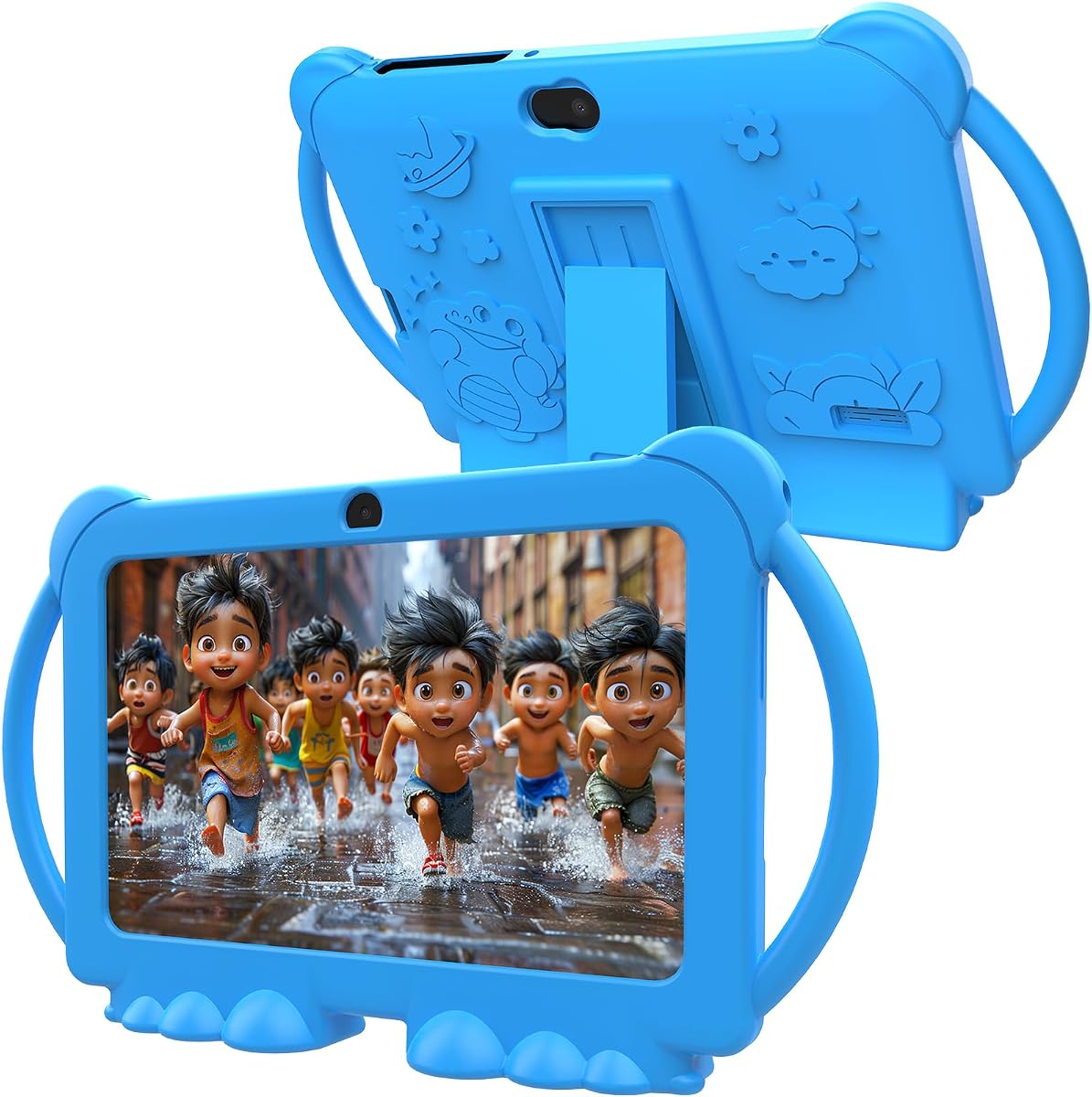


This tablet is a top choice for parents seeking a reliable and safe device for young children. It boasts a solid rating and offers a comprehensive package including a subscription and protective case.
We may earn a commission when you buy through this link, at no additional cost to you.
The device comes with a full year of Amazon Kids Plus providing access to thousands of ad free books and games. Parental controls allow you to set educational goals and screen time limits with ease.
While the storage is limited to 16 GB you can expand it with a microSD card. The main trade off is the reliance on the Amazon ecosystem which might not suit every family.
Parents looking for an all in one solution will find this tablet highly practical. The warranty and included content make it a standout option for early learners.
The included subscription offers a curated library of educational resources that are safe for children to explore independently.
Easy to use controls let you manage what your child sees and does on the device without hassle.
We may earn a commission when you buy through this link, at no additional cost to you.
This model upgrades the experience with a larger screen and longer battery life making it ideal for longer trips. It maintains the same parental control features as the 7 inch version.
We may earn a commission when you buy through this link, at no additional cost to you.
The 8 inch HD display provides clearer visuals for videos and games which helps reduce eye strain. The battery can last up to 13 hours ensuring it lasts through a full day of use.
The increased RAM allows for smoother multitasking which is helpful when running multiple apps. The case is sturdy and designed to handle drops which is common with toddlers.
Families who value screen real estate and battery endurance will appreciate this choice. It is a solid upgrade for children who spend significant time on their devices daily.
The larger HD screen makes reading and watching content more engaging and easier on the eyes.
With up to 13 hours of battery life you won't need to recharge it frequently.
We may earn a commission when you buy through this link, at no additional cost to you.
This device offers a strong feature set at a budget friendly price making it accessible for many families. It runs on Android 12 allowing access to a wide range of apps.
We may earn a commission when you buy through this link, at no additional cost to you.
The inclusion of the Google Play Store means you can download any app you need without restriction. The hardware is capable with 4GB of RAM ensuring smooth operation for daily tasks.
The case protects the device well which is important for younger users. While it might not have the same brand recognition as others it provides essential features without high cost.
Parents looking for an affordable entry level tablet will find this very practical. It balances cost and functionality well for early learning and play.
Being able to use the Play Store gives you flexibility to choose any educational or fun app.
The shockproof case ensures the tablet survives drops without requiring extra spending on protection.
We may earn a commission when you buy through this link, at no additional cost to you.
This tablet stands out for its pre loaded offline learning apps which are perfect for travel. It runs a very recent version of Android ensuring you get the latest security updates.
We may earn a commission when you buy through this link, at no additional cost to you.
The inclusion of Google Kids Space provides a safe environment for browsing and discovery without needing Wi Fi constantly. This makes it ideal for road trips or flights where connection is poor.
The drop proof case is designed to absorb impact and keep the device safe. Parental controls allow you to manage usage effectively even when offline.
Traveling families who need offline entertainment will love this device. It bridges the gap between learning and play without relying on a constant internet connection.
The offline apps mean kids can learn and play without needing Wi Fi during long journeys.
Running Android 16 ensures you have access to the latest features and security patches.
We may earn a commission when you buy through this link, at no additional cost to you.
Designed for older children this model offers more storage and a sleeker look that appeals to growing kids. It includes safe web browsing features allowing more independence.
We may earn a commission when you buy through this link, at no additional cost to you.
The storage capacity doubles that of standard models so you can download many games and apps without worry. The case is lighter and less bulky which kids prefer as they mature.
Web browsing controls help teach responsible internet use by filtering out inappropriate sites automatically. This prepares them for independent usage as they grow older.
Parents of children nearing school age will find this model appropriate. It balances freedom with safety and grows with the child.
The slim case and advanced features make it feel like a real device rather than a toy.
Built in browser controls help teach safe browsing habits without heavy handed restrictions.
We may earn a commission when you buy through this link, at no additional cost to you.
This tablet includes dual cameras which allow children to take photos of their creations or surroundings. It runs a stable Android 12 system for reliable performance.
We may earn a commission when you buy through this link, at no additional cost to you.
The cameras are a fun addition that encourages creativity and observation skills. Parents can use these to document their child's growth or learning projects easily.
The parental controls ensure that usage remains safe and monitored. It is a simple device that focuses on core features without unnecessary complexity.
Families who want a creative outlet for their children will appreciate the cameras. It adds a fun dimension to standard educational use.
Cameras let kids document their drawings or nature walks and share them with family.
Android 12 ensures stable app performance and regular system updates for security.
We may earn a commission when you buy through this link, at no additional cost to you.
The large screen size makes it great for watching videos together or for detailed educational tasks. It includes powerful hardware to support multitasking smoothly.
We may earn a commission when you buy through this link, at no additional cost to you.
The screen is designed with eye protection features to reduce strain during long viewing sessions. The storage options allow for massive content libraries without running out of space.
While larger devices can be harder to hold this one is designed to be slim and lightweight. It is a powerful machine that grows with the child's needs.
Households that use the tablet for group activities will love the screen size. It offers a cinematic experience in a child friendly package.
The big screen makes it easy for siblings or parents to watch content together.
High RAM and expandable storage ensure the device stays fast even with many apps.
We may earn a commission when you buy through this link, at no additional cost to you.
This tablet offers impressive storage expansion which is rare in this price range. It supports standard apps and allows for a wide variety of content downloads.
We may earn a commission when you buy through this link, at no additional cost to you.
The ability to expand storage means you can store thousands of videos and games. This is useful for families with lots of media content.
The silicone case protects the device from daily wear and tear. It is a practical choice for parents who want flexibility in content storage.
If you plan to download many large files this model is ideal. It gives you freedom to store content locally without limits.
Expandable storage lets you keep a huge library of movies and games ready to go.
Support for Netflix and Google Play ensures access to popular mainstream apps.
We may earn a commission when you buy through this link, at no additional cost to you.
This device features a high capacity battery that supports long sessions without recharging. It uses an octa core processor to handle multiple tasks efficiently.
We may earn a commission when you buy through this link, at no additional cost to you.
The battery life is a major highlight for families who need a device that lasts all day. It supports fast charging which reduces wait time between uses.
Face recognition adds a modern touch to user authentication making access quicker for kids. It is a robust device with good performance specifications.
Families who need extended power for travel or school work will find this useful. It balances performance and endurance well.
The large battery ensures the tablet works through the longest days without interruption.
PD fast charging gets the battery ready quickly so kids can use it again soon.
We may earn a commission when you buy through this link, at no additional cost to you.
This is a classic option that has served families well over the years. It provides a simple and reliable interface for young children to navigate.
We may earn a commission when you buy through this link, at no additional cost to you.
The system is designed to be intuitive with minimal frustration for kids. It includes standard parental controls to manage screen time effectively.
While it might not have the newest tech it gets the job done reliably. It is a solid choice for those who prefer simplicity.
Parents who want a straightforward device without complex features will appreciate this. It remains a reliable option for basic learning needs.
The easy to use design helps children focus on learning rather than figuring out settings.
A durable case ensures the tablet lasts through years of daily use.
We may earn a commission when you buy through this link, at no additional cost to you.
Choosing the right tablet requires looking at several key factors that impact safety and usability.
Young children often drop devices so a rugged case is essential. Look for silicone or rubberized cases that absorb impact and protect corners.
A good case ensures the device survives daily play without needing frequent repairs.
Strong parental controls let you manage screen time and content filters effectively. You want a dashboard that is easy to set up and modify.
These features help ensure your child stays safe online while learning.
A larger screen can make reading and viewing more comfortable for small eyes. A resolution of at least 1024×600 ensures text and images are clear.
Higher resolution helps reduce eye strain during longer usage sessions.
Long battery life means less interruptions for charging. Aim for a device that can last at least 10 hours of mixed use.
This ensures the tablet can last through a day of activities without needing a charger.
Apps and videos take up space so check internal storage first. Expandable storage via microSD card gives you flexibility to add content later.
More storage options prevent you from deleting apps unnecessarily.
Android and Fire OS offer different app ecosystems. Ensure the device supports the apps you need either through Google Play or an Amazon store.
A flexible OS ensures you can access educational tools easily.
Some tablets come with subscriptions that include educational games and books. These bundles save money and provide curated content for kids.
This adds immediate value to the device beyond just hardware.
A warranty is crucial for electronics used by children. Look for warranties that cover accidental damage like drops and spills.
Good support helps you resolve issues quickly if the device fails.
Start by setting up parental controls immediately after opening the device to ensure safety. Create profiles for each child to keep their content separate.
Keep the tablet in a cool dry place to protect the battery from overheating. Avoid leaving it in direct sunlight or inside hot cars.
Clean the screen regularly with a soft dry cloth to prevent dust buildup. Do not use harsh chemicals that might damage the screen coating.
Yes tablets can be beneficial for learning when used responsibly. They provide access to educational content that helps with literacy and numeracy. However it is important to set limits on screen time.
Some come with a one year subscription included but that is not required for basic use. You can choose to renew it or cancel it at any time.
Yes most models allow you to install standard apps through the app store. You can then set parental controls to limit access if needed.
You can usually set limits through the parental dashboard on the device. It allows you to choose hours when the tablet can be used.
Most cases are removable but keeping them on provides better protection. If your child is gentle you can remove it for a sleeker look.
A minimum of 32 GB is recommended for storing multiple apps and games. If you download many large video files consider a model with expansion slots.
Many tablets allow you to download books and videos for offline use. This is great for travel when Wi Fi is not available.
Most modern kids tablets offer around 10 to 13 hours of battery life. This depends on screen brightness and the types of apps being used.
The Amazon Fire HD 8 Kids model stands out as a top choice for most families. It balances performance and features with a reliable ecosystem that parents trust.
For those on a budget the generic Android options provide good value with solid features. Just ensure you check reviews before buying to confirm quality.
Remember to check current prices and availability before finalizing your purchase. The right device will support your child's learning and play for years.