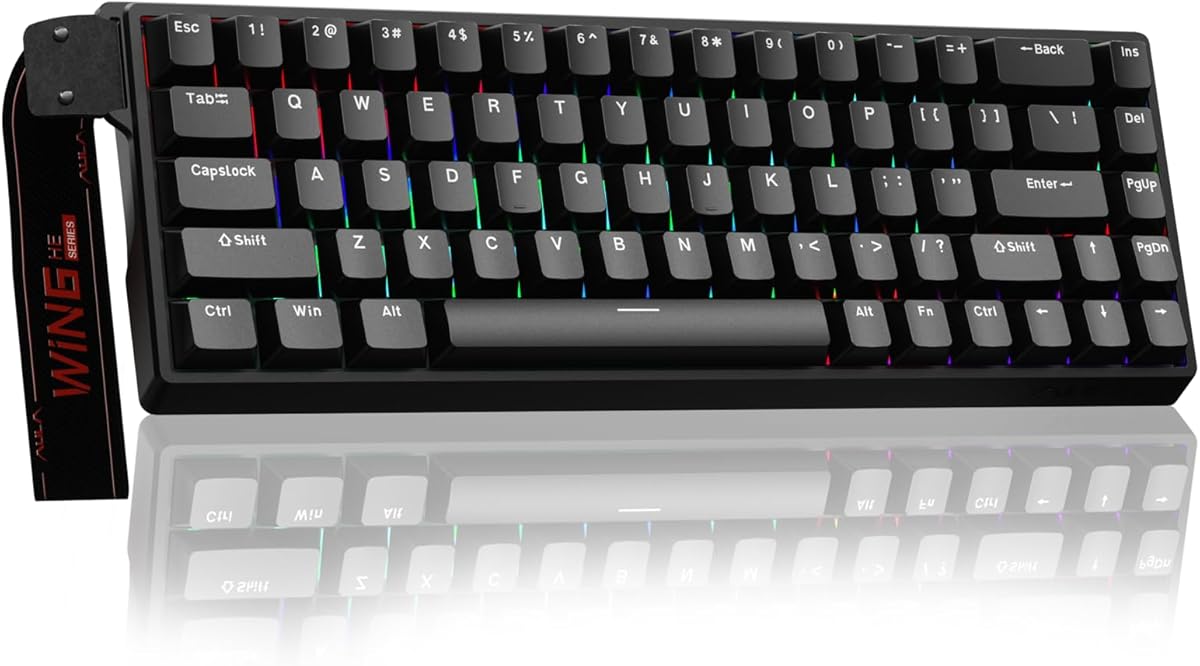
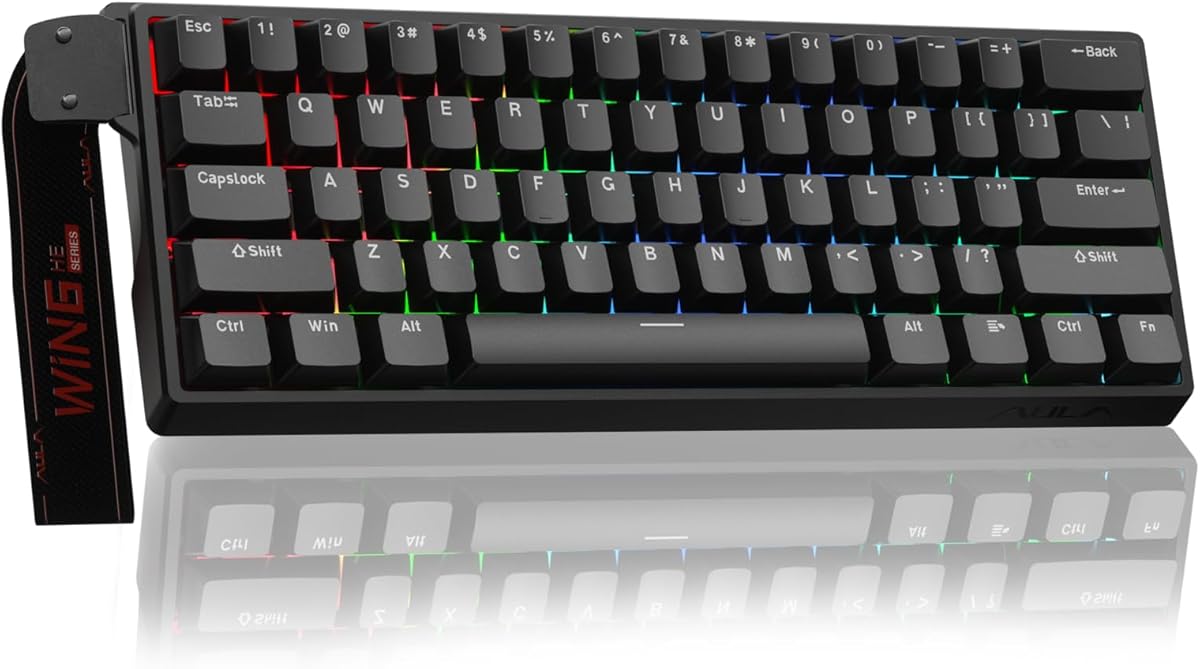
AULA WIN68 HE
4.5Editor score
8000Hz polling rate
Adjustable actuation points
Web-based customization driver
Discover the top keyboards for Valorant with fast response times and precise controls to elevate your competitive gaming performance significantly.
Finding the right keyboard for Valorant is crucial for competitive success. Players need fast response times and precise controls to execute quick movements and accurate shots effectively.
We compared ten top models focusing on features like rapid trigger technology and polling rates. Each product offers unique benefits tailored to different playstyles and budget constraints.
Each pick highlights key strengths and potential trade-offs for informed choices. Prices change frequently so verify current offers before purchasing to ensure you get the best deal available.
4.5Editor score
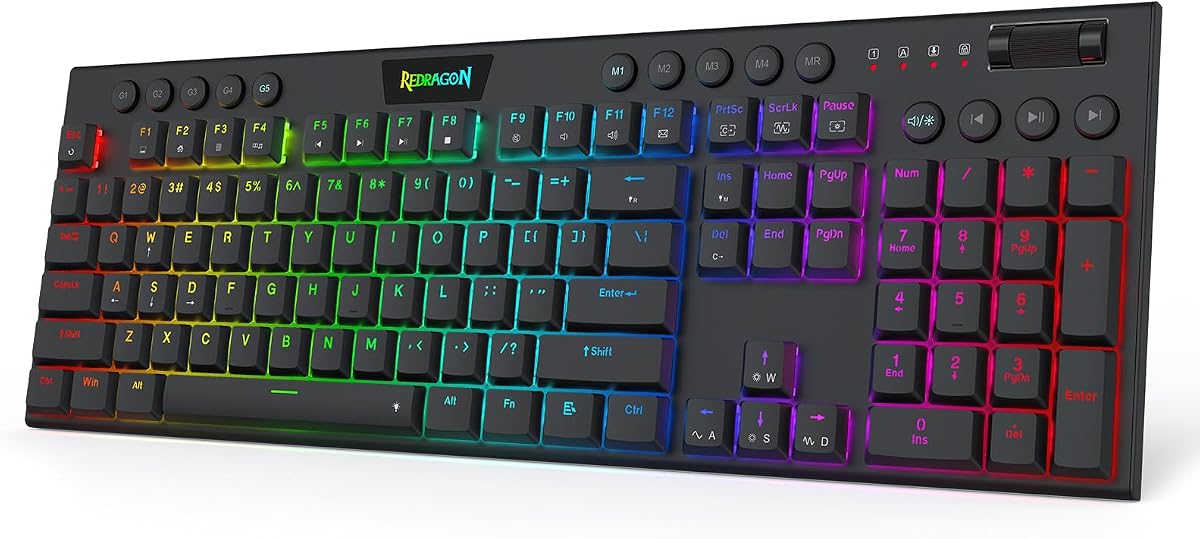
5.0Editor score

4.6Editor score
This side-by-side comparison outlines key specifications for each model to help you identify the best fit for your specific gaming setup and performance needs.




This Redragon model delivers high performance with Hall-Effect switches that sense keypresses without physical contact. It scores a solid rating for its rapid trigger features ideal for tactical shooters.
We may earn a commission when you buy through this link, at no additional cost to you.
The UltraMag POM switches allow you to adjust actuation points between 0.1mm and 3.4mm. This flexibility lets you customize sensitivity for peek-and-fire moments in competitive matches.
While the keyboard performs well, it lacks some advanced RGB customization found in pricier models. The single knob simplifies media control but limits lighting effects.
Ideal for gamers seeking speed without overspending, this keyboard offers reliable precision. Its consistent performance makes it a strong contender for Valorant focused setups.
The magnetic switches enable rapid trigger functionality ensuring inputs register exactly when you want without physical contact wear.
With 8000Hz polling, inputs transmit up to 8x faster than standard keyboards reducing latency significantly.
We may earn a commission when you buy through this link, at no additional cost to you.
This variant offers similar magnetic technology to the K673 but with a slightly higher rating. Its dual-module floating structure provides a softer typing experience without harsh noise.
We may earn a commission when you buy through this link, at no additional cost to you.
Players benefit from dynamic key activation that cuts redundant keystrokes during quick direction changes. This feature helps maintain accuracy during intense counter-strafing maneuvers.
The lack of wireless connectivity limits portability but ensures stable input delivery. Users appreciate the simple control knob for managing brightness and volume.
Recommended for those prioritizing feel and speed over wireless convenience. It remains a budget-friendly option for high-performance gaming sessions.
Independent switch-plate design paired with dampening layers reduces harsh clack for a silent environment.
The web-based driver allows calibrating magnetic switches for consistent setups across different games easily.
We may earn a commission when you buy through this link, at no additional cost to you.
Achieving a perfect score, this low-profile keyboard excels in counter-strafing with its short travel switches. It is an excellent choice for players needing quick actuation.
We may earn a commission when you buy through this link, at no additional cost to you.
The dedicated macro zone lets you record combos instantly without software. This convenience is rare in magnetic switch keyboards under a hundred dollars.
Some users might miss a full numeric pad or arrow keys on this compact design. However, the trade-off offers faster typing and more mouse space.
For competitive Valorant players wanting speed and macro capability, this model stands out. Its reliable performance justifies its top recommendation status.
Shortened travel distance ensures keystrokes register quicker reducing wrist strain during long gaming sessions.
A dedicated 4×5 macro zone allows recording commands instantly without needing to install extra software.
We may earn a commission when you buy through this link, at no additional cost to you.
Corsair brings premium build quality with water resistance and durable PBT keycaps. Its 60% layout maximizes mouse space for low-sensitivity aiming.
We may earn a commission when you buy through this link, at no additional cost to you.
FlashTap SOCD technology cleans directional inputs for sharper counter-strafing. The IP57 rating protects against dust and spills during intense gaming.
The price is higher than budget magnetic keyboards but justified by features like Smart Tap and durability. It fits well in minimalist setups.
Recommended for users valuing durability and compact design. It offers a polished experience with reliable brand support.
FlashTap SOCD ensures cleaner directional inputs and sharper movements reducing confusion during complex plays.
IP57 rating and PBT keycaps ensure long session reliability against water dust and wear.
We may earn a commission when you buy through this link, at no additional cost to you.
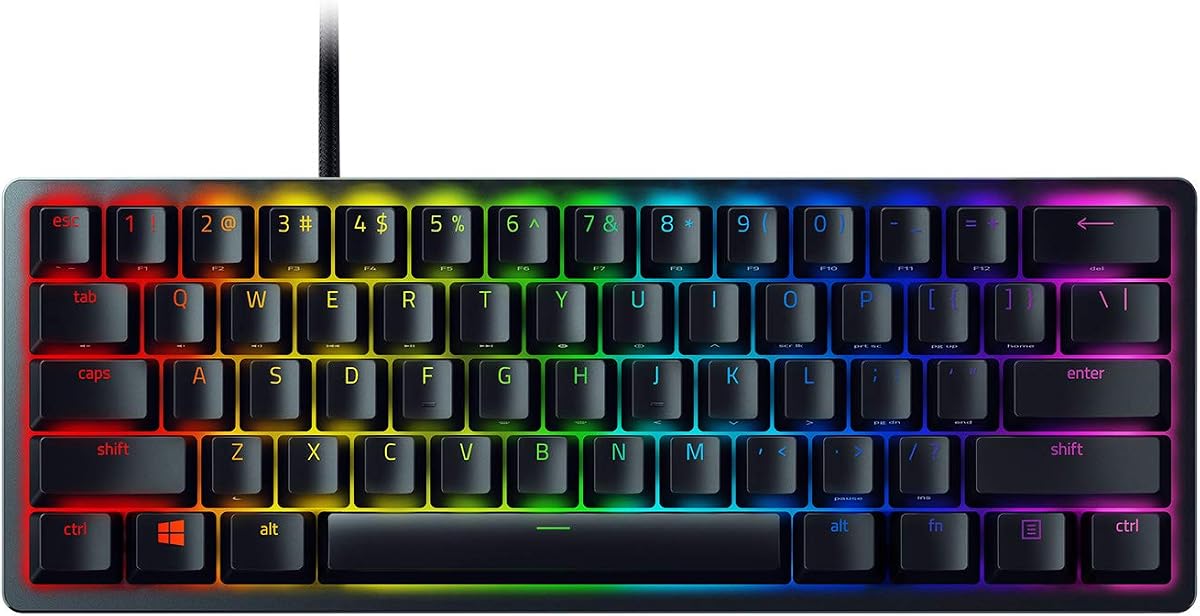
This optical keyboard registers presses at light speed with shorter actuation distance than standard linear switches. The aluminum frame adds robustness to the compact 60% design.
We may earn a commission when you buy through this link, at no additional cost to you.
Chroma RGB syncs with hundreds of devices providing immersion. Snap Tap via Synapse prioritizes latest inputs for smoother movement control.
It lacks magnetic switch precision but delivers consistent performance. The oil-resistant PBT keycaps prevent shine over time.
Great for Razer enthusiasts needing speed and customization. It balances build quality with competitive features effectively.
Optical beam-based actuation registers key presses faster than traditional mechanical switches improving reaction times.
Prioritizes latest input between assigned keys for responsive movement via Synapse software integration.
We may earn a commission when you buy through this link, at no additional cost to you.
This keyboard features hot-swappable magnetic switches allowing customization without soldering. The 8000Hz polling ensures fast responses for FPS titles.
We may earn a commission when you buy through this link, at no additional cost to you.
Web-based driver simplifies remapping and macro creation across any device. Dynamic RGB lighting enhances visual setup with millions of colors.
New users might find the web driver setup slightly different from installed software. Yet it offers flexibility without heavy downloads.
Suitable for gamers who want flexibility in switch types. It combines speed with customization options for budget setups.
Replace magnetic switches easily without soldering letting you tailor feel and performance to your needs.
Accessible from any internet device for seamless remapping and macro setup without heavy software.
We may earn a commission when you buy through this link, at no additional cost to you.
Priced affordably, this model offers industry-leading polling rates and adjustable actuation points. Its compact design saves desk space while retaining arrow keys.
We may earn a commission when you buy through this link, at no additional cost to you.
The web driver enables one-stop management of lighting and macros on Windows. Detachable USB cable ensures stable connections during intense gaming.
Mac compatibility is currently limited which may be a drawback for some users. Otherwise, it delivers exceptional performance for the price.
Perfect for budget-conscious gamers needing speed. It balances cost and competitive features effectively for Valorant players.
Each key can be personalized to the smallest unit of 0.1 mm providing ultra-precise keying.
Professional web driver allows customization without downloading software ensuring easy setup management.
We may earn a commission when you buy through this link, at no additional cost to you.
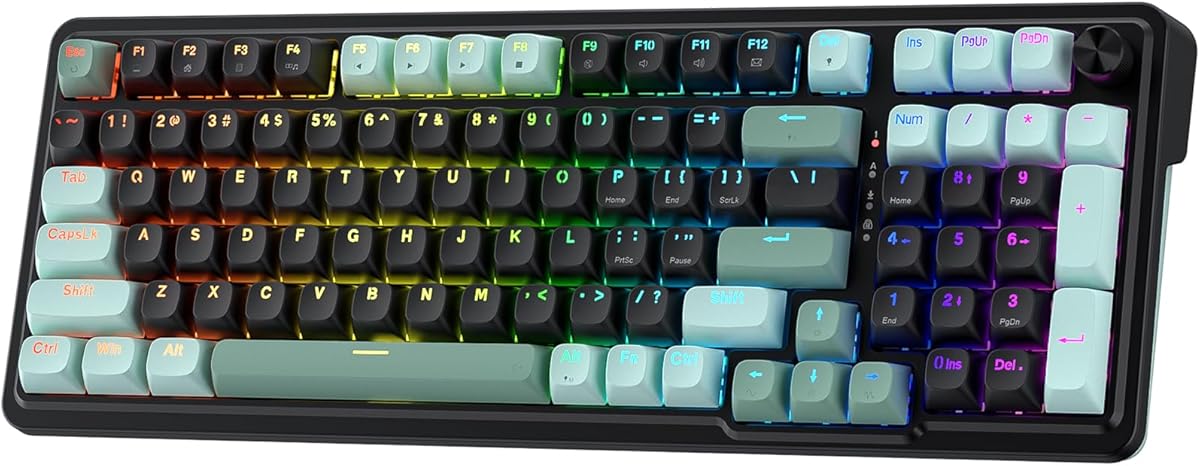
This wireless option offers tri-mode connection for PC or mobile devices. The 75% layout keeps essential arrow keys while saving space.
We may earn a commission when you buy through this link, at no additional cost to you.
Rotary knob allows easy mode switching between gaming and office settings. Side-printed PBT keycaps provide durability and a unique look.
While lacking magnetic triggers, the pre-lubed switches offer smooth typing feel. Battery life supports extended use on a single charge.
Ideal for mixed-use setups needing wireless freedom. It balances aesthetics with practical keyboard features well.
Switch seamlessly between Bluetooth 5.0 2.4GHz wireless and USB-C for versatile device support.
Side-engraved PBT caps use heat sublimation ensuring durable non-fading prints with light shine-through.
We may earn a commission when you buy through this link, at no additional cost to you.
Designed for speed, this keyboard offers 0.01mm RT accuracy and rapid trigger for precise keystrokes. The top mount structure enhances typing sound and stability.
We may earn a commission when you buy through this link, at no additional cost to you.
Web driver supports full customization of lighting and macros without installation. PBT double-shot keycaps resist wear and provide clear lettering.
Wireless connectivity is not available which limits portability. However, wired stability ensures maximum performance during competitive matches.
Recommended for competitive players needing low latency. Its build and features make it a strong contender for FPS games.
Achieves 0.01mm RT accuracy ensuring ultra-accurate keystrokes for fast-paced gaming actions.
Top-mounted structure with PORON dampens sound for a stable and quiet typing operation.
We may earn a commission when you buy through this link, at no additional cost to you.
This 96% model retains number pad and arrow keys in a compact footprint. Wireless options offer freedom while hot-swappable switches allow personalization.
We may earn a commission when you buy through this link, at no additional cost to you.
Integrated foam dampens noise for improved acoustics. ROG SpeedNova technology ensures low-latency wireless performance comparable to wired.
The larger size may not suit smaller desks. However, it provides full functionality without sacrificing portability options.
Best for users needing numpad and wireless. It combines premium features with ROG reliability and aesthetics.
Seamlessly connect via Bluetooth 2.4GHz or USB-C ensuring versatile usage across PC and Mac systems.
Integrated sound-dampening foam and switch pads absorb noises for quieter keystrokes and better focus.
We may earn a commission when you buy through this link, at no additional cost to you.
Selecting the right keyboard involves evaluating features that impact speed and accuracy. Here are key factors to consider.
Magnetic Hall-Effect switches offer adjustable actuation and rapid trigger features ideal for fast games. Mechanical switches provide tactile feedback but may lack this speed.
Choose magnetic switches for speed and customization in Valorant.
Higher polling rates like 8000Hz ensure inputs are registered quickly reducing latency. Lower rates might cause input delays during rapid movements.
Prioritize high polling rates for competitive responsiveness.
Rapid trigger allows keys to reset instantly after release enabling quick re-taps. This is crucial for techniques like counter-strafing.
Ensure the keyboard supports rapid trigger mode.
60% layouts save space but lack arrow keys. 75% or 96% keep essential keys while remaining compact.
Select a layout balancing space and functionality.
Wired connections offer stability while wireless provides freedom. High-end wireless models can match wired latency.
Choose based on your setup needs and budget.
PBT keycaps resist wear and shine better than ABS. Metal frames add durability and stability.
Look for durable materials for longevity.
Start by calibrating switch actuation points using the provided software. Adjust settings to suit your finger pressure and playstyle.
Keep the keyboard clean by regularly removing dust from keycaps. Use a soft brush or compressed air to maintain functionality.
Update firmware periodically for performance improvements and bug fixes. This ensures optimal compatibility with gaming software.
Rapid trigger allows keys to reset instantly after release enabling rapid re-taps without holding. This reduces input delays crucial for tactical movements in shooters.
Magnetic switches offer adjustable actuation and faster reset times ideal for competitive play. Mechanical switches provide tactile feedback but lack this speed.
A high polling rate ensures inputs register quickly minimizing latency. It is beneficial for competitive gamers seeking maximum responsiveness.
Compact layouts like 60% or 75% maximize mouse space. Choose based on whether you need number pads or extra keys for macros.
Modern high-end wireless keyboards match wired latency with advanced tech. Ensure it supports low-latency modes for competitive play.
Use web-based or desktop drivers to remap keys adjust lighting and set macros. Follow manufacturer guides for optimal setup.
The best models like Redragon K618 HE and Aula WIN68 HE offer speed and affordability for most players.
Prioritize features like rapid trigger and high polling rates to gain competitive edges in fast-paced matches.
Prices vary so verify current offers before purchasing to ensure you get the best deal available.