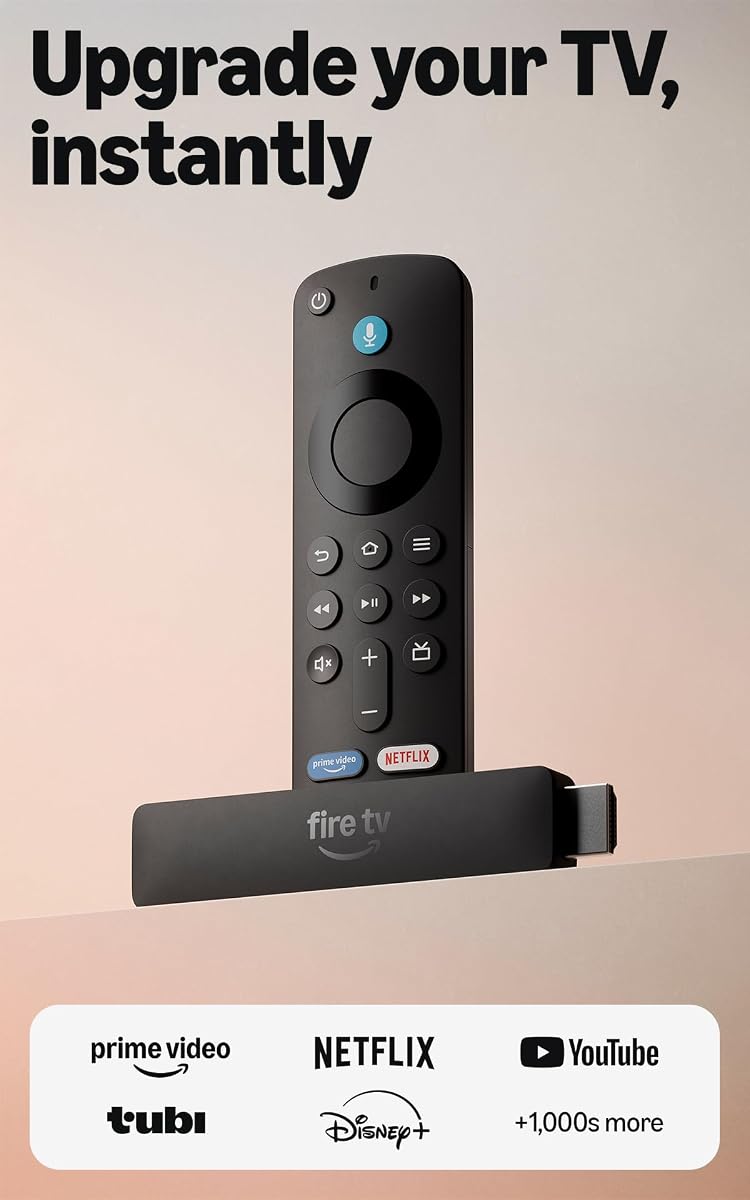
Amazon Fire TV Stick HD
4.1Editor score
Direct Power via USB-C cable
Alexa+ voice integration
Wi-Fi 6 support
This guide compares the top ten HDMI streaming devices for picture quality, speed, and smart features to help you choose the best model for your setup.
Modern televisions often lack the latest apps or processing power needed for smooth streaming. An HDMI streaming device bridges this gap by delivering access to thousands of channels and services directly through your TV port.
We evaluated ten leading models based on resolution support, processor speed, remote functionality, and ecosystem integration. Each product was assessed for real-world performance, ease of setup, and value relative to its feature set and capabilities.
Every pick highlights specific strengths like 4K HDR support, voice control, or budget-friendly pricing. Keep in mind that product availability and pricing can change frequently, so verify details before making your final purchase decision online.
4.1Editor score

4.7Editor score

4.4Editor score
The following table offers a side-by-side view of each model’s key specifications and strengths to help you identify which device aligns best with your home theater needs.


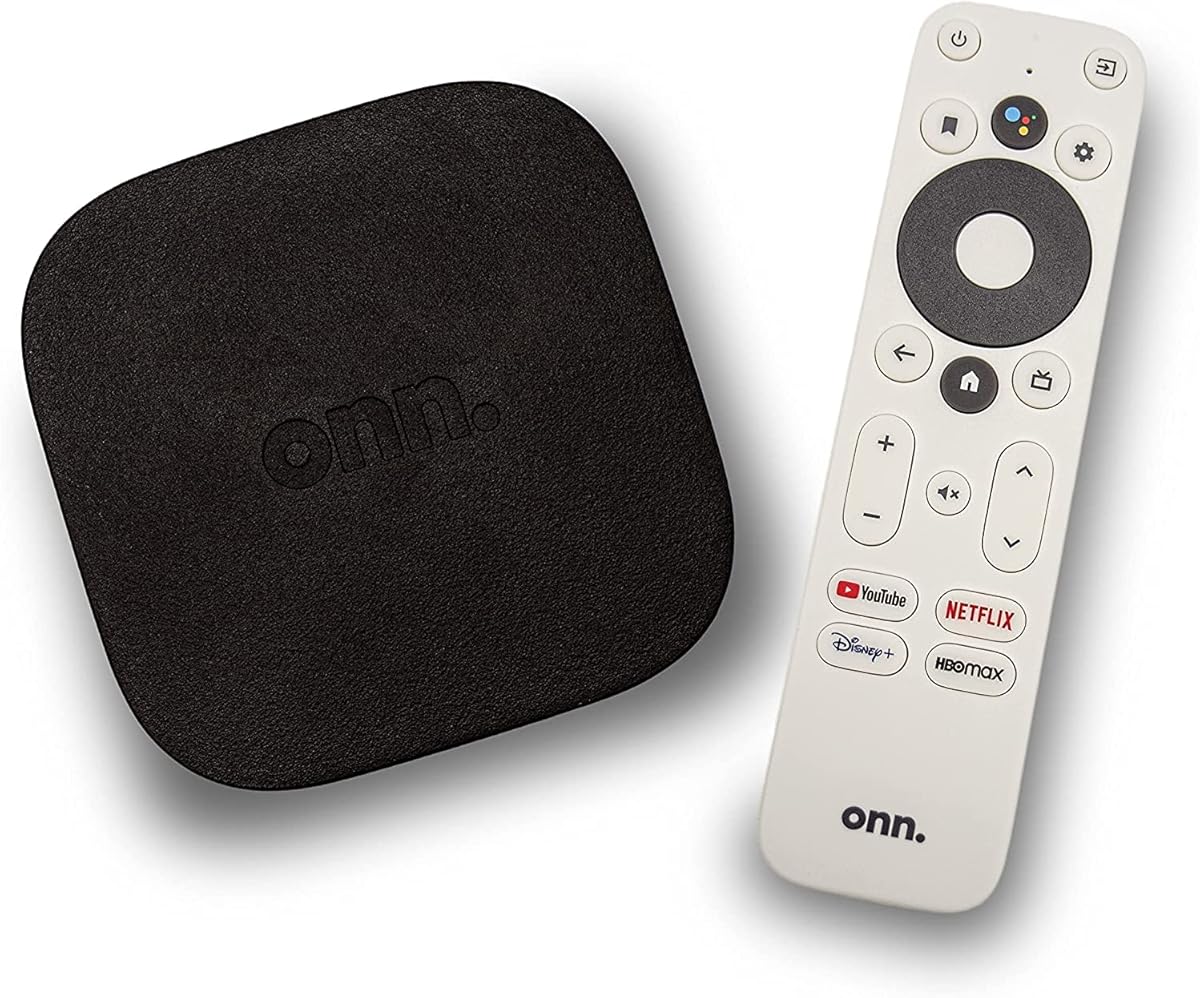

The Roku Streaming Stick 4K stands out as the top choice for most households seeking premium streaming without bulk. With a 4.7 rating, it delivers crisp visuals and smooth performance across thousands of apps.
We may earn a commission when you buy through this link, at no additional cost to you.
Its support for HDR10+ and Dolby Vision ensures that colors pop and details remain sharp even in dark scenes. The long-range Wi-Fi receiver helps maintain strong signal strength even if your router is in a different room.
While it lacks an Ethernet port for wired connections, the wireless performance is robust enough for most setups. The remote relies on batteries rather than being rechargeable, but the overall value remains high.
Ideal for anyone wanting a simple, powerful device that fits behind your TV, this model balances cost and performance perfectly. It is the best starting point for upgrading older TVs to modern streaming standards.
HDR10+ and Dolby Vision support deliver lifelike clarity and vibrant colors that enhance your viewing experience significantly.
The long-range receiver ensures smooth streaming even in rooms far from your router, reducing buffering issues.
We may earn a commission when you buy through this link, at no additional cost to you.
For those on a tight budget, this Fire TV Stick offers essential streaming capabilities at an unbeatable price point. It transforms any HDMI-enabled TV into a smart hub instantly with Alexa integration.
We may earn a commission when you buy through this link, at no additional cost to you.
The device uses Direct Power via USB-C to eliminate the need for a wall adapter, simplifying setup. Wi-Fi 6 support ensures stable connections even with multiple devices on your network.
Trade-offs include a lack of 4K support and a basic remote lacking dedicated volume buttons for all setups. However, these limitations are acceptable given the low entry cost and solid performance.
This stick is perfect for secondary TVs or renters needing quick access to free content and major apps. It remains a solid entry-level option for basic streaming needs.
Direct Power eliminates wall adapters by using your TV's USB port for power, reducing cable clutter.
Alexa+ helps find shows faster across apps and manages smart home tasks with simple voice commands.
We may earn a commission when you buy through this link, at no additional cost to you.
The Roku Ultra delivers premium features for users who demand top-tier performance and reliability. With a 4.4 rating, it offers the fastest interface and best remote experience among Roku devices.
We may earn a commission when you buy through this link, at no additional cost to you.
It supports Dolby Atmos for immersive audio and includes an Ethernet port for wired stability. The Voice Remote Pro features backlit buttons and a rechargeable battery that lasts for months.
The higher cost and boxier shape might not appeal to everyone, but the performance justifies the investment. Lost remote finder and hands-free voice controls add convenience for large living rooms.
Perfect for home theater enthusiasts, this device ensures consistent streaming quality and robust smart features. It is the ultimate choice for those wanting no compromises in speed or audio.
The Voice Remote Pro offers backlit buttons and a rechargeable battery, eliminating frequent battery replacements.
Dolby Atmos support delivers surround sound effects, enhancing movies and shows with deep, clear audio.
We may earn a commission when you buy through this link, at no additional cost to you.
This Roku Ultra LT model balances high-end picture quality with a more accessible price. It handles 4K content smoothly and includes helpful accessories like HDMI and USB extension cords.
We may earn a commission when you buy through this link, at no additional cost to you.
The dual-band Wi-Fi ensures a stable connection for high-resolution streams. While it lacks the rechargeable remote of the full Ultra, it still offers hands-free voice commands.
Trade-offs include missing Ethernet connectivity and a standard remote compared to the premium Ultra model. However, for most users, the speed and picture quality are entirely sufficient.
Ideal for households wanting 4K streaming without paying premium prices, this device delivers consistent performance. It is a smart choice for those prioritizing picture over advanced remote features.
Includes HDMI and USB extension cords, making setup easier when ports are hard to reach.
Dual-band technology maintains strong connection quality, reducing lag during 4K movie streaming.
We may earn a commission when you buy through this link, at no additional cost to you.
This Fire Stick is optimized for gamers and fans of high-quality streaming without buying a dedicated console. It supports cloud gaming titles and provides smooth 4K performance with Wi-Fi 6.
We may earn a commission when you buy through this link, at no additional cost to you.
Alexa+ helps navigate content faster with personalized picks. The cinematic audio support includes Dolby Vision and Dolby Atmos for an immersive home theater experience.
While game access often requires separate subscriptions, the hardware performance is excellent. Some users may find the interface promotional, but the speed and picture quality are impressive.
Perfect for gaming households, this device bridges entertainment and play seamlessly. It offers a robust platform for both movies and cloud gaming at a reasonable price.
Stream popular games like Call of Duty via cloud gaming without needing a physical console.
Alexa+ provides personalized content picks to help you find shows faster across apps.
We may earn a commission when you buy through this link, at no additional cost to you.
This 4K Select model brings high-resolution streaming to budget-conscious users with ease. It offers essential 4K capabilities without the higher cost of flagship devices.
We may earn a commission when you buy through this link, at no additional cost to you.
The modern design and AI-powered search help you find content quickly. Plug-and-play setup makes it simple to get started with minimal technical knowledge required.
Trade-offs include a basic remote with fewer dedicated buttons and modest storage. However, for casual viewing and essential app access, it performs reliably and well.
Ideal for anyone upgrading from HD to 4K on a budget, this stick is a smart buy. It delivers crisp visuals and smart features without breaking the bank.
Get everything needed for brilliant 4K Ultra HD with HDR10+ support at a great price.
Alexa+ voice search helps you discover content faster across all your installed apps.
We may earn a commission when you buy through this link, at no additional cost to you.
This Max model stands out for its powerful processor and Wi-Fi 6E support, ensuring smooth performance in congested networks. It holds double the storage of other sticks for more apps and games.
We may earn a commission when you buy through this link, at no additional cost to you.
Dolby Vision and Atmos provide a cinematic experience. The Ambient Experience feature turns your screen into digital art when not in use, adding aesthetic value.
The higher price and interface clutter may not suit minimalists. Yet, for users needing speed and storage, it is a top-tier option within the Fire TV lineup.
Perfect for tech enthusiasts, this device maximizes speed and connectivity. It offers a robust platform for heavy streaming and extensive app usage.
Supports Wi-Fi 6E for smoother streaming even when many devices share your network bandwidth.
16GB of storage allows you to install more apps and games without constantly managing space.
We may earn a commission when you buy through this link, at no additional cost to you.
This Android TV device provides access to the Google Play Store and thousands of apps. It delivers sharp 4K visuals and integrates seamlessly with Google Assistant for voice control.
We may earn a commission when you buy through this link, at no additional cost to you.
Built-in Chromecast lets you cast from your phone easily. The included high-speed HDMI cable makes setup straightforward without extra purchases.
The remote lacks backlighting, which can be tricky in dark rooms. Setting up requires a Google account, which might be an extra step for some users.
Perfect for Android users, this device offers broad app compatibility. It is a solid choice for those prioritizing Android ecosystem integration.
Access a vast library of applications via the Google Play Store for endless entertainment options.
Easily cast content from your mobile device directly to your TV screen using built-in casting.
We may earn a commission when you buy through this link, at no additional cost to you.
This model offers a reliable Ethernet port for stable wired connections ideal for large homes. It features a Quad-Core processor ensuring smooth app launches and playback.
We may earn a commission when you buy through this link, at no additional cost to you.
Private listening via the headphone jack lets you watch without disturbing others. The voice remote simplifies navigation across channels and apps.
Trade-offs include a non-rechargeable remote and a design that takes up slightly more space than sticks. However, the connectivity benefits are worth it for many users.
Ideal for users needing wired stability, this device delivers consistent performance. It is a great choice for reliable home theater setups.
Connect via Ethernet for stable streaming speeds, perfect for large homes with weak Wi-Fi.
Plug headphones into the remote for private listening without waking up the household.
We may earn a commission when you buy through this link, at no additional cost to you.
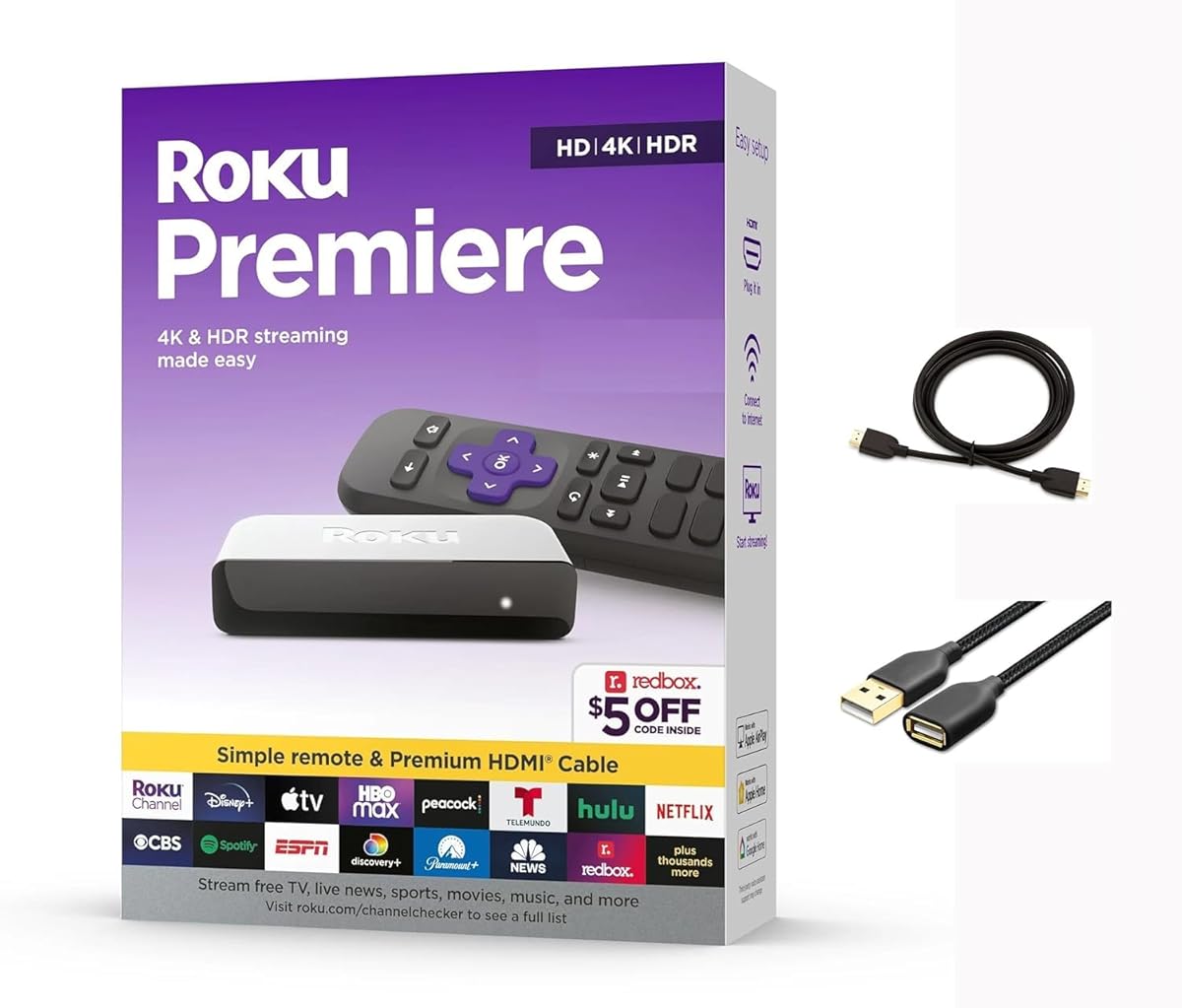
The Roku Premiere delivers optimized 4K picture quality for most TVs with a simple interface. It includes AirPlay support for easy sharing from Apple devices.
We may earn a commission when you buy through this link, at no additional cost to you.
Setup is quick with the included high-speed HDMI and USB extension cord. The simple remote provides essential shortcut buttons for top channels.
It lacks advanced voice features and private listening found in higher-end models. However, its straightforward nature makes it perfect for non-tech-savvy users.
Perfect for straightforward streaming needs, this device balances cost and quality. It is a great option for users who want simplicity over complex features.
Share videos and photos directly from your iPhone or iPad to your TV using AirPlay.
The remote features dedicated shortcut buttons to launch popular streaming channels with ease.
We may earn a commission when you buy through this link, at no additional cost to you.
Selecting the right device requires understanding your specific needs regarding resolution, speed, and ecosystem.
Ensure your device supports 4K and HDR formats like HDR10+ or Dolby Vision if your TV has these features. This guarantees you are utilizing your display's full capabilities for crisp visuals.
Always match the streaming device resolution to your TV's native capabilities to avoid bottlenecks.
A faster processor ensures apps launch quickly and navigation remains smooth without lag. Look for devices described as having quad-core processors or fast start-up times for a better experience.
Prioritize newer models with updated chips to ensure long-term performance as apps grow larger.
Strong Wi-Fi is crucial for buffering-free streaming. Models supporting Wi-Fi 6 or 6E handle more traffic efficiently and maintain speeds even when other devices are online.
Choose devices with long-range receivers if your router is far from your television setup.
Voice remotes simplify searching and navigation. Check if the remote includes private listening, backlighting, or rechargeable batteries to suit your environment and usage habits.
Rechargeable remotes offer convenience and reduce battery waste over time.
Roku and Fire TV offer different interfaces and app availability. Consider which ecosystem integrates best with your smart home devices and personal content preferences.
Roku offers a more neutral interface while Fire TV leans heavily into Amazon services.
Immersive audio formats like Dolby Atmos enhance the viewing experience significantly. Ensure your device supports these formats if you have a compatible soundbar or receiver.
Dolby Atmos support allows for better sound localization in surround setups.
Internal storage affects how many apps you can install without deleting others. Devices with 16GB storage provide more room for games and applications than those with 8GB.
More storage ensures you can install all your favorite apps simultaneously without management.
If you use Alexa or Google Home for smart home tasks, choose a device that supports them natively. This allows voice control over lights and locks directly from your TV remote.
Integration with smart home systems adds convenience to daily routines.
Plug the device into an available HDMI port on your TV and connect the power adapter or USB cable. Follow the on-screen prompts to connect to your Wi-Fi network and sign in to your streaming accounts.
Keep the device ventilated by avoiding enclosed cabinets or direct sunlight. Dusting the unit occasionally with a soft, dry cloth helps maintain optimal performance and prevents overheating.
Use the remote to launch apps and navigate settings. Regular software updates ensure you have the latest features and security patches, so enable automatic updates whenever possible.
No, the device itself is a one-time purchase. However, most apps like Netflix or Disney+ require separate subscriptions to view premium content. Many devices also offer free ad-supported channels that do not require a subscription.
If your TV lacks smart features, any 4K device works well. Stick models like the Roku Stick are compact and hide easily. For older TVs, ensure your TV's HDMI port supports the required resolution.
Yes, some devices like Fire TV support cloud gaming via services like Xbox Game Pass. While they are not consoles, they allow streaming of popular games without needing a dedicated gaming machine.
Devices like Roku Ultra include an Ethernet port. You can plug a standard Ethernet cable directly from your router to the device for a stable wired connection. Most stick models do not have ports for wired connections.
Voice remotes are highly recommended for ease of use. They allow you to search for movies and show without typing. While optional, they make navigation significantly faster and more convenient.
Fire TV is integrated with Amazon services and uses Alexa, while Roku offers a neutral platform with broad app support. Your choice depends on your ecosystem preferences and which voice assistant you prefer.
Some devices like Roku support AirPlay for easy sharing from iPhones. Fire TV devices generally use Fire Share or other protocols. Check compatibility before purchasing if AirPlay is a priority for you.
Updates happen automatically in the background usually. You should check for manual updates occasionally to ensure all features work correctly. Regular updates fix bugs and improve performance.
The Roku Streaming Stick 4K leads our list with its perfect balance of picture quality and ease of use. It offers the most straightforward upgrade for most households seeking 4K HDR performance.
For those prioritizing budget, the Amazon Fire TV Stick HD provides essential features without extra cost. Premium buyers may prefer the Roku Ultra for its advanced audio and wired connectivity options.
Remember to check current availability and verify your TV's compatibility before buying. All models reviewed offer reliable streaming experiences tailored to different needs and setups.