
MT-ViKI 4K HDMI Splitter 1 in 4 Out, with Power Adapter, Mirror Only
4.4Editor score
4K@30Hz Resolution Support
Stable Powered Performance
Durable Metal Housing
This guide compares the top HDMI splitters for 4K video and reliable signal distribution to help you choose the right device for your setup.
Finding the right HDMI splitter ensures your screens display content clearly without signal loss or flickering issues. A good unit supports high resolutions like 4K and handles multiple devices effortlessly for home or office use.
We compared leading models based on resolution support, build quality, and compatibility with gaming consoles and media players. Each product was evaluated for stability, ease of use, and value to provide a reliable buying resource for you.
Each pick shows key strengths and trade-offs to help you match the device to your needs. Prices and availability change frequently so check current listings before purchasing to ensure you get the best deal available today.
4.4Editor score

4.3Editor score

4.5Editor score
This side-by-side comparison highlights key specifications and features across the top ten HDMI splitting devices available this month.




This HDMI switch is designed to simplify connections for users with multiple gaming consoles or media players. It supports 4K at 60Hz which ensures crisp visuals during gameplay or streaming sessions.
We may earn a commission when you buy through this link, at no additional cost to you.
The five input ports allow you to connect devices like a PS5, Xbox, and laptop simultaneously. The included remote makes switching between inputs quick and convenient from your couch.
While it requires USB power for stable operation this design ensures consistent performance without signal drops. Automatic switching is not supported so manual selection is required.
Gamers and home theater enthusiasts will appreciate the compatibility and resolution support. It is a reliable choice for expanding your display connections efficiently.
VRR and HDR support enhance visual quality for modern gaming consoles.
Remote control and manual buttons allow effortless switching between devices.
We may earn a commission when you buy through this link, at no additional cost to you.
This splitter is ideal for commercial or home setups requiring the same image on multiple displays. It distributes one input signal to four outputs reliably.
We may earn a commission when you buy through this link, at no additional cost to you.
The included AC power adapter ensures stable transmission even over longer cable runs. This prevents the flickering issues often seen with USB-powered models.
While it does not support extend mode the mirror functionality is effective for presentations or retail displays. The metal housing helps dissipate heat effectively.
Budget-conscious users needing a reliable 4K splitter will find this a strong value. It is best suited for scenarios where all screens show identical content.
Perfect for retail displays or conference rooms requiring synchronized video.
AC adapter ensures consistent performance without signal drops.
We may earn a commission when you buy through this link, at no additional cost to you.
This premium splitter delivers high-quality video and audio distribution across four screens. It supports 4K at 60Hz for crisp visuals.
We may earn a commission when you buy through this link, at no additional cost to you.
The metal build ensures longevity and heat management. It supports advanced audio formats for immersive sound.
Plug and play setup makes installation quick. It is ideal for professional or high-end home setups.
Users needing reliable multi-screen performance will appreciate the quality. It is a top choice for demanding environments.
Supports Dolby and DTS formats for rich sound.
Metal enclosure provides excellent heat dissipation.
We may earn a commission when you buy through this link, at no additional cost to you.
This splitter duplicates a single signal to two displays effectively. It is designed for mirror mode use cases.
We may earn a commission when you buy through this link, at no additional cost to you.
It supports 4K resolution which is suitable for HD TVs. The adapter ensures reliable operation.
Cable length should be kept under 30 feet for best quality. It is a straightforward device for basic needs.
Users needing a simple and affordable splitter will find this useful. It works well for home presentations.
Focuses on duplicating signals without extra features.
Low cost option for two screen setups.
We may earn a commission when you buy through this link, at no additional cost to you.
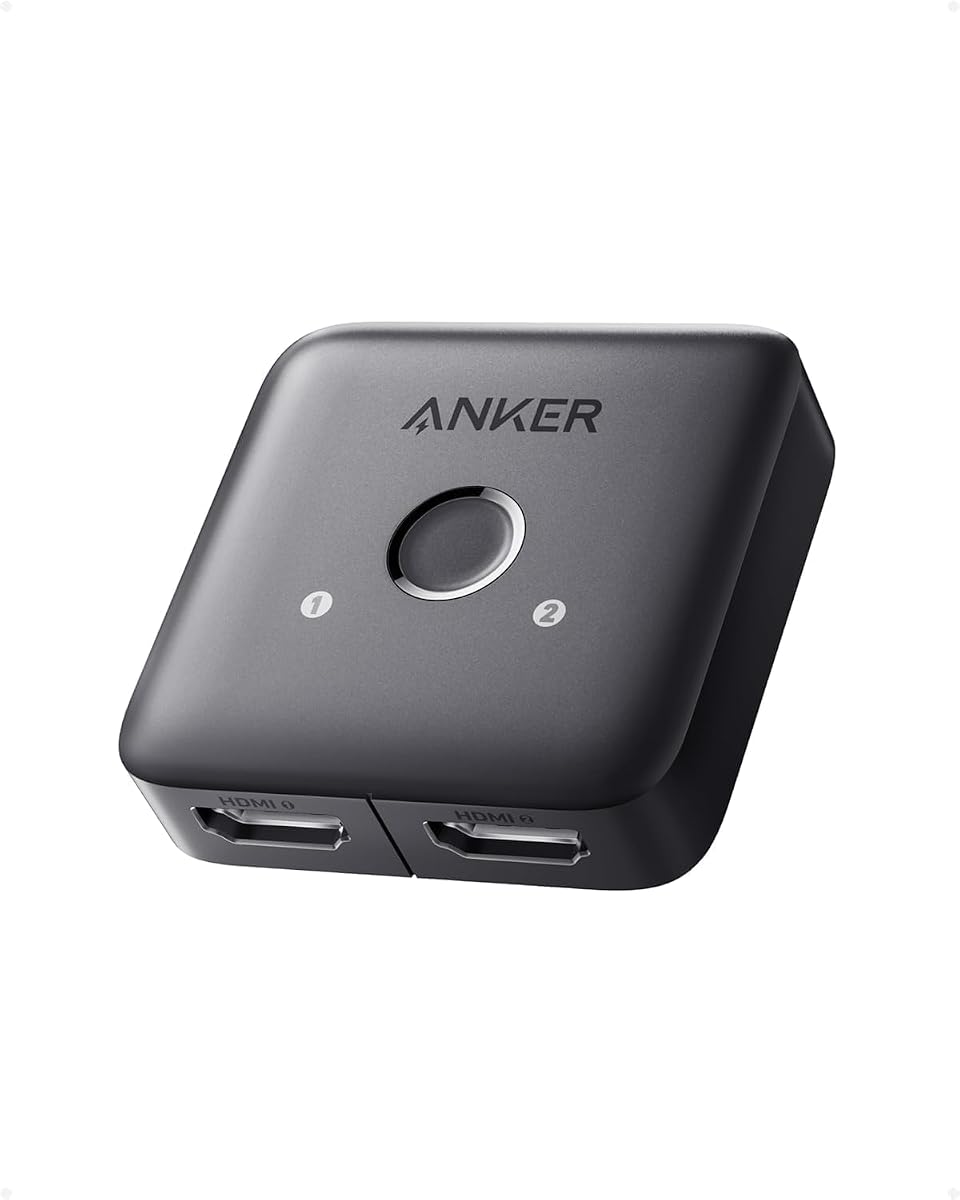
Anker offers a reliable switch that handles multiple inputs for one display. It supports 4K content well.
We may earn a commission when you buy through this link, at no additional cost to you.
The remote makes changing sources easy. It fits well in living room setups.
It does not support HDMI CEC but switching is still convenient. USB power is required.
This switch is a good choice for home media use. It provides stable performance for streaming.
Remote allows quick transitions between inputs.
Quality design fits modern home setups.
We may earn a commission when you buy through this link, at no additional cost to you.
This splitter allows you to mirror one source to two displays. It comes with a cable for convenience.
We may earn a commission when you buy through this link, at no additional cost to you.
It supports 4K resolution and has decent stability. The USB power is simple to connect.
It lacks ARC support so audio routing is limited. It is best for video sharing.
Users looking for an easy dual screen setup will find this useful. It is cost effective for small needs.
Cable included helps with initial setup.
Mirroring works well for presentations.
We may earn a commission when you buy through this link, at no additional cost to you.
This switch supports switching in two directions which adds flexibility. It does not need external power.
We may earn a commission when you buy through this link, at no additional cost to you.
The aluminum build is sturdy. It is small enough to hide easily.
Manual switching is straightforward. It is good for simple setups.
Users needing basic bidirectional control will like this device. It saves space and power.
Can connect two sources to one display or vice versa.
No external power supply required for operation.
We may earn a commission when you buy through this link, at no additional cost to you.
This switch is small and easy to integrate into any desk. It handles 4K signals well.
We may earn a commission when you buy through this link, at no additional cost to you.
Manual button switching is simple. It is reliable for gaming or work.
It does not detect signals automatically so you must switch manually. This is a minor trade-off for the price.
Users needing a simple switcher will find this effective. It offers good value for the quality.
Small form factor makes it easy to move.
Supports 4K for modern consoles.
We may earn a commission when you buy through this link, at no additional cost to you.
This switch includes a fixed HDMI cable which simplifies setup. It is bidirectional for flexibility.
We may earn a commission when you buy through this link, at no additional cost to you.
It supports high resolutions and has a thin metal case. This is convenient for tight spaces.
The fixed cable length may limit some setups but saves on extra wires. It supports common gaming devices well.
Users who want a compact solution will find this useful. It reduces cable clutter.
Fixed cable reduces need for additional wires.
Slim aluminum case fits behind displays easily.
We may earn a commission when you buy through this link, at no additional cost to you.
This splitter offers four outputs for multi-screen distribution. It supports 4K well.
We may earn a commission when you buy through this link, at no additional cost to you.
Audio support is comprehensive for home theater use. The build is solid.
It may require some setup with EDID switches. It is useful for complex setups.
Users needing four displays from one source will find this effective. It is a reliable distributor.
Four outputs allow widespread display coverage.
Supports multiple audio formats for better sound.
We may earn a commission when you buy through this link, at no additional cost to you.
Selecting the right splitter depends on your resolution needs and the number of devices you want to connect.
Look for devices that support 4K at 60Hz if you have a high-definition TV. Lower bandwidth splitters may limit refresh rates or color depth.
Higher resolution support ensures your content displays clearly and smoothly.
Powered splitters tend to offer more stable performance over longer cable runs. USB powered models are convenient but may struggle with distance.
Check if the product includes an adapter and whether it meets your needs.
Determine how many inputs and outputs you need. A 1 in 4 out splitter distributes one signal while a 5 in 1 out switch manages multiple sources.
Match the configuration to your setup to avoid unnecessary purchases.
Metal enclosures dissipate heat better and offer durability. Plastic models may be cheaper but less robust over time.
Invest in a well-built unit for reliable long-term use.
Some models include remotes or fixed cables which add convenience. Others may support specific audio formats or advanced video features.
Prioritize features that enhance your daily experience.
Ensure the splitter works with your devices such as gaming consoles and media players. HDCP compatibility is essential for protected content.
Verify that all connected devices are supported by the model.
Connect your source device to the input port of the splitter. Then plug the output into your display. Ensure all connections are secure.
If your model requires power, connect it to a suitable power source. Some devices work passively while others need an adapter.
Keep the device in a ventilated area to prevent overheating. Dust may accumulate so wipe it periodically with a dry cloth.
A splitter divides one input into multiple identical outputs. A switch allows you to choose between multiple inputs to send to one display.
Many modern models support 4K but check the bandwidth and refresh rate. Higher end units support 4K at 60Hz for smoother visuals.
Standard splitters mirror the same image to all screens. For extended desktops you would need a docking station or graphics card with multiple outputs.
Some splitters work passively but others need power for stability. Check the product details to see if an adapter is included.
A high-quality splitter maintains the input signal quality. Poor models may cause signal loss or flickering if overloaded.
Signal quality may degrade over long distances. Using powered splitters or high-quality cables helps maintain the signal up to recommended limits.
These top picks cover a range of needs from budget to premium. The UGREEN and OREI models stand out for performance.
Prioritize resolution support and power stability for the best experience. Consider your port needs carefully before purchasing.
Check current pricing and availability since deals change often. Choose a model that fits your budget and technical requirements.