
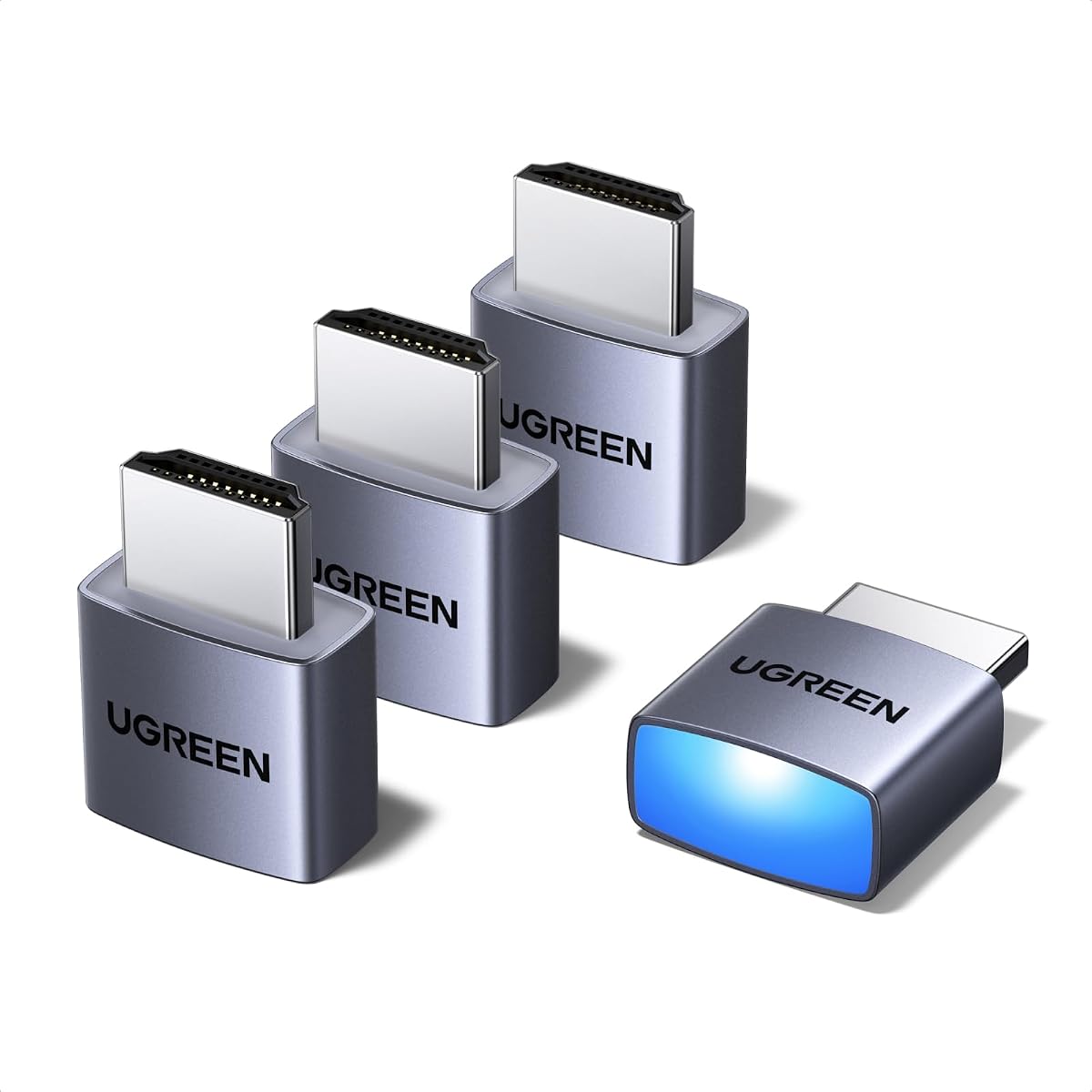
4 Pack HDMI Dummy Plug 4K HDR
4.8Editor score
Universal Compatibility
Status LED Indicator
High Resolution Output
This guide compares the top HDMI dummy plug models for headless PC setups, remote desktop access, and GPU acceleration across various operating systems.
Finding the right HDMI dummy plug is essential for anyone running headless servers or needing GPU acceleration without a physical monitor. These small adapters trick your graphics card into thinking a display is connected, unlocking full performance potential.
We evaluated ten top-rated HDMI dummy plug options based on resolution support, build quality, and compatibility. Each product offers unique benefits for remote desktop, mining, or streaming setups in home labs and professional environments.
Each pick highlights specific strengths like 4K support or multi-pack value. Remember that prices and availability change frequently on Amazon. Always check current listings before purchasing to ensure you get the best deal available today.
4.8Editor score
4.6Editor score

This side-by-side comparison highlights key specifications for each model to help you choose the best fit for your specific headless computing needs.


The UGREEN 4 Pack offers exceptional value for headless computing needs. It delivers true 4K@60Hz HDR performance, making it ideal for remote desktop and GPU acceleration tasks.
We may earn a commission when you buy through this link, at no additional cost to you.
Its sturdy aluminum shell prevents overheating during intensive workloads like mining or rendering. The integrated LED status light gives you instant visual confirmation of a successful connection.
While it requires a standard HDMI port, it works seamlessly across Windows, Mac, and Linux systems. The plug-and-play design means no drivers or external power cables are ever needed.
This product is perfect for server farms or home labs needing reliable virtual displays. It combines robust construction with broad OS support for consistent performance.
It maintains system stability without the cost of a physical monitor, optimizing your workspace for remote management tasks.
Works with any discrete graphics card or laptop HDMI output, ideal for game streaming and screen sharing applications.
We may earn a commission when you buy through this link, at no additional cost to you.
This pack stands out for its impressive user rating and affordability. It delivers crisp 4K visuals and supports high refresh rates for fluid remote desktop operations.
We may earn a commission when you buy through this link, at no additional cost to you.
The industrial-grade aluminum armor resists overheating during marathon computing tasks. The built-in status LED provides real-time connection verification for mission-critical setups.
Although the design is basic, it is highly functional and requires zero drivers. You get instant virtual displays for stock trading or simulation software without complexity.
Best for budget-conscious users needing multiple plugs for several rigs. It powers screen sharing on major tools with universal cross-platform compatibility.
Revolutionize headless deployments in server farms and home labs while eliminating display power costs for efficiency.
Works flawlessly with NVIDIA and AMD GPUs across Windows, macOS, and Linux systems for versatile use.
We may earn a commission when you buy through this link, at no additional cost to you.
The DTech HDMI dummy plug is a compact solution for enabling high resolution GPU tasks without a monitor. It comes in a 3-pack for multiple deployment needs.
We may earn a commission when you buy through this link, at no additional cost to you.
Its gold plated connector ensures stable digital signal transmission and unlocks full graphics card potential. It solves the specific OSX headless display issue effectively.
While it is limited to a 3 count, the price is reasonable for small SOHO setups. The low profile design allows it to fit easily without blocking adjacent ports.
Ideal for server farms or home servers requiring remote control. It is a must-have for enabling GPGPU operations like rendering efficiently.
No driver or external power needed, solving Apple OSX headless display issues for remote control setups.
Emulates a high resolution up to 4K 4096×2160 display to make a computer run headless.
We may earn a commission when you buy through this link, at no additional cost to you.
This simple plug works with any graphics card that has an HDMI output, acting exactly like a real monitor. It is designed for ultra-compact low profile use cases.
We may earn a commission when you buy through this link, at no additional cost to you.
It offers pass-through support for DVI and VGA signals, adding versatility to your setup. The no driver configuration requirement makes it extremely easy to implement.
While the resolution is fixed at 1080p, it is sufficient for standard remote desktop access. The pass-through feature allows you to connect other displays simultaneously if needed.
Best for basic users needing a single cheap solution for mining or remote access. It is a reliable choice for straightforward headless requirements.
No drivers, no configuration, and no power cable are required; just set and forget for instant use.
Allows for high resolution GPU accelerated remote desktop without needing a physical monitor connected.
We may earn a commission when you buy through this link, at no additional cost to you.
This 3-pack delivers 4K HDR performance with a gold plated HDMI interface to guarantee complete signal transmission. It is designed to make computers run headless at low cost.
We may earn a commission when you buy through this link, at no additional cost to you.
The manufacturer offers a 2-year unconditional warranty, which adds confidence to the purchase. Support is available if you have questions about setup or performance issues.
While the rating is slightly lower, it still provides stable operation for rendering and mining tasks. Hot swap support adds flexibility when changing configurations frequently.
Ideal for small home servers needing a warranty-backed virtual display solution. It is an eco-friendly option that saves energy compared to real monitors.
Gold-plated HDMI interface guarantees complete signal transmission and reliable virtual display simulation for tasks.
Provides a 2 years unconditional warranty with responsive customer support for any questions.
We may earn a commission when you buy through this link, at no additional cost to you.
This 5-pack includes advanced features like board copper pouring to enhance signal stability and reduce interference. It supports high refresh rates ideal for gaming simulations.
We may earn a commission when you buy through this link, at no additional cost to you.
The use of brand new solder prevents joint failure, ensuring long-term durability. HDR support provides vibrant, realistic display simulation with peak brightness for color accuracy.
While the rating is unverified, the technical specifications suggest high quality construction. The thick aluminum shell delivers durability and enhanced electromagnetic shielding.
Perfect for gamers needing virtual displays with 120Hz or higher refresh rates. It is energy efficient for headless setups in home labs and small PCs.
Supports High Dynamic Range for enhanced brightness and color accuracy in video preview tasks.
Works with all HDMI devices including Raspberry Pi and Jetson Nano for versatile development use.
We may earn a commission when you buy through this link, at no additional cost to you.
This adapter supports the newer HDMI 2.1 standard, enabling 4K at 120Hz for smooth gaming streaming. It allows GPU acceleration for tasks like streaming to a Steam Deck.
We may earn a commission when you buy through this link, at no additional cost to you.
It is great for Govee Gaming Lights and Wacom Cintiq setups requiring specific display signals. The technology emits negligible heat, ensuring guaranteed stability for mining and rendering.
Be aware that Windows 11 may currently limit rates to 60Hz despite the hardware capability. Always check OS compatibility before purchasing for high refresh rate needs.
Best for advanced users with HDMI 2.1 GPUs needing future-proof performance. It works with tools like Moonlight for remote gaming access.
New Generation HDMI 2.1 compatible headless adapter for high resolution virtual display emulation.
Ideal for game streaming and VR; works with win11 and 120fps Steam Link effectively.
We may earn a commission when you buy through this link, at no additional cost to you.
This massive 8-pack provides enough adapters for large server farms or multi-gpu mining setups. It defaults to 1440P resolution for sharper virtual display simulation.
We may earn a commission when you buy through this link, at no additional cost to you.
The design ensures low power consumption and allows hot-swapping without system restarts. Full board copper pouring enhances signal stability and reduces electromagnetic interference effectively.
It eliminates the need for real displays, improving efficiency and space-saving in workstations. The construction is designed for long-term operation in demanding environments.
Best for professionals managing multiple headless systems requiring uniform configuration. It supports remote control and screen sharing with broad device compatibility.
Reduces power usage and eliminates the need for a real display to improve efficiency and space.
Gold-plated connector and aluminum shell deliver outstanding durability and enhanced electromagnetic shielding.
We may earn a commission when you buy through this link, at no additional cost to you.
This 5-pack defaults to 2160P resolution for sharper virtual display simulation compared to lower options. It is designed for high-performance systems needing consistent GPU activity.
We may earn a commission when you buy through this link, at no additional cost to you.
The thick aluminum shell delivers outstanding durability and a premium feel with excellent heat dissipation. It uses brand new solder to prevent long-term joint failure issues.
It reduces power usage significantly, eliminating the need for a real display in your setup. This makes it an eco-friendly solution for professionals and hobbyists alike.
Best for workstations requiring 4K virtual displays for development or rendering. It supports multi-monitor simulation and remote control effectively.
Default resolution of 2160P supports up to 4K and 1440p refresh rates for high performance.
Works with all HDMI devices including Jetson Nano and Mac Mini for versatile screen sharing.
We may earn a commission when you buy through this link, at no additional cost to you.
This premium adapter supports 8K resolution at 30Hz for maximum visual fidelity in virtual setups. It enables GPU acceleration for tasks like gaming streaming and mining effectively.
We may earn a commission when you buy through this link, at no additional cost to you.
The HDMI 2.1 compatibility ensures compatibility with next-gen graphics cards and devices like Steam Deck. It uses gold plated connectors to ensure stable digital signal transmission.
It is designed for low power consumption while emitting negligible heat during intensive operations. The construction focuses on long-term reliability for mining and rendering workloads.
Ideal for professionals needing 8K simulation or future-proof headless systems. It supports complex setups like Wacom Cintiq with Govee Gaming Lights.
Supports up to 4K@120Hz and 8K@30Hz for maximum visual fidelity in virtual display setups.
Gold plated fit-headless dummy plug dongle ensures stable digital signal for consistent detection.
We may earn a commission when you buy through this link, at no additional cost to you.
Selecting the right dummy plug involves checking resolution support, build quality, and compatibility with your specific graphics card and operating system.
Ensure the plug supports the resolution you need for your tasks. High end 4K or 1440p models are better for gaming streaming or remote desktop clarity.
Prioritize models offering high refresh rates for smoother virtual displays.
Look for aluminum shells and gold plated connectors to prevent overheating and signal loss. Durable construction ensures long-term reliability for continuous operation.
Choose models with sturdy materials for better heat dissipation.
Verify that the adapter works with your OS. Some models explicitly support Apple OSX or Linux without extra drivers for seamless integration.
Check for driver-less plug-and-play support across Windows and Mac.
Check if your GPU has HDMI or DisplayPort outputs. Some plugs include pass-through options to maintain signal to another monitor if needed.
Confirm HDMI 2.1 or 2.0 standards match your graphics card capabilities.
Decide if you need a single unit or a multi-pack for server farms. Larger packs offer better value when managing multiple headless PCs simultaneously.
Consider bulk options for mining rigs or lab setups.
Check for warranty coverage and responsive customer support. Reliable brands offer guarantees for defect replacement or setup assistance.
Look for at least a one-year warranty for peace of mind.
Most dummy plugs draw power from the HDMI port itself. Ensure you do not need external power supplies for your specific use case.
Select energy efficient models that require no external cables.
LED indicators provide visual confirmation of a successful connection. This helps in troubleshooting connectivity issues quickly without software.
Prefer plugs with clear status lights for easier monitoring.
To use, simply plug the adapter into an available HDMI port on your graphics card. Your operating system should immediately recognize it as a connected display.
Ensure your graphics drivers are updated to the latest version for best compatibility. This helps prevent detection issues that can sometimes arise with newer updates.
For care, avoid bending the connector and store it in a dry place. Regularly check the LED indicator to confirm it is functioning properly during operation.
An HDMI dummy plug tricks your computer into thinking a monitor is connected. This keeps the GPU active for remote access or mining without needing a physical screen.
No, these devices are designed for plug-and-play use. They do not require any software installation or external power sources to function correctly.
Yes, many models explicitly support macOS and OSX. Just ensure you choose one that has confirmed compatibility for headless Apple setups.
Absolutely, that is one of the most common use cases. It enables the GPU to run at full load even when no monitor is attached.
Most modern options support 4K at 60Hz. Higher end models may offer 4K at 120Hz for better performance in specific use cases.
Yes, these are low power devices designed for 24/7 operation. They are built to handle continuous connection without overheating or failure.
The UGREEN 4 Pack stands out as the top choice for reliable performance and value. It balances high resolution support with durable construction for most users.
For budget needs, the 4 Pack model offers excellent features at a lower price point. Premium users might prefer the 8K capable version for future-proofing.
Always verify current availability and pricing on Amazon before buying. These small tools make a big difference in headless computing setups.