
Logitech G F310
4.4Editor score
Familiar Layout
Plug-and-Play USB
Broad Game Support
This guide compares the top 10 gaming controllers for Windows to help you find the perfect match for your PC gaming setup today.
Choosing the right gaming controller for Windows can significantly enhance your PC gaming experience by offering precise input and comfortable ergonomics.
We compared ten top-rated controllers based on build quality, connectivity options, customization features, and overall performance across various gaming genres.
Each pick highlights key strengths and weaknesses so you can decide quickly while keeping in mind that prices and availability may change frequently.
4.4Editor score
4.4Editor score
4.3Editor score
Here is a side-by-side comparison of all ten controllers to help you evaluate their specifications and features at a quick glance.




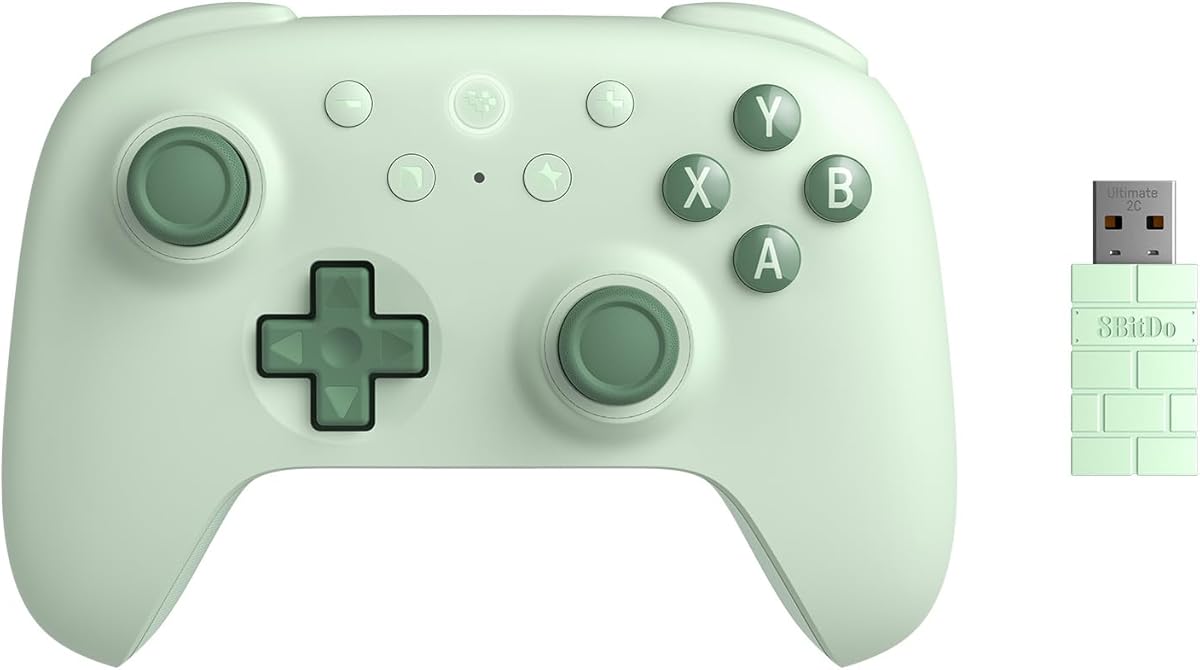
The 8Bitdo Ultimate 2C stands out as a top contender for Windows PC gaming with its robust feature set and solid build quality.
We may earn a commission when you buy through this link, at no additional cost to you.
Its Hall Effect joysticks and triggers ensure long-lasting precision without drift while the 1000Hz polling rate delivers responsive input for competitive play.
While it lacks some advanced software features found in higher-end models the physical remappable bumpers offer great utility without needing extra tools.
This controller is ideal for gamers seeking reliable performance and comfort at a reasonable price point for everyday Windows gaming sessions.
Hall Effect technology eliminates physical contact in joysticks to prevent stick drift and ensure consistent accuracy over time.
Remappable L4 and R4 bumpers allow players to assign custom commands directly on the hardware for quicker access during gameplay.
We may earn a commission when you buy through this link, at no additional cost to you.
The Xbox Wireless Controller offers a familiar and reliable option for Windows users who want plug-and-play functionality without extra setup steps.
We may earn a commission when you buy through this link, at no additional cost to you.
Its modernized design features sculpted surfaces and textured grips that improve comfort during long sessions while the hybrid D-pad enhances directional accuracy.
Though it uses standard AA batteries which can be a drawback for some the long battery life and USB-C wired option provide flexibility for different setups.
Gamers prioritizing simplicity and broad compatibility will find this controller delivers a solid baseline experience for most Windows titles available today.
The controller supports wireless Bluetooth and USB-C wired connections to ensure you can play seamlessly across various devices without hassle.
A built-in 3.5mm audio jack allows direct connection of headsets for voice chat and immersive in-game sound without extra adapters.
We may earn a commission when you buy through this link, at no additional cost to you.
The EasySMX X15 brings together essential modern features like Hall Effect technology and multiple connectivity options at a very competitive price point.
We may earn a commission when you buy through this link, at no additional cost to you.
With support for Windows Steam and Switch this controller offers great versatility while the two programmable back buttons add tactical advantages for various game genres.
Although it lacks a microphone jack and gyroscope sensors its reliable wireless performance and decent battery life make it a strong choice for budget-conscious gamers.
If you need a controller that works across different platforms without breaking the bank the X15 provides a functional and responsive experience for casual and mid-tier play.
Supports 2.4G wireless Bluetooth and wired USB-C connections to ensure stable gameplay across PC and mobile devices seamlessly.
Hall Effect joysticks and triggers eliminate stick drift for smooth responsive input that enhances competitive gaming performance significantly.
We may earn a commission when you buy through this link, at no additional cost to you.
The GameSir G7 SE delivers high-fidelity control through Hall Effect joysticks and triggers making it ideal for players who prioritize accuracy and durability.
We may earn a commission when you buy through this link, at no additional cost to you.
Its wired connection ensures zero latency and eliminates battery anxiety while the included 3.5mm audio jack keeps headset connectivity straightforward for competitive gamers.
Although the lack of wireless connectivity might deter some users the ergonomic design and customizable backbuttons provide a comfortable experience tailored to serious play.
For Windows gamers who prefer a stable and responsive wired setup this controller offers premium features typically found in more expensive options.
Hall effect technology provides precise control and a comfortable feeling that ensures long service life and improved game accuracy over time.
An ergonomic handle with ultra-fine laser-engraved texture ensures comfortable and non-slip gaming sessions even during extended play.
We may earn a commission when you buy through this link, at no additional cost to you.
The Logitech G F310 remains a classic budget option that works reliably with a wide range of PC games both old and new.
We may earn a commission when you buy through this link, at no additional cost to you.
Its familiar Xbox 360 layout requires no learning curve while the profiler software allows users to map keyboard and mouse commands for games without native controller support.
While it lacks wireless features and advanced customization its robust build and straightforward design make it perfect for casual gamers on a tight budget.
If you need a dependable controller for standard Windows gaming without extra frills the F310 offers unbeatable value and ease of use.
The simple plug-and-play USB connection works with older Windows versions ensuring accessibility for a wide range of PC users without complex drivers.
With 10 programmable buttons and an 8-way programmable D-pad users can tailor controls to suit specific game requirements easily.
We may earn a commission when you buy through this link, at no additional cost to you.
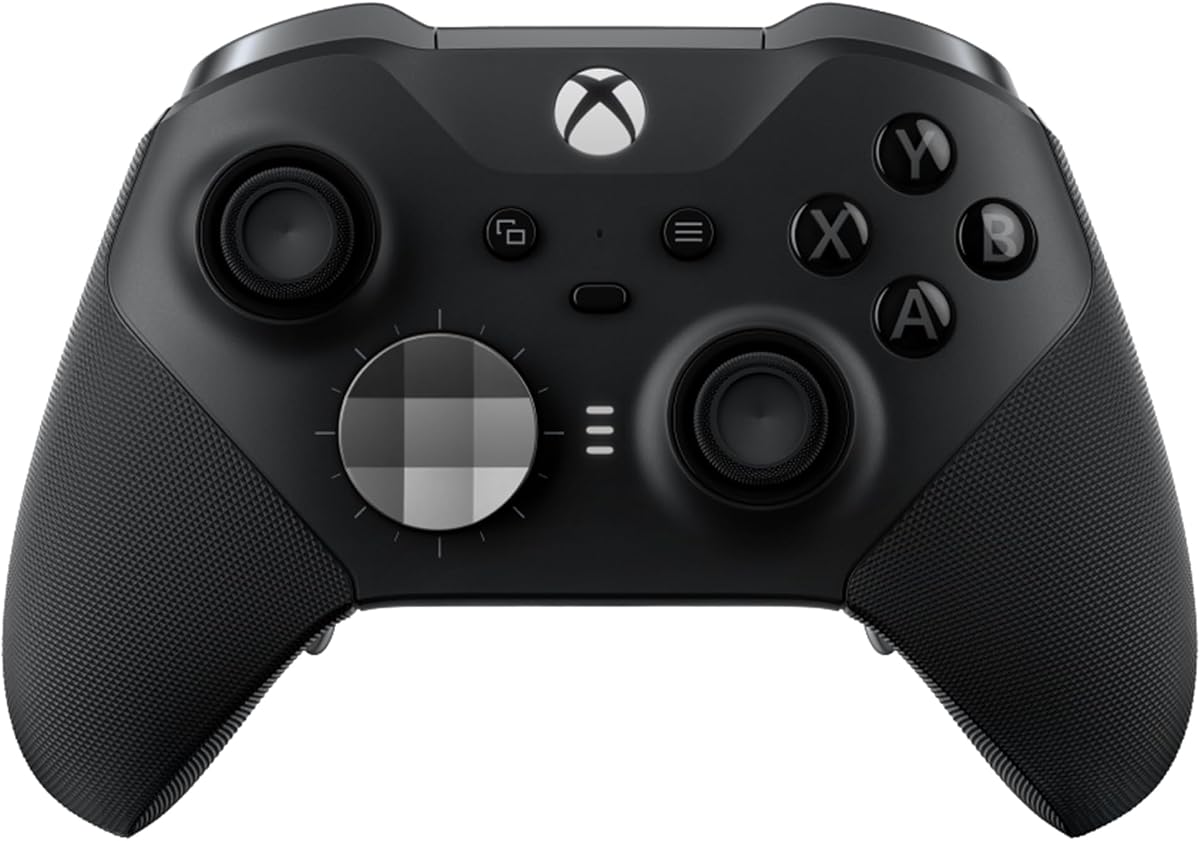
The Xbox Elite Series 2 is designed for pro-level performance offering exceptional customization and durability that serious gamers have come to expect.
We may earn a commission when you buy through this link, at no additional cost to you.
Features like adjustable-tension thumbsticks and hair trigger locks allow you to fine-tune the controller to match your exact playstyle and game genre needs.
While the price is significantly higher than standard models the included interchangeable components and rechargeable battery provide long-term value and versatility.
For competitive players or those who demand top-tier ergonomics and customization this controller remains the gold standard for Windows and console gaming.
Save and switch between up to three custom profiles on the fly to adapt instantly to different games and playstyles.
Interchangeable components like thumbstick toppers and D-pads let you tailor the physical layout to your preferred grip and style.
We may earn a commission when you buy through this link, at no additional cost to you.
The GameSir G7 Pro is engineered exclusively for PC gaming providing an ultra-responsive experience with an industry-leading 8000Hz polling rate.
We may earn a commission when you buy through this link, at no additional cost to you.
Its upgraded TMR magnetic technology eliminates physical contact to prevent stick drift while the dual trigger modes allow switching between linear and digital inputs instantly.
Although it does not support Xbox consoles the advanced features like 6-axis gyroscope and macro recording make it a powerhouse for competitive Windows gamers.
If you seek near-zero latency and high-level customization for FPS and racing games this controller delivers a distinct advantage over standard options.
The 8000Hz polling rate ensures every input is registered instantly for smoother control and near-zero latency during critical competitive moments.
Switch between linear Hall Effect triggers for precise acceleration or micro switch triggers for instant digital response with a simple toggle.
We may earn a commission when you buy through this link, at no additional cost to you.
The ManbaOne Interactive Screen controller introduces a new era of customization with a built-in display that lets you adjust settings directly on the device.
We may earn a commission when you buy through this link, at no additional cost to you.
This innovative feature removes the need for complex key combinations or external software allowing you to customize vibrations and buttons visually and intuitively.
While it lacks compatibility with some major platforms the smart charging station and anti-stick drift technology ensure reliable performance for supported systems.
Gamers who want a unique and highly customizable controller experience will appreciate the convenience and visual feedback offered by this distinctive hardware.
Set your controller directly through the screen visualization without needing an app making the setup process more convenient and user-friendly.
Micro switch buttons and Hall Effect triggers provide fast response times and prevent stick drift for consistent gameplay over time.
We may earn a commission when you buy through this link, at no additional cost to you.
The FLYDIGI VADER 5S allows you to physically adjust joystick tension on the fly giving you unique control over how your inputs feel during gameplay.
We may earn a commission when you buy through this link, at no additional cost to you.
With zero stick drift and the ability to switch between micro-click and Hall Effect triggers this controller adapts to both FPS and racing needs effortlessly.
Although it is a wired-only controller the in-game adjustment capabilities and deep customization options make it a strong choice for serious multi-genre players.
If you want precise control over hardware feel without relying solely on software this controller offers a versatile solution for Xbox and PC setups.
Adjust joystick tension from 40gf to 100gf on the fly to switch between fast aiming and smoother steering instantly.
4-motor vibration across triggers and grips brings recoil and acceleration to life with more realistic tactile feedback.
We may earn a commission when you buy through this link, at no additional cost to you.
The GameSir Nova Lite 2 offers a reliable wireless experience with Hall Effect technology ensuring smooth control and superior anti-drift capability across devices.
We may earn a commission when you buy through this link, at no additional cost to you.
Its mechanical circular D-pad and 1000Hz polling rate provide precise inputs for competitive play while the 2-way trigger lock adds flexibility for different game types.
While it may not have all the advanced features of premium models it delivers solid performance and great value for multi-platform gamers on Windows and Switch.
For players seeking a straightforward wireless controller that works well across various systems the Nova Lite 2 is a practical and effective choice.
Works with Switch PC Android and iOS devices via Bluetooth wired and wireless dongle connections for versatile use.
Hall Effect joysticks with anti-friction rings deliver enhanced recentering performance for smoother and more consistent control.
We may earn a commission when you buy through this link, at no additional cost to you.
Selecting the right controller requires understanding your specific gaming needs and the technical features available on the market today.
Decide between wired and wireless based on your preference for latency versus convenience. Wired USB connections offer zero latency and stable power while wireless options provide freedom of movement. Look for controllers with Bluetooth or dedicated dongles for stable connections.
Prioritize wired if you play competitive games where every millisecond counts and choose wireless for casual or couch gaming experiences.
Modern controllers often feature Hall Effect or TMR joysticks which use magnetic sensing instead of physical contact to prevent stick drift. This technology ensures long-term precision and reliability which is crucial for FPS and precision-based genres.
Look for specifications explicitly stating Hall Effect or anti-drift capabilities to ensure your controller remains accurate over years of use.
The polling rate indicates how many times per second the controller sends input data to your PC. A higher rate like 1000Hz or 8000Hz results in lower latency and smoother responsive gameplay.
Competitive gamers should prioritize controllers with at least 1000Hz polling rate to ensure their inputs are registered instantly during fast-paced matches.
Comfort is essential for long gaming sessions so look for controllers with sculpted surfaces and textured grips that prevent slipping. Consider the weight and shape to ensure it fits comfortably in your hands.
Test the controller or check reviews regarding comfort to avoid hand fatigue during extended playtimes especially if you play for multiple hours at a time.
Advanced controllers offer programmable back buttons macro recording and software mapping to tailor controls to your specific game needs. These features can give you a competitive edge by allowing quicker access to complex actions.
Choose a controller with customization options if you play games that require quick combinations or if you frequently switch between different game genres.
For wireless controllers check the battery life and charging method. Some use rechargeable internal batteries while others use AA batteries which offer longer life but can be inconvenient.
Ensure the controller offers at least 20 hours of playtime or includes a convenient charging dock to avoid interruptions during your gaming sessions.
Many PC games require voice chat or spatial audio so a built-in 3.5mm audio jack allows direct headset connection. This feature simplifies your setup by removing the need for extra dongles or adapters.
Check if the controller supports a 3.5mm jack if you plan to use a headset for communication during multiplayer matches regularly.
Ensure the controller is explicitly compatible with your Windows version and any other platforms you use like Switch or Android. Some controllers have specific modes to switch between these platforms seamlessly.
Always verify the supported platforms in the product description to avoid compatibility issues with your specific gaming setup and OS version.
To set up your controller simply connect it via USB cable or pair it through Bluetooth settings on your Windows PC. Most modern controllers are plug-and-play and will be recognized automatically by the system.
Install any necessary software or drivers from the manufacturer website to unlock advanced features like button mapping or profile management. These tools help you customize the controller to suit your specific gaming style.
Keep your controller clean by wiping it with a dry cloth regularly to prevent dust buildup in the buttons and joysticks. Proper maintenance ensures consistent performance and extends the lifespan of the hardware.
Most modern controllers support Windows 10 and 11 natively but older versions like 7 or 8 may require additional drivers. Always check the product specifications for specific OS compatibility before purchasing.
Hall Effect joysticks use magnetic sensors instead of physical contacts to prevent stick drift. This technology ensures precise and consistent input over time making them ideal for competitive and long-term use.
Many wireless controllers support both Bluetooth and wired USB-C connections simultaneously. Using a wired connection ensures zero latency and continuous power without draining the battery during intense gaming sessions.
Most controllers offer software applications or companion apps to remap buttons and configure profiles. Some models also allow hardware remapping directly on the device without needing extra software installed.
A higher polling rate means the controller sends input data to your PC more frequently reducing latency and improving responsiveness. This is crucial for competitive games where split-second reactions matter.
Yes most controllers listed support Steam Input which allows broad compatibility across the platform. You can configure controller settings directly through the Steam client for a seamless gaming experience.
We have reviewed ten distinct options ranging from budget-friendly entry-level models to high-end competitive controllers designed for precision and speed.
Consider your primary gaming needs and budget when selecting the right device since features like wireless connectivity and Hall Effect technology impact performance significantly.
Remember that prices and availability change frequently so check current listings before making your final decision to ensure you get the best deal available.