
MINISFORUM DEG1
4.5Editor score
Compact and Portable Design
OCulink 4i Interface Support
ATX and SFX Power Compatible
This guide compares the top 10 egpu docks for laptops and mini PCs, evaluating bandwidth, compatibility, and features to help you choose the right external GPU
Choosing the right eGPU dock transforms your laptop into a powerhouse for gaming and creative work. These enclosures connect external graphics cards via high-speed interfaces like Thunderbolt or OCuLink. A good dock ensures stable signal transmission and supports various power supplies for flexibility.
We evaluated ten leading models based on bandwidth capabilities, build quality, and feature sets. Our analysis considers compatibility with modern GPUs, port options, and ease of use. Each product offers unique advantages for different user needs and budgets.
Each pick highlights key strengths and potential trade-offs to guide your decision. Prices and availability may change, so verify current listings before purchasing. This guide helps you find the perfect expansion solution for your setup.
4.5Editor score

4.4Editor score
4.8Editor score
This side-by-side comparison highlights the key specifications and features of each selected eGPU dock to help you make an informed decision for your specific hardware needs.


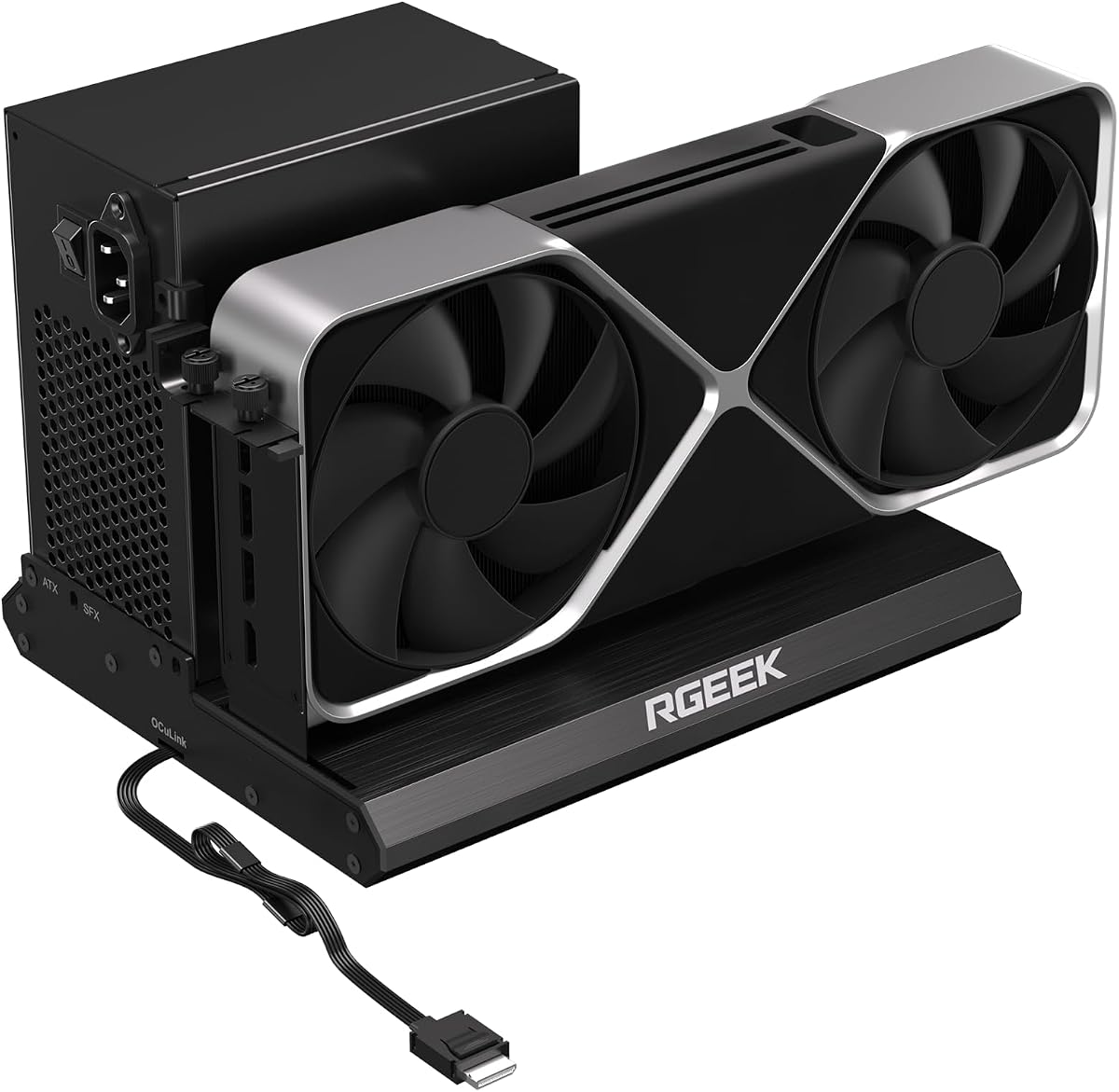
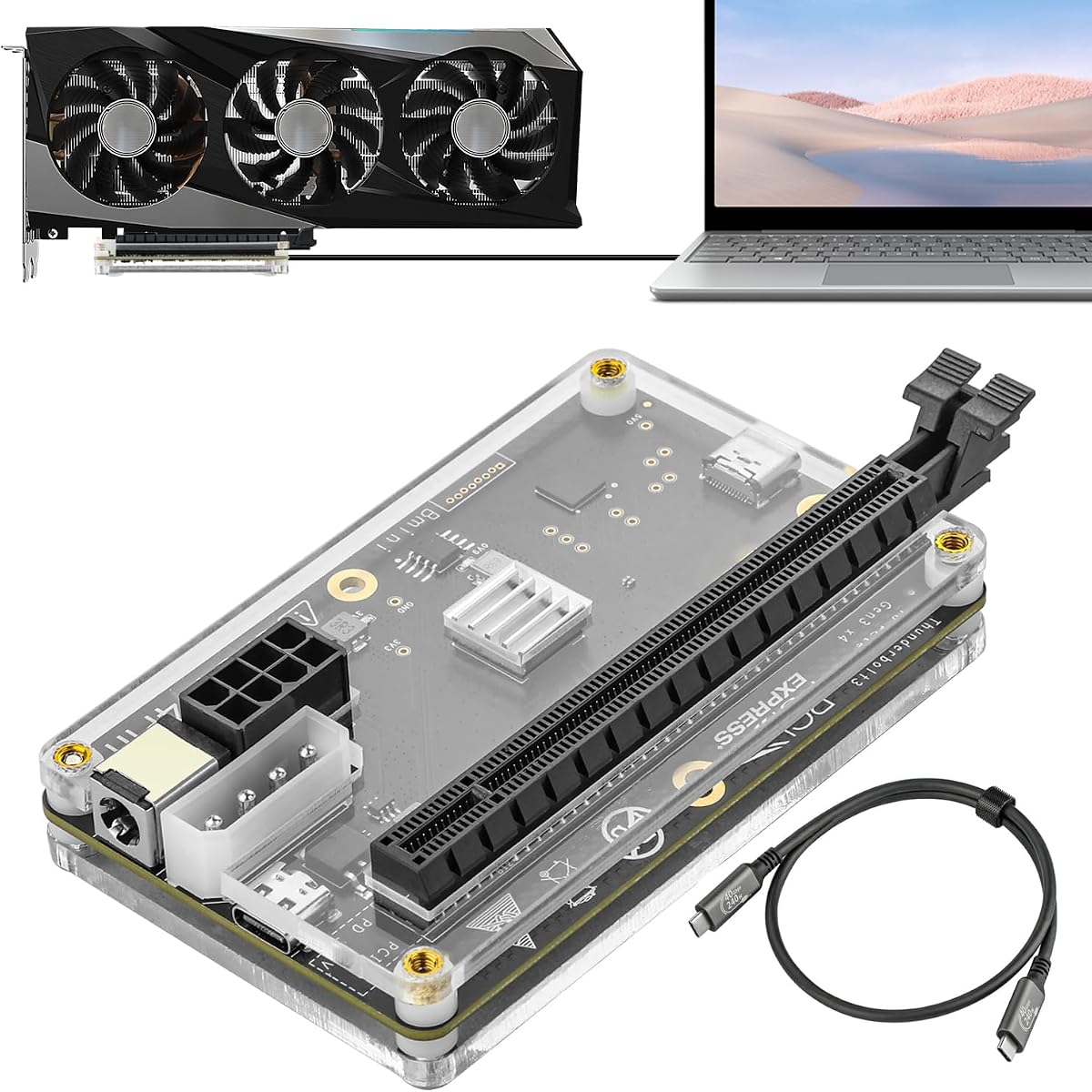


The MINISFORUM DEG2 stands out as a top tier choice with its dual mode connectivity. It supports both USB4 V2 and OCuLink interfaces allowing users to switch between high bandwidth options easily.
We may earn a commission when you buy through this link, at no additional cost to you.
Its integrated M.2 NVMe slot is a unique feature that keeps storage close to the GPU. This setup helps maintain workspace synchronization when switching between devices without transferring files manually.
While it offers excellent performance the power supply must be purchased separately which adds to the cost. Users should ensure they have the right ATX or SFX unit for compatibility.
This dock is ideal for professionals needing fast data transfer and stable connections. It delivers a seamless desktop experience for laptops requiring external graphics power for heavy tasks.
The hardware switch allows instant toggling between USB4 V2 and OCuLink for optimized performance on different devices.
The M.2 slot lets you store project files locally reducing transfer times during rendering or AI tasks.
We may earn a commission when you buy through this link, at no additional cost to you.
This variant of the DEG2 offers a 5.0 rating for its reliable performance and rich connectivity options. The physical toggle makes switching modes simple without software adjustments.
We may earn a commission when you buy through this link, at no additional cost to you.
It includes multiple ports like 2.5G LAN and USB 3.2 making it a true docking station. This expands connectivity beyond just graphics enhancing its utility for a full desktop setup.
The auto on feature synchronizes with the host device for a plug and play experience. However users need to ensure their power supply meets the ATX or SFX standards required.
It is a strong choice for those wanting a complete hub with GPU expansion. The balance of features and performance makes it a versatile addition to any workspace.
No need to change cables or drivers manually as the hardware switch handles mode changes instantly.
With LAN and USB ports you can connect peripherals directly to the dock keeping your laptop organized.
We may earn a commission when you buy through this link, at no additional cost to you.
The Razer Core X V2 is designed for those seeking the latest Thunderbolt 5 performance. It supports graphics cards up to 4 slots wide offering great flexibility for high-end GPUs.
We may earn a commission when you buy through this link, at no additional cost to you.
Its active cooling system with a 120mm fan ensures the components stay cool during intense loads. The tool-free installation makes swapping cards easy for enthusiasts.
Mac users with M1 chips should note this dock is not supported for eGPUs. Also the graphics card and power supply are sold separately increasing the total investment.
This enclosure is perfect for Windows users needing maximum bandwidth and cooling. It turns compatible laptops into powerful desktops for gaming and creative work.
With up to 80 Gbps bandwidth it handles the most demanding apps and games smoothly.
The built-in fan ramps up automatically to maintain performance during heavy usage.
We may earn a commission when you buy through this link, at no additional cost to you.
The MINISFORUM DEG1 is ideal for users who need a portable solution. It fits easily in a backpack making it perfect for on-the-go power needs.
We may earn a commission when you buy through this link, at no additional cost to you.
It uses the OCulink 4i interface providing 64Gbps transfer speeds for smooth graphics processing. The locking mechanism prevents accidental disconnections during use.
Users should note that hot plugging is not supported and the computer must be off to unplug. This ensures safety but adds a step to the connection process.
This dock is a great budget friendly choice for mini PC or laptop owners. It provides reliable performance in a small package that fits anywhere.
Measuring only 14 cm in length it is easy to store in a bag or drawer.
One-click switching ensures stable system operation without manual adjustments.
We may earn a commission when you buy through this link, at no additional cost to you.
This dock offers a simple and effective way to connect a GPU via OCuLink. The package includes the necessary cable and enclosure for quick setup.
We may earn a commission when you buy through this link, at no additional cost to you.
The detachable design on both ends improves portability and storage. The gold-plated contacts help ensure better conductivity and reduce oxidation risks over time.
The flat cable design eliminates risks of port damage from rigid traditional cables. This attention to detail helps protect your devices during transport.
It is suitable for those who want a no-frills connection solution. The focus is on reliable data transfer rather than extra features or aesthetics.
The ultra-thin cable prevents damage and reduces interference during high speed transfers.
Multi-status LEDs provide clear visual feedback for monitoring device health.
We may earn a commission when you buy through this link, at no additional cost to you.
This dock supports the latest PCIe 5.0 standard offering up to 128Gbps bandwidth. It is designed for enthusiasts looking to future-proof their GPU connection.
We may earn a commission when you buy through this link, at no additional cost to you.
The aluminum chassis helps dissipate heat effectively ensuring stable performance. Factory-soldered cables reduce signal loss and avoid the need for extra adapters.
Note that you may need an adapter to reach full PCIe 5.0 speed depending on your host. This adds a slight complexity to the setup for maximum performance.
It is a solid choice for those who value high speeds and durability. The setup is hassle-free with clear instructions for driver installation.
Supports the latest standard ensuring compatibility with future high-speed graphics cards.
Full aluminum construction provides durability and efficient cooling for internal components.
We may earn a commission when you buy through this link, at no additional cost to you.
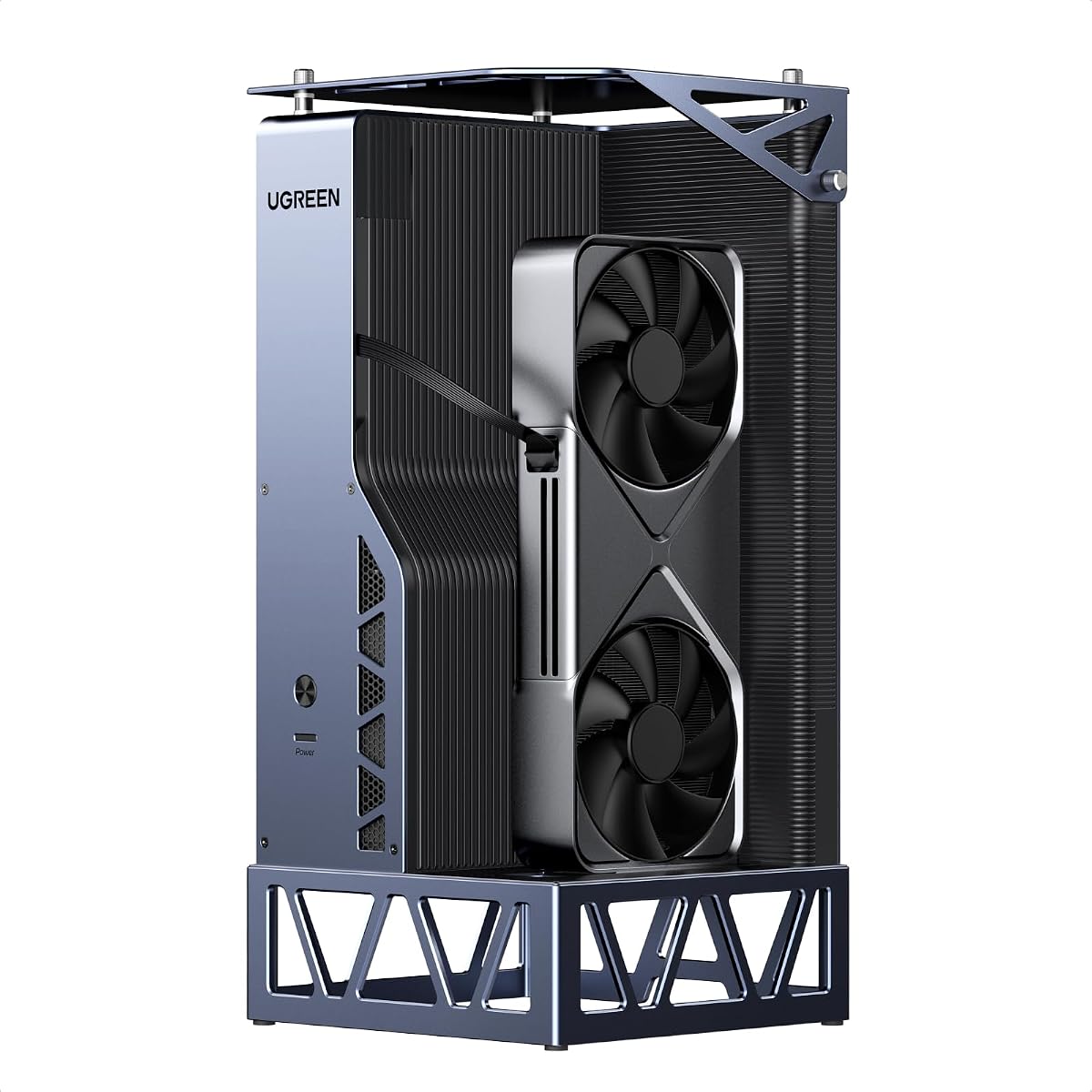
The UGREEN LinkStation is a top-rated dock combining OCuLink and USB4 for flexibility. It supports high-end GPUs with room for up to 370mm in length.
We may earn a commission when you buy through this link, at no additional cost to you.
Its semi-open aluminum chassis and quiet PSU fan keep noise low during operation. This makes it ideal for quiet office environments or home studios.
While it has many features the dual slot bracket limit might restrict some triple-slot cards. Users should check their GPU dimensions carefully before buying.
This is the best premium choice for those wanting maximum compatibility and quality. It transforms laptops into desktops with stable power and minimal heat.
The removable top cover allows installation of large high-end graphics cards easily.
The fan curve ensures efficiency while maintaining library-quiet levels.
We may earn a commission when you buy through this link, at no additional cost to you.
This dock offers an entry point to eGPU expansion with Thunderbolt 3 or 4 support. It uses a proven controller that ensures stability for daily tasks.
We may earn a commission when you buy through this link, at no additional cost to you.
It provides four power input options including Molex or PD allowing various setups. This flexibility can be useful if you lack a standard PSU.
The 22Gbps transfer speed is lower than modern docks but still functional. It works well for video editing or light gaming without needing top speeds.
It is suitable for users with older laptops needing a basic upgrade. The included cable helps simplify the initial setup process significantly.
Multiple input options mean you can use the dock with existing power adapters.
The JHL6340 chip offers reliable performance for standard workloads.
We may earn a commission when you buy through this link, at no additional cost to you.
This version of the DEG2 focuses on expansion with extra slots and ports. It includes an M.2 NVMe slot for storage and a LAN port for networking.
We may earn a commission when you buy through this link, at no additional cost to you.
The physical toggle allows switching between Oculink and TBT5 without software changes. This ensures compatibility with devices that require specific modes.
However some users report compatibility issues with certain mini PCs like the MS-02. Always check device compatibility before purchasing to avoid problems.
It is a good choice if you need extra ports and storage near your GPU. The rich connectivity makes it a versatile hub for complex setups.
The 2.5G Ethernet and USB ports let you add peripherals easily to the dock.
Store AI models or project files on the dock to save laptop space.
We may earn a commission when you buy through this link, at no additional cost to you.
This dock is an affordable entry into Thunderbolt GPU expansion with wide support. It works with the latest RTX 50 Series and RX 7000 Series cards.
We may earn a commission when you buy through this link, at no additional cost to you.
The JHL7440 controller is officially certified for high performance tasks. It also serves as a hub with USB and daisy chain capabilities.
Important safety notes must be followed regarding power cables to avoid shutdowns. Always ensure you use the correct ATX power connections.
It is suitable for budget conscious users needing a basic eGPU setup. Just verify your laptop has a compatible Thunderbolt or USB4 port.
Beyond graphics it offers additional USB ports for connecting devices to the dock.
Compatible with the newest graphics cards ensuring longevity for your investment.
We may earn a commission when you buy through this link, at no additional cost to you.
Selecting the right eGPU dock requires understanding interfaces compatibility and power needs. Here are the key factors to consider for your setup.
The interface determines how much bandwidth reaches your external GPU. Thunderbolt 4 and USB4 offer universal compatibility while OCuLink provides lower latency for gaming.
Choose Thunderbolt for ease of use and OCuLink for raw speed if your device supports it.
Higher bandwidth allows for faster data transfer and better performance in graphics tasks. Look for docks supporting PCIe 4.0 or 5.0 speeds.
Ensure the dock matches the speed of your laptop port to avoid bottlenecks.
Most enclosures require an external power supply to run desktop GPUs. Check if the dock supports ATX or SFX formats based on your needs.
Remember that many docks do not include a power unit so factor that into your budget.
The size of the dock and its ability to fit your GPU are critical. Measure your graphics card to ensure it fits within the internal clearance.
If you plan to upgrade later choose a model with flexible height and length allowances.
Some docks double as hubs offering extra USB or Ethernet ports. These can simplify cable management and add value to your workspace.
Look for models with multiple ports if you need to connect peripherals directly to the dock.
The material and cooling system affect durability and noise levels. Aluminum cases dissipate heat better than plastic ones for sustained performance.
A robust build ensures the dock lasts through years of heavy use without failure.
Not all GPUs or operating systems work with every dock. Check the manufacturer list for tested models to avoid issues with your specific card.
Verify that your laptop firmware supports external graphics before making a purchase.
Prices vary widely depending on features and build quality. Decide if you need premium features like dual mode or if a basic dock suits your needs.
Balance the cost of the dock with the power supply and GPU costs for a total estimate.
First connect the dock to your laptop using the provided cable before installing the GPU. Ensure your system is powered down to prevent electrical shorts.
Insert the graphics card securely into the PCIe slot and connect the power supply wires firmly. This ensures stable operation during heavy graphical loads.
After setup install the necessary drivers for your GPU on your computer. Restart your system to finalize the detection of the external graphics device.
Support depends on your Mac model. Apple Silicon Macs do not support external GPUs officially but older Intel based models do. Always check compatibility lists for your specific device.
Thunderbolt is widely compatible and works via USB-C. OCuLink offers lower latency but needs a specific port. Thunderbolt is easier to use while OCuLink is faster for gaming.
No most docks do not include a graphics card. You must purchase a compatible desktop GPU separately. The dock acts as the enclosure for your own GPU.
Hot plugging is often discouraged or not supported to prevent signal loss. It is safer to shut down your laptop before unplugging the dock to ensure stability.
Check that the power supply is connected correctly and turned on. Ensure your laptop has a compatible port and drivers installed for external graphics.
Check if your dock supports ATX or SFX power supplies. ATX units are larger while SFX units fit compact docks. Match the size to your dock specifications.
Yes an external GPU accelerates rendering and effects in video editing software. This speeds up workflows and allows for smoother playback of high resolution footage.
Choose a dock with PCIe 5.0 support or USB4 for better longevity. These interfaces support newer GPUs and faster speeds for years to come.
We have reviewed ten top eGPU docks ranging from portable solutions to premium hubs. Each offers unique benefits for different types of users and hardware.
Prioritize interface speed and power compatibility to get the best performance. Consider additional ports and build quality for long-term reliability and convenience.
Prices and stock levels may change so check current listings before buying. Select the dock that matches your specific needs to upgrade your laptop effectively.