
HUANUO Printer Stand
4.5Editor score
Compact under desk fit
Locking caster wheels
Easy tool assembly
Compare the top 10 computer printer drawers for 2026. This guide reviews mobile stands, filing cabinets, and storage solutions to organize your workspace
Finding the right storage for your printing needs can transform your workspace from cluttered to streamlined. A good computer printer drawer combines stability for your device with ample space for supplies. It should fit your room style while offering easy access to papers and accessories.
We evaluated ten top-rated models based on build quality, storage capacity, and mobility features. Our comparison looks at caster locks, drawer types, and weight limits to ensure you get value. Each unit was assessed for how well it supports modern home or office environments.
Every pick highlights unique strengths like charging ports, extra shelves, or industrial strength frames. Prices and availability change frequently so check current listings before purchasing. These guides help you find the perfect fit for your specific printing and filing requirements today.
4.5Editor score

4.2Editor score

4.4Editor score
This side-by-side comparison highlights the key specifications and unique features of each selected printer drawer unit. Use this table to quickly identify which model offers the best dimensions, weight capacity, and storage configuration for your needs.


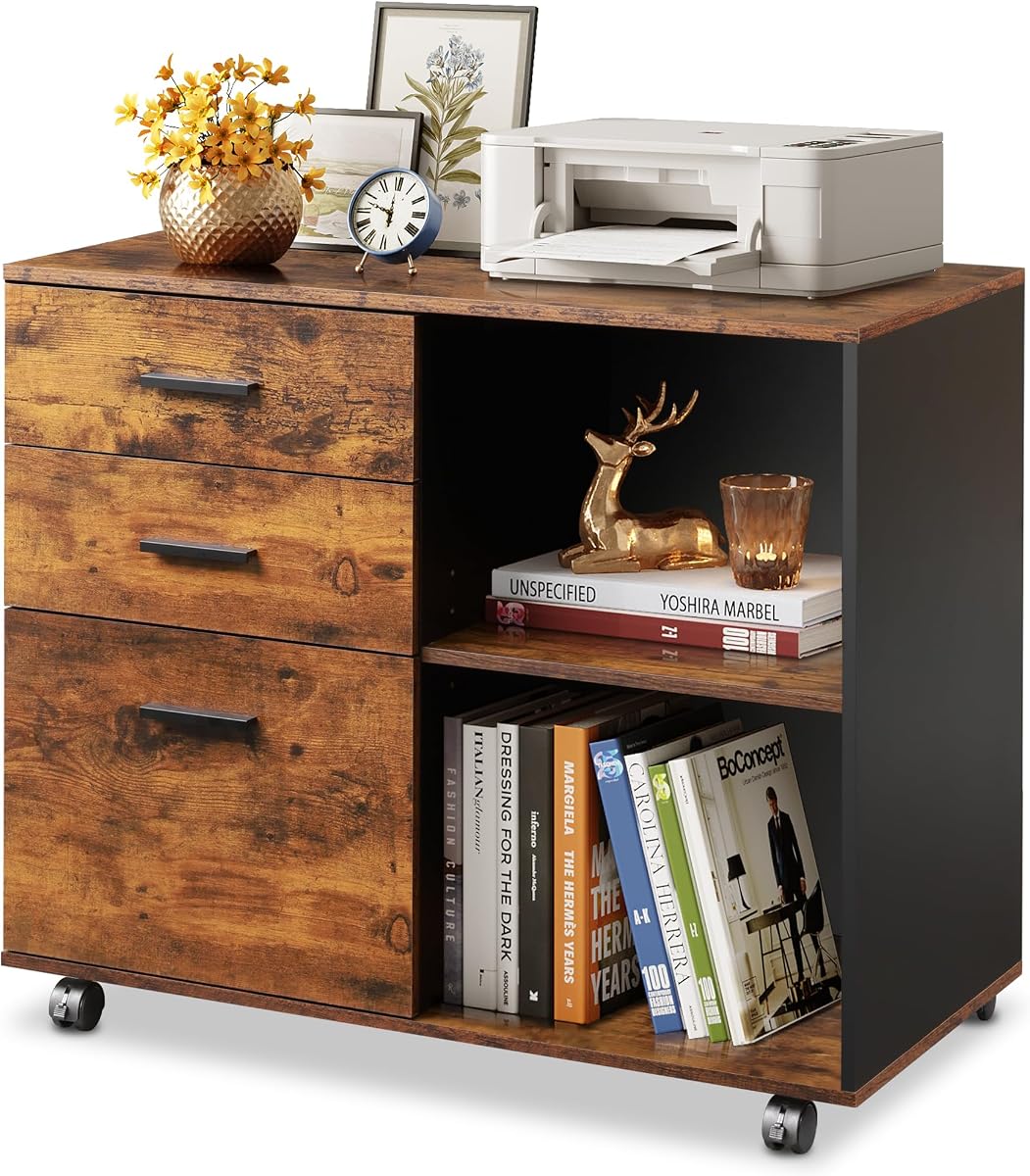
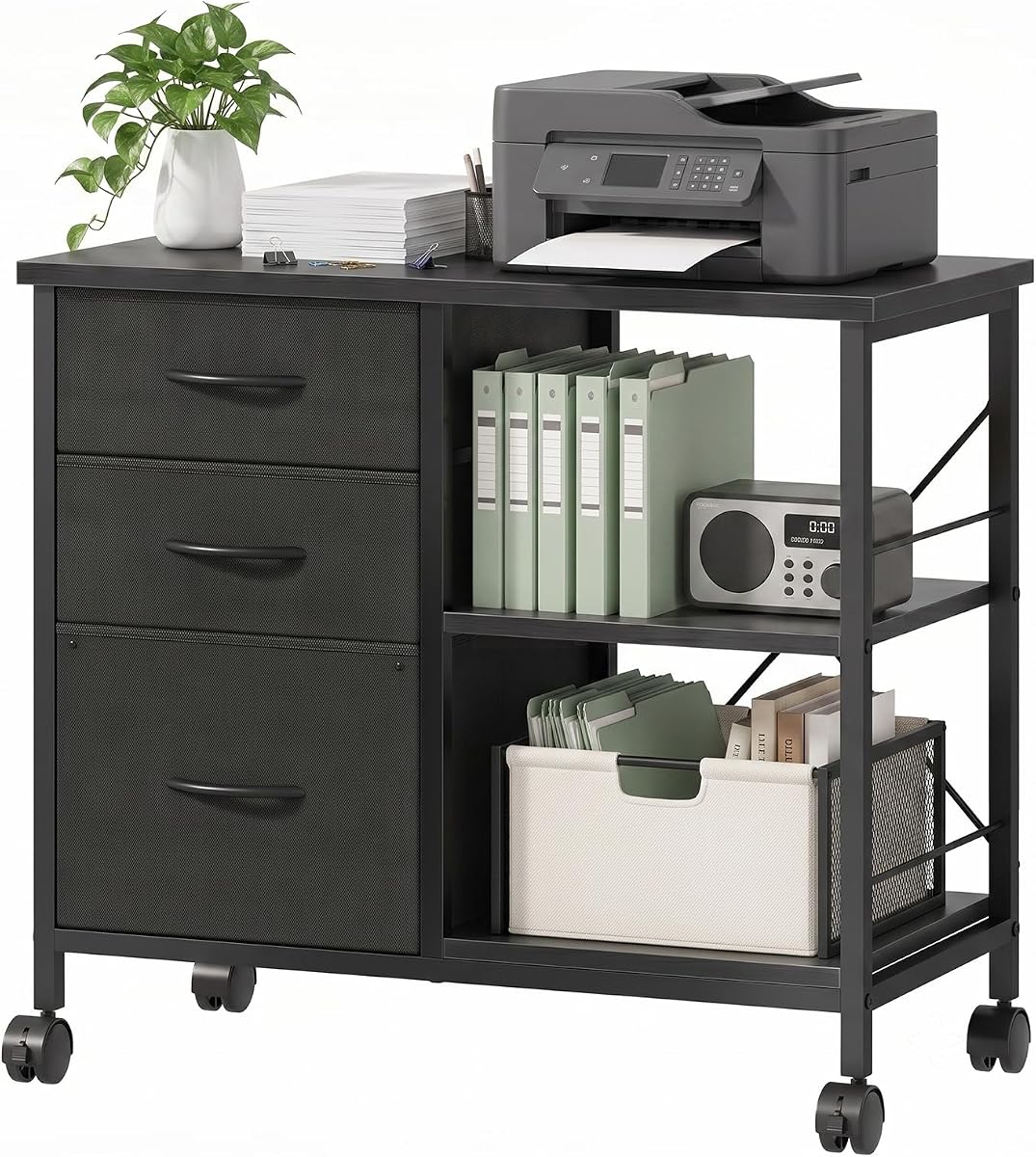
This mobile filing cabinet stands out as a robust solution for anyone needing heavy duty storage. With a 24 inch wide top it accommodates large printers comfortably without risking stability. The dual support system allows you to switch between mobile and stationary modes easily.
We may earn a commission when you buy through this link, at no additional cost to you.
The top desktop is built to support up to 120 lbs which is excellent for larger office machines. The bottom drawer fits standard A4 and letter folders while the open shelf offers quick access to essentials. A side bag adds extra room for stationery.
While the assembly is detailed it requires patience to align all the steel parts correctly. The cabinet is quite sturdy so moving it after setup might require help. These trade-offs are worth it for the stability and storage capacity it provides.
This unit is perfect for remote workers or accountants who need a dedicated spot for printing and filing. The industrial style fits modern spaces well and keeps your office organized efficiently.
The 30 second mode switch lets you lock the unit for heavy use or unlock it for movement.
Deep drawers handle files while the side bag catches loose items to keep your desk tidy.
We may earn a commission when you buy through this link, at no additional cost to you.
This cabinet solves the common problem of finding power near your printer. It includes outlets and USB ports which means you can plug devices directly into the unit. The rustic brown finish adds warmth to any home office setting.
We may earn a commission when you buy through this link, at no additional cost to you.
The open shelves provide plenty of room for scanners and printers keeping them off the floor. Fabric drawers hold office essentials well and the adjustable rods help you organize hanging files. The wheels allow you to move it as layouts change.
The weight capacity is lower than some steel alternatives which limits how much you can stack. Fabric drawers might attract dust over time so regular cleaning is needed. Still the convenience of charging makes it a strong choice.
It is ideal for small offices where desk space is limited and power outlets are far away. The combination of storage and power makes it a unique addition to your workspace.
The 59 inch power cord lets you place the cabinet away from walls while keeping devices powered.
Two locking wheels keep it steady during use while the others allow smooth gliding across floors.
We may earn a commission when you buy through this link, at no additional cost to you.
This stand is a fantastic option if you need to save space and money. Its low profile design slips neatly under desks to free up valuable counter space. The storage drawer includes dividers to keep supplies like paper clips separate.
We may earn a commission when you buy through this link, at no additional cost to you.
The top platform is large enough for most home printers and the bottom shelf holds extra paper. It supports up to 38.5 lbs which covers standard models. The stackable design makes setup quick without requiring extra tools.
The size is small which might not fit larger all in one machines. It is not built for heavy industrial use but perfect for home environments. The value it offers for the price is hard to beat.
Ideal for students or home workers with tight budgets and limited floor area. It brings organization to cluttered desks without breaking the bank or taking up much room.
At a max height of 14.1 inches it fits under most standard desks without blocking legroom.
Smooth casters let you roll it out when needed and lock it in place for stability.
We may earn a commission when you buy through this link, at no additional cost to you.
This cabinet offers a classic look that fits well in living rooms or home offices. The five drawers provide ample space for everything from files to personal items. The white color helps brighten up the area where it is placed.
We may earn a commission when you buy through this link, at no additional cost to you.
The top surface is wide enough for a printer while the door shelves organize additional tools. It handles up to 100 lbs so it can support standard office devices easily. The brakes on the casters keep it secure when stopped.
Particle board is less durable than solid wood so care should be taken against moisture. The weight makes it hard to move once fully loaded. Still it provides a lot of storage for the price.
Great for those who want a multifunctional piece that looks like furniture but works as storage. It keeps your space neat and blends into various interior design styles.
Its stylish design allows it to double as a chest in bedrooms while storing office gear.
The water resistant finish helps protect the surface from spills and scratches over time.
We may earn a commission when you buy through this link, at no additional cost to you.
This model focuses on stability with a reinforced back support bar for heavy machines. The top can hold 110 lbs making it safe for larger printers. Drawers are smooth sliding and provide distinct zones for different supplies.
We may earn a commission when you buy through this link, at no additional cost to you.
The large drawer fits A4 files while small ones handle accessories. Its compact design ensures it fits in corners without blocking pathways. The wheels glide effortlessly and lock down to prevent sliding during operation.
The fabric drawers have weight limits and might sag if overloaded too heavily. The unit is compact so tall users might find the height slightly low. Despite this it remains a strong performer for the cost.
Best for those needing a sturdy mobile station that handles heavy gear reliably. It keeps your work area free from clutter while supporting your printing needs daily.
The steel and wood frame ensures it holds up to daily office stress without wobbling.
Organize files and supplies separately in the dedicated drawers to improve workflow speed.
We may earn a commission when you buy through this link, at no additional cost to you.
This stand is built for multi-device setups with three large open shelves. You can fit two heavy duty printers plus other accessories on it. The waterproof surface ensures durability against wear and tear in busy offices.
We may earn a commission when you buy through this link, at no additional cost to you.
The 43 inch height maximizes vertical space and keeps devices off the floor. It supports up to 130 lbs which is impressive for this category. The industrial design adds a stylish touch to professional environments.
It requires a lot of floor space which might not suit small rooms. Assembly involves many parts so following the instructions carefully is essential. The result is a very capable piece of furniture.
Excellent for busy offices where multiple printers or scanners need to be centralized. It keeps your workflow smooth by providing dedicated spots for all your devices.
With shelves large enough for two printers you can streamline your printing workflow efficiently.
The wear resistant top withstands daily use and keeps the look fresh for years.
We may earn a commission when you buy through this link, at no additional cost to you.
This cabinet is designed to fit seamlessly under most office tables and desks. The bottom drawer holds standard hanging folders so your important paperwork stays organized. It offers a high rating for reliability and build quality.
We may earn a commission when you buy through this link, at no additional cost to you.
The durable wood top works well for placing small printers or scanners. Open shelves provide extra room for books and supplies keeping them within reach. The frame is reinforced to handle daily use without bending.
The top surface is not very wide which limits larger printer models. It is more focused on filing than heavy equipment support. Still it excels as a mobile filing solution for small spaces.
Perfect for home offices where saving space is a priority. It keeps documents tidy and offers a stable surface for light office equipment.
The compact design lets you tuck it under a desk freeing up floor area for other needs.
Specially sized drawers ensure your A4 and letter folders fit perfectly without bending.
We may earn a commission when you buy through this link, at no additional cost to you.
This model from the BELLAH range balances fabric and steel for a unique look. The worktop is generous enough to hold a full size printer and gear. Fabric drawers add softness while the steel provides strength.
We may earn a commission when you buy through this link, at no additional cost to you.
The multi-compartment design includes a side pouch for small items like pens. Lockable casters let you move it easily or set it firmly for work. Adjustable feet ensure stability even on uneven floors.
Fabric might show wear if subjected to heavy rough use. The standard wheels are functional but not as robust as industrial grade. It remains a solid choice for general home office needs.
Ideal for those who want a mix of style and function without breaking the bank. It organizes your workspace with ease and adds a touch of elegance.
With 60cm width you have plenty of room for your printer and related accessories.
Replaceable feet allow you to level the cabinet on any surface type easily.
We may earn a commission when you buy through this link, at no additional cost to you.
This cabinet offers a sophisticated look with its rustic brown finish. It is designed to support heavy loads up to 150 lbs which is great for large devices. The sliding mechanism is smooth and quiet for easy access.
We may earn a commission when you buy through this link, at no additional cost to you.
An open shelf provides quick access for current files and a top for devices. The five casters include a central one that prevents tipping when open. The wood material is eco-friendly and resistant to scratches.
Wood surfaces can scratch if not cared for properly. Assembly might take longer than simpler metal units. However the stability and design make it a worthwhile investment.
Best for professional offices that need a sturdy cabinet with a polished look. It keeps everything organized and adds a warm aesthetic to your room.
The central caster prevents the cabinet from tipping over when drawers are fully extended.
Eco-friendly wood board ensures durability while being resistant to daily stains and scratches.
We may earn a commission when you buy through this link, at no additional cost to you.
This unit stands out with a perfect rating from users for its durability. The thickened steel frame ensures it stays stable even with heavy printers on top. Scratch resistant panels keep the look new longer.
We may earn a commission when you buy through this link, at no additional cost to you.
Three fabric drawers handle daily supplies while open shelves offer quick access. The assembly process is straightforward thanks to clearly labeled parts. Locking casters keep it steady during operation.
It lacks extra features like charging ports which some modern offices might want. The fabric style is simple and might not suit high-end decor. Still it is highly reliable for basic needs.
Excellent for users prioritizing reliability and ease of setup. It offers a solid base for your equipment and keeps your area organized efficiently.
Thickened steel panels mean it can handle heavy daily use without degrading.
All parts are labeled so you can assemble it quickly without confusion.
We may earn a commission when you buy through this link, at no additional cost to you.
Selecting the right computer printer drawer involves evaluating your space, printer size, and storage needs. This guide outlines key factors to help you make an informed decision.
The ability to support your printer without wobbling is essential. Look for units with reinforced frames and high weight limits. Stability ensures your device stays safe during operation.
Always check the maximum load rating before buying to avoid instability.
Decide if you need to move the unit often. Wheels with locking mechanisms offer flexibility. Fixed feet provide more stability for heavy loads.
Choose casters if you need to rearrange your office frequently.
Drawers and shelves should match your filing needs. Fabric drawers are lighter but might wear faster. Wood drawers offer durability but add weight.
Ensure the drawer size fits your standard paper documents.
Measure your desk space or floor area before purchasing. The height should allow the printer to fit underneath. Width must accommodate the device without hanging off.
Check both height and depth specs to guarantee a proper fit.
Metal and steel frames generally last longer than particle board. Scratch resistant surfaces protect against daily wear. Consider moisture resistance if near drinks.
Opt for metal frames if you need long term durability.
Some units need tools while others use tool-free steps. Clear instructions speed up the setup process. Look for pre-labeled parts to avoid confusion.
Read reviews about assembly difficulty to plan your time.
Match the unit to your existing office decor. Industrial metal looks fit modern spaces. Wood finishes blend well in traditional rooms.
Choose a color and finish that enhances your workspace.
Charging ports and cable management add convenience. Open shelves can hold accessories like ink. These features streamline your workflow.
Consider these extras if they simplify your daily tasks.
Place the unit on a level floor to ensure smooth operation of wheels. Use the locking casters to secure it in place before setting down your printer. This prevents accidental movement during printing tasks.
Regularly clean the surfaces with a soft cloth to remove dust and spills. For fabric drawers, vacuum gently to keep them fresh. Avoid using harsh chemicals that might damage the finish.
Do not overload drawers beyond the recommended weight limit. This protects the slides and ensures longevity. Rotate your stored items occasionally to prevent dust build-up.
Most models accommodate standard home and office printers. Check the top dimensions to ensure your device fits. Larger units can hold wide format printers.
Yes many units are designed to slide under desks. Ensure the height matches your desk clearance. Measure the space before purchasing.
Yes most drawers are designed to fit A4 and letter files. Some have rails for hanging folders. Check specific specs for details.
Yes all units require some assembly. Most come with tools and instructions. The process usually takes less than an hour.
Vacuum the fabric gently with a soft brush. Spot clean stains with mild soap and water. Avoid soaking the material.
Limits vary by model from 40 lbs to 130 lbs. Check the product specs to match your printer weight. Overloading can damage the frame.
Our top picks include the GYIIYUO for its robust design and the HUANUO for budget value. Each offers distinct advantages depending on your specific storage needs. The JUSTOGO stands out for heavy duty multi-device setups.
Prioritize weight capacity and stability to ensure safety for your equipment. Consider mobility features if you plan to reorganize often. Choose a style that complements your office environment.
Remember that prices change frequently so verify current listings before buying. These models offer great options for keeping your workspace organized and efficient. Take time to measure your space for the best fit.