
Phomemo M110 Label Makers
4.3Editor score
Portable Bluetooth connectivity
Easy app template editing
Compact desktop footprint
Choosing the right barcode printer for inventory management is crucial for maintaining accurate stock levels and efficient operations across your business or warehouse environment.
We evaluated ten top-rated thermal label printers based on connectivity options, label width versatility, print resolution, software support, and overall reliability for daily inventory tasks.
Each selection highlights key strengths and ideal use cases so you can match a device to your specific workflow needs while keeping in mind that prices may fluctuate over time.
4.3Editor score

4.6Editor score

4.5Editor score
As an Amazon Associate we earn from qualifying purchases.
This side-by-side comparison highlights the core specifications and unique capabilities of each selected printer to help you identify the model that aligns best with your inventory labeling demands.


The iDPRT SP310 earns our Editor's Choice title for its balanced mix of speed, versatility, and cost-saving open system design ideal for inventory labeling.
We may earn a commission when you buy through this link, at no additional cost to you.
It prints crisp 203 DPI barcodes at up to 4 inches per second while accepting any 1 to 3.35 inch thermal roll without proprietary microchip restrictions.
While it lacks wireless options and needs drivers on some systems, its reliable USB link and intelligent calibration minimize wasted labels and setup frustration.
Buy this if you need a steady desktop workhorse for high volume SKU tags and shipping labels without paying premium consumable fees.
This printer bypasses brand locks so you can use affordable universal thermal rolls instead of expensive proprietary options.
With 203 DPI resolution and smart gap sensors it produces scannable barcodes quickly while aligning prints to avoid misses.
We may earn a commission when you buy through this link, at no additional cost to you.
The SUPVAN T50M Pro stands out for small teams or home offices needing quick custom labels without installing desktop software or drivers.
We may earn a commission when you buy through this link, at no additional cost to you.
Its free mobile app offers hundreds of icons and frames while printing clear thermal results up to 2 inches wide for bins and files.
Although it is not built for thousands of labels a day the wireless convenience and low upfront cost make it a smart entry level choice.
Choose this if you need occasional barcode or asset tags and prefer designing on a phone or tablet for flexibility.
Create labels on the go using the free app which supports images and custom text without requiring an account.
Direct thermal technology means you never buy ink or toner saving money and keeping maintenance needs to a minimum.
We may earn a commission when you buy through this link, at no additional cost to you.
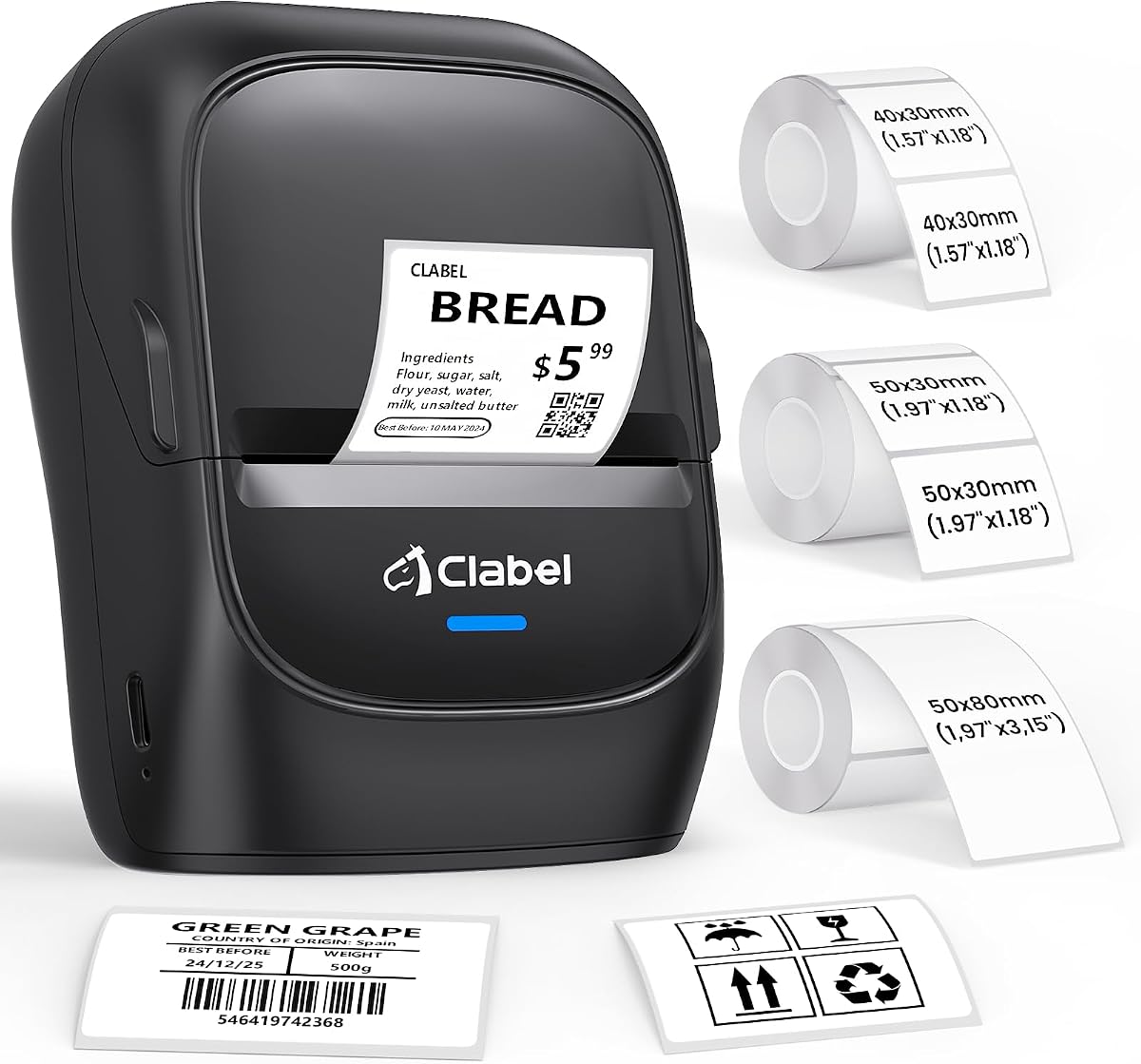
The CLABEL 221D brings professional features like dual connectivity and batch templates to small retailers who need reliable barcodes and price tags.
We may earn a commission when you buy through this link, at no additional cost to you.
It prints sharp 203 DPI results on any 25 to 50mm roll and lets you switch between USB for office work and Bluetooth for floor use.
While it does not handle large shipping labels its open system keeps costs low and its app saves time with reusable layout designs.
Pick this if you run a retail or warehouse space and want one device that adapts to both back office and counter side tasks.
This printer has no brand locks so you can buy generic thermal labels online and reduce ongoing operating expenses.
Choose USB for steady bulk printing or Bluetooth for quick spot labeling when you are away from your computer desk.
We may earn a commission when you buy through this link, at no additional cost to you.
This CLABEL 221D model emphasizes simplicity and portability so you can set up and start printing labels in less than five minutes.
We may earn a commission when you buy through this link, at no additional cost to you.
It accepts any thermal roll between 20 and 50mm wide and includes an app with over three hundred icons for quick customization and scanning.
While it is not built for heavy industrial loads the compact footprint and low cost make it perfect for small offices or craft sellers.
Buy this if you need a basic but reliable label maker that moves easily around your workspace without needing complex software.
Download the software install the driver and connect the printer to begin labeling in minutes rather than hours.
Use any brand of thermal paper without extra chips or locks to keep recurring supply costs low over time.
We may earn a commission when you buy through this link, at no additional cost to you.
The Labeer Bluetooth Thermal Shipping Label Printer targets ecommerce sellers who need to print 4×6 shipping labels directly from a mobile device.
We may earn a commission when you buy through this link, at no additional cost to you.
It supports labels from 1.57 to 4.41 inches and works with the FlashLabel Pro app to crop and rotate PDFs for quick packing desk use.
Although it focuses on larger shipping sizes its auto calibration and multi device support help reduce errors during busy order fulfillment periods.
Choose this if you ship orders daily and want wireless flexibility to print shipping and return labels from your phone or tablet.
Download shipping labels as PDFs and print them directly from your phone using the app to save time at the packing station.
Connect via Bluetooth to phones or USB to computers so you can switch workflows without losing label printing capability.
We may earn a commission when you buy through this link, at no additional cost to you.
This CLABEL model earns our Best Premium badge for its wide 20 to 80mm range and fast 152mm per second speed ideal for large scale labeling.
We may earn a commission when you buy through this link, at no additional cost to you.
It handles gap and perforated labels with ease and includes a smart backfeed system that reduces wasted labels during alignment and setup steps.
While it is larger and costlier than basic units the ability to switch sizes without changing printers makes it efficient for varied inventory tasks.
Invest in this if you manage diverse product sizes and want a desktop printer that handles everything from price tags to wide SKU labels.
Print sizes from 20mm up to 80mm on one machine so you do not need separate printers for different tag dimensions.
The printer repositions labels before printing to align the first one accurately and save media during setup and repeated jobs.
We may earn a commission when you buy through this link, at no additional cost to you.
This variant of the iDPRT SP310 highlights its high-speed capabilities with an 80 sheet per minute throughput suited for online stores processing bulk orders.
We may earn a commission when you buy through this link, at no additional cost to you.
It prints clear 203 DPI labels between 1 and 3.35 inches and offers free design software that supports bulk file imports and serialized barcodes.
Although it needs a cable connection and driver install the intelligent calibration and fast throughput minimize downtime during peak labeling sessions.
Select this if you need to label hundreds of boxes or SKU tags quickly and want an open system that lowers your ongoing supply bills.
Print at 4 ips to handle intensive inventory labeling and get through hundreds of labels per minute without slowdown.
Use any third-party thermal label roll and avoid proprietary chip costs that increase ongoing supply expenses.
We may earn a commission when you buy through this link, at no additional cost to you.
This Bluetooth Thermal Shipping Label Printer delivers strong platform support including full compatibility with Mac M1 and M2 chips alongside Windows and Linux systems.
We may earn a commission when you buy through this link, at no additional cost to you.
It prints 4×6 labels at up to 72 per minute and integrates directly with ecommerce and carrier platforms so you can print shipping docs easily.
While it is focused on larger shipping sizes the generous warranty and responsive tech support make it a safe choice for growing ecommerce businesses.
Choose this if you need reliable wireless shipping labels across multiple operating systems and want long-term protection for your labeling investment.
Seamless Bluetooth support on Apple M1 and M2 chips ensures stable wireless printing from modern Macs without driver issues.
Works with Amazon Shopify and USPS to pull shipping data directly into your label workflow for faster order processing.
We may earn a commission when you buy through this link, at no additional cost to you.
The Phomemo M110 wins Best Budget for its low price and portable design that lets you label bins shelves and cables right from your desk or shelf.
We may earn a commission when you buy through this link, at no additional cost to you.
It connects quickly via Bluetooth 4.0 and uses the Print Master app to offer templates and even OCR for converting text from images into editable labels.
While some app features require a paid membership the core functionality is free and the compact size makes it ideal for small businesses or schools.
Buy this if you want an easy to use portable label maker that does not demand a large upfront investment or complex software.
Carry the unit anywhere and print labels on the go without being tethered to a desk or computer setup.
Use the OCR tool to turn text from photos into editable labels saving time when digitizing paper inventory lists.
We may earn a commission when you buy through this link, at no additional cost to you.
The CLABEL 221B offers a no-fuss setup with open connect and print workflow that gets you labeling inventory or price tags within seconds.
We may earn a commission when you buy through this link, at no additional cost to you.
It supports 25 to 50mm thermal rolls and includes a free app with batch printing and image-to-text features for custom label creation.
While it lacks iPad support and computer USB only its durable waterproof labels and open system make it a solid pick for kitchens or retail.
Choose this if you need a reliable and simple thermal printer that accepts generic labels and handles everyday business labeling without fuss.
Open the package connect via Bluetooth and start printing labels immediately without lengthy installation steps.
Printed labels resist water oil and scratches so they stay sharp in kitchens warehouses and busy retail environments.
We may earn a commission when you buy through this link, at no additional cost to you.
Selecting the right inventory printer involves balancing label width needs connectivity options print speed and ongoing consumable costs to match your warehouse workflow.
Choose a printer that supports the widest label size you plan to use for items like shipping boxes or large SKU tags since some models cap at 2 inches.
For broad inventory needs pick a device with at least 20 to 80mm capacity so you do not need separate machines for different label types.
Decide between USB for stable office printing or Bluetooth if you need to print labels from phones or tablets while walking around shelves.
If you operate in high-volume settings prioritize a printer with a solid USB link to avoid wireless dropouts during busy labeling shifts.
Aim for 203 DPI resolution to ensure barcodes scan reliably and print speeds above three inches per second if you label hundreds of items daily.
Faster speeds reduce wait times during order fulfillment while higher resolution keeps codes and text sharp for long-term readability on shelves.
Check that the accompanying app allows batch uploads and custom templates to streamline repetitive inventory labeling without re-entering data each time.
Free software with no registration requirements saves time so you can start printing labels right away after unboxing and connecting the device.
Select an open system printer that accepts any thermal roll brand to avoid expensive proprietary chips that drive up long-term labeling expenses.
Using universal labels can cut your ongoing supply costs by nearly half compared to printers that require branded media with built-in restrictions.
Look for units rated for daily use with waterproof label support and a warranty of at least two years to protect your labeling investment.
Strong build quality ensures the device lasts through frequent media changes and heavy printing in busy warehouse or retail environments.
Consider desk space when choosing a model as some desktop units are compact while others designed for large labels occupy more room near your work area.
A lighter portable device can be moved between workstations easily whereas a heavier unit might stay fixed on a packing or shipping desk.
Pick a printer with smart auto-calibration to prevent missed labels and wasted media during setup or after switching label rolls.
Easy calibration steps and quick pairing reduce downtime so staff can focus on labeling instead of troubleshooting print alignment issues.
Start by downloading the official software and installing drivers for your operating system before connecting the printer via USB or pairing it via Bluetooth.
Load thermal label rolls with the printable side facing the print head and run a one-touch calibration to align the device with your chosen media width.
Keep the exterior clean with a dry cloth and avoid storing in humid areas while regularly updating firmware through the manufacturer to maintain performance.
No most inventory printers use direct thermal technology which requires no ink or toner as the label paper changes color when heated by the print head.
Only open system models accept any brand while proprietary printers may require chips so check for RFID or microchip restrictions before buying.
A 25 to 50mm range works for most SKU and price tags while wider 80mm printers suit shipping boxes or large asset labels.
USB is more stable for high-volume shifts but Bluetooth is handy for mobile labeling if you stay within a close range of your phone.
Direct thermal labels can fade over time in hot or bright environments so store inventory in cool dark areas for long-term readability.
Yes choose a model that supports the widest label size you need such as 4×6 shipping plus standard 2 inch SKU tags.
Most modern models support Android and iOS via dedicated apps but confirm iPad compatibility if you use tablets for warehouse scanning.
Budget units print around two to three inches per second while faster models reach four inches per second for large label batch runs.
The iDPRT SP310 leads as our Editor's Choice thanks to its speed open label system and reliable desktop performance for daily inventory labeling.
Prioritize label width range connectivity and consumable costs when comparing models so your printer fits both your current needs and future growth.
Check current pricing and warranty terms before ordering since deals and availability can change and a solid support plan helps keep your workflow running.