
SUPVAN T50M Pro Bluetooth Label Maker
4.5Editor score
3 tapes included in set
Free app with 660 plus icons
Portable and easy to use
Choosing the right barcode label printer is essential for organizing your home, running a small business, or managing inventory efficiently. A good device offers reliable connectivity, sharp print quality, and versatile label widths to handle everything from shipping tags to price stickers.
We compared ten highly rated models based on real-world performance, software capabilities, and ease of use. Our analysis focuses on direct thermal technology, Bluetooth and USB options, and whether the printer supports third-party labels to save on ongoing costs.
Each pick highlights key strengths like print speed, app features, and durability. While we list top contenders, remember that availability and specific configurations can change over time, so verify details before making your final purchase decision.
4.5Editor score

4.0Editor score

4.7Editor score
As an Amazon Associate we earn from qualifying purchases.
The following table provides a side-by-side comparison of all ten selected models. Review the specifications and features to identify which printer aligns best with your specific labeling needs and workflow requirements.




The iDPRT SP310 Thermal Label Printer stands out as a versatile tool for businesses requiring reliable labeling. With a 4.0 rating and robust features like direct thermal printing, it delivers sharp results for barcodes and shipping labels efficiently.
We may earn a commission when you buy through this link, at no additional cost to you.
This model excels in speed and compatibility, offering 203 DPI resolution and support for labels from 1 to 3.35 inches wide. The unlocked system avoids proprietary chips, allowing you to use affordable third-party labels without restriction.
While it lacks Bluetooth connectivity, the dedicated USB drivers ensure stable performance without wireless dropouts. The free HereLabel software adds value by enabling custom layouts and bulk file imports for inventory tracking.
Ideal for small offices or stores needing high-volume tagging, this printer balances performance with cost savings. If you prioritize speed and label flexibility over wireless convenience, this is a strong choice.
Supports label widths from 25mm to 85mm, accommodating everything from address labels to large shipping tags.
The open system bypasses microchip roll limitations, significantly reducing long-term operating costs for small businesses.
We may earn a commission when you buy through this link, at no additional cost to you.
The SUPVAN T50M Pro is an affordable option perfect for home organization and light business tasks. With a 4.5 rating, it offers excellent value through included tapes and a feature-rich free mobile application.
We may earn a commission when you buy through this link, at no additional cost to you.
Its app allows customization with over 660 icons and 50 frames, making it easy to create professional looking labels without extra costs. The direct thermal technology ensures no ink or toner is needed.
While limited to 2 inch widths, it handles most name tags, file labels, and product info perfectly. The Bluetooth connection makes it convenient for on-the-go labeling without tangled wires.
Best for individuals or small teams needing quick, neat organization labels. If you want a low-cost device that works well with smartphones, this model delivers reliable results.
Access hundreds of icons and fonts in the app to design custom labels easily.
Comes with three tapes so you can start labeling immediately without buying supplies.
We may earn a commission when you buy through this link, at no additional cost to you.
The ZP450 Zebra is a top-tier choice for demanding environments that require consistent performance. With a 4.7 rating, it combines speed and durability to handle daily printing tasks in offices or retail settings.
We may earn a commission when you buy through this link, at no additional cost to you.
Offering up to 5 ips print speed and multiple connectivity options, this printer integrates seamlessly into various workflows. Its double-walled construction ensures it withstands the rigors of busy workspaces.
While it costs more than entry-level models, the operational savings from no ribbons and broad label compatibility justify the investment. It supports diverse label types including shipping and inventory tags.
If you need a workhorse for high-volume, reliable labeling, this printer is unmatched. It is ideal for businesses prioritizing longevity and flexibility over budget constraints.
The double-walled construction makes it robust enough for demanding daily use in work environments.
Parallel USB and serial ports allow easy integration into different low-volume printing environments.
We may earn a commission when you buy through this link, at no additional cost to you.
The CLABEL 221D offers a balanced solution for small businesses needing reliable labeling without vendor lock-in. Its 4.1 rating reflects consistent performance and user-friendly setup for daily tasks.
We may earn a commission when you buy through this link, at no additional cost to you.
This model stands out by allowing any universal thermal paper, cutting costs significantly. The Bluetooth and USB options provide flexibility for different printing scenarios around the office.
The Clabel trade app simplifies batch printing and layout management, reducing manual data entry errors. It ensures scannable barcodes and address stickers without ink or toner expenses.
Suitable for retail or office use where cost and flexibility matter. If you want a printer that works with third-party supplies and connects wirelessly, this is a practical choice.
Sick of pricey proprietary labels? This printer has no RFID chip restrictions or ID locks.
Ideal for retail price tags, barcode labels, clothing tags, file folders, and gift labels.
We may earn a commission when you buy through this link, at no additional cost to you.
The Phomemo M110 is designed for mobility, making it ideal for labeling on the move. With a 4.3 rating, it offers solid performance for home and office organization needs.
We may earn a commission when you buy through this link, at no additional cost to you.
Its optical character recognition feature allows text extraction from images in seconds, streamlining content creation. The app provides templates and Excel support for efficient batch printing.
The Bluetooth 4.0 connection ensures stable wireless printing up to 33 feet away. While it lacks color, the direct thermal output is sharp for most standard labeling tasks.
Best for students or professionals needing a quick, portable printing solution. If you value convenience and smart features like OCR, this printer serves well.
Recognize text on images in 4 seconds and convert photos directly into editable text.
Connect up to 33 feet away, taking just 2 seconds to pair for efficient printing.
We may earn a commission when you buy through this link, at no additional cost to you.
The DYMO LabelWriter 550 focuses on simplicity and reliability for basic desktop tasks. With a 3.6 rating, it provides straightforward printing but depends on branded labels for operation.
We may earn a commission when you buy through this link, at no additional cost to you.
Its automatic label recognition simplifies setup, ensuring precise quantities without waste. The direct thermal method avoids ink expenses, offering a clean and efficient solution.
However, the requirement for authentic DYMO labels may increase ongoing costs compared to open systems. It is best suited for users who prioritize ease over flexibility.
If you want a hassle-free experience and don't mind brand-specific supplies, this printer works well. It is a good choice for occasional home or office labeling.
Uses high-quality DYMO Authentic LabelWriter labels with automatic recognition for easy use.
Direct thermal printing eliminates the need to buy ink or toner again.
We may earn a commission when you buy through this link, at no additional cost to you.
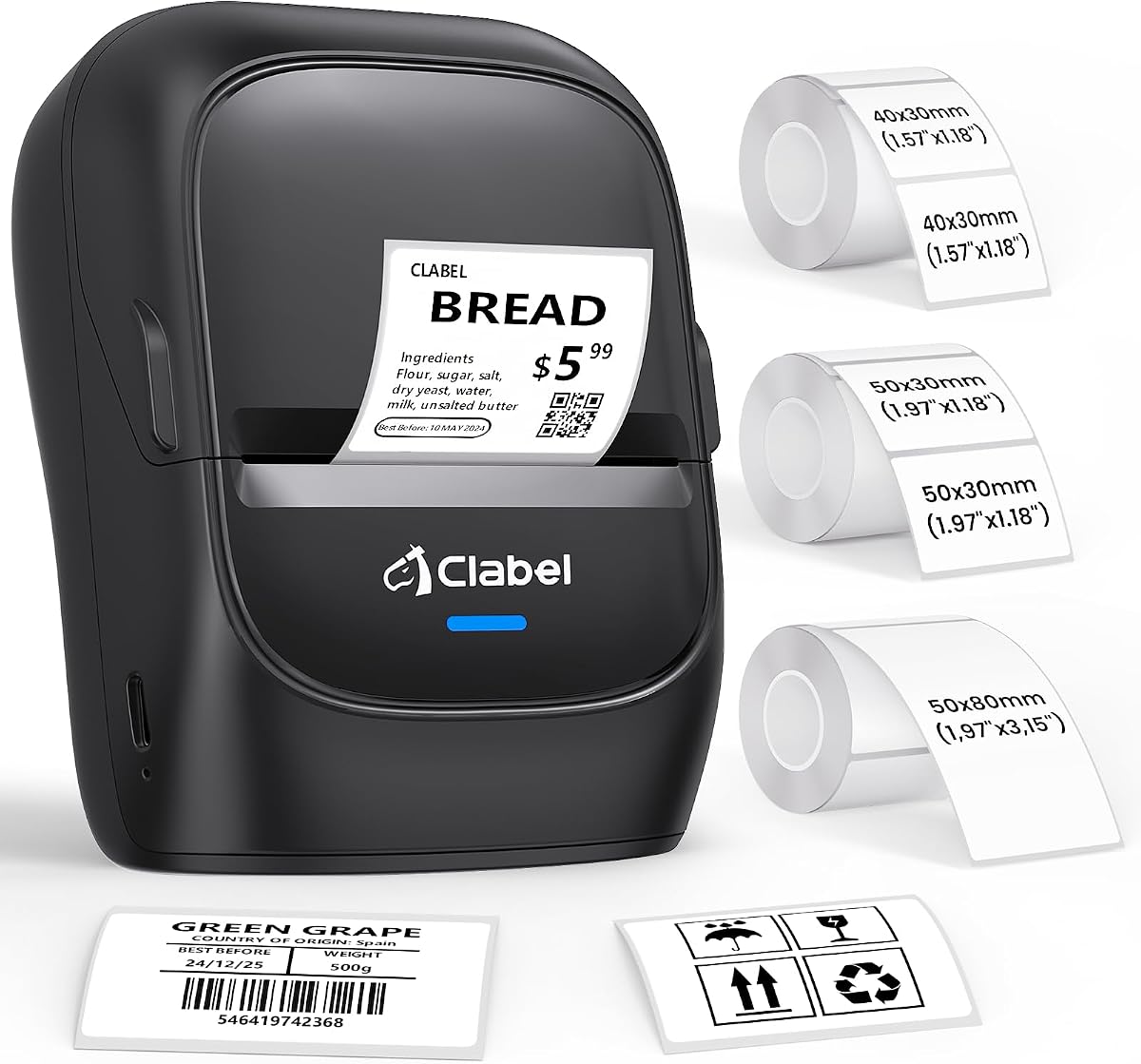
The CLABEL 221D Desktop is a compact unit perfect for limited desk spaces. With a 4.0 rating, it offers reliable performance for small business and home labeling tasks.
We may earn a commission when you buy through this link, at no additional cost to you.
Its lightweight design allows easy movement, and the setup takes less than five minutes. The app supports various customization options like fonts, icons, and batch printing.
The ability to reuse existing rolls saves costs without sacrificing quality. It is suitable for labeling, storing, and marking items efficiently.
If you need a space-saving solution that still handles daily tasks well, this printer is a strong candidate. It works great for beginners starting a small business.
Lift it with one hand and place it wherever it is most convenient on your desk.
Experience cost-saving by using printer paper from any brand without bound consumables.
We may earn a commission when you buy through this link, at no additional cost to you.
The CLABEL 221B is designed for businesses needing durable labels for retail and warehouse use. With a 4.3 rating, it offers practical features like no brand lock-in and sharp prints.
We may earn a commission when you buy through this link, at no additional cost to you.
Its matched thermal labels are waterproof and resistant to friction, ensuring long-lasting results in high-traffic areas. The app supports Excel batch printing and image-to-text conversion for workflow.
Bluetooth connectivity simplifies connection to Android and iOS smartphones, making it easy to print on the fly. However, it does not support iPad devices.
Ideal for bakeries, retail stores, or offices requiring quick, durable labeling. If you want affordable consumables and reliable performance, this model fits well.
Use any standard thermal label rolls you like without expensive proprietary paper.
Waterproof labels stay sharp and resist scratches in busy environments.
We may earn a commission when you buy through this link, at no additional cost to you.
The CLABEL 2 Inch Bluetooth offers flexible connectivity for diverse work environments. With a 4.0 rating, it balances desktop reliability with wireless convenience.
We may earn a commission when you buy through this link, at no additional cost to you.
Its zero RFID sensor design allows free choice of label materials, keeping costs low. The dual-mode connectivity supports high-volume USB printing and wireless smartphone design.
The Clabel trade app enables quick design and batch printing within minutes. It ensures sharp, scannable barcodes without ink or toner expenses.
Suitable for retailers needing both batch and on-the-spot labeling. If you value flexibility in how you connect and print, this printer provides a practical solution.
Zero RFID sensors or brand authentication chips let you grab budget-friendly thermal paper.
From download to first label in under two minutes with ready-made templates.
We may earn a commission when you buy through this link, at no additional cost to you.
The iDPRT iD880 is engineered for professional settings needing fast, reliable printing. With a 4.1 rating, it offers industrial-grade performance with high memory and speed.
We may earn a commission when you buy through this link, at no additional cost to you.
Supporting labels up to 4.64 inches wide, it handles diverse applications from shipping to inventory. The removable print head simplifies maintenance and reduces downtime.
Its 32 MB DDR3 RAM ensures smooth handling of complex, data-intensive tasks. The plug-and-play setup makes it easy to start printing on Windows, Mac, or Linux.
Best for offices or warehouses requiring high-volume throughput and reliability. If you need speed and versatility, this industrial printer meets demanding professional requirements.
Prints at speeds up to 6 inches per second for efficient shipping and inventory tagging.
Equipped with 32 MB DDR3 RAM for faster operation in industrial environments.
We may earn a commission when you buy through this link, at no additional cost to you.
Selecting the right printer requires considering your specific needs. This guide covers key factors to ensure you pick a device that fits your workflow and budget.
Label width determines the range of applications your printer can handle. Models offering 2 to 4 inches are ideal for shipping and address labels, while narrower units suffice for name tags and files.
Choose a width that aligns with your most common labeling tasks to maximize utility.
Connectivity affects how easily you can integrate the printer into your workspace. USB is stable for desktop use, while Bluetooth offers flexibility for printing from mobile devices.
Select based on whether you prioritize stationary reliability or on-the-go convenience.
Some printers require proprietary labels, which can increase costs. Look for open systems that accept third-party thermal labels to reduce ongoing expenses.
A flexible compatibility model saves money in the long run.
Speed impacts efficiency when handling large volumes. Faster printers complete tasks quicker but may cost more. Match the speed to your daily output needs.
Consider how much you print weekly to decide if speed matters.
Software allows you to design and manage labels efficiently. Look for support for batch printing, templates, and barcode generation.
Good software simplifies workflows and reduces manual errors.
A sturdy build ensures longevity in busy environments. Industrial models often have reinforced casings compared to consumer units.
Consider your usage frequency to gauge durability needs.
Easy setup saves time and frustration. Drivers and software should be accessible for your operating system.
Look for plug-and-play options if technical support is limited.
Beyond the initial price, factor in label costs and maintenance. Open systems often lower long-term expenses.
Calculate total costs over a year to find the best value.
To start, install the provided drivers and load your thermal labels correctly into the roller mechanism. Ensure the label sensor aligns properly with the label gap to avoid printing errors.
Use the included software to design labels, selecting appropriate templates for your needs. Check the alignment before printing large batches to save time and materials.
Regularly clean the print head with a dry cloth to prevent buildup. Store the printer in a dry place and avoid exposing it to extreme temperatures for best results.
No, most modern barcode label printers use direct thermal technology which requires no ink or toner. They work by applying heat to special thermal paper to create the label.
Not all printers support third-party labels. Some brands require proprietary labels with chips. Look for open systems to ensure you can use affordable labels freely.
Thermal printers use heat to create images on special paper and do not need toner. Laser printers use powder and heat but are generally used for paper documents not dedicated labels.
Speeds vary by model but range from 4 to 6 inches per second. Higher end models are faster and better for high-volume tasks.
Yes, modern Bluetooth printers offer stable connections for business needs. Ensure your devices are compatible and the signal is clear for best performance.
For standard shipping, labels between 4 by 6 inches are common. Ensure the printer supports that width for accurate postage placement.
We have reviewed ten top models ranging from portable budget options to industrial high-speed units. Each offers unique strengths depending on your label needs and setup preferences.
Focus on connectivity and label flexibility to ensure long-term value. Open systems save costs while versatile software improves workflow efficiency.
Always check current availability and compatibility before buying. Our picks guide you toward reliable devices that balance performance with cost.