
ASUS ROG XG27ACS
4.4Editor score
180Hz refresh rate
1ms response time
USB-C hub connectivity
AI ready monitors are transforming how we interact with digital screens by integrating intelligent processing directly into the display hardware. These devices use advanced algorithms to optimize visuals, manage workflows, and enhance connectivity without needing external software. They represent a significant leap forward in monitor technology for both professionals and gamers.
We compared ten top models based on resolution, refresh rates, smart features, and AI-driven enhancements like upscaling and noise cancellation. Each product was evaluated for its ability to adapt to different content types and user needs. Our analysis focuses on performance, versatility, and the practical benefits of built-in artificial intelligence.
Each pick in this list highlights unique strengths, from budget-friendly options to premium curved displays with thunderbolt support. We detail key specifications and real-world use cases to help you find the right fit. Please note that availability and pricing can change frequently so check current listings before purchasing.
4.4Editor score

4.2Editor score

4.3Editor score
As an Amazon Associate we earn from qualifying purchases.
This side-by-side comparison highlights key specifications and unique AI capabilities across all ten selected monitors to help you evaluate performance and features quickly.



The Samsung 32" Smart Monitor M7 stands out as a top choice for users seeking integrated AI features without a PC. Rated 4.2 stars, it delivers vibrant 4K visuals and adapts its picture quality automatically using Samsung Vision AI. This makes it ideal for both media consumption and general productivity tasks.
We may earn a commission when you buy through this link, at no additional cost to you.
Key strengths include the Active Voice Amplifier which uses AI to analyze background noise and optimize dialogue clarity. The monitor also allows you to manage smart home devices via a 3D Map View and track energy usage by device. These features transform the monitor into a smart home hub rather than just a display.
Trade-offs include reliance on HDMI and USB-C connections which may limit compatibility with older setups. Additionally, without a connected PC, graphics-intensive gaming is restricted to cloud gaming options through the Gaming Hub. However, for general use and streaming, these limitations are minimal and acceptable.
This monitor is perfect for users who want an all-in-one solution for work, entertainment, and smart home control. If you value AI-driven picture optimization and seamless streaming access, this model offers exceptional value and functionality for your desktop setup.
Samsung Vision AI analyzes content in real-time to adjust visuals for documents or games ensuring optimal clarity and comfort.
Control IoT devices directly from the screen using 3D Map Views and monitor energy costs to optimize household efficiency.
We may earn a commission when you buy through this link, at no additional cost to you.
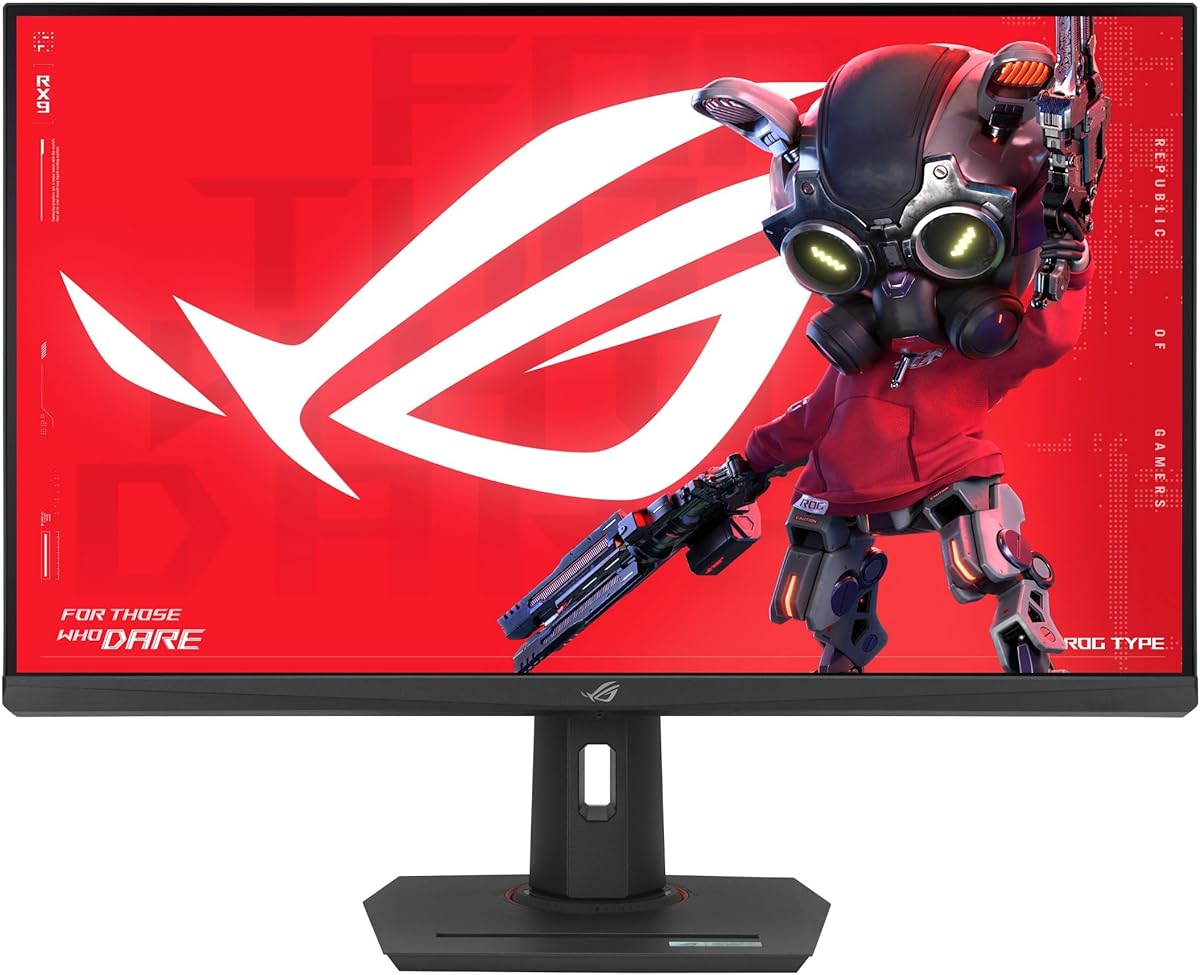
The ASUS ROG XG27ACS is an excellent budget option for gamers who prioritize speed and clarity. With a 1440p resolution and 180Hz refresh rate, it delivers smooth gameplay. Its 4.4 rating reflects strong performance in motion clarity and color accuracy for the price point.
We may earn a commission when you buy through this link, at no additional cost to you.
Features like Fast IPS technology ensure a 1ms response time which reduces ghosting significantly. G-SYNC compatibility helps eliminate screen tearing during intense gaming sessions. Additionally, the built-in USB-C hub simplifies connections for laptops reducing cable clutter on your desk.
Trade-offs include limited HDR brightness compared to premium models and basic stand adjustments that lack pivot. These are acceptable compromises given the competitive price. Users may need an external stand for full ergonomic adjustments.
Buyers looking for high-performance gaming without breaking the bank should consider this model. It balances speed, clarity, and connectivity effectively making it a top pick for budget-conscious gamers seeking reliability.
Fast IPS and 1ms response time deliver crisp visuals during fast-paced gaming ensuring no motion blur distracts from gameplay.
USB-C hub support allows connection to multiple peripherals via one cable reducing clutter and simplifying setup for laptops.
We may earn a commission when you buy through this link, at no additional cost to you.
The Samsung 40" ViewFinity S8 offers a premium experience with its expansive 5K2K resolution and curved design. Rated 4.3 stars, it excels in multitasking and visual clarity. The Thunderbolt 5 interface ensures fast data transfer and up to 140W charging for connected devices.
We may earn a commission when you buy through this link, at no additional cost to you.
Key strengths include the built-in KVM switch allowing control of two devices with one keyboard and mouse. This enhances productivity for users managing multiple computers. The 144Hz refresh rate and AMD FreeSync Premium ensure smooth visuals for both work and entertainment.
Trade-offs involve a higher price point and significant desk space requirements due to the 40-inch size. These factors are justified by the performance gains and connectivity options. It suits professionals needing high-resolution displays and seamless device switching.
This monitor is ideal for users seeking a high-end setup with advanced connectivity and multitasking capabilities. If you value resolution and speed, this model delivers exceptional value for professional and creative workflows.
Built-in KVM switch lets you control two devices with one set of peripherals streamlining workflows and reducing hardware clutter.
Thunderbolt 5 interface provides data transfer and charging up to 140W ensuring fast performance for connected laptops and devices.
We may earn a commission when you buy through this link, at no additional cost to you.
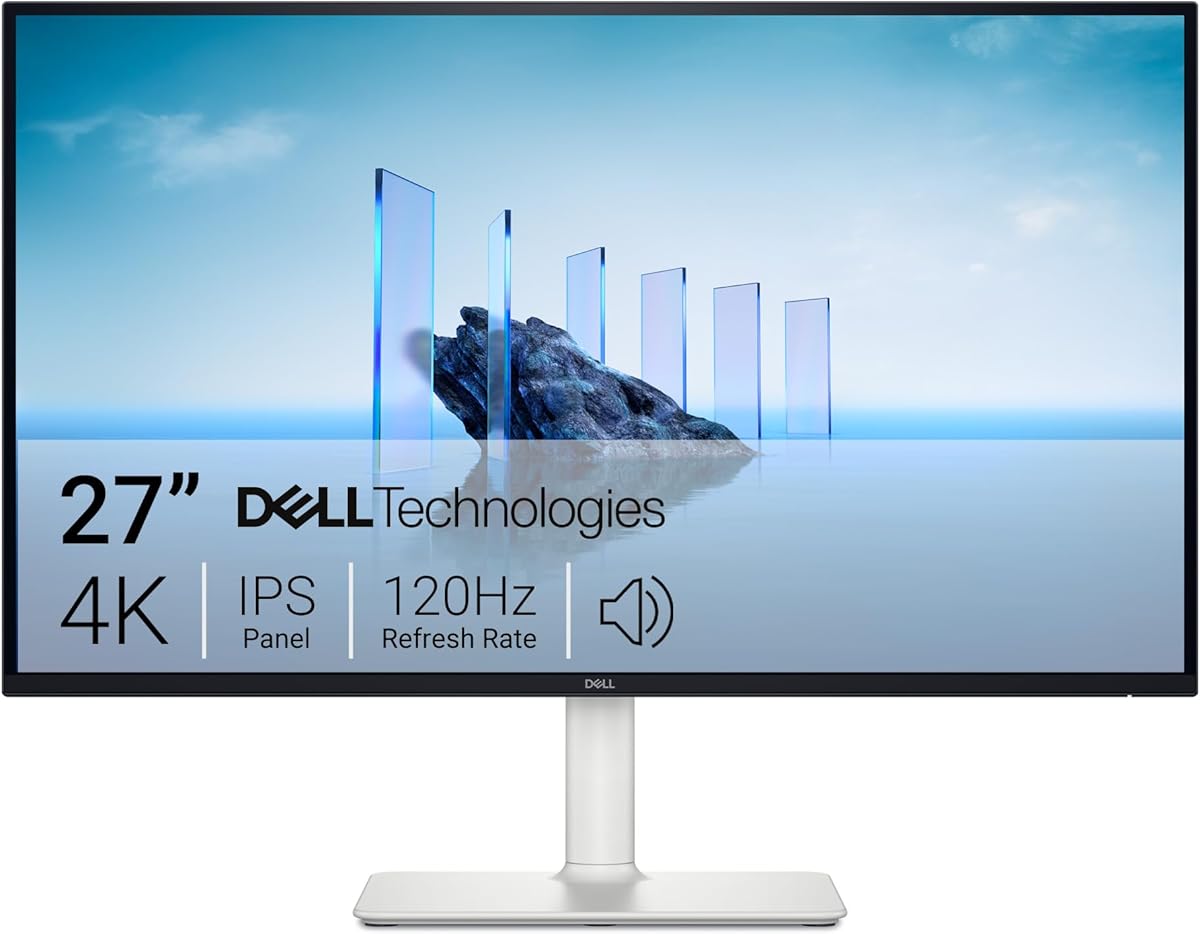
The Dell 27 Monitor S2725QS is tailored for users prioritizing eye comfort and color accuracy. Rated 4.4 stars, it features ComfortView Plus which reduces harmful blue light emissions to under 35 percent without compromising color fidelity. This makes it excellent for long work sessions.
We may earn a commission when you buy through this link, at no additional cost to you.
Features like 120Hz refresh rate and FreeSync Premium ensure smooth visuals for casual gaming and media. The 99% sRGB coverage delivers vibrant colors for creative work. The ultra-thin bezel design enhances aesthetics and immersion for multi-monitor setups.
Trade-offs include a 5ms response time which may lag behind dedicated gaming monitors. Basic ergonomic adjustments limit customization compared to premium models. However, for general productivity and media, these are acceptable compromises.
Buyers focusing on comfort and color accuracy will find this monitor a strong choice. It balances performance with health-focused features ensuring reliable daily use without eye strain or visual fatigue.
ComfortView Plus significantly reduces blue light emissions ensuring all-day comfort without sacrificing color accuracy or visual clarity.
Ultra-thin bezels and 4K visuals provide a seamless and immersive viewing experience ideal for multi-monitor configurations and media.
We may earn a commission when you buy through this link, at no additional cost to you.
The LG 27UP850K-W combines high-quality visuals with smart functionality via webOS. Rated 4.5 stars, it offers a seamless experience for media and work. The HDR400 and 95% DCI-P3 color gamut ensure vibrant and accurate color reproduction for content.
We may earn a commission when you buy through this link, at no additional cost to you.
Features like USB-C with 90W power delivery allow connecting a laptop with a single cable. Built-in speakers and webOS enable direct streaming without a PC. This makes it versatile for users seeking a simplified desk setup with entertainment options.
Trade-offs include a 60Hz refresh rate limiting gaming performance and average speaker quality. These are acceptable for users prioritizing design and convenience over high-speed gaming. The ergonomic stand enhances comfort for varied viewing angles.
This monitor suits users who want a blend of productivity and entertainment features. If you value connectivity and smart streaming options alongside reliable color accuracy, this model offers robust functionality for daily tasks.
webOS integration transforms the monitor into a standalone streaming device eliminating the need for a connected PC for entertainment.
USB-C with 90W power delivery enables charging and data transfer via one cable simplifying desktop setup and reducing cable clutter.
We may earn a commission when you buy through this link, at no additional cost to you.
The LG 27U730SA-W is designed to function as a standalone workstation with robust smart features. Rated 4.1 stars, it allows remote PC access and streaming via webOS. The 4K UHD resolution ensures clear visuals for documents and applications.
We may earn a commission when you buy through this link, at no additional cost to you.
Features like Brightness Control detect ambient light to adjust screen brightness automatically. Dynamic Tone Mapping uses AI to optimize contrast and detail. AirPlay 2 and Bluetooth connectivity support easy device sharing and audio integration.
Trade-offs include 65W power delivery which may be insufficient for high-end laptops. Color accuracy may not match professional monitors. However, for office work and media, these limitations are minor.
Users seeking a versatile monitor that can function without a PC will appreciate this model. Its remote access and automation features streamline workflows making it a practical choice for remote work setups.
webOS Remote PC access allows you to utilize cloud services and conferencing tools without needing a locally connected PC.
Brightness Control detects light sources to automatically adjust the screen ensuring clear visuals day or night without manual input.
We may earn a commission when you buy through this link, at no additional cost to you.
The SAMSUNG 32-Inch M8 leverages AI to enhance content quality significantly. Rated 4.3 stars, it uses an AI Upscaling Processor to optimize lower resolution content to nearly 4K. This ensures sharp visuals even for streaming content that isn't native 4K.
We may earn a commission when you buy through this link, at no additional cost to you.
Features like Active Voice Amplifier Pro analyze background noise to optimize dialogue clarity. The included SlimFit Camera and SolarCell Remote enhance usability without needing extra accessories. HDR10+ support delivers vivid detail and nuanced brightness levels.
Trade-offs include reliance on internet connectivity for most smart features and limited local processing power. These are expected for smart monitors. For users focused on streaming and visual clarity, these trade-offs are minimal.
This monitor is ideal for those who prioritize AI-driven upscaling and smart convenience. Its advanced audio and visual features ensure an immersive experience for entertainment and video calls.
AI Upscaling Processor enhances lower resolution content to nearly 4K quality ensuring sharp visuals on streaming platforms.
Active Voice Amplifier Pro optimizes dialogue by analyzing and reducing background noise for crystal clear sound in noisy environments.
We may earn a commission when you buy through this link, at no additional cost to you.
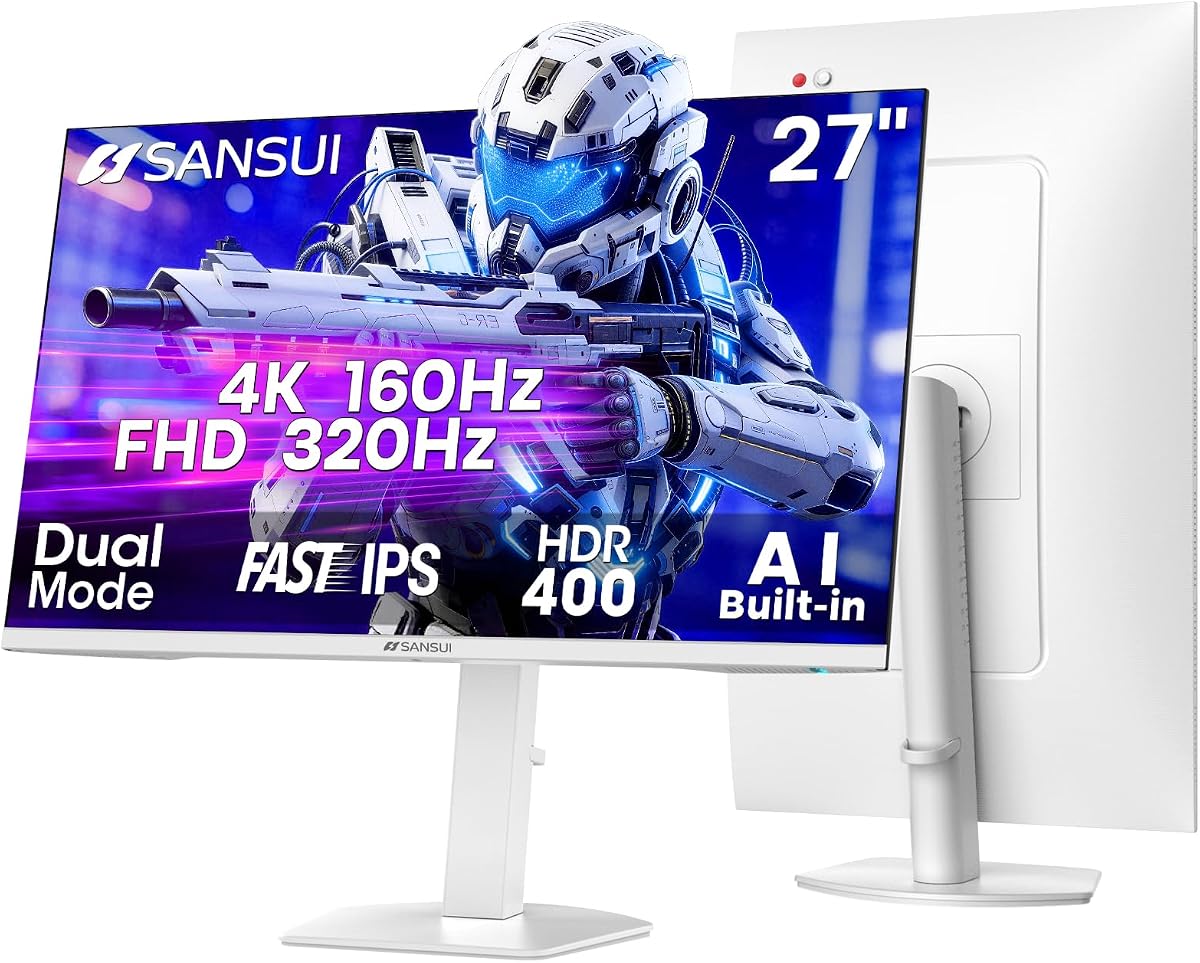
The SANSUI 27" Gaming Monitor offers exceptional versatility with its dual-mode design. Rated 4.4 stars, it supports 4K at 160Hz or FHD at 320Hz allowing adaptation to different gaming needs. This flexibility ensures smooth gameplay across various titles.
We may earn a commission when you buy through this link, at no additional cost to you.
Features like AI Crosshair and AI DBL Eye Care enhance competitive play and visual comfort. Built-in speakers and extensive port options including HDMI 2.1 provide convenient connectivity. The ergonomic stand supports pivot and swivel adjustments.
Trade-offs include basic AI features compared to premium models and average color accuracy. These are minor concerns given the focus on speed and versatility. It suits gamers who prioritize performance metrics.
Buyers looking for high refresh rates without compromising on resolution options will find this monitor valuable. Its dual-mode capability and eye care features make it a practical choice for competitive gaming.
Dual Mode technology switches between 4K for clarity and FHD for speed allowing users to prioritize performance or visuals.
AI Crosshair and DBL Eye Care features provide tactical advantages and reduced strain during extended gaming sessions.
We may earn a commission when you buy through this link, at no additional cost to you.
The ASUS ROG XG32UCG is a powerhouse for enthusiasts seeking elite gaming performance. Rated 4.6 stars, it offers 4K at 160Hz or FHD at 320Hz. The 0.3ms response time and ROG Gaming A.I features ensure sharp visuals and enhanced gameplay.
We may earn a commission when you buy through this link, at no additional cost to you.
Features like 95% DCI-P3 coverage deliver superior color accuracy. DisplayWidget Center simplifies settings management. G-SYNC support prevents tearing ensuring fluid motion. These aspects make it a premium choice for serious gamers.
Trade-offs include high pricing and requirement for powerful GPUs. These are justified by the performance level. Users investing in top-tier hardware will find it matches their setup perfectly.
This monitor is tailored for users who demand the highest performance in gaming. Its speed and accuracy make it a top recommendation for professionals and enthusiasts alike.
ROG Gaming A.I technology provides tailored features that enhance gameplay experiences and responsiveness during intense sessions.
0.3ms response time and Dual Mode refresh rates eliminate motion blur ensuring crisp visuals for competitive gaming.
We may earn a commission when you buy through this link, at no additional cost to you.
The SANSUI 34-Inch Curved Monitor delivers expansive visuals at a competitive price. Rated 4.4 stars, its 200Hz refresh rate and ultrawide format ensure immersive gaming and productivity. Fast VA technology supports quick response times.
We may earn a commission when you buy through this link, at no additional cost to you.
Features like AI Blue light reduction and AI Crosshair enhance comfort and gameplay focus. The curved design improves immersion. VRR support ensures smooth visuals without tearing. This model balances specs with affordability effectively.
Trade-offs include lack of built-in speakers and basic stand features. These are acceptable given the value. Users needing sound may prefer external solutions. For screen real estate, this is a strong option.
Buyers seeking an ultrawide experience without high costs will appreciate this monitor. Its high refresh rate and AI features make it a versatile choice for gaming and work.
34-inch curved ultrawide screen expands field of view for immersive gaming and productivity allowing more content on screen.
AI Blue light reduction and 200Hz refresh rate ensure comfort during long sessions and smooth fast-paced gameplay.
We may earn a commission when you buy through this link, at no additional cost to you.
Choosing the right AI ready monitor depends on your specific needs for performance, smart features, and connectivity.
Resolution affects clarity and detail. Look for 4K or higher if you need crisp visuals for work. IPS panels offer better viewing angles and color accuracy compared to VA or TN.
Prioritize 4K or higher for clarity and IPS for color accuracy to ensure a high-quality viewing experience.
Refresh rates determine smoothness. Gamers benefit from 144Hz or higher while office users need 60Hz to 120Hz. Response times should be 1ms or lower to reduce motion blur.
Select refresh rates above 144Hz and response times under 1ms for smooth motion without blur.
AI features like upscaling and eye care enhance usability. Smart monitors offer integrated apps without a PC. Ensure the AI tools match your workflow needs like voice amplification or smart home control.
Choose AI tools that match your workflow needs like upscaling or voice amplification to streamline tasks.
Connectivity impacts how easily you connect devices. USB-C with Power Delivery simplifies laptop setups. HDMI 2.1 and DisplayPort support ensure compatibility with consoles and PCs.
Look for USB-C Power Delivery and HDMI 2.1 support to ensure seamless device integration and power.
Adjustability improves comfort. Ensure height tilt swivel and pivot adjustments are available. Build quality affects longevity and stability.
Prioritize stands with full tilt pivot and height adjustability to maintain comfort during use.
Smart monitors can replace PCs for streaming and apps. Check for webOS or Android TV support if you want standalone usage. This reduces desk clutter.
Opt for built-in streaming platforms if you prefer a clutter-free setup without needing a dedicated computer.
Color accuracy matters for creative work. Look for high sRGB or DCI-P3 coverage. This ensures true-to-life colors for content creation.
Ensure high sRGB or DCI-P3 coverage for professional color accuracy in creative tasks.
Budget determines feature availability. Entry-level models focus on basic specs while premium ones offer advanced AI. Balance cost with required features to get best value.
Balance cost with required features to ensure you pay only for necessary AI and performance capabilities.
To maximize performance connect the monitor using the recommended ports like HDMI 2.1 or USB-C to utilize full features. Ensure your device supports the necessary bandwidth.
Clean the screen with a soft microfiber cloth to avoid scratches. Avoid chemical cleaners that may damage the anti-glare coating. Dust regularly to maintain visibility.
Update firmware regularly to access new AI features and security patches. Access settings via the on-screen menu to adjust AI preferences like brightness automation.
An AI ready monitor includes built-in processors that optimize visuals and features automatically. It may adjust brightness or noise without user input. This enhances usability and performance.
Not necessarily. Many smart monitors run apps like Netflix or gaming directly. However PC connection improves performance for heavy tasks. They function independently for streaming.
Yes if you value automation like eye care or upscaling. They reduce manual settings and enhance experience. Check if features match your needs before buying.
Connect to the internet or use USB update if supported. Access settings menu to find update options. Follow instructions to download and install patches securely.
Yes many include blue light reduction and auto brightness adjustment. These features reduce glare and harsh tones. They help maintain comfort during long sessions.
USB-C or HDMI 2.1 support high bandwidth and data transfer. Ensure cables meet spec requirements to avoid limits. Quality cables prevent performance issues.
Most support HDMI 2.1 for gaming. Check compatibility for 4K and high refresh rates. AI features like upscaling work with console output.
Absolutely they offer productivity tools like KVM or multitasking hubs. AI can adjust layouts automatically. They streamline workflows without needing extra hardware.
The top picks including Samsung M7 and LG models deliver exceptional AI integration and visuals. They balance speed and functionality for varied needs. These options stand out for their comprehensive smart features.
Prioritize resolution and AI tools that match your daily workflow. Whether gaming or working ensure refresh rates and color accuracy meet standards. This ensures satisfaction with your investment.
Remember to verify current availability and prices before buying as deals change often. Regular updates enhance functionality so keep firmware current. Enjoy your enhanced display experience.