
LeapFrog 2-in-1 LeapTop Touch
4.7Editor score
Converts from laptop to tablet
Personalized learning activities
Affordable price point
This guide compares the top rated laptops for five year old children focusing on educational value safety features and screen quality to help parents choose
Finding the right laptop for a five year old child can be challenging for parents who want to balance education with fun. These devices are designed to introduce young learners to technology while keeping them engaged with colorful activities and interactive games that support early development skills.
We have carefully evaluated a wide range of educational laptops available on the market to identify the most suitable options for this age group. Our comparison focuses on build quality, educational content variety, battery life, and ease of use to ensure you find a device that grows with your child.
Each pick in this list highlights specific strengths such as bilingual support, camera features, or extensive learning modes. Please note that product availability and pricing can change over time so it is always a good idea to verify current details before making your final purchase decision.
4.7Editor score

4.5Editor score

4.2Editor score
The following table provides a side by side overview of all ten selected laptops allowing you to quickly compare their key specifications and learning capabilities to make an informed decision.




This VTech laptop stands out as a top choice for parents seeking a robust educational tool for children around five years old. It boasts a solid rating and offers a genuine computer-like experience with a full QWERTY keyboard that helps kids develop early typing skills without needing an internet connection.
We may earn a commission when you buy through this link, at no additional cost to you.
The device excels in its ability to provide over eighty different activities that span various subjects including math, science, and language arts. Every single activity can be played in either English or Spanish allowing children to explore bilingual learning which is a rare feature in this price range.
While the need for batteries and the relatively small physical size might be minor drawbacks, these are acceptable trade-offs for a toy designed specifically for young children. The offline functionality ensures that learning can happen anywhere without relying on Wi-Fi access making it perfect for travel.
If you want a laptop that feels like a real computer and offers substantial educational value without screen time worries, this model is highly recommended for its comprehensive curriculum and bilingual capabilities.
The ability to switch between English and Spanish allows children to learn new vocabulary in context which enhances cognitive flexibility and language retention effectively.
Since all activities come pre-loaded you do not need to worry about connectivity issues or in-app purchases interfering with your child learning uninterrupted playtime experience.
We may earn a commission when you buy through this link, at no additional cost to you.
The Lexibook Unicorn laptop is a charming option that combines educational content with a stylish design that appeals to young children. It focuses heavily on engaging activities that test knowledge and logic while introducing basic musical concepts through fun and interactive modes.
We may earn a commission when you buy through this link, at no additional cost to you.
Its ergonomic design is inspired by real laptops featuring a realistic mouse and keyboard which helps children transition to using actual computers later in life. The device includes various levels of activities that allow kids to test what they have learned and improve their skills progressively over time.
One limitation is that it relies on batteries and does not offer advanced connectivity features which means it is strictly a standalone learning toy. However for its price point it delivers a solid amount of content that keeps children entertained and learning simultaneously without frustration.
This laptop is an excellent choice for families who want a blend of music education and logic games in a device that looks sleek and professional enough for a child to feel proud of using daily.
Children can learn notes and compose melodies which introduces them to the fundamentals of music theory in a playful and accessible manner for their age group.
The realistic mouse and keyboard layout mimic real computers helping kids develop fine motor skills and familiarity with standard computer peripherals early on.
We may earn a commission when you buy through this link, at no additional cost to you.
This Kids Laptop offers a vibrant TFT color screen that provides lifelike visuals making it easier for children to focus on the content being presented. It includes a wide array of forty-eight learning modes that cover topics from alphabet and math to animals and general knowledge ensuring variety in daily play.
We may earn a commission when you buy through this link, at no additional cost to you.
The design is ergonomically inspired by real laptops with a realistic mouse and keyboard that fits comfortably in a child's hand. A protective film on the screen ensures durability during transport though parents will need to remember to peel it off before use for best visibility.
While the graphics are not high-end the clear display and extensive mode selection make it a practical tool for early education. The compact dimensions allow it to be easily stored in a backpack or carried around the house for learning on the go.
It is a great value option for parents who want a colorful and varied learning experience without the complexity of more advanced devices and who prioritize screen clarity for young eyes.
The color screen helps capture attention and aids in learning concepts like colors and shapes more effectively than monochrome displays commonly found in cheaper toys.
With forty-eight different modes the device offers enough variety to keep a child interested over time preventing boredom and encouraging repeated use for learning.
We may earn a commission when you buy through this link, at no additional cost to you.
The LeapFrog LeapTop Touch is a highly rated and budget-friendly option that transitions between a laptop and a tablet to offer flexibility in how children interact with it. It features a screen that flips to convert from keyboard mode to touch tablet mode allowing for varied play styles.
We may earn a commission when you buy through this link, at no additional cost to you.
Children can pretend to be like mom and dad with role-play activities such as emailing a virtual friend which fosters social understanding and imagination. Parents can customize the experience to help their child spell their own name making the learning experience more personal and engaging.
While it is intended for a slightly younger age range including five year olds it remains a solid choice due to its high rating and interactive features. The five learning modes cover ABCs numbers games music and messages providing a well-rounded introduction to digital learning.
This device is perfect for families looking for a reliable and affordable first laptop that encourages creativity and basic skills without breaking the bank.
Imaginary scenarios like emailing friends help children understand social communication and roleplay which are vital developmental milestones for preschoolers and early elementary kids.
Inputting a child's name into the system makes the content feel tailor-made for them increasing engagement and helping them recognize their own identity in writing.
We may earn a commission when you buy through this link, at no additional cost to you.
This VTech laptop features a sleek black design that closely resembles a grown-up computer which helps children feel more mature when using it. It offers thirty activities with leveled learning that adapt to the child's progress ensuring the content remains challenging yet achievable.
We may earn a commission when you buy through this link, at no additional cost to you.
You can personalize the laptop with a child's name age and avatar making it feel like their own special device. The activities introduce beginning Spanish words letters and numbers while also covering logic games and animal sounds to keep the experience diverse.
The inclusion of a music game where kids can listen to instrument sounds adds an auditory layer to the learning process. While it is a simple device it provides enough variety and personalization to keep a five year old engaged for substantial periods of time.
Ideal for parents who want a personalized learning tool that looks professional and introduces basic educational concepts in a fun structured environment.
Setting an avatar and name creates a sense of ownership and identity which boosts a child's confidence and willingness to explore the device independently.
The leveled learning approach ensures that as a child masters one level they move to a slightly harder one keeping them motivated and challenged appropriately.
We may earn a commission when you buy through this link, at no additional cost to you.
This LEXiBOOK laptop is the closest option to a real computer in this category offering a large HD touchscreen and access to thousands of apps via Google Play. It includes robust parental controls and customizable profiles ensuring that your child's experience remains safe and tailored to their needs.
We may earn a commission when you buy through this link, at no additional cost to you.
Powered by a fast processor and generous storage it can handle more complex learning tasks and entertainment apps than the simpler toy laptops. Family-friendly design features include time limits and secure browsers allowing parents to manage usage effectively while the child enjoys a rich media environment.
While it is more expensive and requires internet connectivity the benefits of having a real operating system and app access make it a future-proof investment. It bridges the gap between a toy and a genuine educational laptop providing genuine tech skills.
This premium choice is best for families who want a device that can grow with the child into later school years and offers real utility beyond simple educational games.
Access to Google Play allows for a virtually unlimited range of educational apps and games ensuring the device remains useful and relevant for years to come.
Strong parental controls let you manage app access and screen time ensuring that technology use is healthy and balanced within the family routine.
We may earn a commission when you buy through this link, at no additional cost to you.
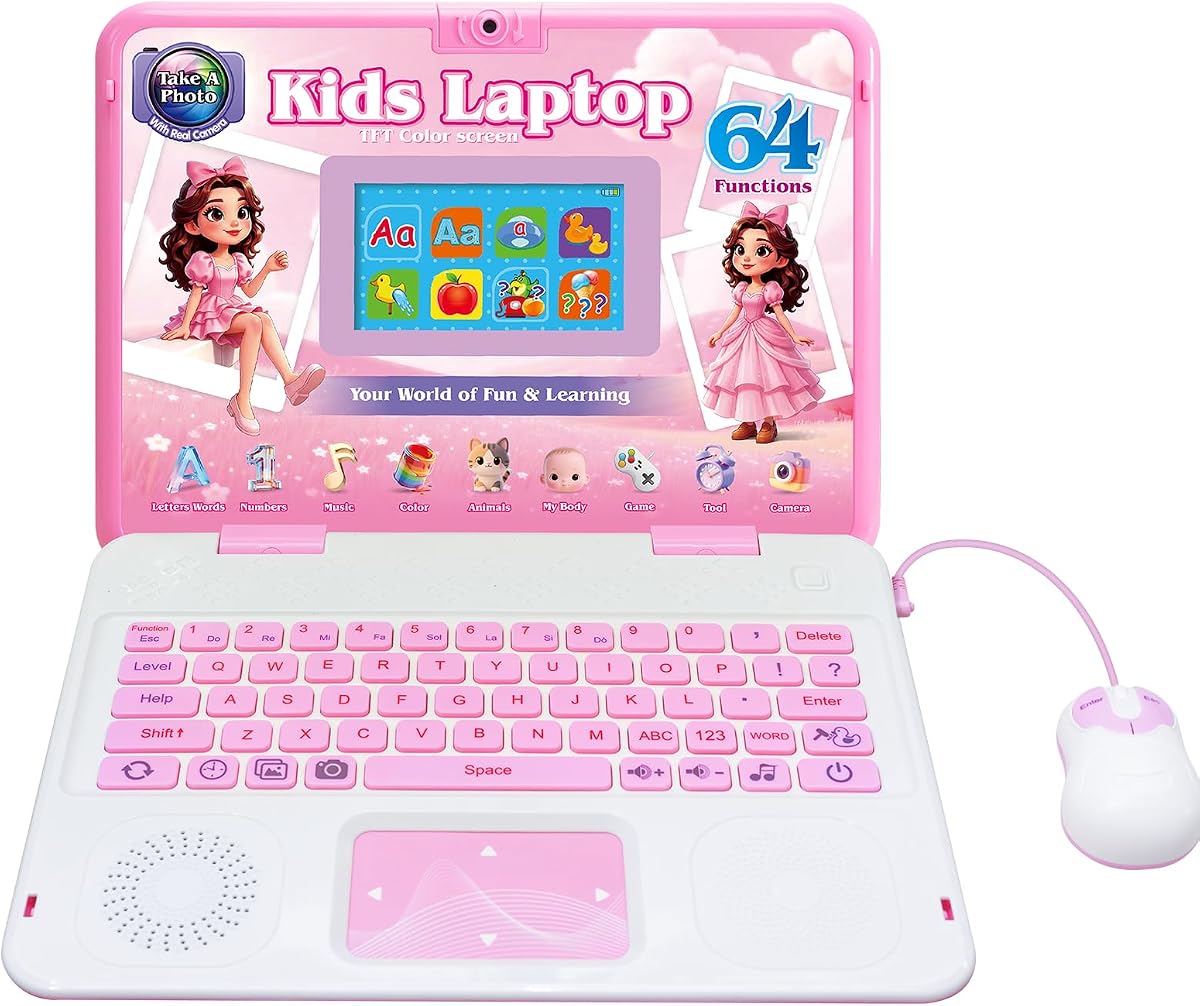
This kids laptop distinguishes itself with a built-in camera that allows children to take photos and add cute frames to their memories. It includes sixty-four activities covering math music and general knowledge making it a comprehensive learning tool that also encourages creative expression through photography.
We may earn a commission when you buy through this link, at no additional cost to you.
The camera features clear lenses and filter effects enabling kids to record memories for family and friends safely within the device. This blend of education and creativity ensures that the laptop is not just for studying but also for capturing moments and expressing individuality.
The ergonomic design includes a realistic mouse and keyboard which helps with motor skill development. While the camera adds fun it remains easy to use without overwhelming the child with complex settings.
Choose this laptop if you want a device that sparks imagination through photography while still delivering solid educational content in a vibrant and engaging package.
Taking photos with filters allows children to explore visual creativity which supports cognitive development and provides a sense of accomplishment through their own work.
With sixty-four activities the device ensures that creative play is balanced with traditional learning tasks like math and logic for a holistic educational experience.
We may earn a commission when you buy through this link, at no additional cost to you.
The LeapFrog LeapPad Academy is a robust tablet designed to grow with your child offering more than twenty educator-approved learning apps that cover math reading and coding. It includes a stylus and a tough bumper with kickstand making it durable and easy to use for various activities.
We may earn a commission when you buy through this link, at no additional cost to you.
Parents can set time limits and manage apps to ensure safe usage while the child accesses hundreds of games and books via the LeapFrog App Center. The three-month trial of LeapFrog Academy provides instant access to thousands of engaging activities right out of the box.
This device is ideal for older five year olds who might benefit more from a tablet interface than a traditional laptop. The rechargeable battery ensures less downtime spent on battery replacements compared to standard toys.
It is a strong choice for families who want a durable app-based learning platform that offers extensive educational resources and parental oversight.
The LeapFrog App Center provides a centralized hub for safe educational content ensuring parents do not need to hunt for external apps or worry about unsafe downloads.
The shatter-safe screen and tough bumper make it suitable for active children reducing the risk of damage during everyday use and travel.
We may earn a commission when you buy through this link, at no additional cost to you.
This Lexibook laptop features a popular Barbie theme that appeals to many children while delivering a comprehensive educational experience with one hundred twenty-four activities. The design is slim and stylish mimicking authentic laptops to create an immersive environment that encourages children to engage with the tasks.
We may earn a commission when you buy through this link, at no additional cost to you.
It covers subjects like math logic and music while also offering games like snake and puzzle after learning sessions. The bilingual support in English and Spanish allows for flexible learning paths that adapt to different language needs within a family.
The compact size makes it easy to carry on trips or to a friend's house ensuring that learning is always within reach. While the theme might limit its longevity for some children the sheer volume of activities provides significant value.
Select this laptop if you want a stylish and highly interactive learning tool that keeps children entertained with a rich variety of games and educational tasks.
With over one hundred activities the device offers a deep well of content that prevents repetitive learning experiences and keeps the child interested over a longer period.
Switching between English and Spanish supports multilingual households and allows children to practice language skills in a comfortable and engaging context.
We may earn a commission when you buy through this link, at no additional cost to you.
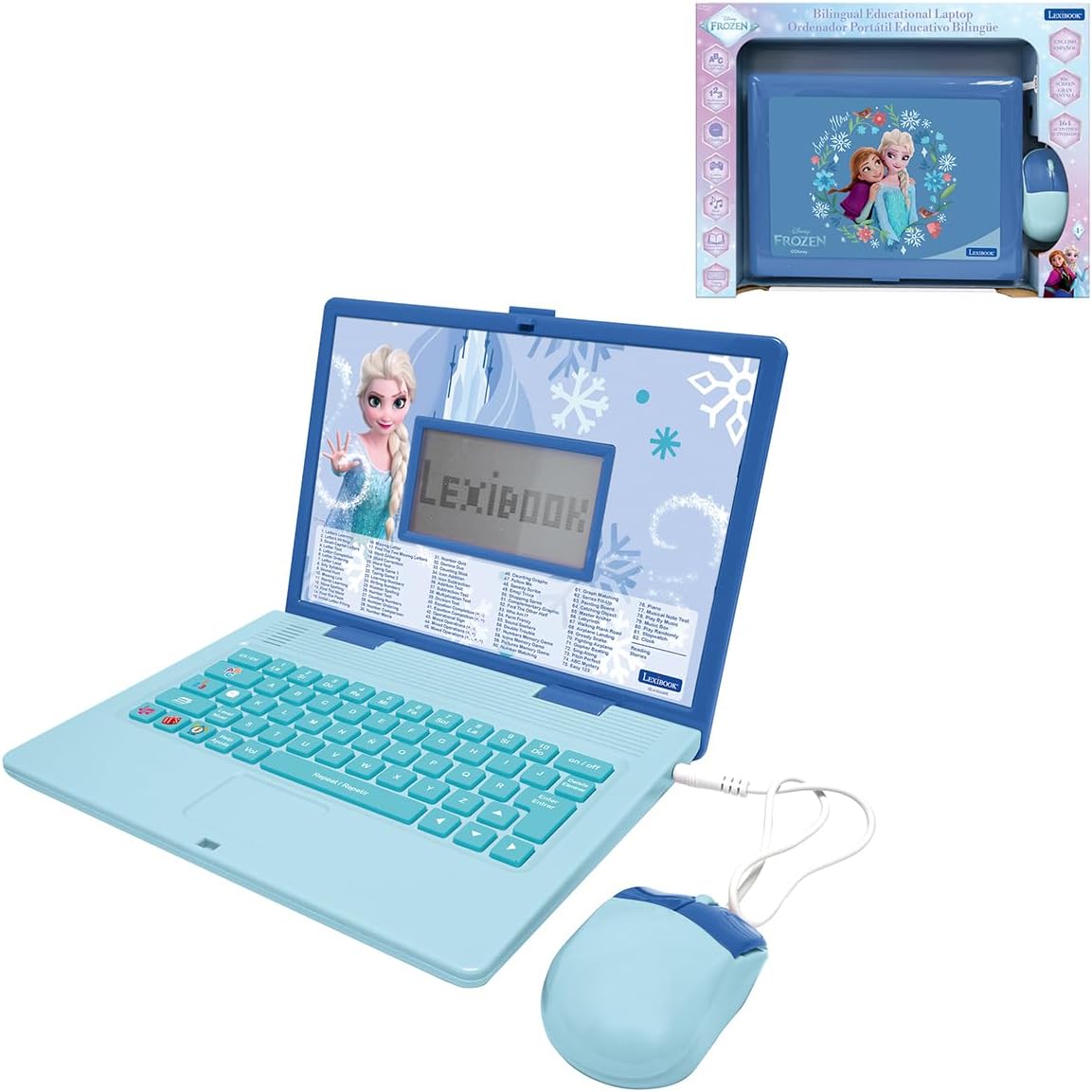
This LEXiBOOK laptop features the beloved Frozen theme and packs a massive one hundred sixty-four activities into its design. The bilingual learning mode allows children to practice vocabulary and comprehension in both English and Spanish while being immersed in a favorite movie universe.
We may earn a commission when you buy through this link, at no additional cost to you.
It includes quiz challenges and logic games that make learning sessions enjoyable and engaging for young children. The keyboard and voice guidance help younger kids navigate the device easily without getting frustrated by complex instructions.
The lightweight and child-friendly design makes it easy to handle and transport. While it may have fewer user reviews than other models the volume of content suggests it is a robust option for themed learning.
This is an ideal pick for families who want a laptop that combines educational rigor with the excitement of a favorite story to motivate learning.
Using a popular theme like Frozen helps motivate children who might otherwise be reluctant to engage in traditional learning activities.
The voice guidance system helps children who are still developing reading skills to navigate menus and understand activities independently.
We may earn a commission when you buy through this link, at no additional cost to you.
Selecting the right educational laptop for a five year old involves considering several key factors that impact learning effectiveness and device safety.
The most important factor is the quality and variety of educational content included in the laptop. Look for devices that cover multiple subjects such as math science and language arts to provide a well-rounded learning experience. Activities should be age-appropriate and engaging enough to hold a child's attention for meaningful periods.
Prioritize laptops that offer adaptive learning paths or multiple levels so the content remains challenging as your child grows.
Children in this age group can be rough with their toys so the laptop must be built to withstand drops and bumps. A sturdy casing made from high-quality plastics is essential to prevent breakage. Some models come with reinforced edges or bumpers to further protect the device.
Choose a laptop with durable components that can survive everyday handling to ensure it lasts through your child's active years.
Battery life determines how long a child can play without interruption. Some laptops require disposable batteries while others come with rechargeable options. Rechargeable models are often more cost-effective and environmentally friendly in the long run though they may have shorter continuous play times.
Consider whether you prefer the convenience of rechargeable power or the simplicity of replaceable batteries based on your household needs.
A clear and appropriately sized screen is vital for reducing eye strain and ensuring content is visible. Color screens are generally better for engagement than monochrome displays. Look for screens with protective film or shatter-resistant features to maintain visibility and safety.
Ensure the screen resolution is sufficient to display text and images clearly without causing visual fatigue during extended use.
For families interested in language learning a bilingual laptop can be a valuable asset. Devices that offer English and Spanish modes help children develop language skills early. This feature is particularly useful for immersion or practice in a second language.
Check if the device allows easy switching between languages to accommodate different learning needs throughout the day.
Safety is paramount when children use electronic devices. Look for laptops that offer parental controls to manage screen time and restrict access to certain features. Devices that do not require internet connections are generally safer for younger children as they avoid online risks.
Ensure the laptop has features that allow you to monitor or limit usage to maintain a healthy balance with other activities.
A well-designed laptop should be comfortable for a child to hold and interact with. Realistic keyboards and mice help build motor skills and familiarity with computers. The device should be lightweight enough for easy handling but sturdy enough to provide stability during use.
Choose a design that encourages proper posture and hand positioning to support physical development during play.
Prices for educational laptops vary widely so it is important to determine a budget that fits your needs. Compare the number of activities and features against the cost to ensure you are getting good value. Higher prices often come with more complex features but simpler models may suffice for basic learning.
Set a budget beforehand and select a laptop that offers the best features within that range without unnecessary extras.
To ensure your child gets the most out of their laptop start by inserting fresh batteries or charging the device fully before first use. Review the manual to understand the button functions and how to navigate between different learning modes easily.
Encourage your child to explore the different activities at their own pace and join them for a few sessions to guide them through any challenging tasks. This helps build confidence and ensures they understand how to access the educational content effectively.
Keep the laptop in a clean dry place when not in use and wipe the screen and keyboard regularly with a soft cloth to remove dust. Avoid exposing it to extreme temperatures or moisture which could damage the electronic components inside.
Some models are designed specifically for toddlers starting at age two while others are targeted at five year olds and above. It is best to check the age recommendation on each product page to ensure the content complexity matches your child's developmental stage.
Most of the educational laptops listed do not require an internet connection as they come with pre-loaded activities. However the more advanced models with app access will need Wi-Fi to download and run games and software effectively.
Battery life varies by model and usage intensity but generally you can expect several hours of play time on a fresh set of batteries. Rechargeable models offer similar playtimes but may require hours to fully charge between sessions.
Yes most battery-operated laptops allow you to replace the batteries easily using the compartment on the back. For rechargeable models you simply plug in the charging cable to power it back up for future use.
The keyboards on these toy laptops are designed to resemble real ones but they typically input specific letters or trigger sounds rather than typing text on a computer. They serve more as interactive input methods for games than practical typing tools.
If your child finds an activity difficult encourage them to switch to a different mode or try a simpler level. Taking a break and returning later with your guidance can help manage frustration and keep the experience positive.
These laptops are designed to introduce foundational concepts like numbers letters and logic which can support early school skills. While they are not replacements for formal education they provide valuable supplementary practice at home.
Most of these laptops are built with safety features and lack internet risks making them safe for independent play. However it is always advisable to supervise younger children to ensure they use the device as intended.
We have reviewed ten excellent laptops for five year olds covering a wide range of features from bilingual support to camera capabilities. The top picks offer the best balance of educational value entertainment and durability for this age group.
When making your final decision consider your child's specific interests and your own priorities such as battery life or parental controls. The best laptop is one that will engage your child and support their learning journey over time.
Remember that prices and availability can change so please check the current listings before purchasing to ensure you get the best deal available today.