
Harvopu for iPad Pro 13
4.4Editor score
7-color backlit keys
High-sensitivity trackpad
Detachable keyboard design
Finding the right keyboard case for your iPad Pro 13 M4 transforms your tablet into a powerful workstation. A great accessory offers comfort, protection, and seamless integration with your device.
We evaluated ten top-rated options based on trackpad quality, typing experience, and overall durability. This guide highlights the best models for students, professionals, and creative users alike.
Each pick includes detailed specs, pros, cons, and real-world usage insights. Please note that prices and availability change frequently, so check current listings before purchasing.
4.4Editor score
4.3Editor score

3.7Editor score
As an Amazon Associate we earn from qualifying purchases.
This side-by-side comparison highlights key features across all ten selected keyboard cases. Use it to quickly identify which model meets your specific needs for typing, protection, and portability.



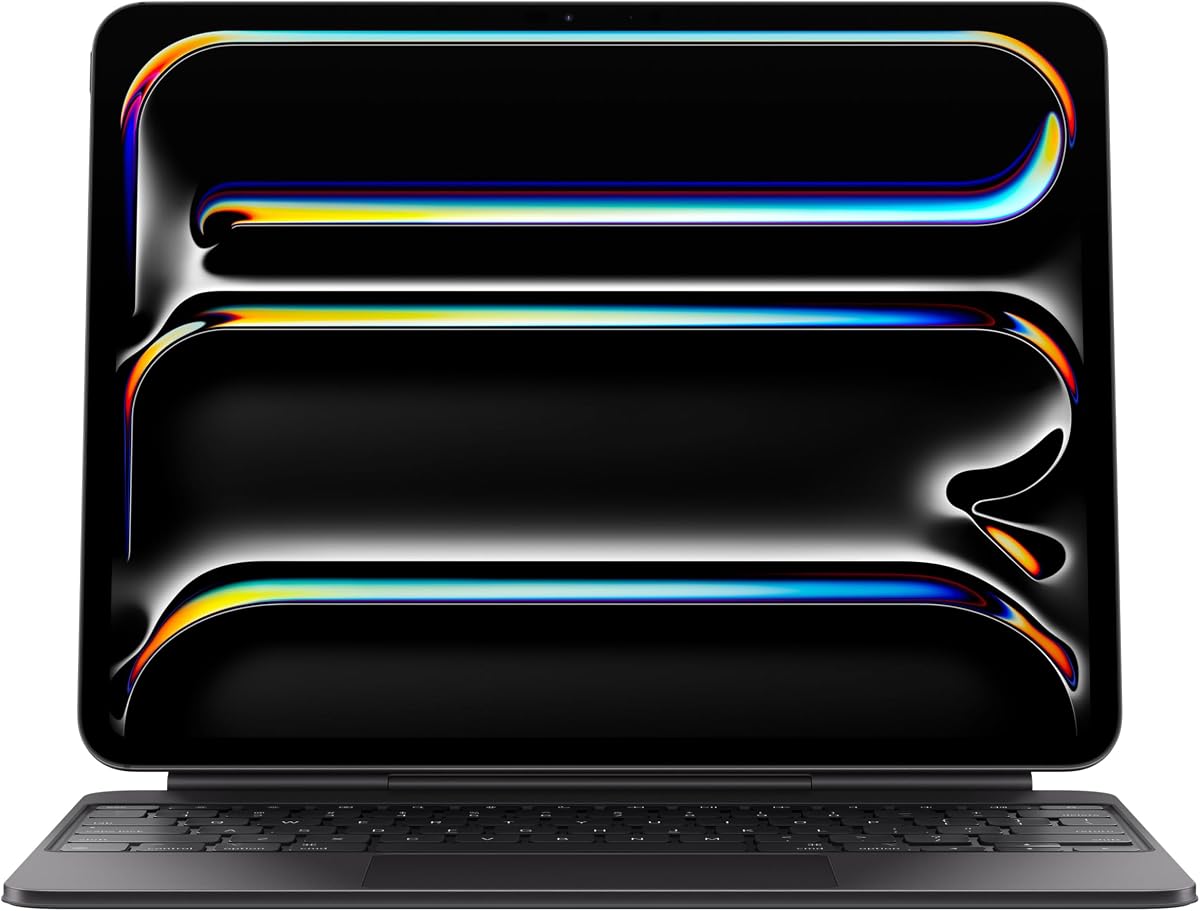
The Apple iPad Magic Keyboard Case leads our list with a premium typing experience and robust protection. It is designed specifically for the iPad Pro 13-inch (M4 and M5) to ensure a perfect fit. Users report exceptional comfort during long typing sessions thanks to its scissor mechanism and function row.
We may earn a commission when you buy through this link, at no additional cost to you.
This case includes a built-in glass trackpad with haptic feedback, offering precise cursor control similar to a laptop. The two-cantilever hinge design allows smooth adjustment of viewing angles, making it versatile for various workflows. USB-C pass-through charging means you can power your iPad without unplugging accessories.
While it offers top-tier build quality, the price is significantly higher than third-party alternatives. Additionally, it only comes in black or white, limiting customization options for users who prefer more vibrant choices. However, the durability and integration with iPadOS justify the cost for many professionals.
If you prioritize typing comfort and premium build quality over budget, this is the ideal choice. It transforms your iPad into a true laptop replacement for work, study, or creative tasks. We recommend this for users who want the best possible typing and trackpad experience.
The scissor mechanism keys provide a satisfying click and comfortable travel distance, making it feel like a traditional laptop keyboard.
The glass trackpad supports Multi-Touch gestures and offers haptic feedback, enhancing navigation precision within iPadOS apps.
We may earn a commission when you buy through this link, at no additional cost to you.
ESR offers a strong alternative with a magnetic detachable design that lets you switch between typing and tablet modes easily. It works exclusively with the iPad Pro 13-inch (M5/M4) models for a secure fit. The upgrade to a productivity machine is seamless with its quick-set magnetic stand.
We may earn a commission when you buy through this link, at no additional cost to you.
The back case detaches instantly, giving you full-body protection and hands-on access for drawing or media consumption. The trackpad is extended and sensitive, supporting taps, pinches, and swipes for smooth navigation. It offers multiple view modes including raised screen and portrait for FaceTime.
Compared to Apple’s offering, this is much more budget-friendly but lacks some premium materials like a glass trackpad. The trackpad might not be as responsive as top-tier models, but it is sufficient for most daily tasks. The strong magnets ensure the keyboard stays attached during use.
For those seeking a functional yet affordable option, this ESR case is a solid choice. It balances protection and versatility well, making it great for students or casual users. The detachable design adds flexibility that fixed cases simply cannot match.
The floating cantilever stand adjusts quickly to your preferred angle, ensuring comfort during extended typing sessions.
Removing the keyboard allows for a pure tablet experience, ideal for reading or drawing with the Apple Pencil.
We may earn a commission when you buy through this link, at no additional cost to you.
This ESR model stands out with a magnetic detachable design that lets you transform your iPad into a laptop or tablet effortlessly. It features a larger click-anywhere trackpad that is 65% bigger than standard options, offering smoother control. The adjustable stand adapts from 20 to 75 degrees for optimal viewing.
We may earn a commission when you buy through this link, at no additional cost to you.
The trackpad supports full iOS gestures, making editing and browsing intuitive without touching the screen. It includes a stylus holder to prevent your pencil from falling off or getting scratched during use. The full protection case keeps your device safe from scratches and dust.
While the trackpad is excellent, the lack of a function row might be a downside for power users. The overall weight is slightly higher due to the robust build, which could be noticeable during travel. However, the versatility it offers in both portrait and landscape modes is impressive.
If you need a case that can handle work and play seamlessly, this is a top contender. The large trackpad alone makes it worth the investment for productivity tasks. We recommend it for users who value flexibility and precise navigation.
With a surface of 112 × 70 mm, this trackpad provides ample room for gestures and precise cursor control.
Switch between landscape typing and portrait reading modes easily, adapting to your immediate task needs.
We may earn a commission when you buy through this link, at no additional cost to you.
The typecase Edge offers a sleek and versatile magnetic keyboard case designed to elevate your productivity. It includes 11-color backlighting with brightness levels, allowing you to customize the look of your keys. The full-area trackpad enables precise navigation, enhancing your work and play experience.
We may earn a commission when you buy through this link, at no additional cost to you.
A floating cantilever design lets you adjust the viewing angle effortlessly, supporting various tasks from typing to watching videos. The case is lightweight and slim, making it ideal for users on the go who do not want extra bulk. It includes iPadOS shortcuts for quick access to brightness and volume.
Some users might find the magnetic closure tight, but this ensures security for your device. The trackpad is responsive but requires getting used to its full-area layout compared to smaller pads. Overall, the customization options make it a unique choice in the market.
This case is perfect for those who want a laptop-like feel with personal touches. The backlighting adds a modern touch to your setup. We recommend it for creative users or anyone who loves customizable tech accessories.
Adjust brightness and color to match your environment, ensuring clear visuals in any lighting condition.
Effortless angle adjustments allow you to find the perfect position for comfort during long sessions.
We may earn a commission when you buy through this link, at no additional cost to you.
The Logitech Combo Touch is known for its large Multi-Touch trackpad and detachable keyboard design. It offers multiple use modes, letting you switch between typing, sketching, and reading without removing the iPad. The flexible kickstand helps you find the perfect angle for any task.
We may earn a commission when you buy through this link, at no additional cost to you.
Its trackpad supports familiar gestures like swipe, pinch, and double-tap, making it intuitive for laptop users. The keyboard is backlit and adjustable, ensuring comfort even in low-light environments. Security is provided through a form-fit case that protects against scratches and drops.
However, some users find it heavier than competitors, which might affect portability. The rating is lower than others due to specific compatibility issues with certain models. Despite this, it remains a robust option for those who value a laptop-like experience.
If you want a reliable accessory with a huge trackpad and secure typing feel, this is a strong choice. It is particularly suitable for professionals who work on the go. We recommend checking compatibility with your specific iPad model before buying.
The biggest trackpad yet provides intuitive tracking with familiar gesture controls for easy navigation.
Adjustable angles help you find the perfect position for typing, reading, or video calls.
We may earn a commission when you buy through this link, at no additional cost to you.
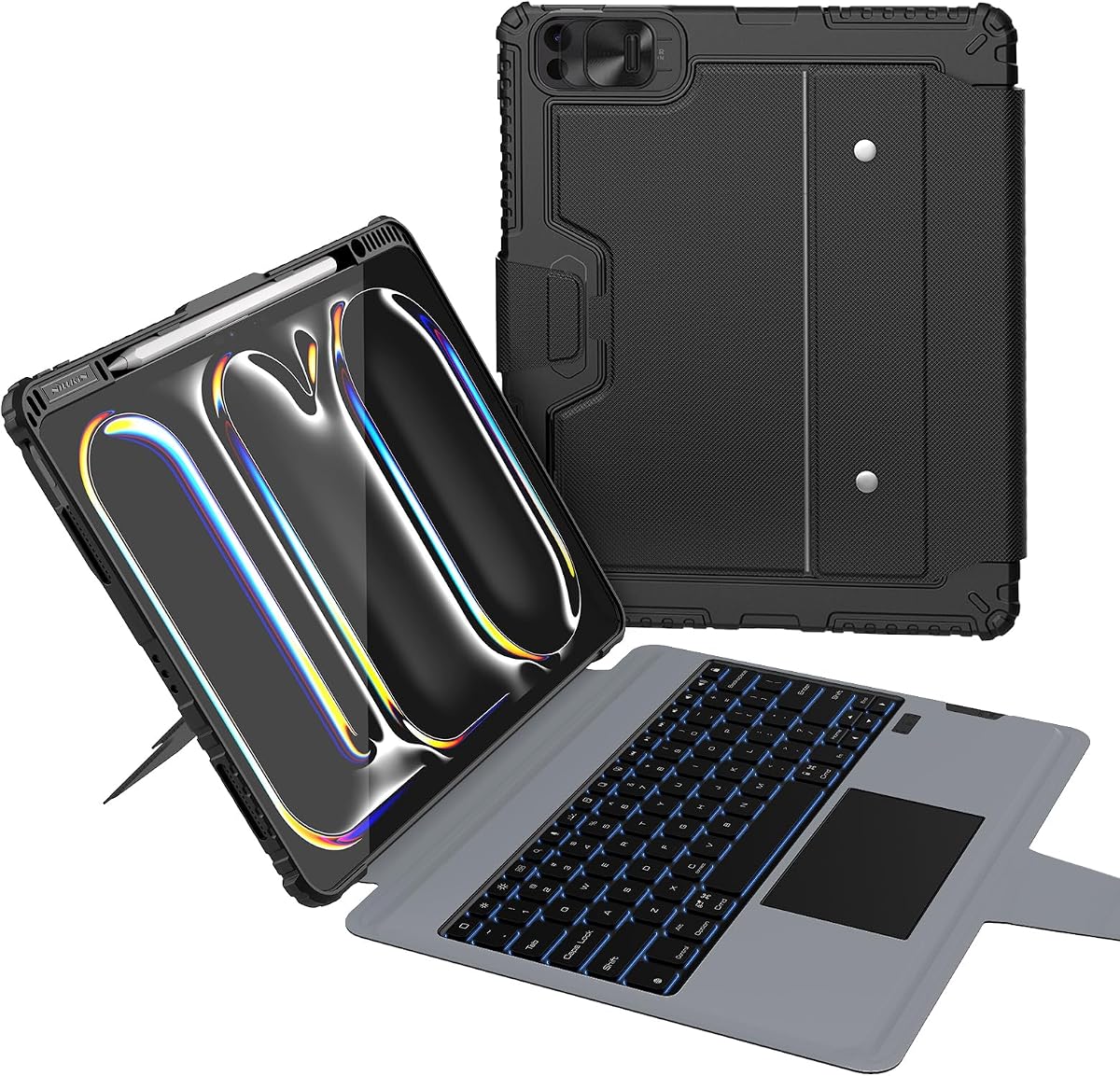
Harvopu provides a budget-friendly solution without compromising on key features. It includes a magnetic detachable keyboard with 7-color backlighting and three brightness levels. The keyboard comes with a rechargeable battery, offering hours of active use between charges.
We may earn a commission when you buy through this link, at no additional cost to you.
The high-sensitivity trackpad supports multi-function gestures for easy navigation, improving productivity without a mouse. The case uses stain-resistant PU material for easy cleaning and comfort. It also offers three stable viewing angles for ergonomic setups.
While it lacks the premium feel of Apple’s option, it offers excellent functionality at a fraction of the cost. The need to charge the keyboard separately is a minor inconvenience but acceptable given the price. The Bluetooth connection is stable and simple to set up.
For students or casual users looking for an affordable upgrade, this is a top pick. It balances cost and performance well. We recommend it for anyone needing basic typing and protection without breaking the bank.
Choose your favorite backlight color from seven options to customize your typing experience.
A built-in 500mAh battery ensures hours of use before needing a recharge via USB-C.
We may earn a commission when you buy through this link, at no additional cost to you.
This Edge+ model features an ultra-light detachable back case weighing just 110g for easy portability. The wider, more stable hinge ensures reliable support, while a magnetic floating stand allows smooth adjustments up to 135 degrees. A 33% larger touchpad enhances navigation for detailed work.
We may earn a commission when you buy through this link, at no additional cost to you.
It includes a dedicated shortcut row for brightness, volume, and search, streamlining your workflow. The strong N54H magnets securely attach the keyboard, ensuring stability even during travel. A secure pencil slot keeps your stylus safe and within reach.
Compared to standard models, this offers better protection and ergonomics but comes at a higher price point. The detachable design is ideal for frequent travelers who need flexibility. It supports iPadOS shortcuts to boost efficiency without leaving the keyboard.
If you value a lightweight yet durable solution for work on the go, this case is ideal. The trackpad improvements are significant for productivity users. We recommend it for those who prioritize ergonomics and design.
At only 110g, the detachable back adds minimal weight while providing protection.
Enhanced stability ensures the iPad stays secure in any viewing position.
We may earn a commission when you buy through this link, at no additional cost to you.
This wireless keyboard case features a 360-degree rotating kickstand for versatile viewing angles. It allows smooth angle adjustment, locking positions for typing, drawing, or presenting. The keyboard includes vibrant 7-color backlighting with brightness levels for clarity.
We may earn a commission when you buy through this link, at no additional cost to you.
It combines a hardshell design for full protection with a sleek transparent back to showcase your device. The trackpad is responsive, delivering a laptop-like experience for navigation and app switching. Precision cutouts ensure full access to all ports.
The fixed keyboard design might be less flexible than detachable options for some users. Additionally, the transparent back can show fingerprints easily, requiring frequent cleaning. However, the rotating stand is unique and supports various usage scenarios.
If you want a stylish case with a rotating stand, this is a great pick. It is perfect for users who need multiple viewing angles. We recommend it for those who value design and flexibility.
Omnidirectional rotation adapts instantly to your needs for typing, drawing, or presenting.
A sleek transparent back highlights your device's original design while protecting it.
We may earn a commission when you buy through this link, at no additional cost to you.
The Nillkin Rugged Case offers military-grade protection tested to survive 1.2-meter drops. It features a full 0-180-degree kickstand allowing you to find the perfect angle for any task. The scissor-switch keys provide real travel and feedback, making typing enjoyable.
We may earn a commission when you buy through this link, at no additional cost to you.
With a 500mAh battery, it delivers up to 100 hours of active typing and weeks of standby. It includes multiple modes like Laptop, Drawing, and Stand to adapt to your workflow. A sliding camera cover protects your lens and privacy when not in use.
The rugged design adds bulk, making it less ideal for light travel. However, if you work in challenging environments, this protection is invaluable. The battery life is exceptional compared to many competitors in this category.
For heavy-duty use, this case is unmatched. It ensures your iPad survives rough handling. We recommend it for professionals working on sites or in busy environments.
Corner air-cushion bumpers and reinforced materials keep your device safe from drops and impacts.
Find your perfect angle with a full range of motion, rated for over 10,000 cycles.
We may earn a commission when you buy through this link, at no additional cost to you.
This case combines transparency with functionality, featuring a crystal-clear hard case to showcase your device. It includes a 360 rotating stand with 5 adjustable angles for ergonomic comfort. The 7-color glow keyboard adds a sophisticated touch to your setup.
We may earn a commission when you buy through this link, at no additional cost to you.
It transforms your iPad into a portable workstation with a responsive wireless keyboard and trackpad. Reinforced corners provide shock absorption against drops. The futuristic acrylic design highlights circuitry patterns for a tech-inspired look.
The keyboard feel is less tactile than premium options, which may affect long typing sessions. Additionally, transparent materials can attract dust easily. However, the aesthetic appeal and versatility make it a standout choice for style-conscious users.
If you want a stylish and functional case, this is a solid option. It balances design with utility. We recommend it for users who value aesthetics and modern look.
Showcases your device's design while protecting it with shock-absorbent edges.
Fluid rotation allows effortless multitasking with optimal screen positioning.
We may earn a commission when you buy through this link, at no additional cost to you.
Choosing the right keyboard case depends on your priorities like budget, portability, and typing needs. This guide breaks down key factors to help you decide.
Ensure the case explicitly supports iPad Pro 13-inch M4 or M5 models. Many cases are not compatible with Air or older Pro versions.
Check model numbers on your device before purchasing to avoid returns.
Look for multi-touch trackpads that support gestures like pinch and scroll. Larger pads offer better control and precision.
Glass trackpads typically provide smoother movement than plastic ones.
Scissor mechanism keys generally offer better travel and feedback than membrane keys. Consider if you type often for long periods.
Key travel and feedback directly impact comfort during daily use.
Cases range from slim covers to rugged models with shock absorption. Choose based on your daily environment and risk of drops.
Rugged cases add weight but significantly improve device safety.
Detachable keyboards allow you to use your iPad as a tablet when not typing. This reduces bulk during travel or media consumption.
Lightweight designs are essential for users who carry devices frequently.
Some cases use Bluetooth requiring battery charging, while others use Smart Connector needing no charge. Evaluate convenience vs. battery life.
Bluetooth keyboards offer flexibility but require periodic recharging.
Prices vary widely from budget to premium options. Set a budget that balances your need for durability and typing quality.
Higher prices often reflect better build materials and trackpad quality.
Consider features like backlighting, pencil slots, and viewing angle adjustments. These add convenience but may increase the cost.
Backlighting is useful for low-light environments but may drain battery.
Attach your keyboard case to the iPad using magnets or Smart Connector, ensuring proper alignment for secure connection.
Regularly wipe down keys and trackpad with a microfiber cloth to remove dust and oils that affect performance.
Store your device in a cool, dry place to avoid battery issues and maintain material quality over time.
Most cases listed are designed specifically for iPad Pro 13-inch M4/M5 models. iPad Air 13 models have different dimensions. Please check compatibility notes before buying.
It depends. Some cases like Apple Magic Keyboard use Smart Connector needing no charge. Others use Bluetooth with internal batteries requiring regular charging via USB-C.
Yes, most cases support Apple Pencil charging and storage. Some include dedicated pencil slots. Ensure your model is compatible for optimal use.
For heavy typing, the Apple Magic Keyboard or Logitech Combo Touch offers superior key feel. Look for scissor mechanism keys for better comfort.
While not mandatory, a trackpad improves navigation in iPadOS. It allows gestures and cursor control similar to laptops, which many users find useful.
Turn off the backlight and use a microfiber cloth. Avoid liquid cleaners directly on keys. Use compressed air to remove debris.
Many cases support both orientations but may require adjustment to the kickstand. Check specific product details for portrait mode capabilities.
The Harvopu case offers great value at a lower price point with solid features like backlighting and a trackpad for students.
We reviewed ten cases ranging from premium Apple options to budget-friendly alternatives. Each offers unique benefits for productivity and protection.
Prioritize what matters most to you whether it is typing comfort, portability, or protection. The right case enhances your iPad experience significantly.
Prices and availability change frequently. Always check current listings to ensure you get the best deal and correct compatibility for your device.