
Soundcore P30i by Anker
4.3Editor score
Four microphone AI enhanced calls
Adaptive active noise cancelling
Hands-free phone stand case
Find the top earbuds for Teams meetings with clear microphones and noise cancellation. We compare ten models for comfort, battery life, and call quality.
Choosing the right earbuds for Teams meetings is critical for remote work success. You need clear audio, reliable connections, and comfort during long calls. Poor sound quality can disrupt collaboration and make you sound unprofessional to your colleagues.
We evaluated ten top earbuds based on microphone clarity, noise cancellation, battery life, and connectivity. Our focus was on devices that perform well in busy home offices and virtual conferencing environments without requiring extra hardware or complex setups.
Each pick highlights unique strengths like AI call processing, multipoint Bluetooth, or long battery life. Prices and availability change frequently, so check current listings before buying. These models represent the best balance of performance and value for virtual meetings today.
4.3Editor score
3.5Editor score

4.2Editor score
This table compares key specifications across all ten selected earbuds. Use it to quickly identify models with superior microphones, long battery life, or specific certifications needed for your daily Teams workflow.



The Dell Pro Plus Earbuds EB525 stand out with their AI-based noise-cancelling microphone designed specifically for workspaces. With a 4.1 rating, these earbuds deliver clear voice transmission by intelligently filtering out distractions so you stay focused during Teams meetings.
We may earn a commission when you buy through this link, at no additional cost to you.
Their Adaptive ANC allows you to switch between deep focus and awareness with a simple pinch. The on-device touch controls make handling calls and adjusting volume effortless without reaching for your device. This seamless interaction boosts productivity throughout the workday.
While the price is higher than budget options, the investment pays off in distraction-free communication. The comfortable fit ensures they stay secure during long sessions. If call clarity is your top priority, these earbuds offer reliable performance.
Remote workers seeking a professional audio experience should consider these earbuds. The intelligent audio system ensures you are heard loud and clear regardless of your surroundings. This model is ideal for those who value consistent call quality.
Pinch to switch between ANC and transparency mode for flexible awareness.
Intelligent mic filters background noise to ensure your voice stands out clearly.
We may earn a commission when you buy through this link, at no additional cost to you.
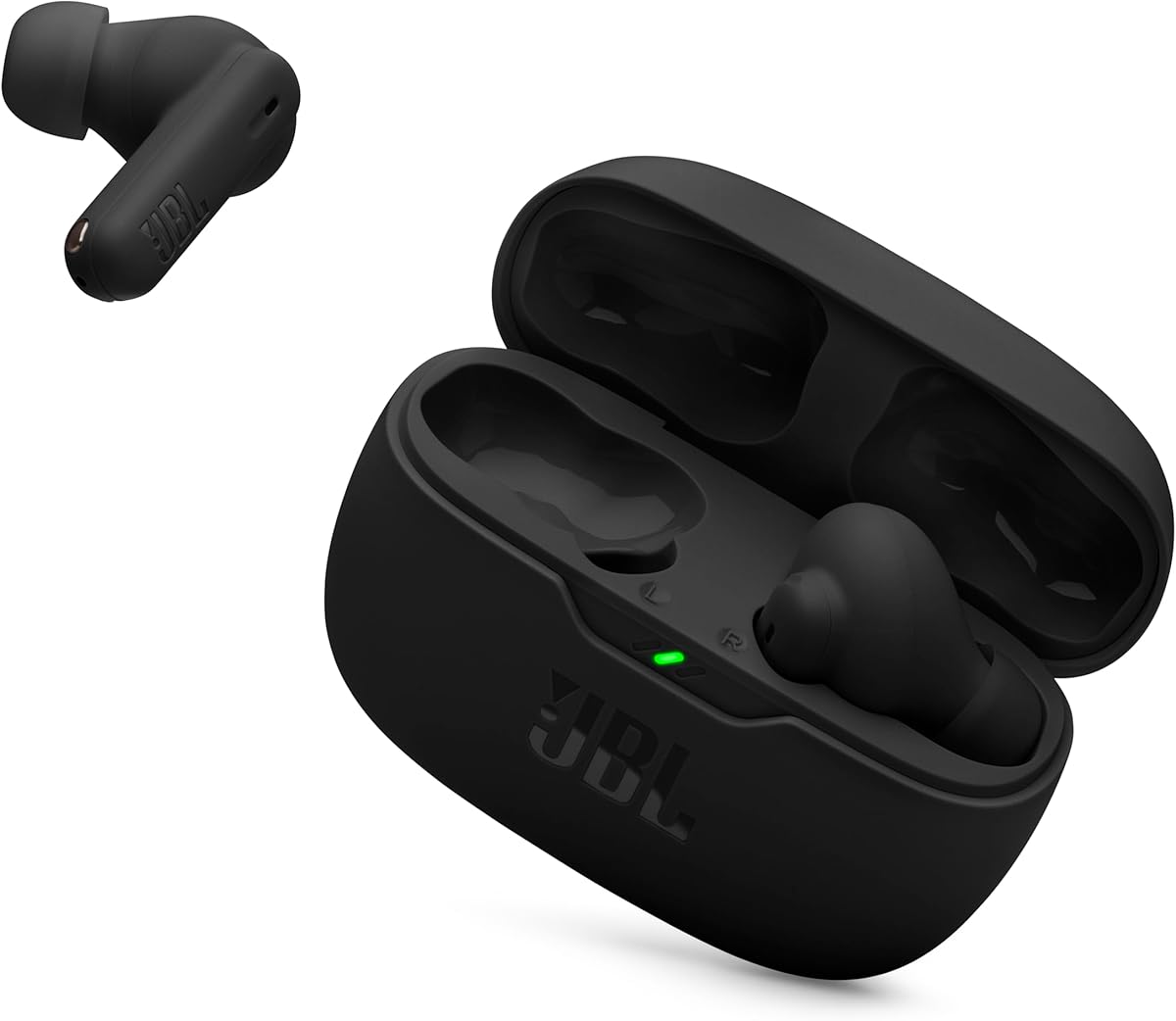
The JBL Vibe Beam 2 offers an accessible entry point into active noise cancelling earbuds with clear call capabilities. Rated 4.1 stars, these earbuds feature four microphones to pick up your voice while canceling ambient noise even in busy environments.
We may earn a commission when you buy through this link, at no additional cost to you.
Active Noise Cancelling helps you focus on meetings, while Smart Ambient lets you stay aware of your surroundings when needed. The 40 hours of total playback ensures you won't run out of battery during extended work weeks or travel days.
Though not as advanced as premium models, the audio quality remains impressive with JBL Pure Bass sound. The trade-off lies in the ANC effectiveness which is better suited for steady low-frequency noise. This balance makes them a smart value choice.
Budget-conscious professionals will appreciate the versatility of these earbuds. They handle daily calls well and offer enough battery life to last through multiple meetings. For those seeking affordability without sacrificing essential features, this is a strong option.
Control how much outside world you hear while keeping earbuds in place.
Two mics per earbud transmit voice clearly while reducing background noise.
We may earn a commission when you buy through this link, at no additional cost to you.
Certified for Microsoft Teams and other meeting apps, the Logitech Zone True Wireless ensures seamless integration with your workflow. With three mics in each earbud and advanced beamforming, these earbuds distinguish your voice clearly even in noisy settings.
We may earn a commission when you buy through this link, at no additional cost to you.
Hybrid ANC blocks distracting noise effectively, while Transparency mode lets you hear external sound without removing the earbuds. The included USB receiver provides extra-reliable wireless connectivity to your computer, bridging gaps where Bluetooth might be unstable.
The Logi Tune app allows you to customize the audio experience with 5-band EQ sliders. While fit can be subjective, the removable ear gels help achieve a secure seal. This customization helps optimize performance for different head shapes.
Teams-heavy users will benefit from the certification and dedicated software support. The reliable connection and noise reduction make it easier to focus on content. If corporate compatibility is critical, this model delivers on its promises effectively.
Certified to work seamlessly with Microsoft Teams and common conferencing apps.
Included USB receiver ensures stable connection to computers without relying solely on Bluetooth.
We may earn a commission when you buy through this link, at no additional cost to you.
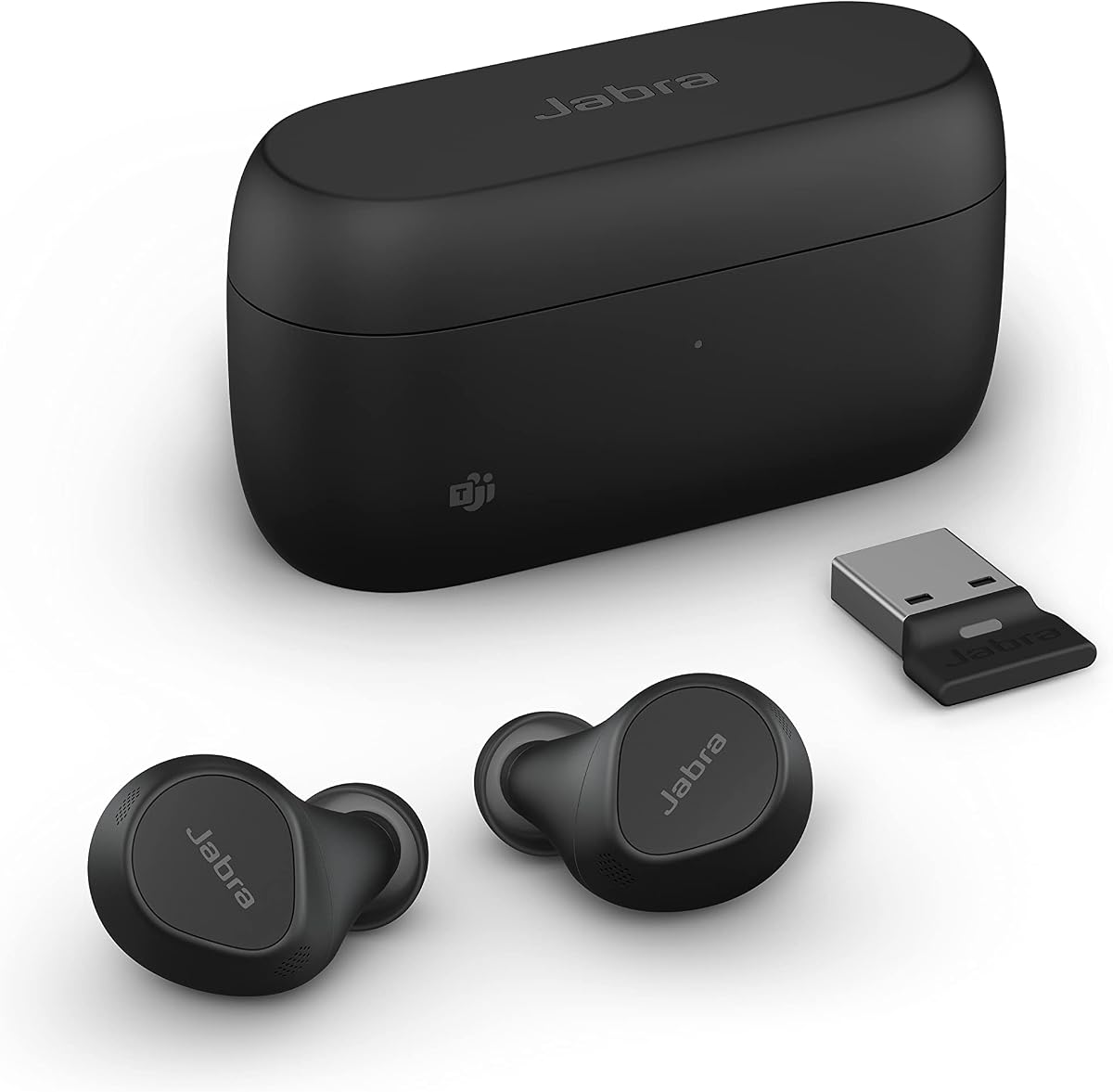
The Jabra Evolve2 True Wireless earbuds leverage bone conduction sensors and four microphones to deliver superior call clarity. Rated 3.5 stars, this model is Microsoft Teams Certified, ensuring compatibility with essential business software and platforms.
We may earn a commission when you buy through this link, at no additional cost to you.
Advanced Bluetooth Multipoint keeps you connected to both laptop and phone simultaneously, making device switching seamless. The bone conduction sensors work with algorithms to cut through background noise, so you are heard clearly even in bustling environments.
While battery life is not the longest on the list, the quick setup via USB dongle ensures stable connections when needed. The compact ergonomic fit ensures comfort for daily use. This design caters to professionals needing reliability.
If you need a device that handles calls professionally across platforms, these earbuds are a solid choice. The combination of certification and advanced voice technology makes them worth the investment. Choose these for uninterrupted professional communication.
Sensors detect voice vibration to filter out external noise effectively.
Connect to laptop and phone simultaneously for seamless task switching.
We may earn a commission when you buy through this link, at no additional cost to you.
With an impressive 4.9 rating and very affordable price, the XIAOWTEK Wireless Earbuds offer significant value for teams calls. They feature Bluetooth 5.4 for stable connections and a 4-mic ENC system to reduce background noise during conversations.
We may earn a commission when you buy through this link, at no additional cost to you.
The 50 hours of total playback ensures you won't face frequent charging interruptions. An LED display on the case keeps battery status visible at a glance. IPX7 waterproofing adds durability for active users commuting or exercising.
While the design is simple, the touch controls and wide compatibility work well with most devices. The bass response is strong, making media enjoyable outside of meetings. For the price point, features are extensive.
Professionals looking for cost-effective solutions without compromising essential features will find these appealing. The high ratings indicate consistent satisfaction. If you need a budget-friendly model that delivers on specs, this is a top contender.
Newer chip offers 30% lower power consumption and stronger signal penetration.
Digital display shows charging case and earbud levels precisely for planning.
We may earn a commission when you buy through this link, at no additional cost to you.
The TAGRY Hybrid ANC earbuds boast 80 hours of total playtime, making them excellent for long work weeks. Hybrid Active Noise Cancelling reduces up to 90% of ambient noise to help you focus on meetings without interruption.
We may earn a commission when you buy through this link, at no additional cost to you.
Bluetooth 5.4 ensures higher transmission efficiency and lower latency for syncing audio smoothly. Hi-Res Audio technology tunes every note clearly, offering premium sound quality even in noisy settings. The ear hooks provide a secure fit for active users.
Battery life is the standout feature here, allowing days of use between charges. LED display shows exact power levels to avoid surprises. However, build quality prioritizes function over style which may not appeal to everyone.
If avoiding battery anxiety is your priority, these earbuds are unmatched in value. They deliver on endurance and sound quality effectively. Choose these for marathon workdays or travel where charging access is scarce.
Single charge gives 10 hours; total case capacity reaches 80 hours.
Integrated chip dynamically adjusts noise optimization for maximum immersion.
We may earn a commission when you buy through this link, at no additional cost to you.
The Soundcore P30i offers a 2-in-1 charging case that converts into a phone stand for hands-free viewing. With 4-mic AI Enhanced Calls, voice pickup is precise even in busy offices. Adaptive noise cancelling reduces up to 42dB for focus.
We may earn a commission when you buy through this link, at no additional cost to you.
Transparency Mode lets you hear announcements while keeping earbuds in. Battery life reaches 45 hours total with the case, and a 10-minute charge provides 2 hours of use. BassUp technology delivers deep punchy audio for media.
The case design is unique for remote workers who need to multitask. However, it adds bulk to the pocket. Fit can vary, but customization via EQ helps match sound to your preference. This model offers practical utility.
Remote workers looking for a convenient all-in-one audio solution will love this. The case feature simplifies setup during calls. Choose these for ease of use and solid performance in everyday tasks.
Back panel opens to hold phone steady for hands-free viewing or calls.
Four mics and AI algorithm pick up your voice with precision.
We may earn a commission when you buy through this link, at no additional cost to you.
Certified by Guinness World Records for highest speech quality score, the Soundcore Liberty 5 Pro Max delivers whisper-clear calls in noisy environments. It includes an AI Note-Taker case that transcribes meetings and summarizes key points for productivity.
We may earn a commission when you buy through this link, at no additional cost to you.
Business-grade privacy standards ensure conversations are secured with local encryption. You control data retention to comply with compliance standards. The large AMOLED display on the case lets you manage settings and access features without a phone.
While subscription costs add up for unlimited AI usage, the free starter plan offers useful minutes. Sound quality is tuned to your ears with personalized EQ. This level of detail justifies the premium price for professionals.
Executive and corporate users prioritizing privacy and AI assistance will find unmatched value here. The device handles calls effortlessly and offers smart workflow tools. Choose this if data security and advanced AI are non-negotiable.
Objectively tested as having highest speech quality score for TWS earbuds.
Local AES-256 encryption ensures conversations are secured during transmission.
We may earn a commission when you buy through this link, at no additional cost to you.
The JLab Work Buds feature a detachable noise-canceling boom mic that ensures crystal clear voice pickup for meetings. With 55+ total hours of playtime, you can work all day without recharging. The USB-C Charging Dock keeps your gear organized.
We may earn a commission when you buy through this link, at no additional cost to you.
Bluetooth Multipoint lets you connect to multiple devices simultaneously. You can easily switch between calls and music by detaching the boom mic. This hybrid design bridges the gap between headsets and standard earbuds.
While the boom adds bulk, it provides professional call quality that standard microphones struggle to match. The dock adds convenience but takes up space. It balances style and utility well for office setups.
Professionals needing dedicated call hardware without full over-ear bulk should consider these. The dock ensures organization and reliable charging. Choose these for consistent call performance and practical desk management.
Easy switching between calls and music by removing the mic boom.
Compact dock charges earbuds and keeps mic organized on your desk.
We may earn a commission when you buy through this link, at no additional cost to you.
The TOZO Hybrid ANC earbuds offer a balanced performance with Hybrid Active Noise Cancellation reducing up to 45dB. Six microphones and ENC technology ensure your voice is heard clearly in meetings. 68 hours total playtime covers heavy usage.
We may earn a commission when you buy through this link, at no additional cost to you.
IPX8 waterproof rating makes them suitable for sweaty workouts or rainy commutes. Bluetooth 5.3 provides stable low-latency connections. Transparency Mode allows awareness without removal. This versatility suits varied environments.
While not the most premium, these earbuds deliver strong features at a budget price. Multiple ear tip sizes help find a proper seal. Sound tuning focuses on clear vocals which benefits calls. Value is high here.
If you want reliable audio without overspending, these are a top pick. They handle calls well and provide long battery life. Choose these for daily work and active lifestyles.
Reduces steady low-frequency noise like AC hum and traffic effectively.
Six built-in microphones use ENC to minimize background noise.
We may earn a commission when you buy through this link, at no additional cost to you.
Selecting the right earbuds for virtual meetings involves balancing several technical factors. Consider these key aspects to find the perfect fit for your work style.
The microphone is the most critical component for Teams meetings. Look for models with multiple microphones or AI-assisted noise cancellation. This ensures your voice stands out over background noise like typing or household sounds.
Active Noise Cancellation (ANC) helps you focus by blocking external noise. Hybrid ANC uses both inward and outward sensors for better performance. Ensure it offers Transparency Mode for when you need to hear colleagues or announcements.
Long battery life prevents interruptions during long meetings or full workdays. Aim for at least 20 hours total playtime with the case. Fast charging features are beneficial if you forget to charge overnight regularly.
Bluetooth multipoint allows connection to both laptop and phone. This ensures you can switch devices seamlessly during calls. Ensure the earbuds support at least Bluetooth 5.0 for stable low-latency audio.
Comfort is vital for long calls. Look for models with multiple ear tip sizes. In-ear designs provide better noise isolation but may fatigue ears over time. Try different shapes if possible.
Companion apps allow EQ customization and firmware updates. Look for options that let you adjust ANC levels. This flexibility helps tailor sound quality to your specific meeting environment preferences.
Teams certification ensures hardware works seamlessly with the app. Check compatibility with your other conferencing tools. USB dongle support can be a backup if Bluetooth connectivity is unreliable on your computer.
Proper pairing is essential for smooth connection. Turn on Bluetooth on your device and open the earbud case to enter pairing mode. Follow your system instructions to establish the link before your first meeting.
Adjust ANC settings based on your environment. Turn it on for noisy rooms and off if you need to hear your surroundings. Use transparency mode when stepping out or waiting for alerts.
Clean earbuds regularly with a dry cloth to remove wax buildup. Store them in the case to protect ports and ensure charging contacts remain clear for long life.
Models like Jabra Evolve2 and Soundcore Liberty 5 Pro Max excel here due to multi-sensor technology. They isolate voice effectively. Check reviews for real-world feedback on call quality in your specific environment.
Not strictly, but certified earbuds ensure full feature support like mute and volume control via the earbuds themselves. For best experience with Teams, certification is recommended for seamless integration.
Yes, if they are comfortable. Look for ergonomic designs with multiple tip sizes. Taking short breaks to let ears breathe helps reduce fatigue during long work sessions.
It lets you connect two devices like a laptop and phone simultaneously. When a call comes in on your phone, audio switches automatically. This is useful for switching between apps smoothly.
In noisy environments, yes. They filter distractions effectively. For quiet offices, standard earbuds may suffice. Consider your environment before paying extra for active noise cancellation.
Use a soft brush or microfiber cloth. Avoid liquids. Check mesh grills for debris blocking sound. Clean weekly to maintain audio clarity over time.
We highlighted ten distinct models ranging from budget options to premium powerhouses. Each serves different needs like battery life or microphone quality effectively. Evaluate what matters most for your daily workflow.
Prioritize microphone quality and comfort if you join calls often. Noise cancellation and battery life are secondary but vital for consistency. Choose based on your specific daily requirements and budget constraints.
Prices fluctuate regularly so verify current listings before buying. The right pair ensures you sound professional and stay connected. Make a choice that supports your remote work success.