
Swish S1 Medical Insurance Card and Photo ID Scanner
4.5Editor score
Simplex USB Optical Scanner
Drop-and-Scan Technology
Windows Only Compatibility
This guide compares the top ten Id Card Scanners for Computers based on speed, compatibility, and features to help you choose the right device.
Finding the right Id Card Scanners for Computers can streamline your workflow significantly. These devices capture high-quality images of identification documents quickly and efficiently.
We compared ten leading models based on scanning speed, software compatibility, and ease of use. Our analysis covers simplex and duplex options for various professional needs.
Each pick highlights key strengths and potential limitations to guide your decision. Keep in mind that product availability and pricing may change over time.
4.5Editor score

4.9Editor score

4.3Editor score
This comparison table outlines the core specifications of each Id Card Scanner for Computer to help you identify the model that best fits your specific office requirements.


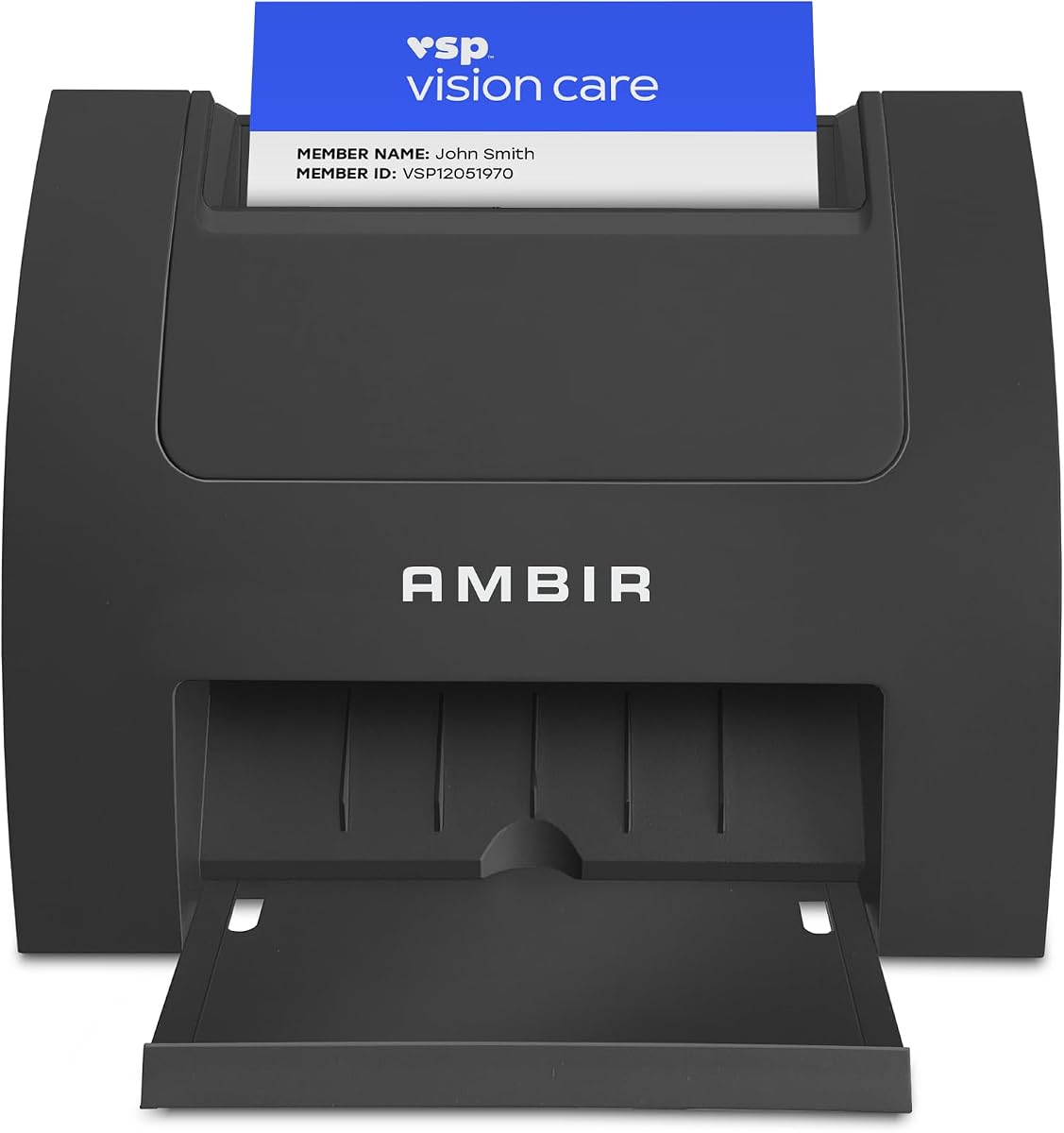


The Swish S1 is a reliable choice for users needing basic card scanning on Windows systems. It carries a solid rating of 4.5 stars from verified purchasers who appreciate its simplicity.
We may earn a commission when you buy through this link, at no additional cost to you.
Its primary strength lies in the drop-and-scan technology. This eliminates the need for narrow slots or rollers that often jam or damage fragile cards. The optical camera captures high-resolution images suitable for archiving.
However, users must note that this model is simplex only. You will need to flip cards manually to scan both sides. Additionally, the included Lite software requires manual data entry for all fields.
This device is ideal for small clinics or offices processing low volumes of medical cards. It offers a cost-effective entry point into professional scanning without complex setup requirements.
The absence of moving rollers prevents crunched documents or damaged IDs during the scanning process.
Measuring only 5.2 by 4.5 inches, it fits easily into tight workspaces without clutter.
We may earn a commission when you buy through this link, at no additional cost to you.
The Ambir nScan 690gt-AS offers versatility by supporting both Windows and Mac operating systems. It has received mixed reviews with a 3.5 rating, likely due to varying expectations for software performance.
We may earn a commission when you buy through this link, at no additional cost to you.
This scanner excels in workflow integration. The included software allows saving directly to cloud services like Dropbox or Google Drive. It also supports Zapier automation to trigger actions in other apps.
While it scans double-sided cards in one pass, the overall build quality may not match higher-rated rivals. Users should verify driver compatibility on their specific Mac version before purchasing.
Choose this if you need cross-platform support and cloud integration. It is a strong contender for modern offices looking to digitize records without complex local setups.
The front slot simplifies the scanning process and reduces contact points for hygienic handling.
Metadata from scanned documents can trigger custom workflows in accounting or project tools.
We may earn a commission when you buy through this link, at no additional cost to you.
This Medical Insurance Card Scanner is a straightforward tool designed for Windows environments. With a 4.2 rating, it offers dependable performance for healthcare settings requiring quick image capture.
We may earn a commission when you buy through this link, at no additional cost to you.
The device uses a BCR901 simplex optical scanner that fits on any desk. It handles laminated cards and photos effectively. The software saves scans directly to PDF or JPEG formats automatically.
Limitations include the lack of duplex scanning. You must flip the card to capture the back. Also, like the Swish S1, it does not read driver license data automatically.
It is best suited for offices that primarily need to archive insurance cards. Its versatility in mounting allows it to adapt to different desk layouts efficiently.
The scanner can be mounted horizontally or vertically to suit your workspace geometry.
Scanned files are saved directly to folders, streamlining the archiving process.
We may earn a commission when you buy through this link, at no additional cost to you.
The AMBIR DS687 is a premium solution designed for businesses needing accurate data entry. It holds a 4.3 rating and is praised for its automatic data extraction capabilities.
We may earn a commission when you buy through this link, at no additional cost to you.
This scanner reads 2D barcodes on government IDs to pull customer information instantly. It also supports duplex scanning to capture both sides of the card in a single pass.
Security is a key feature here. All data is stored locally on your system rather than the cloud, enhancing privacy. There are no ongoing subscription fees for this software package.
Ideal for liquor stores or venues requiring age verification, this model saves significant manual entry time. It is a robust investment for compliance-focused operations.
Customizable age restrictions automatically flag minors to prevent unauthorized purchases.
Duplicate scans within a timeframe are detected to prevent ID sharing.
We may earn a commission when you buy through this link, at no additional cost to you.
The Ambir PS667 is a rugged simplex scanner designed for continuous workloads. It has a 3.7 rating which indicates room for improvement in user experience compared to newer models.
We may earn a commission when you buy through this link, at no additional cost to you.
It features USB power and a durable shell. The scanner handles raised characters on credit cards effectively. AmbirScan software allows saving to PDF or cloud services directly.
While it is Citrix Ready for virtual environments, the single-sided operation slows down high-volume workflows. Users should consider if the lower price point justifies the speed trade-off.
This scanner is suitable for mobile carts or low-volume registration areas. Its small size makes it easy to move between different workstations in a facility.
Certification ensures compatibility within the Citrix virtual application environment.
The durable outer shell withstands continuous use in busy environments.
We may earn a commission when you buy through this link, at no additional cost to you.
The Ambir ImageScan Pro 687 is a top choice for high-volume environments. With a nearly perfect 4.9 rating, users praise its speed and reliability for patient and insurance card scanning.
We may earn a commission when you buy through this link, at no additional cost to you.
It captures front and back images in one pass, cutting scan time in half. The TWAIN driver ensures compatibility with thousands of applications. It is also Citrix Ready for virtual desktops.
While it costs more than basic models, the time savings on duplex scanning justify the investment. It is built for professional use where quality and speed are paramount.
This device is recommended for hospitals or clinics processing hundreds of cards daily. It provides a seamless workflow for administrative staff needing high-quality digital records.
Engineered to handle various card types including those with raised characters efficiently.
Ensures broad compatibility with software applications using TWAIN communication support.
We may earn a commission when you buy through this link, at no additional cost to you.
The AMBIR PS670ST focuses on raw speed for single-sided scanning. It has a 3.6 rating and is marketed as one of the fastest single-sided card scanners available.
We may earn a commission when you buy through this link, at no additional cost to you.
Its vertical feed path allows cards to be dropped easily. The device produces 600 dpi images which meet third-party standards. AmbirScan software allows continuous scanning without constant prompts.
It supports Windows 10 and 11 but not Mac. Users looking for Mac support should consider other options. The high resolution makes it suitable for detailed document scanning.
This scanner is best for high-volume single-side scanning tasks. If you need speed and high image quality without duplex needs, this model delivers efficiently.
The vertical design allows for easy card dropping and saves desk space.
True 600 dpi images ensure clear captures for detailed ID verification.
We may earn a commission when you buy through this link, at no additional cost to you.
The AMBIR PS667 Scanner is a highly rated tool with a perfect 5.0 score. It is designed for secure data extraction and verification tasks without ongoing costs.
We may earn a commission when you buy through this link, at no additional cost to you.
It reads 2D barcodes to extract name, address, and birth date instantly. The device stores all information locally on your system for maximum privacy. It also includes ban list management.
This model is ideal for businesses needing strict compliance. The local storage ensures no data is sent to external servers. However, it requires a one-time purchase which is higher than basic scanners.
Choose this for secure environments where privacy is critical. It offers a robust solution for age verification and customer tracking without recurring fees.
Scanned information is stored locally on your system to maximize privacy.
Track visits and ban lists to identify previously banned individuals instantly.
We may earn a commission when you buy through this link, at no additional cost to you.
This scanner is specifically designed for reading driver licenses and age verification. It has a 4.0 rating and is popular among businesses that need to check IDs regularly.
We may earn a commission when you buy through this link, at no additional cost to you.
It scans both sides of the license in one pass. The software reads 2D barcodes to flag minors automatically. It also supports TWAIN compatibility for other imaging apps.
The Full Version software allows automatic data entry for driver licenses only. Other cards require manual input. This specialization makes it efficient for liquor stores or clubs.
Use this model when you need reliable age verification. It streamlines the process of checking IDs and logging the necessary data quickly.
Automatically flags minimum age requirements to prevent underage access.
Works with numerous medical and healthcare apps for easy integration.
We may earn a commission when you buy through this link, at no additional cost to you.
The Identiv SCR3310V2 is a contact smart card reader rather than an optical scanner. It carries a 4.6 rating and is used for secure authentication and data reading.
We may earn a commission when you buy through this link, at no additional cost to you.
It complies with ISO/IEC standards and works with contact chip cards. It supports Windows, Mac, and Linux. The design is ultra-compact and optimized for speed.
This is not for scanning images but for reading data from smart chips. It is ideal for secure environments needing CAC/PIV access. It does not have imaging capabilities.
Use this for secure data access or authentication. If you need to read embedded chips rather than capture card images, this device is highly recommended.
Fully compliant with major industry standards for secure and reliable operation.
Shortens transaction time with a reader optimized for speed and convenience.
We may earn a commission when you buy through this link, at no additional cost to you.
Choosing the right Id Card Scanner for Computer requires understanding your workflow needs and technical constraints.
Simplex scanners capture one side of a card at a time. Duplex scanners capture both sides in a single pass. Duplex is essential if you need back images for insurance cards.
Choose duplex for high volume and simplex for basic archiving needs.
Some scanners work only with Windows. Others support both Windows and Mac. Always check driver availability for your specific OS version before purchasing.
Verify OS compatibility to ensure seamless integration with your current system.
Some models read 2D barcodes to extract text data automatically. Others require manual entry. Automatic extraction saves time and reduces errors in data entry.
Prioritize automatic extraction if speed and accuracy are top priorities.
TWAIN compliance ensures the scanner works with standard imaging software. It is critical if you use specific medical or practice management systems.
Ensure TWAIN compliance for broad software compatibility.
Scanners offer cloud saving to services like Google Drive or local storage on your PC. Local storage offers better security for sensitive personal information.
Select local storage for enhanced privacy and security.
Desk space may be limited in busy offices. Compact models fit easily into small areas. USB powered devices reduce cable clutter and allow mobile use.
Choose a compact model to maximize workspace efficiency.
Many scanners come with bundled software. Some versions are Lite versions that limit features. Full versions allow better database management and customization.
Review software features to ensure they meet your needs.
Advanced models offer anti-passback security to prevent card sharing. Age verification tools help enforce legal requirements. Password protection adds another layer of data security.
Prioritize security features for compliance and safety.
Ensure the scanner is connected to a USB port and powered on. Install any required drivers provided by the manufacturer on your computer.
Place the card face down or insert it gently into the feed slot depending on the model. Press the scan button or use the software interface to capture the image.
Clean the glass or feed rollers regularly with a soft cloth. Avoid using harsh chemicals that could damage the sensor or internal components.
Some models like the Ambir nScan 690gt support Mac. Others like the Swish S1 are Windows only. Always check the product specifications for compatibility.
Duplex models capture both sides in one pass. Simplex models require flipping the card. Check if you need duplex scanning before buying.
Yes, some models like the AMBIR DS687 read barcodes to extract data. Others require manual input of fields like name and address.
Most scanners include bundled software. They also work with any TWAIN compliant application. This allows integration with existing office tools.
Many scanners save directly to local folders or cloud services. For sensitive data, local storage is recommended. You can also use encrypted backups.
Models with rollers may snag fragile cards. Optical drop scanners reduce this risk. Check the mechanism before using on rare IDs.
Most models offer a one-time purchase. Always check the product details for any ongoing costs or subscription requirements.
Yes, these scanners handle standard card sizes. Some models are optimized specifically for business card scanning.
We reviewed ten top models ranging from basic simplex units to advanced duplex devices. Each offers unique features for different professional needs.
Prioritize duplex scanning and compatibility for high-volume tasks. For security focused environments, choose models with local storage and verification tools.
Prices and availability fluctuate. Always check the current status on the product page before finalizing your purchase.