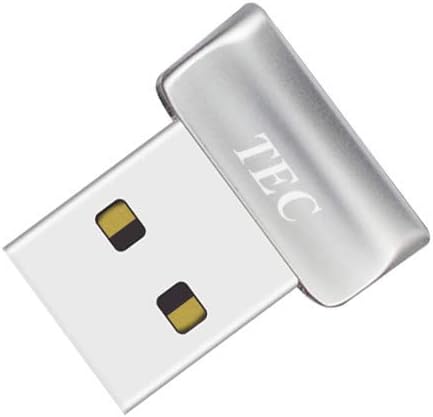
TEC Mini USB Fingerprint Reader
4.2Editor score
Windows Hello Compatible
Fast 360 Degree Match
Affordable Price Point
This guide compares the top fingerprint scanner for PC options to help you secure your Windows desktop with reliable biometric login and strong authentication
Securing your computer is more important than ever in today's digital landscape. A fingerprint scanner for PC offers a convenient and reliable way to protect your data without relying on complex passwords. These devices integrate seamlessly with Windows Hello to provide fast access.
We evaluated ten top-rated models based on accuracy, compatibility, build quality, and security features. Our analysis focuses on devices that support Windows Hello and offer robust anti-spoofing technology. We also considered factors like cable length and ease of setup for daily use.
Each pick highlights specific strengths ranging from budget-friendly options to enterprise-grade security. The reviews detail real-world performance and compatibility with various Windows versions. Please note that prices and availability may change over time so check current listings before purchasing.
4.2Editor score

4.1Editor score

5.0Editor score
This comparison table provides a quick overview of the key specifications and features for each of the ten selected fingerprint scanners. Use this reference to find the device that best matches your specific security needs and budget constraints.


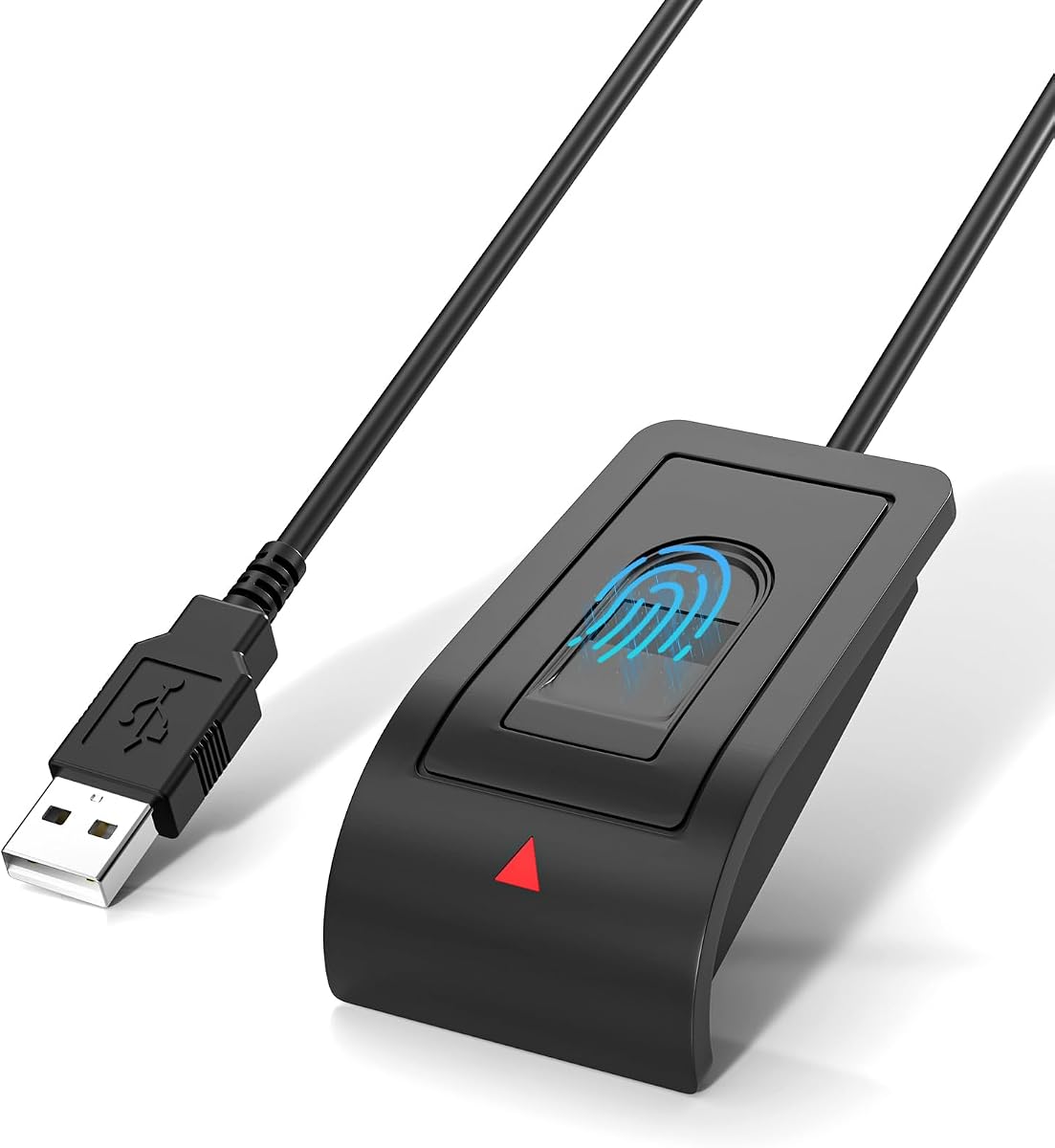


The Kensington VeriMark Desktop 1.0 stands out as a top choice for users seeking robust security. It holds a 4.1 rating and excels in biometric performance with anti-spoofing technology. This device is ideal for those who prioritize data protection and seamless Windows integration.
We may earn a commission when you buy through this link, at no additional cost to you.
Its FIDO U2F certification ensures strong authentication options beyond simple logins. The long USB cable allows you to position the reader exactly where it is most comfortable. Encryption happens end-to-end within the sensor to keep your biometric data safe from interception.
While the cost is higher than budget models, the security features justify the investment. You might find the cable length cumbersome if you prefer a compact setup. However, the flexibility it offers for desktop management is a significant benefit for office environments.
We recommend this scanner for professionals and businesses needing reliable compliance with privacy laws. It handles multiple authentication types well and integrates smoothly with Microsoft services. For anyone wanting peace of mind regarding their digital identity, this is a solid choice.
The device supports FIDO U2F and FIDO2 WebAuthn for expanded login security across major browsers.
The 3.9 foot USB cable provides significant reach to position the scanner comfortably on any desk.
We may earn a commission when you buy through this link, at no additional cost to you.
The TEC Mini USB Fingerprint Reader offers excellent value for budget-conscious buyers. With a 4.2 rating it provides reliable Windows Hello integration and quick authentication. This dongle is perfect for securing personal files and logging into your system without typing passwords.
We may earn a commission when you buy through this link, at no additional cost to you.
Its design supports 360 degree touch recognition which makes finding the right angle easy. You can register multiple fingerprints to allow different family members to access the same computer securely. Customer support is available to help troubleshoot any driver installation issues you might face.
The main limitation is that it does not work with ARM-based chipsets. Users with newer Windows on ARM devices may need to look elsewhere. However, for standard Intel or AMD systems the performance is quick and responsive for daily use cases.
This scanner is best suited for home users who want simple password-free access. It handles folder encryption well to protect sensitive documents from prying eyes. If you need an inexpensive way to add biometric security to your setup this model delivers well.
Fast fingerprint authentication allows you to unlock your PC in seconds every time you sit down.
Protect your private documents with file encryption features integrated directly into the reader software.
We may earn a commission when you buy through this link, at no additional cost to you.
The ESS Desktop USB Fingerprint Security Reader is a top-tier option with a perfect 5.0 rating. It utilizes Match-On-Chip technology to keep biometric data isolated on the sensor hardware. This design minimizes data leakage risks and offers peace of mind for security-sensitive users.
We may earn a commission when you buy through this link, at no additional cost to you.
It supports FIDO U2F and FIDO2 standards for strong multi-factor authentication. The driver-free plug and play setup makes initial configuration quick and straightforward for Windows users. TAA compliance ensures it meets strict quality standards often required for professional or government procurement.
While it is a premium product the build quality reflects its higher price point. You might find it less common in general retail compared to other brands. The excellent accuracy and speed ensure that unlocking your device is always a smooth experience without delays.
We recommend this for users who need certified security and reliable performance. It supports up to ten unique user profiles for easy switching between accounts. If you value strict data isolation and certified manufacturing standards this device is the right choice for you.
Fingerprint data is processed entirely on the sensor hardware so it never leaves your device locally.
Compliance with Trade Agreements Act ensures the product meets high quality and security standards.
We may earn a commission when you buy through this link, at no additional cost to you.
The Kensington VeriMark Gen1 is designed for users who need portability in their security setup. It features a compact design that attaches to a key ring so you can take it anywhere. This makes it ideal for professionals who switch between different workstations often.
We may earn a commission when you buy through this link, at no additional cost to you.
It offers strong anti-spoofing protection to prevent unauthorized access attempts. The proprietary template format ensures your biometric data cannot be reverse-engineered by anyone. Integration with password managers like Dashlane and LastPass adds extra convenience for your web logins.
While it is an older generation device it remains effective for basic needs. You might find the lack of newer standards like FIDO2 limits some advanced features. However for Windows Hello login it still delivers consistent performance for most home and office setups.
We suggest this model for travelers or multi-device users who want consistent security. The encryption standards ensure your data stays safe even if the device is lost. It is a reliable choice for keeping your accounts secure on the go without bulky hardware.
The small form factor and key ring attachment make it easy to carry in your pocket or bag.
Compatible with popular tools like LastPass and Roboform to streamline your website logins.
We may earn a commission when you buy through this link, at no additional cost to you.
The DigitalPersona URU4500 USB is built to withstand heavy use in demanding environments. It features a metal casing that resists movement and protects the internal components. This rugged design makes it suitable for shared office spaces or industrial settings.
We may earn a commission when you buy through this link, at no additional cost to you.
With a 512 dpi resolution the sensor captures detailed images for accurate matching. It works well with dry or rough fingerprints which can be a challenge for cheaper models. Encrypted fingerprint data ensures that your biometric information remains secure during transmission.
The user rating reflects mixed feedback regarding software integration on newer systems. You may need to update drivers regularly to ensure compatibility with Windows 11 updates. Despite this the hardware quality remains solid for those prioritizing physical durability over aesthetics.
We recommend this scanner for organizations needing long-term hardware reliability. The latent print rejection helps prevent false matches from residual prints on the sensor. If you need a scanner that can take a beating physically this model is a strong contender.
Captures detailed fingerprint images with 512 dpi for accurate recognition across different skin conditions.
Metal casing resists unintentional movement and adds durability for high-traffic office environments.
We may earn a commission when you buy through this link, at no additional cost to you.
The Upgraded USB-A Fingerprint Reader impresses with an ultra-fast 0.05-second response time. This speed ensures that unlocking your computer feels instant and natural for daily interactions. It features advanced anti-spoofing technology to prevent unauthorized access attempts effectively.
We may earn a commission when you buy through this link, at no additional cost to you.
You can register up to ten user IDs which makes it great for family or team use. The included extension cable gives you freedom to place the device where it is most convenient. Encryption keeps your credentials and private folders protected without complex setup steps.
While specific brand details are limited the performance metrics show strong reliability. Some users might find support information harder to access compared to major brands. However the plug and play nature means you can start using it immediately after purchase.
This scanner is best for users who value speed and convenience above all else. It integrates well with Windows Hello to replace passwords smoothly and securely. For shared devices requiring quick and accurate access this model is an efficient and affordable solution.
The ultra-fast response time allows you to access your system in fractions of a second.
Support up to ten different user profiles for easy access management on shared computers.
We may earn a commission when you buy through this link, at no additional cost to you.
The Digital Persona 88003-001 is designed specifically for desktop security applications. It includes a very long cable that allows you to place the reader across the desk comfortably. This flexibility is useful for ergonomic setups where you want the device out of the way.
We may earn a commission when you buy through this link, at no additional cost to you.
Its small form factor conserves desk space while maintaining a rugged metal build. The blue LED indicator provides clear feedback on when a scan is successful. This visual cue helps users align their fingers correctly for consistent reading results.
You will not receive a CD with software so installation relies on system drivers. While this keeps the package simple it might require manual setup for older operating systems. The scan area is generous enough to accommodate various finger sizes easily.
We recommend this for users needing a straightforward and durable desktop solution. The long cable ensures it fits many workspace configurations without extra extensions. If you prioritize physical stability and simple connectivity over advanced software features this fits the bill.
The cool blue LED glow signals successful scans without being too bright for your workspace.
Includes a 70 inch cable for flexible placement on desks or within docking stations.
We may earn a commission when you buy through this link, at no additional cost to you.
This Windows Hello Fingerprint Reader focuses on simplicity and ease of use for daily tasks. It requires no third-party apps to integrate with the built-in Windows security system. The 4ft cable provides enough reach to place the device exactly where you want it.
We may earn a commission when you buy through this link, at no additional cost to you.
Security is handled through match-in-sensor technology which keeps your data local on your device. This means your biometric information is never uploaded or shared externally for added privacy. The angled sensor design offers a comfortable position for your finger during repeated scans.
While it lacks advanced branding features it does the core job effectively. You might not get extra tools like file encryption but the login speed is consistent. For a basic setup that just works with your PC this model is highly reliable and functional.
We suggest this for users who want a plug and play solution without hassle. It is ideal for home and office computers where quick login is the primary goal. If you prioritize straightforward integration over advanced features this reader delivers well.
Biometric data stays stored locally on your Windows device to ensure maximum privacy.
An angled sensor placement makes it comfortable to use throughout the day without strain.
We may earn a commission when you buy through this link, at no additional cost to you.
The RGB Light Up Windows Hello Scanner adds visual flair to your security setup. It features flowing RGB lighting effects that can be adjusted for touch control. This makes it a good choice for users who enjoy customizing their desktop aesthetics.
We may earn a commission when you buy through this link, at no additional cost to you.
It supports Windows 12 and includes features like file encryption for extra security. The long extension cable ensures you have flexibility in placement even on large desks. Match-in-sensor security means your data remains safe on the device locally.
Some users report mixed experiences with driver consistency on non-genuine systems. The lighting can be distracting during low-light hours if not managed properly. While functional it may require more troubleshooting to ensure smooth operation compared to basic models.
We recommend this for enthusiasts who want style along with security functions. If you value visual customization and have a standard Windows system this device is interesting. Just be prepared for some potential adjustments to get the perfect experience.
Adjustable RGB effects allow you to match your device color scheme to your desk setup.
Beyond visual appeal it offers file encryption to keep personal data secure.
We may earn a commission when you buy through this link, at no additional cost to you.
The ineo USB Fingerprint Reader offers a compact design that saves space on your desk. It features a useful one-touch screen lock function for quick security when stepping away. The high-precision optical sensor ensures reliable reading and quick authentication times.
We may earn a commission when you buy through this link, at no additional cost to you.
Setup is straightforward with a plug and play connection that requires no extra drivers. The 5ft cable provides enough length to place the device wherever you need it. This simplicity makes it a practical choice for daily home or office computer use.
While it does not support Mac systems it works well with Windows PCs. Some users might find the feature set basic compared to enterprise models. However for essential login security it performs consistently and handles shared access needs effectively.
We suggest this for users looking for a no-fuss portable security solution. The screen lock feature adds a nice layer of convenience to your workflow. If you value space-saving design and simple operation this reader is a strong choice for your setup.
Instantly lock your computer using a simple touch to keep your data safe when you step away.
Sleek design fits comfortably on any desk without cluttering your workspace.
We may earn a commission when you buy through this link, at no additional cost to you.
Selecting the right fingerprint scanner requires evaluating compatibility, security standards, and ease of use. This guide helps you understand the key factors that influence performance and value.
Ensure the device explicitly supports Windows Hello for seamless integration with your operating system. Most modern scanners work well with Windows 10 and 11 but always check specific version requirements. Some models may lack support for ARM-based chips or older systems so verify before purchasing.
Look for certifications like FIDO U2F or FIDO2 which offer strong authentication beyond simple logins. Match-in-sensor technology ensures biometric data is processed locally and encrypted to prevent leaks. High encryption standards protect your identity data from interception during transmission.
Fast response times and low false acceptance rates are crucial for a smooth user experience. Scanners with anti-spoofing technology help prevent unauthorized access attempts effectively. Consider the number of user profiles supported if multiple people need access to the same device.
USB-A connectivity is common but check if you need adapters for USB-C ports. A longer cable offers more flexibility for placing the reader comfortably on your desk. Some models include extension cables while others require separate purchases for reach.
Metal casings provide better resistance to physical damage and unintentional movement during use. Rugged construction is important for shared environments or high-traffic areas. The sensor should be reliable enough to handle dry or moist fingerprints consistently.
Plug and play devices reduce setup time by avoiding complex driver installations. Check if the vendor offers regular updates for new Windows versions. Basic functionality should work out of the box without needing additional software to function.
Entry-level models offer basic logins at a low cost while premium options include advanced security features. Decide what features are essential for your needs to avoid overspending on unnecessary extras. Balance the upfront cost against long-term security benefits and reliability.
Ergonomic design ensures that scanning feels natural and comfortable during daily use. Features like visual indicators help you align your finger correctly for accurate scans. Simple registration processes make adding new users quick and straightforward for teams.
To start using your scanner, connect it to a USB port and let Windows detect the hardware. Navigate to Settings and select Accounts to set up Windows Hello and register your fingerprints. Follow the on-screen prompts to scan your finger multiple times for accurate recognition.
Keep the sensor clean and free of dust or oils to maintain consistent scanning performance. Use a soft dry cloth to wipe the glass surface gently as needed. Avoid applying pressure to the sensor as it may damage the internal components over time.
If you experience recognition issues, try cleaning your finger and the sensor again. Ensure your device drivers are updated through Windows Update or the manufacturer's website. Restarting your computer can also resolve temporary connection glitches affecting the hardware.
Yes, reputable scanners use encryption and local processing to keep biometric data secure. Most modern devices do not store your actual fingerprint image but rather a unique digital template. This design minimizes the risk of data theft or unauthorized access by external parties.
Most standard PC scanners are designed for Windows and do not natively support macOS. You would need to look for third-party software solutions or specific hardware that supports Mac systems. Check compatibility carefully before purchasing to ensure it works with your operating system.
Most devices are compatible with standard USB-A ports found on desktops and laptops. If your PC only has USB-C ports you may need an adapter to connect the scanner. Always check the product specs to verify supported connection types before buying.
You can still access your computer using your password or PIN as a fallback method. Since biometric data is stored on your PC and not the device you are not locked out. Simply replace the hardware and re-register your fingerprint in the Windows settings menu.
Yes most models allow you to register multiple users for shared access to a computer. This feature is useful for families or offices where different people need secure login access. Check the maximum user limit for each device before setting up multiple profiles.
Many devices work plug and play without needing extra software installation. If drivers are required you can usually find them on the manufacturer website or via Windows Update. Follow the included instructions to ensure the device functions correctly with your system.
While it offers a convenient login method you should keep your password as a backup option. Security experts recommend using multi-factor authentication for critical accounts beyond just the scanner. This adds an extra layer of protection against potential security threats.
We have reviewed ten top fingerprint scanners offering options for every budget and security need. From the affordable TEC Mini to the robust Kensington VeriMark each model provides a unique balance of features and performance. Consider your specific setup requirements to find the best fit.
When making your decision prioritize compatibility with your Windows version and preferred security standards. Look for models that offer reliable anti-spoofing protection to ensure your data stays safe. Fast response times and ease of setup also contribute to a better daily experience.
Remember that prices and availability can change so check current listings before finalizing your purchase. We hope this guide helps you secure your PC with confidence using the right biometric technology. Your digital safety is worth the investment in quality hardware and proper configuration.