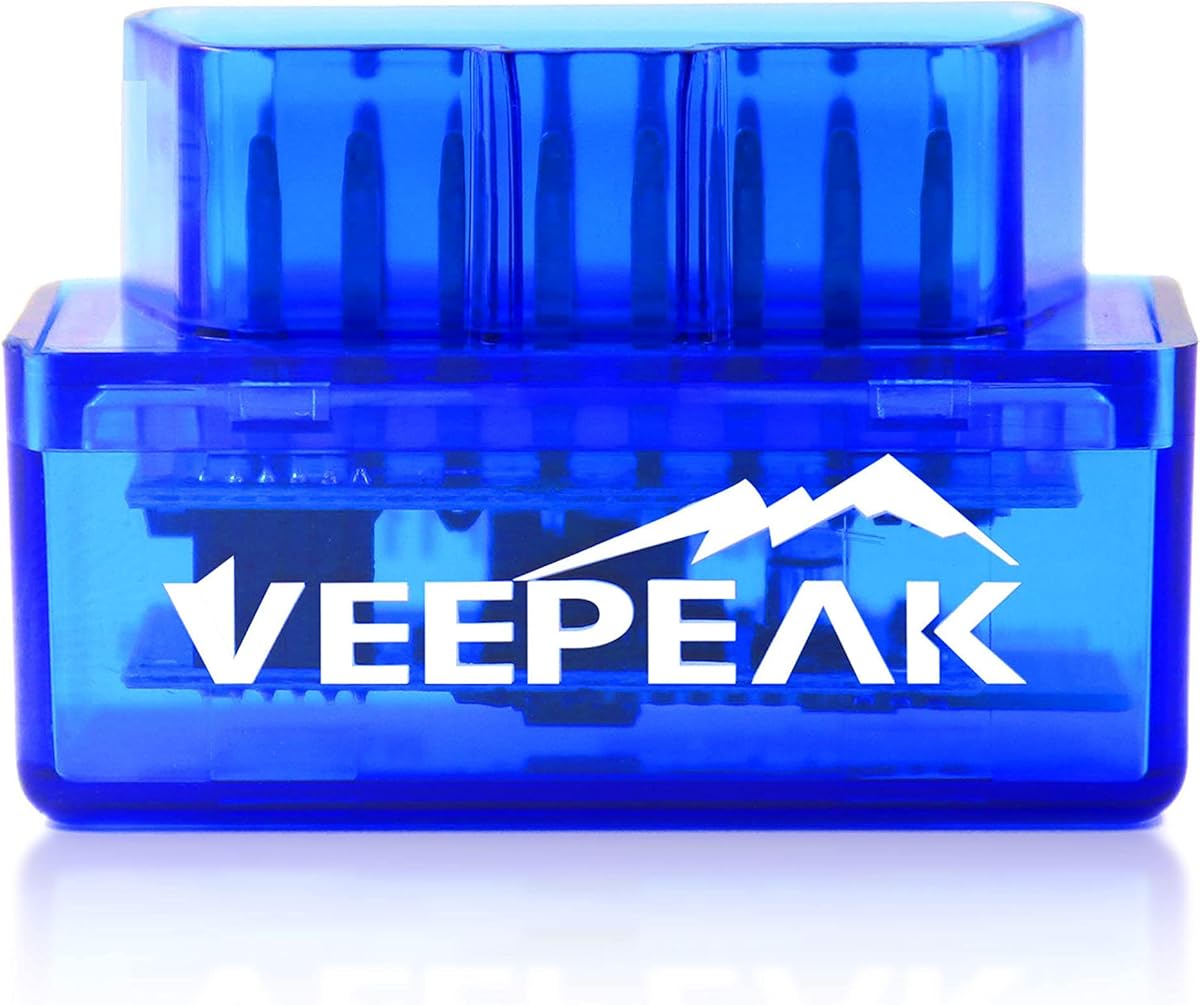
Veepeak Mini Bluetooth OBD2 Scanner Code Reader for Android (NOT for iOS)
4.4Editor score
Compact and Bluetooth design
Android phone tablet support
Live sensor data streaming
Compare the top Android OBDII scanner tools for 2026 to find the best Bluetooth code reader for your vehicle diagnostics and maintenance needs.
Modern vehicles rely heavily on electronic systems that require specialized tools for diagnostics. An Android OBDII scanner tool connects your smartphone to the car port to reveal hidden issues and monitor performance in real time.
We evaluated ten leading scanners based on connectivity, app compatibility, diagnostic depth, and user feedback. This guide helps you choose the right device for your budget and vehicle type without unnecessary guesswork or expensive shop visits.
Each pick includes key specs, pros, cons, and detailed usage insights. Prices and availability change frequently so verify current listings before purchasing to ensure you get the best value for your specific diagnostic requirements.
4.4Editor score

4.5Editor score

4.6Editor score
This side by side comparison highlights the core capabilities and limitations of each scanner. Use it to quickly identify which device matches your vehicle make model and desired diagnostic depth.


The BlueDriver OBD2 Scanner stands out as a professional grade tool that turns your phone into a powerful diagnostic device. With a 4.5 rating from thousands of users it delivers reliable results without requiring a subscription.
We may earn a commission when you buy through this link, at no additional cost to you.
Its standout feature is the unlimited access to technician verified repair reports matched to your VIN. This helps you understand exactly what the check engine light means and confirms fixes so you avoid unnecessary repairs.
While it costs more than entry level code readers the value comes from enhanced diagnostics like ABS and TPMS support on compatible vehicles. The wireless connection is stable and the app interface is intuitive for beginners.
Choose this scanner if you want comprehensive diagnostics without ongoing fees. It is ideal for drivers who want to monitor vehicle health and verify repairs before visiting a shop.
These reports provide definitions causes and confirmed fixes for trouble codes helping you make informed repair decisions.
Beyond engine codes you can access transmission ABS and airbag systems on supported makes for deeper troubleshooting.
We may earn a commission when you buy through this link, at no additional cost to you.
The OBDLink MX+ is designed for users who need professional grade diagnostics across multiple platforms. It earns a 4.6 rating for its robust build and enhanced vehicle support that goes beyond generic OBDII limits.
We may earn a commission when you buy through this link, at no additional cost to you.
This adapter is recommended for advanced apps like FORScan and BimmerCode which require high speed data. It supports enhanced OEM features for brands like Ford GM and Toyota allowing access to live parameters like ABS and TPMS.
Protection against over voltage and battery drain ensures your car electronics stay safe during long diagnostic sessions. Firmware updates keep it current with new vehicle models and protocols.
Buy this if you want a versatile high performance scanner for multiple devices. It suits enthusiasts and professionals who need reliable data without compromising on speed or coverage.
Access manufacturer specific data like ABS and TPMS that generic readers cannot retrieve on supported vehicles.
Connect seamlessly to iPhone Android devices and Windows PCs for flexible diagnostic workflows.
We may earn a commission when you buy through this link, at no additional cost to you.
The Veepeak Mini Bluetooth Scanner offers the most affordable entry into OBDII diagnostics for Android users. With a 4.4 rating it provides reliable access to engine codes and live data at a fraction of the cost of premium tools.
We may earn a commission when you buy through this link, at no additional cost to you.
This adapter uses classic Bluetooth to connect to Android phones and tablets. It supports popular apps like Torque and Car Scanner allowing you to monitor speed RPM and coolant temperature in real time.
While it lacks iOS support and advanced module access like ABS it covers all generic OBDII functions for 1996 plus vehicles. Its small size makes it easy to keep in your glove box.
Choose this budget pick if you only need basic engine diagnostics on Android. It is perfect for clearing check engine lights and monitoring vehicle health without breaking the bank.
Designed specifically for Android devices ensuring stable classic Bluetooth pairing with compatible apps.
Reads and clears engine codes plus live data for most US models from 1996 onward.
We may earn a commission when you buy through this link, at no additional cost to you.
The Veepeak OBDCheck BLE is a versatile budget scanner that works with both iOS and Android devices. Rated 4.5 it uses Bluetooth LE to connect wirelessly to your phone for generic OBDII diagnostics.
We may earn a commission when you buy through this link, at no additional cost to you.
It requires a third party app to function so you should verify compatibility before purchase. Popular choices include Car Scanner ELM OBD2 and Torque which unlock live sensor data and readiness checks.
This device is great for monitoring engine health and clearing check engine lights on 1996 plus vehicles. However it does not support advanced modules like ABS or SRS and some apps may require separate purchases.
Pick this if you need cross platform support at a low price. It balances cost and functionality well for casual users who want to track vehicle performance.
Uses low energy Bluetooth for efficient wireless connections that drain less battery than classic models.
Functionality depends on the app you choose so check supported features before downloading.
We may earn a commission when you buy through this link, at no additional cost to you.
The Veepeak OBDCheck BLE+ extends the capabilities of the basic model with support for classic Bluetooth and more detailed data streams. Rated 4.5 it connects to both iOS and Android for enhanced OBDII diagnostics.
We may earn a commission when you buy through this link, at no additional cost to you.
Depending on your app you can access live data like EV battery state of health and transmission temperature. It works with Car Scanner Torque and OBD Fusion to provide deeper insights into vehicle systems.
While it does not support injector coding or ABS bleeding the live data access helps monitor complex systems. Ensure your app has the correct vehicle profile for accurate readings.
Choose this if you want more live data than standard scanners offer. It is a solid upgrade for tech savvy users who need specific sensor insights without buying a full professional tool.
Monitor transmission temperature and EV battery health if your app supports these specific profiles.
Compatible with both classic and low energy Bluetooth for broader app compatibility across devices.
We may earn a commission when you buy through this link, at no additional cost to you.
The ANCEL AD310 is a standalone handheld scanner that removes the need for a smartphone. With a 4.6 rating it offers quick and accurate diagnostics directly on its own screen.
We may earn a commission when you buy through this link, at no additional cost to you.
It supports all OBDII protocols including CAN ensuring compatibility with most 1996 plus vehicles. The thick flexible cable and compact design make it easy to use in tight engine bays.
While it lacks live data graphing or advanced module access it excels at reading and clearing engine codes quickly. This makes it ideal for mechanics who prefer not to rely on an app for basic checks.
Buy this if you want a reliable independent tool for engine diagnostics. It is perfect for checking emission readiness and clearing codes without pairing with a mobile device.
Compatible with KWP2000 J1850 and CAN protocols for broad vehicle coverage.
No app or phone required making it simple to use in any situation.
We may earn a commission when you buy through this link, at no additional cost to you.
The FOXWELL NT301 combines standalone convenience with professional level features like live data graphing. Rated 4.5 it helps you visualize sensor data to spot issues that simple code readers miss.
We may earn a commission when you buy through this link, at no additional cost to you.
It includes a dedicated smog check helper with LED indicators to confirm emission readiness instantly. Advanced OBDII modes allow EVAP system checks and oxygen sensor testing to optimize fuel economy.
The bright color screen is readable in sunlight and the lifetime updates ensure it stays current. While it lacks advanced module access it provides deep engine diagnostics for a reasonable price.
Choose this if you want to see data trends rather than just codes. It is excellent for diagnosing intermittent issues and preparing your vehicle for emission tests.
Visualize sensor data in real time to identify fluctuations and performance trends.
Verify emission readiness before visiting the testing center to avoid unnecessary failures.
We may earn a commission when you buy through this link, at no additional cost to you.
The BlueDriver Next Gen updates the classic scanner with expanded coverage for 2024 and newer vehicles. Rated 3.9 it retains the core benefits like verified reports and no subscription fees.
We may earn a commission when you buy through this link, at no additional cost to you.
It improves communication with select Nissan and Mazda models ensuring better compatibility for recent cars. The repair reports and live data features remain consistent with the previous version.
While the rating is slightly lower it offers the same value proposition for modern vehicles. Use it if you need diagnostics for a 2024 plus car with the trusted BlueDriver app experience.
Buy this if your vehicle requires the latest connectivity updates. It is ideal for families with newer cars who want simple and accurate engine monitoring.
Optimized for 2024 and newer Nissan and Mazda models for better data access.
Unlimited access to technician verified fixes matched to your VIN.
We may earn a commission when you buy through this link, at no additional cost to you.
The XTOOL A30D offers bidirectional control allowing you to send commands to vehicle components for testing. Rated 4.4 it enables you to check fuel pumps wipers and windows from your phone.
We may earn a commission when you buy through this link, at no additional cost to you.
It includes 19 reset functions like EPB reset and oil changes so you can maintain your car without a shop. Free lifetime software updates keep it current without extra charges.
Support for CAN FD and FCA protocols ensures coverage for modern and Chrysler Dodge Jeep models. Verify compatibility before use to ensure all functions work for your specific vehicle.
Choose this if you need maintenance resets and component testing. It is perfect for DIYers who want professional level control without expensive hardware.
Send commands to test components like fuel pumps without disassembly.
Handle routine maintenance like oil changes and ABS bleeding from your phone.
We may earn a commission when you buy through this link, at no additional cost to you.
The V011 OBD2 Scanner uses Bluetooth 5.4 for fast and reliable connections on iOS and Android. Rated 4.4 it pairs with a dedicated app to simplify diagnostics for beginners.
We may earn a commission when you buy through this link, at no additional cost to you.
Its app presents data in easy to read charts helping you understand sensor values without technical knowledge. It supports over 96 percent of car makes with multi language support for global users.
While it is a newer product its modern connectivity ensures stable performance. Just remember to turn on Bluetooth before opening the app to establish a connection.
Buy this if you want the latest connectivity and an intuitive interface. It is a great choice for owners who need quick diagnostics without complex setup.
Uses the latest Bluetooth standard for faster pairing and stable data links.
Charts and graphs make it easy for anyone to interpret engine data.
We may earn a commission when you buy through this link, at no additional cost to you.
Selecting the right scanner depends on your vehicle year features needed and budget. This guide outlines the key factors to consider before purchasing.
Bluetooth Low Energy offers better battery efficiency while classic Bluetooth provides broader app support. Ensure your phone OS matches the adapter's requirements.
Choose Bluetooth LE for modern efficiency or classic for legacy app compatibility.
Many adapters rely on third party apps. Check which apps work with your device and whether they require subscriptions.
Verify app support before buying to avoid extra costs or limitations.
Basic scanners read engine codes while advanced ones access ABS SRS and transmission modules. Determine if you need deep system access.
Select deeper diagnostics if your vehicle frequently triggers non engine warnings.
Live data helps spot intermittent issues. Look for adapters that stream parameters like RPM temperature and voltage smoothly.
Prioritize live streaming if you need real time monitoring while driving.
Some tools support maintenance resets like oil changes and brake bleedings. Confirm these functions match your maintenance schedule.
Choose a tool with resets if you plan DIY routine maintenance.
Software updates keep the scanner current with new vehicles. Prefer tools offering free lifetime updates for long term value.
Ensure updates are free and automatic to maintain compatibility over time.
Most tools work on 1996 plus US models. European Asian or heavy duty vehicles may need specialized adapters.
Always confirm compatibility with your specific make model and VIN.
Entry level tools cost under $50 while advanced models exceed $100. Balance cost with needed features to avoid overpaying.
Choose a price point that matches your diagnostic needs without unnecessary extras.
Plug the adapter into your vehicle's OBDII port under the dashboard. Ensure the ignition is on but the engine may be off for most functions.
Open the paired app on your phone and follow the connection prompts. Wait for the tool to establish a stable link before reading codes.
Disconnect the adapter after use to prevent battery drain. Store it in a dry place to protect the connectors from damage.
Most support 1996 and newer US vehicles. European Asian or heavy duty models may need specific adapters. Always verify compatibility on the product page before buying.
Yes all listed adapters can read and clear engine codes. Ensure the underlying issue is fixed to prevent the light from returning after clearing.
Most tools offer free basic functions but some features may require paid apps. Choose adapters with no subscription fees for long term savings.
Only enhanced models like BlueDriver or OBDLink support advanced modules. Standard readers focus on engine and emission related codes only.
Update whenever the app notifies you. Most adapters provide free lifetime updates to support new vehicle models and fix bugs.
Use live data features with caution. It is safer to view results when parked or use dash mounts to avoid distraction while operating the vehicle.
Bluetooth LE uses less battery and pairs within apps. Classic Bluetooth offers broader app support but may drain more power on older devices.
Some tools support EV systems like battery health. Check compatibility with specific hybrid or EV apps to ensure correct functionality.
We highlighted top picks including BlueDriver for verified reports and Veepeak for budget friendly access. Each tool balances cost and capabilities to meet different diagnostic needs.
Prioritize compatibility and app support before purchasing. A scanner that works seamlessly with your vehicle saves time and frustration.
Always check current listings for the latest pricing and stock. Diagnostics tools evolve quickly so confirm features before finalizing your choice.