
WSDCAM 4-in-1 HD CCTV Tester
5.0Editor score
Affordable all-in-one solution
UTP cable testing included
Lightweight portable design
Selecting the right CCTV Test Monitor is crucial for security professionals who need to verify camera functionality on site. A quality tester allows you to check video signals, network connectivity, and power delivery without needing multiple tools. This ensures every camera works correctly before finalizing the installation.
We have carefully evaluated ten leading CCTV Test Monitors available in the market today. Our comparison focuses on essential features such as touchscreen responsiveness, PoE power output capabilities, and comprehensive cable testing functions. We also consider battery life and compatibility with various camera protocols to ensure practical utility.
Each pick in this list highlights specific strengths ranging from budget-friendly analog testers to advanced all-in-one network tools. You will find detailed breakdowns of what each device offers to help you make an informed decision. Please note that product availability and pricing can change over time so verify current details before purchasing.
5.0Editor score

4.5Editor score

4.4Editor score
As an Amazon Associate we earn from qualifying purchases.
The following table provides a side-by-side comparison of the top ten CCTV Test Monitors. It highlights key specifications such as screen size, supported camera types, power output capabilities, and unique features like cable testing or SFP ports. This overview helps you quickly identify which model aligns with your specific installation requirements.


The Rsrteng CCTV Camera Tester stands out as a top choice for professionals needing advanced capabilities. It receives high ratings for its ability to handle up to 8K 32MP IP cameras which is rare in this category. The device combines robust power output with extensive network testing tools making it a complete solution for complex installations.
We may earn a commission when you buy through this link, at no additional cost to you.
Its standout feature is the 90W PoE++ power output which can temporarily power high-demand PTZ cameras without extra adapters. The Android 11 OS allows for app flexibility and the 7 inch IPS touchscreen provides clear visibility even in bright conditions. Network tools like trace route and DHCP server help diagnose connectivity issues efficiently on site.
While the device is powerful it does come with a higher price tag compared to basic analog testers. The weight is also slightly more due to the battery and components which might be a consideration for handheld use over long periods. However these trade-offs are acceptable given the versatility and future-proofing it offers.
This tester is ideal for security installers working with high-end IP systems who need a single device for power testing and network diagnostics. If you require support for the latest camera resolutions and want to minimize the tools you carry this model delivers exceptional value and performance.
The 90W PoE++ output ensures you can test any camera type without needing external power bricks.
Support for 8K resolution means this device will remain relevant as camera technology advances.
We may earn a commission when you buy through this link, at no additional cost to you.
The WANLUTECH E88 offers a distinctive large 8 inch touchscreen which enhances visibility during testing tasks. It supports up to 4K 12MP IP cameras and includes a SFP optical fiber module port for fiber network testing. This makes it particularly useful for projects involving long distance cabling or fiber backbones.
We may earn a commission when you buy through this link, at no additional cost to you.
With 90W PoE power output it can handle high power cameras effectively. The cable testing capabilities include TDR for measuring length and faults which saves time when troubleshooting wiring issues. HDMI and VGA inputs allow you to connect other devices for verification purposes extending its utility beyond just cameras.
The larger screen does add to the overall bulk of the device which might make it less convenient for tight spaces. The interface is feature-rich but may require some time to master if you are not familiar with network tools. However for detailed testing the screen real estate is a significant advantage.
Consider this monitor if you often work with fiber optic networks or need a larger display for clarity. It is a robust tool for technicians who prioritize screen size and fiber compatibility over extreme portability.
The built-in SFP port allows direct testing of fiber connections without additional adapters.
An 8 inch screen reduces eye strain and makes it easier to inspect fine details in video feeds.
We may earn a commission when you buy through this link, at no additional cost to you.
This upgraded model from WANLUTECH is designed for professionals demanding the highest performance. It supports 8K resolution cameras and comes with a cable tracer to help locate hidden wires quickly. The inclusion of a WiFi analyzer allows you to check signal strength which is vital for wireless camera installations.
We may earn a commission when you buy through this link, at no additional cost to you.
The 90W PoE power ensures reliable testing of high demand devices. You also get a suite of network tools including DHCP server and trace route for comprehensive connectivity checks. The 7 inch touchscreen balances portability with usability making it comfortable to hold for extended periods.
As a premium device the cost is higher than basic options and the abundance of features can be overwhelming for casual users. It requires a certain level of technical knowledge to utilize all functions effectively. But for serious installers the capabilities justify the investment.
Choose this tester if you need maximum compatibility and advanced diagnostic tools in one unit. It is well-suited for large scale projects where precision and versatility are paramount.
The cable tracer helps identify specific cables in cluttered bundles saving significant time.
Built-in WiFi tools allow you to optimize placement for wireless cameras without extra gear.
We may earn a commission when you buy through this link, at no additional cost to you.
The IPC-1800ADH Plus offers a compact form factor ideal for technicians who value mobility. Despite its small 4 inch touchscreen it supports 4K IP cameras and provides essential testing features. The 30W PoE output is sufficient for most standard cameras making it a practical choice for quick checks.
We may earn a commission when you buy through this link, at no additional cost to you.
It includes PTZ control functionality which allows you to adjust camera settings directly from the device. The cable test features help verify connections quickly. Its lightweight design makes it easy to carry in a tool bag for daily on-site visits without adding bulk.
The main limitation is the lower PoE power output which means it may not support high power PTZ domes. The screen is also smaller which can be harder to read in bright sunlight. However for general purpose testing this trade-off is often acceptable.
This model is perfect for residential installers or those who already have a high power unit but need a portable backup. It balances essential features with portability effectively.
The compact size ensures you can always have a tester handy in your vehicle.
30W output covers most standard IP cameras making it versatile for general use.
We may earn a commission when you buy through this link, at no additional cost to you.
Triplett is a known name in testing equipment and this model reflects that reliability. It offers a straightforward interface with 5 inch screen and supports up to 8MP cameras. The inclusion of Ookla speed test adds unique value for verifying network bandwidth which is helpful for IP installations.
We may earn a commission when you buy through this link, at no additional cost to you.
It handles analog and IP cameras well with decent PoE output for standard units. The design is compact and user-friendly making it accessible for less technical staff. Build quality feels robust enough for daily use in various environments.
However it lacks some advanced features found in other models such as fiber ports or high power PoE. If you need extensive network diagnostics this might feel limiting. It is better suited for general verification tasks rather than deep troubleshooting.
This is a safe choice for businesses that value brand trust and simplicity. It provides reliable performance for routine checks without unnecessary complexity.
Triplett products are known for durability and consistent quality which reduces replacement costs.
Integrated speed test helps ensure your network can handle video streams effectively.
We may earn a commission when you buy through this link, at no additional cost to you.
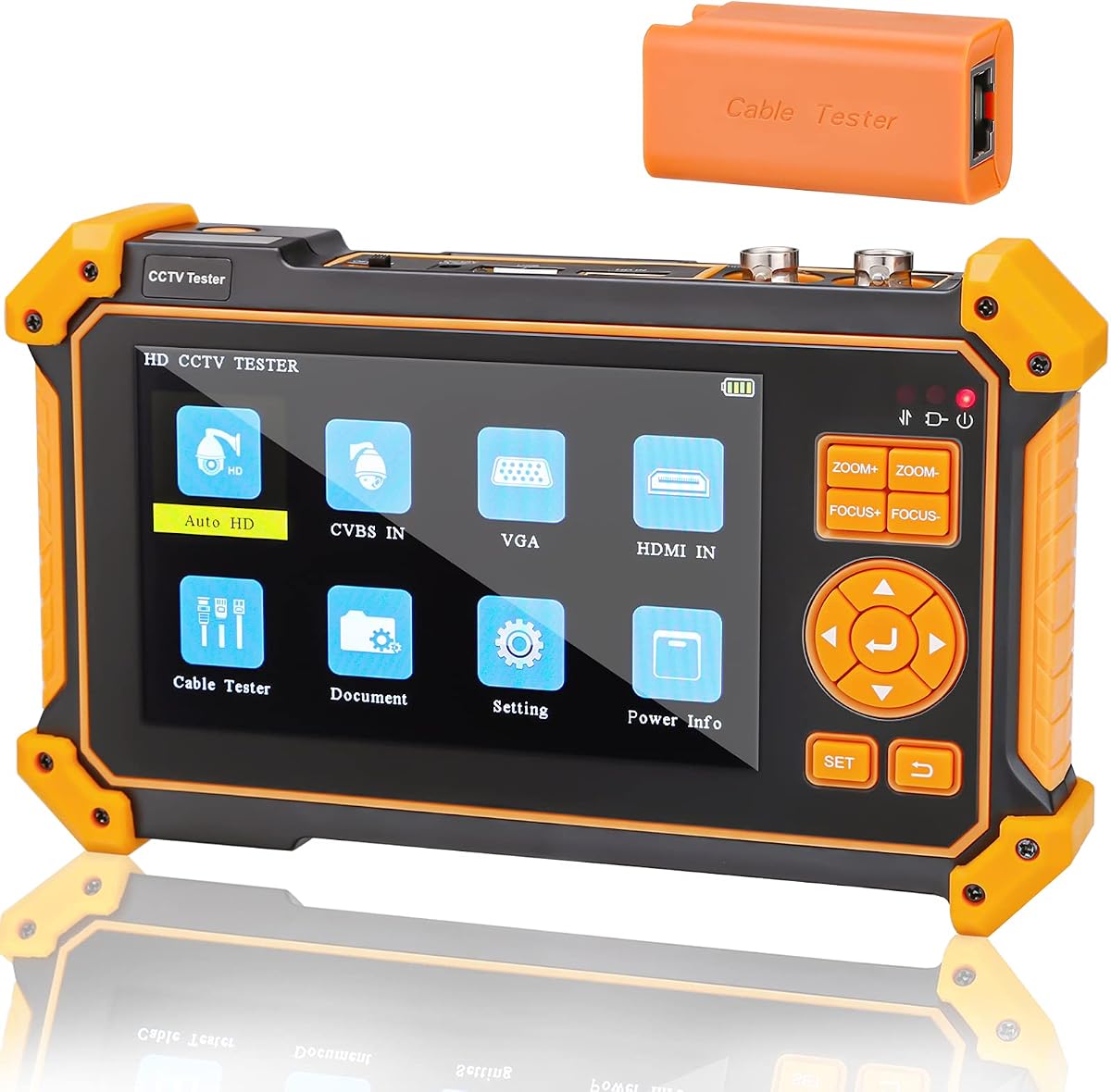
This budget-friendly model is excellent for analog camera testing and basic cable checks. It supports up to 4K 8MP HD coaxial cameras which is impressive for its price. The UTP cable tester helps verify connections without needing a separate tool making it a true all-in-one option for analog setups.
We may earn a commission when you buy through this link, at no additional cost to you.
It includes a DC12V power output to temporarily power cameras and an LED flashlight for working in dark areas. The interface is simple and intuitive which reduces training time for new technicians. Despite the low cost the build quality is surprisingly durable for daily use.
The main limitation is the lack of PoE output so it cannot power IP cameras directly. It also uses a non-touch screen which may feel less modern but is responsive enough for its functions. For analog systems this is not a drawback.
If you primarily work with coaxial cameras or need an inexpensive secondary device this is a strong contender. It offers great value and essential tools for installation and maintenance tasks.
The low price point allows teams to equip multiple technicians without breaking the budget.
Robust support for 4K coaxial ensures compatibility with legacy systems.
We may earn a commission when you buy through this link, at no additional cost to you.
The EVERSECU 7 Inch model is notable for its ability to record video directly which is useful for documentation. It supports 8K IP cameras and has a bright IPS touchscreen that displays video clearly. A built-in WiFi hotspot allows you to connect other devices for shared network access during testing.
We may earn a commission when you buy through this link, at no additional cost to you.
It includes a video level meter to help adjust camera settings accurately. The 24W PoE output is adequate for most IP cameras and the battery lasts long enough for a full day of work. The interface is feature rich providing many tools for network analysis.
The menu system can be intricate which might slow you down initially. It is also priced higher than basic testers but the recording feature adds value. For installers who need proof of installation the recording is a major benefit.
Choose this tester if you need to document your work or require advanced display features. It offers a good balance of power and usability for professional environments.
Recording video directly helps verify camera functionality for client reports.
The IPS screen ensures accurate color representation for camera tuning.
We may earn a commission when you buy through this link, at no additional cost to you.
This device is tailored specifically for analog camera testing without IP capabilities. It offers a 5 inch screen and supports various HD analog formats like TVI and AHD. The built-in PTZ controller is a key feature for dome camera adjustments. It is lightweight and easy to carry in a tool kit.
We may earn a commission when you buy through this link, at no additional cost to you.
The battery life is decent for basic tasks but it lacks network tools. It serves well as a dedicated monitor for debugging DVR inputs. The interface is straightforward making it easy to use for maintenance crews focused on coaxial systems.
Since it does not support IP cameras it is less versatile for modern installations. The screen is not touch enabled which is a minor inconvenience. However for pure analog work it is reliable and cost effective.
This is a good choice for technicians who focus on legacy systems or need a secondary analog monitor. It keeps things simple and functional.
Ideal for teams that still manage legacy coaxial systems.
Non-touch buttons provide reliability in dusty or dirty work environments.
We may earn a commission when you buy through this link, at no additional cost to you.
This model stands out for its HDMI input which allows connection to various video sources. It supports 4K 8MP analog cameras and includes a UTP cable tester for basic checks. The battery capacity is larger than average providing longer uptime during field work.
We may earn a commission when you buy through this link, at no additional cost to you.
It handles CVI and AHD formats well and offers a DC12V power output. The design is functional and easy to hold. It is a solid tool for testing DVR outputs without needing a separate monitor.
The lack of IP support limits its modern applicability. The screen is not touch sensitive which is a trade-off for cost. However the HDMI feature makes it versatile for mixed setups.
Choose this if you need to verify DVR outputs via HDMI and want a long lasting battery. It is practical for technicians dealing with legacy and new analog equipment.
HDMI inputs let you check DVR feeds directly without a separate monitor.
The large battery ensures you can work all day without recharging.
We may earn a commission when you buy through this link, at no additional cost to you.
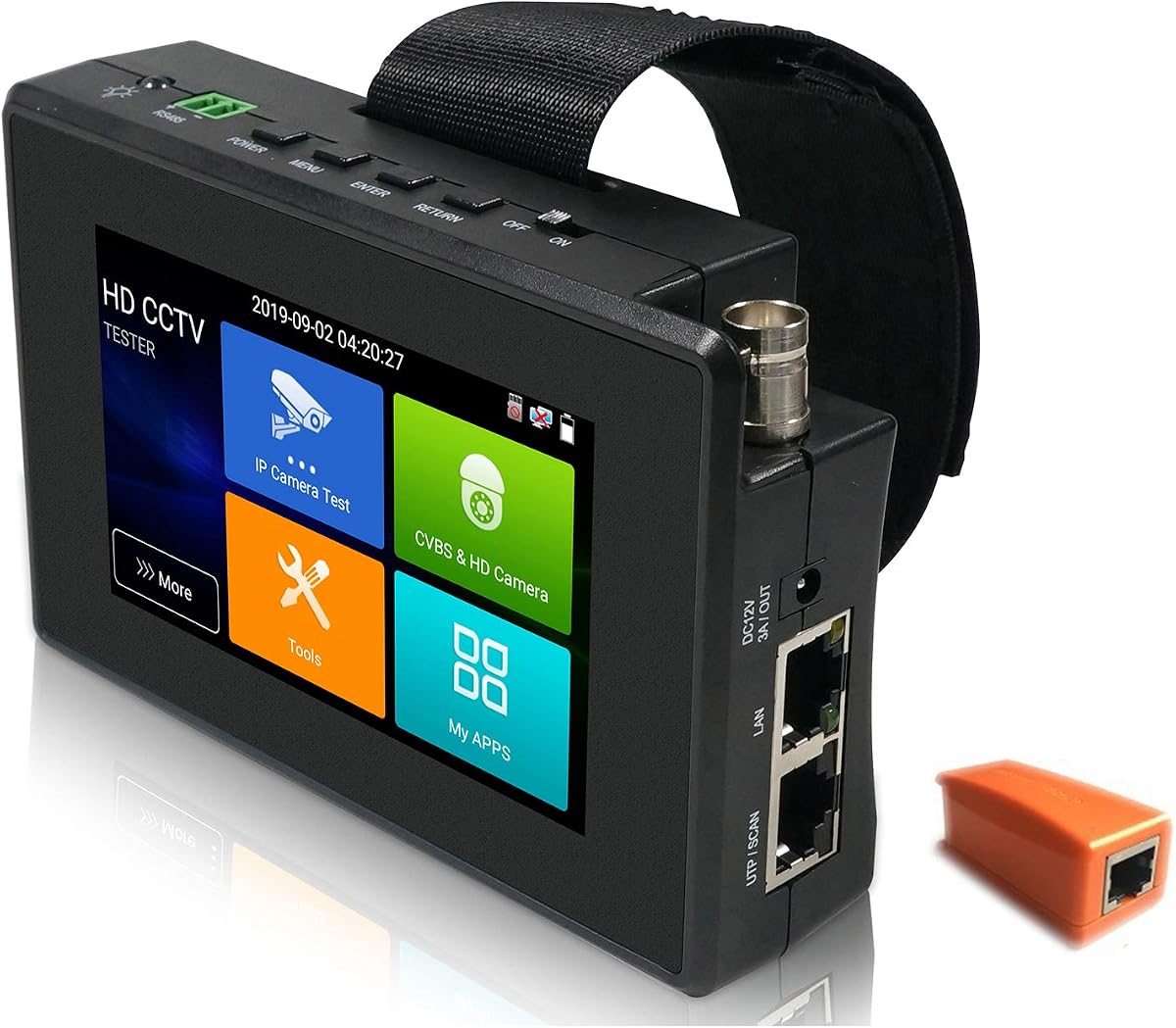
The EVERSECU 5 in 1 offers a balance of features and price that appeals to many installers. It supports both IP and analog cameras with a 4 inch touchscreen. The 25.5W PoE output is strong for a compact device. IP scanning tools help you manage network devices quickly.
We may earn a commission when you buy through this link, at no additional cost to you.
A unique feature is the 180-degree screen rotation which aids in connecting cables at awkward angles. The UTP cable test helps identify basic connection issues. It is designed to reduce the tools you need to carry on every job.
The screen is smaller which might be limiting for detailed work. It lacks fiber support which some advanced users may need. But for general residential and small business work it is very capable.
This is a great value option for those who want IP and analog support without paying premium prices. It provides essential tools efficiently.
Rotating the screen helps access ports without tilting the device.
IP scan tools simplify finding cameras on a busy network.
We may earn a commission when you buy through this link, at no additional cost to you.
Choosing the right CCTV Test Monitor depends on the types of cameras you install and the features you need. This guide covers the most important factors to consider.
Ensure the monitor supports the camera types you use such as IP analog CVI AHD or TVI. Some devices only support analog while others handle high resolution IP cameras. Select a unit that covers your current systems and future needs to avoid needing a new tool soon.
Look for devices that explicitly list support for your camera brands and protocols to ensure smooth operation.
Power over Ethernet or PoE allows the monitor to power IP cameras directly. Higher wattage like 90W is necessary for high power PTZ cameras while 30W is enough for standard units. A higher wattage unit provides more flexibility across different camera types.
Always check the max wattage and voltage to ensure it matches your camera power requirements.
A larger screen makes it easier to view video feeds and interface elements. IPS screens offer better color accuracy and viewing angles which is vital for camera tuning. Touchscreen responsiveness also impacts usability especially in bright outdoor environments.
Choose a screen size that balances visibility with portability for your typical work sites.
Integrated tools like TDR and UTP testers help you verify cable integrity and locate faults. This saves the need for separate testers and speeds up troubleshooting. Some models also include cable tracers to identify wires in bundles.
Prioritize models with built-in cable testing to reduce the number of tools you carry.
Advanced models include tools like ping IP scan and DHCP server to diagnose network issues. These are essential for installing IP cameras where connectivity is critical. A built-in WiFi analyzer is useful for testing wireless camera signal strength.
If you work heavily with IP systems ensure the device has strong network diagnostic capabilities.
A long lasting battery is crucial for working all day without access to power. Look for models with at least 7 to 10 hours of runtime. The weight and dimensions should be comfortable for handheld use over time.
Select a portable unit that fits easily in your tool bag for daily use.
Extra features like recording video HDMI inputs or SD card support can add value. PTZ control buttons allow you to adjust cameras remotely. Some units also allow screen rotation or theme customization for better usability.
Consider which extra features will actually improve your workflow before paying extra for them.
Prices vary significantly based on features. Determine what features are essential for your work to avoid overspending. Often a mid-range model offers the best balance of capability and cost for professional installers.
Compare specs carefully to ensure you get the most value for your investment.
Start by charging the device fully before your first use to ensure optimal battery life. Remove any protective films on the battery or screen. If the device has a protective sheet on the battery cover remove it before powering on.
Connect cameras to the appropriate ports such as BNC or Ethernet. Enable PoE if testing IP cameras. Use the menu to select the correct video standard for analog signals like NTSC or PAL to ensure a clear display.
After testing clean the screen and ports to remove dust. Store the device in a dry place to protect it from moisture. Regularly update firmware if available to maintain performance and security.
A CCTV Test Monitor is a portable device used to verify the functionality of security cameras during installation. It allows you to check video signals power and network connectivity without needing a full system setup.
If you install IP cameras you need PoE to power them directly. A tester with PoE simplifies the process by eliminating the need for separate power adapters or splitters.
Many modern testers support both analog and IP cameras. However some budget units are analog only so check the compatibility list before buying to ensure it meets your needs.
Battery life varies by model but most last between 7 to 10 hours on a single charge. Check the specifications for exact runtime and consider carrying a spare if you work long days.
Most higher end models feature touchscreens for easier navigation. Some budget analog units may use buttons only so consider usability preferences when choosing.
Some testers include cable testers that detect breaks or faults in cables. However they usually identify issues rather than repair them requiring manual fixes by the technician.
Interfaces vary but most are designed for technicians with intuitive menus. Basic features are easy to master though advanced network tools might require some reading of the manual.
You can purchase CCTV Test Monitors from online marketplaces and security equipment suppliers. Always buy from reputable sellers to ensure warranty and support availability.
The best CCTV Test Monitor for you depends on your specific needs and the cameras you work with. Our top picks include the Rsrteng Tester for power and resolution the WANLUTECH E88 for screen size and the WSDCAM 4-in-1 for budget friendly analog work.
Prioritize features like PoE power and cable testing to match your daily workflow. Investing in a versatile unit can save time and money in the long run by reducing the tools you carry.
Remember that prices and availability may change so verify current details before purchasing. A well-chosen monitor will make your installation tasks more efficient and reliable.