
Thrustmaster T-Flight Hotas X
4.5Editor score
Detachable throttle for flexibility
12 programmable action buttons
Adjustable resistance joystick
Plug and play ready
Discover the best joystick or Hotas for Star Citizen in this expert guide comparing top flight sticks, throttles, and bundles for immersive space simulation
Choosing the right joystick or Hotas for Star Citizen transforms your gameplay from simple inputs to immersive cockpit control. A quality flight controller offers precision, ergonomics, and programmable buttons essential for navigating complex spacecraft systems.
We compared ten top-rated flight simulators based on build quality, sensor technology, button count, and compatibility with Star Citizen. This list covers everything from budget-friendly sticks to premium HOTAS bundles designed for serious simulation enthusiasts.
Each pick highlights unique features, strengths, and trade-offs to help you find the perfect match for your setup. Prices and availability change frequently, so check the latest offers before making your final purchase decision.
4.5Editor score

4.0Editor score
3.0Editor score
This side-by-side comparison highlights the key specifications and features of the top ten flight controllers. Evaluate each model carefully to determine which fits your specific Star Citizen play style and budget constraints.



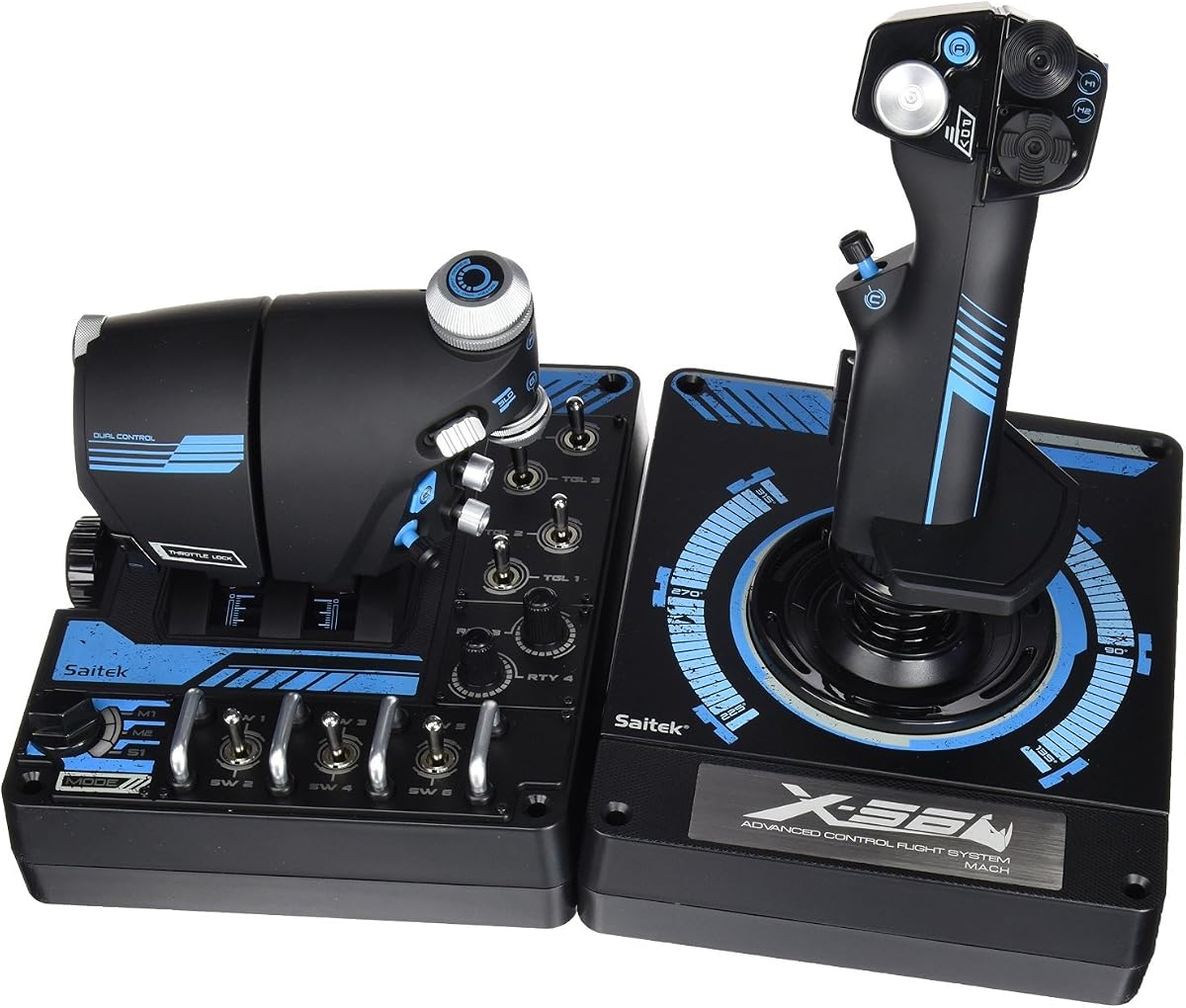

The Logitech G X56 H.O.T.A.S stands out as a top-tier option for pilots seeking extensive control options. With over 189 programmable controls, it offers unmatched flexibility for complex star systems.
We may earn a commission when you buy through this link, at no additional cost to you.
Its hall-effect sensors ensure long-term accuracy without wear, while the twin throttles provide friction adjustments for precise throttle management. The RGB lighting can be customized to match your gaming setup.
While the price is higher than budget models, the build quality and feature set justify the investment. The only downsides are its large footprint on the desk and the need for calibration software.
This HOTAS is ideal for serious Star Citizen players who need every button accessible. If you want military-grade precision and maximum customization, this model delivers excellent value.
With 189 controls you can map every command in Star Citizen without switching modes.
Magnetic sensors prevent wear and tear, ensuring consistent accuracy over thousands of hours.
We may earn a commission when you buy through this link, at no additional cost to you.
The Thrustmaster T-Flight Hotas X provides an excellent entry point into flight simulation. It is affordable, comfortable, and offers enough controls for basic Star Citizen missions.
We may earn a commission when you buy through this link, at no additional cost to you.
Its detachable throttle allows for flexible setups, while the adjustable resistance dial helps fine-tune stick tension. The plug-and-play feature means you can start flying immediately.
Although it lacks the extensive button count of premium models, it covers essential flight functions well. The build is sturdy enough for casual use but may not withstand intense daily sessions.
This model is perfect for beginners or those on a tight budget. If you need a reliable controller without breaking the bank, this X offers great value.
The wide hand rest keeps hands comfortable during long flights reducing fatigue significantly.
Pre-configured controls mean no complex software setup is required before flying.
We may earn a commission when you buy through this link, at no additional cost to you.
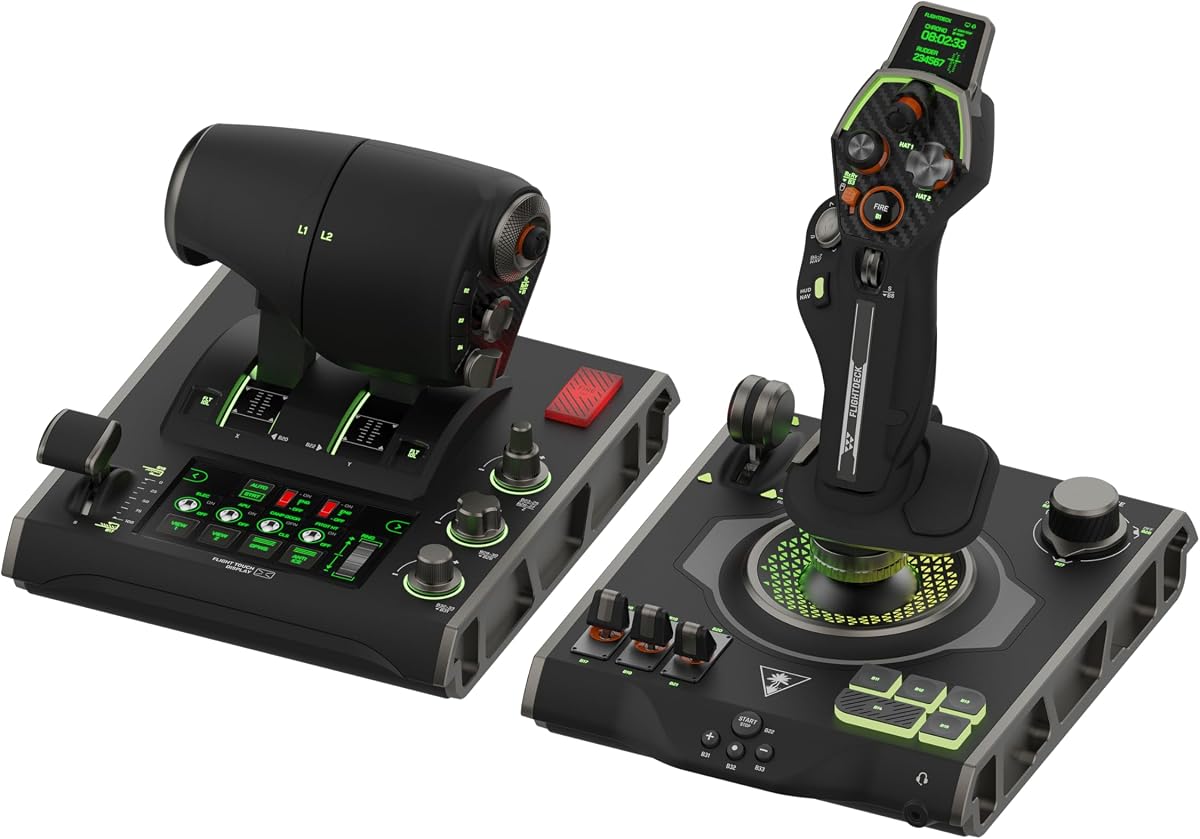
The Turtle Beach VelocityOne Flightdeck pushes boundaries with its world-first flight touch display. It offers unique customization and advanced features for immersive simulation experiences.
We may earn a commission when you buy through this link, at no additional cost to you.
Contactless Hall-Effect controls ensure durability, while the 139 programmable buttons cover complex ship systems. Adjustable haptic throttle response adds realism to speed control.
However, the high price and mixed user feedback mean it is not for everyone. Some users report software issues or calibration challenges that may affect the experience.
This is a premium choice for innovators who want cutting-edge tech. If you value unique features and customization above all else, this model is worth considering.
The flight touch display allows you to customize menus on the fly without software.
On-board audio enhancements improve communication clarity with a connected headset.
We may earn a commission when you buy through this link, at no additional cost to you.
The Thrustmaster T16000M FCS is known for its precision Hall-Effect sensors and compact design. It is a favorite among pilots who prioritize accuracy over extensive button layouts.
We may earn a commission when you buy through this link, at no additional cost to you.
With 16 action buttons and braille-style physical identification, you can operate without looking. The twist rudder and 8-way POV hat add essential flight control options.
The lack of a separate throttle might limit its utility for Star Citizen users needing more controls. However, it remains a robust and reliable controller for flight sim enthusiasts.
Ideal for those seeking precision and reliability, this model delivers smooth operation. If you value sensor accuracy and compact build quality, it is a solid investment.
Magnetic sensors provide surgical precision that does not degrade over time.
Braille-style buttons allow you to identify functions by touch quickly.
We may earn a commission when you buy through this link, at no additional cost to you.
The Logitech G X52 Flight Control System features a multifunction LCD display to show programmed commands clearly. It is a well-rounded choice for those wanting visual feedback on the controller.
We may earn a commission when you buy through this link, at no additional cost to you.
With 282 programmable commands, you can manage complex tasks without switching modes. The 5-position grip system ensures comfort for various hand sizes during extended use.
While it has an older design, the magnetic sensors and solid build quality hold up well. The single throttle might be a downside compared to dual-throttle options.
This model suits pilots who need visual confirmation of commands. If you value the LCD display and ergonomic comfort, it remains a trusted option in flight simulation.
The LCD display lets you verify commands without looking at the screen.
Magnetic sensors provide lasting accuracy and reduce wear over time.
We may earn a commission when you buy through this link, at no additional cost to you.
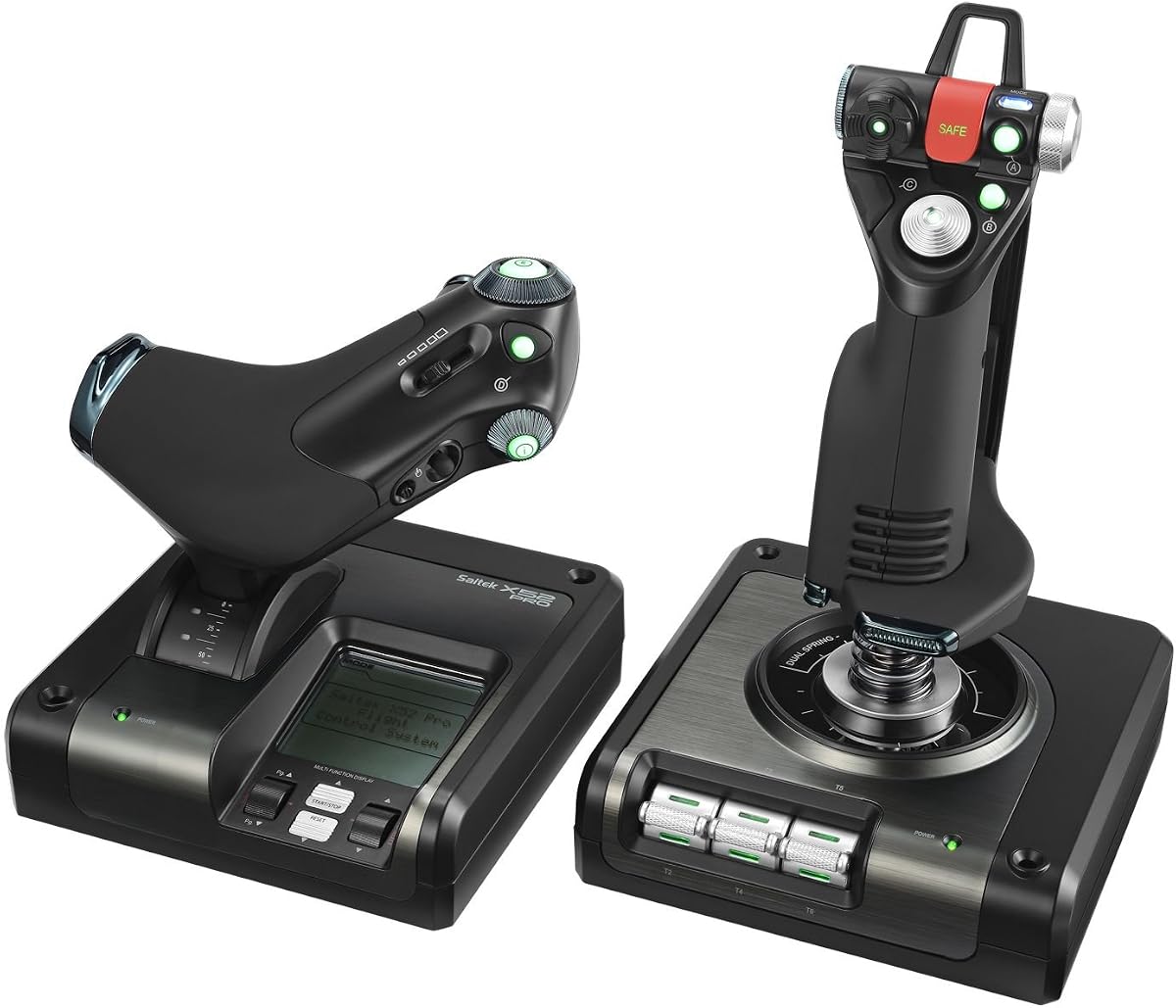
The Logitech G Saitek X52 Pro brings illuminated buttons and a progressive throttle to the table. It is designed for players who need detailed feedback and precise throttle control.
We may earn a commission when you buy through this link, at no additional cost to you.
The progressive throttle includes resistance adjustment and detents for afterburner and idle. Smart software software lets you program the controller for each specific game easily.
Some users find the software complex, but once set up, the controller performs reliably. The build is solid, though the higher price might deter budget-conscious buyers.
This model is great for pilots who want visual illumination and throttle precision. If you need detents and a high degree of customization, it is a strong candidate.
Illuminated buttons make it easier to use the controller in low-light environments.
Progressive throttle with detents offers precise control over engine power.
We may earn a commission when you buy through this link, at no additional cost to you.
The Thrustmaster T.FLIGHT HOTAS NEO offers console compatibility alongside PC support. It brings vibration feedback and a detachable throttle for flexible gaming setups.
We may earn a commission when you buy through this link, at no additional cost to you.
With 16-bit technology and 7 control axes, it delivers smooth and precise movements. The vibration motor helps you feel impacts and turbulence directly in your hand.
While the button count is lower than top PC models, it suits casual pilots well. You may need to install drivers for full PC functionality, which adds a step.
This is ideal for cross-platform gamers using both PC and consoles. If you want a lightweight controller with haptic feedback, it is a solid choice.
Compatible with PS5, PS4, and PC for seamless cross-platform flight simulation.
Vibration feedback adds realism by letting you feel impacts in your grip.
We may earn a commission when you buy through this link, at no additional cost to you.
This bundle includes the Logitech G X56 HOTAS plus Pro Flight Rudder Pedals for a complete control setup. It provides unmatched precision for flight and space simulation games.
We may earn a commission when you buy through this link, at no additional cost to you.
The rudder pedals feature self-centering and adjustable tension, allowing you to mimic aircraft behavior accurately. Toe brakes deliver full control during takeoffs and landings.
While it requires significant desk space and investment, the realism gained is worth it. It is a favorite for those building a dedicated flight simulator cockpit at home.
Ideal for serious simulation fans, this bundle offers full-axis control. If you want to replicate a real cockpit experience with pedals, this is the best value.
This bundle gives you stick throttle and pedals for a full flight experience.
Adjustable rudder pedals add critical directional control for landing.
We may earn a commission when you buy through this link, at no additional cost to you.
The Logitech G Pro Flight X56 Rhino delivers military-grade precision with its 189 controls. It is designed for aspiring combat pilots demanding exact performance levels.
We may earn a commission when you buy through this link, at no additional cost to you.
Twin throttles with friction adjusters and hall-effect sensors ensure consistent control. The RGB lighting can match your rig, and the controller is optimized for VR use.
While it shares features with other X56 models, its build quality and sensor accuracy stand out. The high price and large footprint are the only real downsides.
This model is best for pros who need reliability and maximum controls. If you want top-tier build quality and extensive customization, the Rhino delivers.
Designed for combat pilots requiring exact performance and durability.
Controls placed for VR help you navigate the set with ease.
We may earn a commission when you buy through this link, at no additional cost to you.
The Thrustmaster T-Flight Hotas One offers a versatile design that works with Xbox and PC. It is affordable and easy to set up with plug and play support.
We may earn a commission when you buy through this link, at no additional cost to you.
The detachable throttle allows flexible setups, whether on a desk or your lap. Adjustable resistance helps fine-tune control to match your preferred flying style.
While it is more basic than premium models, it covers essential needs well. It can be expanded with Thrustmaster rudder pedals for a more complete experience.
This is perfect for casual players or those starting out in flight simulation. If you need a simple, reliable controller that is easy to use, it is great.
Detachable throttle lets you use the stick and throttle separately as needed.
Works seamlessly with PC and Xbox for hassle-free installation.
We may earn a commission when you buy through this link, at no additional cost to you.
Choosing the right controller requires understanding your flight style and budget. This guide covers key factors to help you make an informed decision.
Decide between a simple joystick or a full HOTAS (Hands On Throttle And Stick) system. HOTAS provides more controls for throttles and aircraft systems.
For Star Citizen, a HOTAS is generally preferred due to the complex control requirements of spacecraft.
Look for controllers with enough programmable buttons to map your essential functions. More buttons mean less reliance on your keyboard.
Aim for at least 20 programmable controls to cover navigation and weapons effectively.
Hall-effect sensors provide non-contact precision and longevity compared to potentiometers. They reduce wear and keep your controls accurate over time.
Prioritize models with hall-effect sensors for long-term reliability and consistent performance.
Your controller should feel comfortable during long flight sessions. Adjustable grips and hand rests reduce fatigue significantly.
Test the grip size and weight if possible to ensure it fits your hand properly.
Throttles with friction adjusters and detents offer better speed control. Twin throttles are great for multi-engine aircraft.
Look for a throttle that feels smooth and allows for precise adjustments.
Ensure the controller supports software for advanced mapping. Good software lets you create profiles and customize behavior.
Check for community support and available profiles for Star Citizen specifically.
Flight controllers range from budget-friendly options to high-end premium models. Set a budget that aligns with your needs.
Higher-priced models often offer better sensors and build quality for long-term use.
Choose a controller that allows adding rudder pedals or trackIR later. Expandability ensures your setup grows with your needs.
Consider ecosystems where parts can be added or upgraded over time.
Install the manufacturer software first to map buttons and calibrate axes before playing. Follow the on-screen guides to ensure the system recognizes all controls.
Keep your controller clean and dry. Dust can accumulate in sticks or buttons over time so use a soft cloth to wipe surfaces regularly.
Adjust tension and friction settings to your preference for optimal comfort. Re-check calibration occasionally to maintain accurate control response during gameplay.
The Logitech G X56 H.O.T.A.S is a top choice for its extensive controls and hall-effect sensors. It offers precision and customization suitable for Star Citizen complex systems.
While not strictly required, a HOTAS significantly improves immersion and control. It reduces reliance on keyboard shortcuts for essential flight functions.
At least 20 programmable buttons are recommended to cover navigation, combat, and system controls. More buttons allow for better management without switching modes.
Yes, hall-effect sensors are more durable and precise. They avoid physical contact wear, ensuring consistent accuracy over the controller lifespan.
Console controllers lack sufficient buttons and throttle precision. While some work, they are not ideal for managing complex ship systems.
Use the manufacturer software to calibrate axes and buttons. Follow the prompts to center sticks and ensure all inputs register correctly.
Entry-level HOTAS systems start around $100 while premium models can exceed $400. Mid-range options offer good value with balanced features.
Rudder pedals are not required but enhance control during landing and docking. They add a layer of realism for serious simulation enthusiasts.
The Logitech G X56 H.O.T.A.S, Thrustmaster T-Flight Hotas X, and Turtle Beach VelocityOne Flightdeck represent top choices for various needs. Each offers unique benefits for immersive flight simulation.
Prioritize comfort, button count, and sensor accuracy when selecting a controller. Your setup should grow with your skills and experience level.
Remember to check current prices and availability as deals change frequently. The right controller will transform your Star Citizen experience significantly.